- Age rating4+
- CategoryProductivity
- DeveloperMarco Cebrian Muino
- LanguagesEnglish
- Size4.5 MB
Links to the official App Store page
Download.org hosts no file of CustomSearch 2. The button opens its official App Store page, published by Marco Cebrian Muino. Listing last checked on Nov 15, 2026.
Screenshots
About
Custom Search Engine 2.1 has been rebuilt from the ground up with SwiftUI. Faster, cleaner, and now including a full native iOS app for iPhone and iPad that syncs with iCloud.
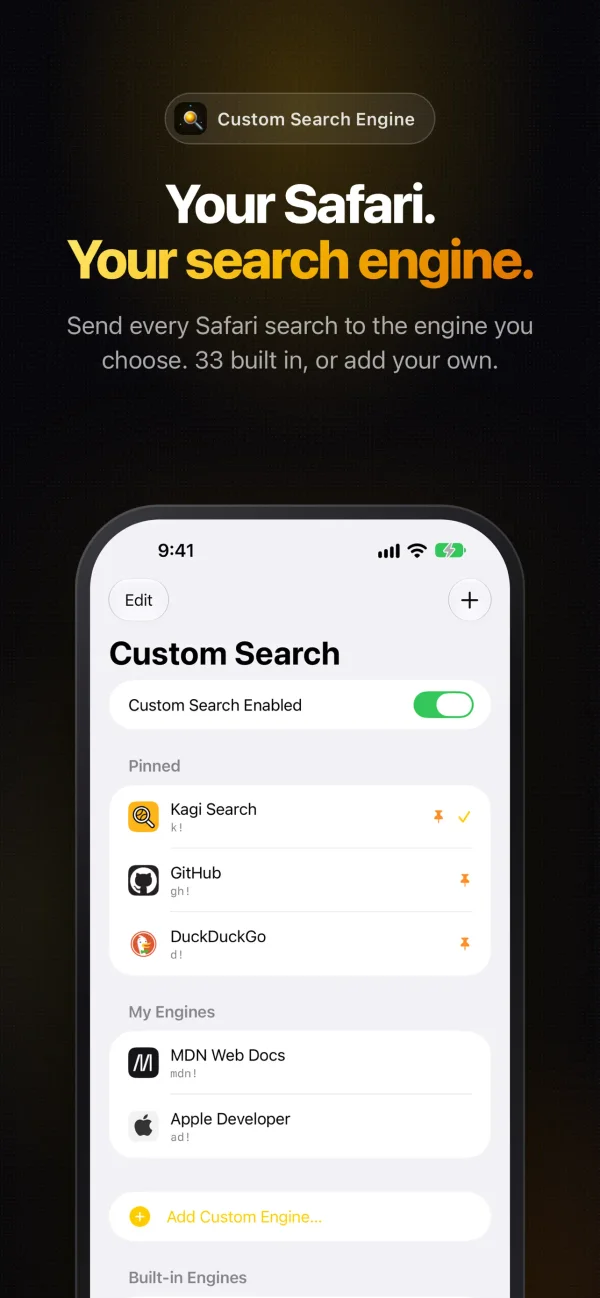
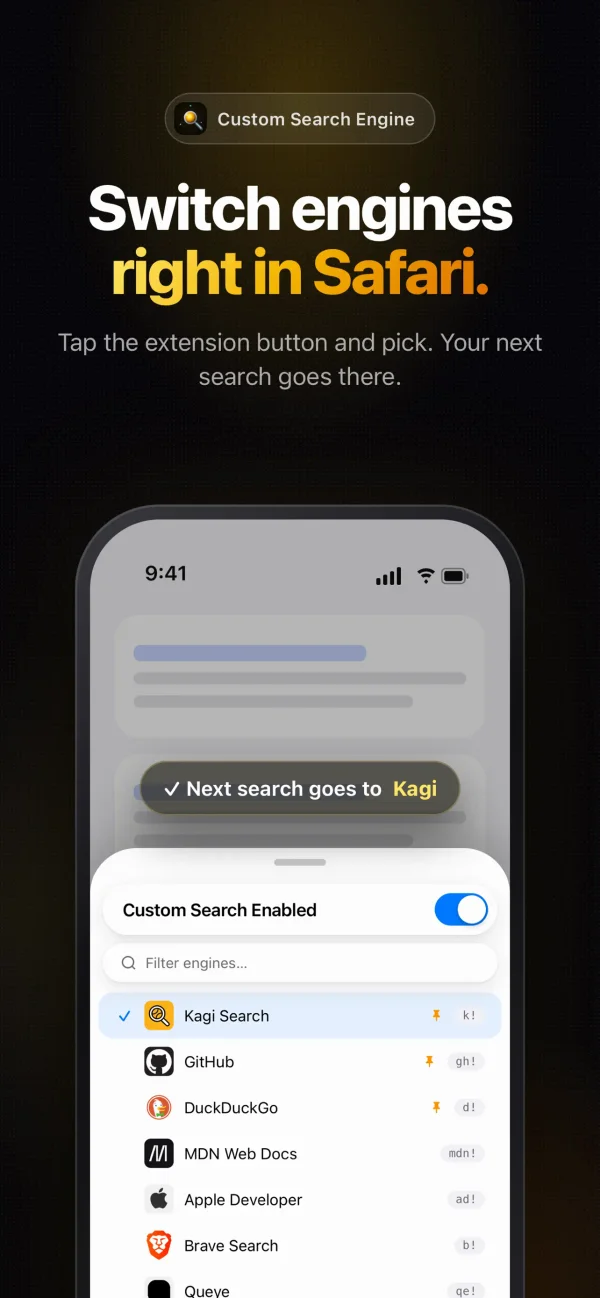
Take back control of where Safari sends your searches. Choose from 33 built-in engines or add your own. Enable, disable, and switch engines in seconds from the Safari toolbar.
33 Built-in Search Engines
Brave Search, Kagi, DuckDuckGo, Startpage, SearXNG, Perplexity, Google, Bing, and 21 more, all pre-configured and ready to use. No setup needed.
Bang Shortcuts
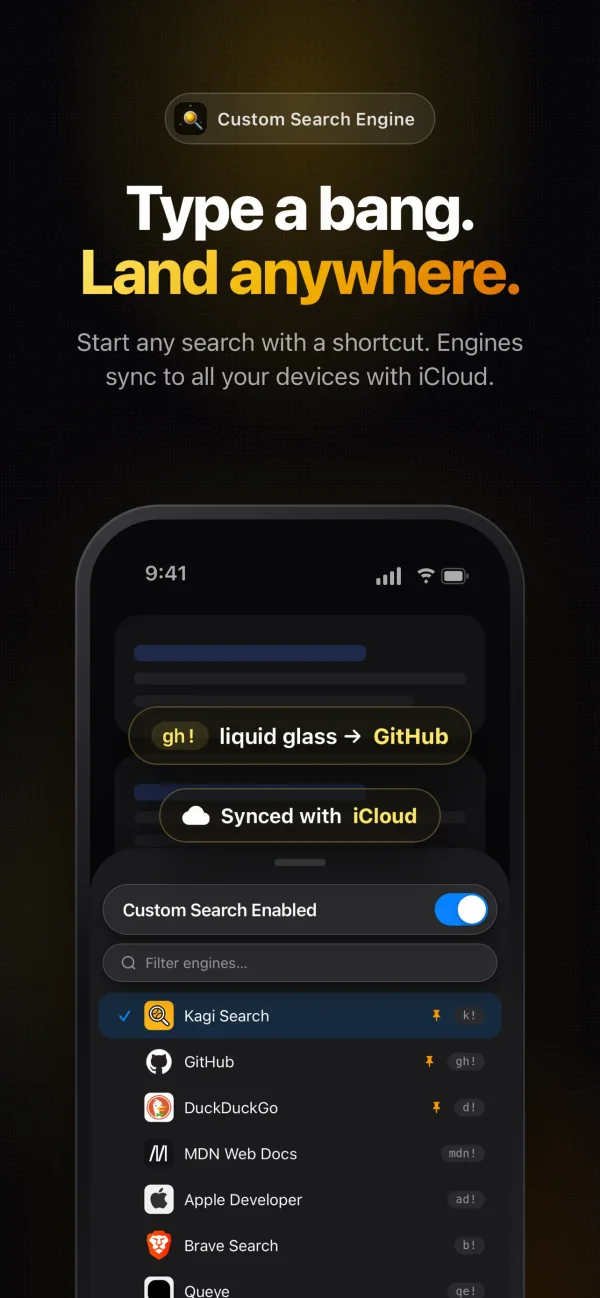
Override your default engine for any single query. Type k! for Kagi, d! for DuckDuckGo, pp! for Perplexity, y! for YouTube... no settings change required. Works at the start or end of any search.
Add Your Own Engines
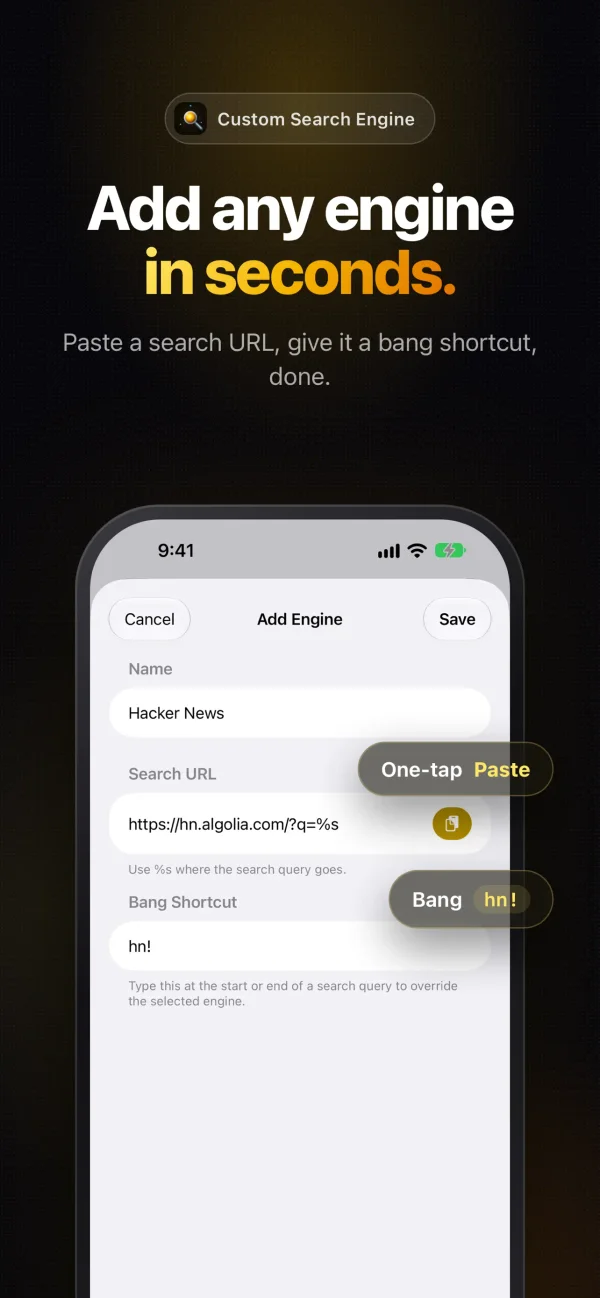
Any search engine works. Enter a URL with %s as the query placeholder, assign a bang shortcut, and go.
Your Privacy, Protected
The extension operates at the URL level only. It never reads page content, never stores your queries, and never makes network requests. What you search is yours alone.
How It Works
1. Enable the extension in Safari Settings → Extensions
2. Tap the toolbar icon to pick your default engine
3. Search as you always do, Safari redirects automatically
Available for Mac (Safari App Extension) and iPhone & iPad (Safari Web Extension). Free, no account, no subscription, no ads, no tracking.
What’s new
Version 2.1 · Sep 27, 2026
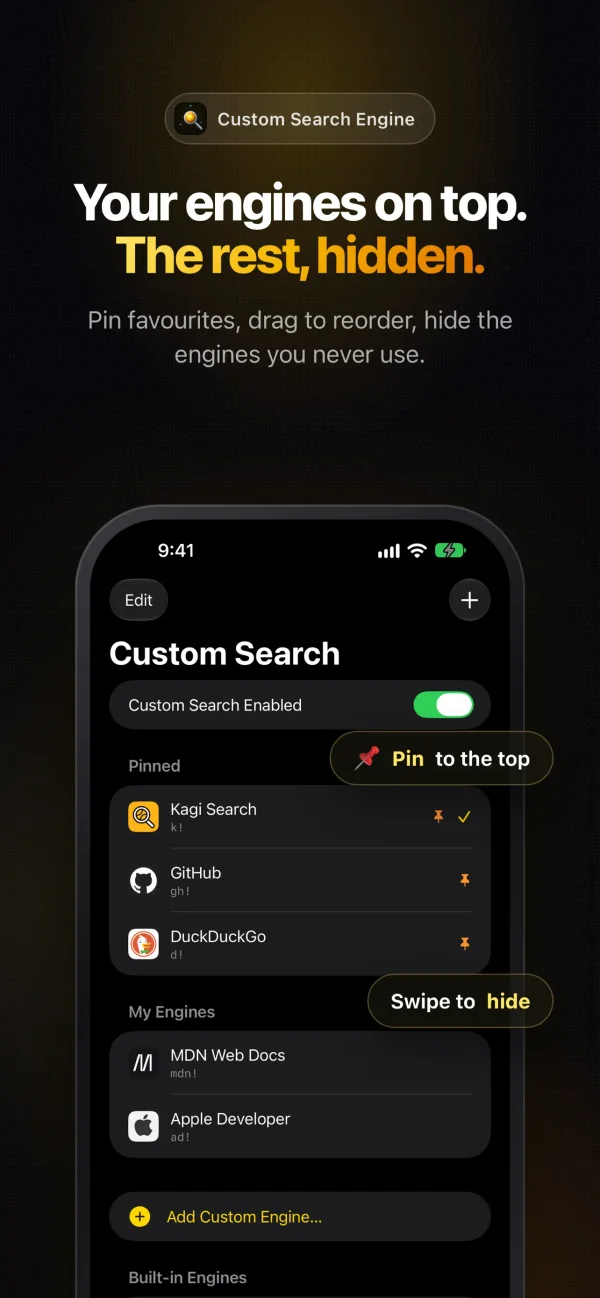
- A full Mac app: manage your engines right in the app window, just like on iPhone. Pin favourites to the top, drag to reorder, and hide the ones you never use.
- iCloud sync: your custom engines, pins and hidden list now follow you across Mac, iPhone and iPad.
- More engines, better icons: new built-ins: GitHub, Reddit, Stack Overflow, Google Maps, DuckDuckGo No AI and Marginalia, all with sharp new icons. Your own engines show their website's icon. Services that have shut down were removed.
- Easier to use: a Paste button for search URLs, clearer setup steps with pictures of exactly what to tap in Safari, and a refreshed design for macOS and iOS 26.
Thanks @Matthew
App privacy
What Marco Cebrian Muino declares on the App Store about how this app handles data.
-
Data not collected
The developer does not collect any data from this app.
Privacy practices may vary, for example with the features you use or your age.
Information
- Seller
- Marco Cebrian Muino
- Category
- Productivity
- Version
- 2.1
- Updated
- Sep 27, 2026
- Released
- Sep 30, 2021
- Size
- 4.5 MB
- Requires
- iOS 18.6 or later
- Age rating
- 4+
- Price
- $1.99
- Languages
- English
- Copyright
- © Marco Cebrián Muiño
You might also like
-
 LocalLens: On-Device AIVideos, audio & images to text
-
 AuraUINative client for Open WebUI
-
 Coffee Recipe ArchiveSave easily coffee recipes
-
 Reminders at a Glance WidgetHome Screen Widget · Due Dates
-
 dictop: AI Voice DictationPrivate Speech-to-Text
-
 LatentChat - Assistant LLMPrivate and Local AI Chatbot
-
 Rote|Notes, Journal & MemosJot thoughts like social posts
-
 AI Overview Hider for GoogleRemove AI Overview from search
-
 bVNC Pro - VNC Screen SharingSecure VNC Viewer with SSH
-
 Comeet - GitLab CompanionManage repositories and more.