
CutList Pro: Cutlist Optimizer
Board Foot Calculator & Plans
Designed for iPhone, iPad
Free · In-app purchases
- Age rating4+
- CategoryUtilities
- DeveloperMassive Interface LLC
- LanguagesEnglish+ 5 more
- Size32.6 MB
Links to the official App Store page
Download.org hosts no file of CutList Pro: Cutlist Optimizer. The button opens its official App Store page, published by Massive Interface LLC. Listing last checked on Nov 14, 2026.
Screenshots
About
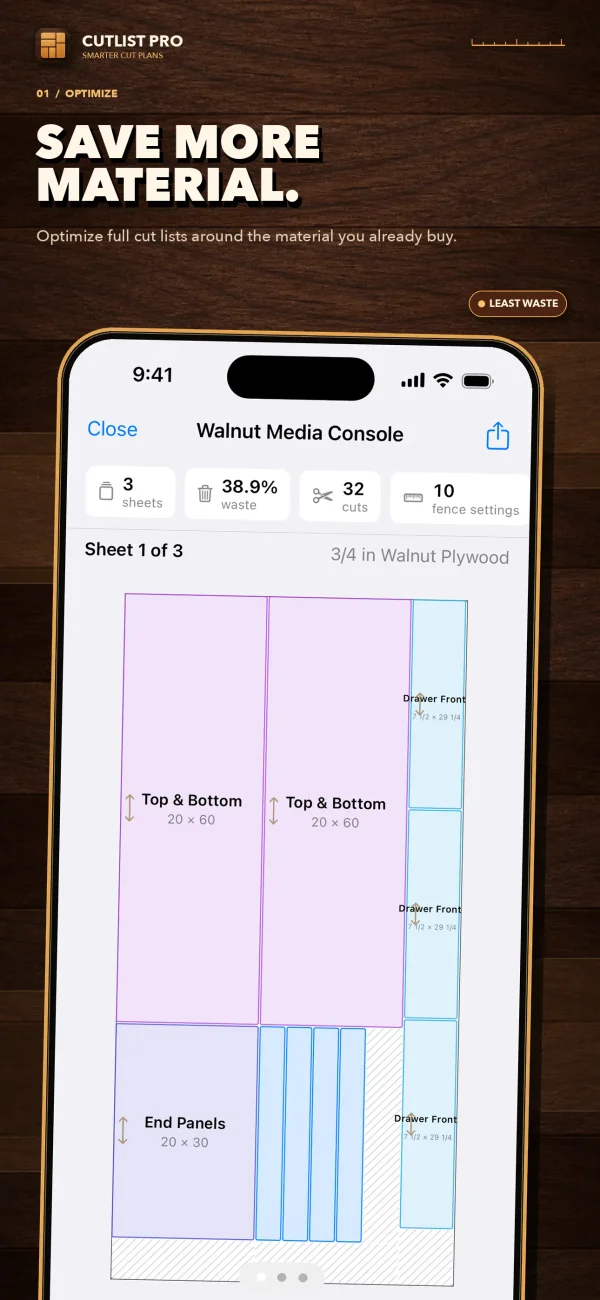
CutList Pro is a cut list optimizer for plywood, MDF, and dimensional lumber. Turn your parts list into cutting layouts that account for grain and saw kerf, reduce waste, and simplify saw setups.
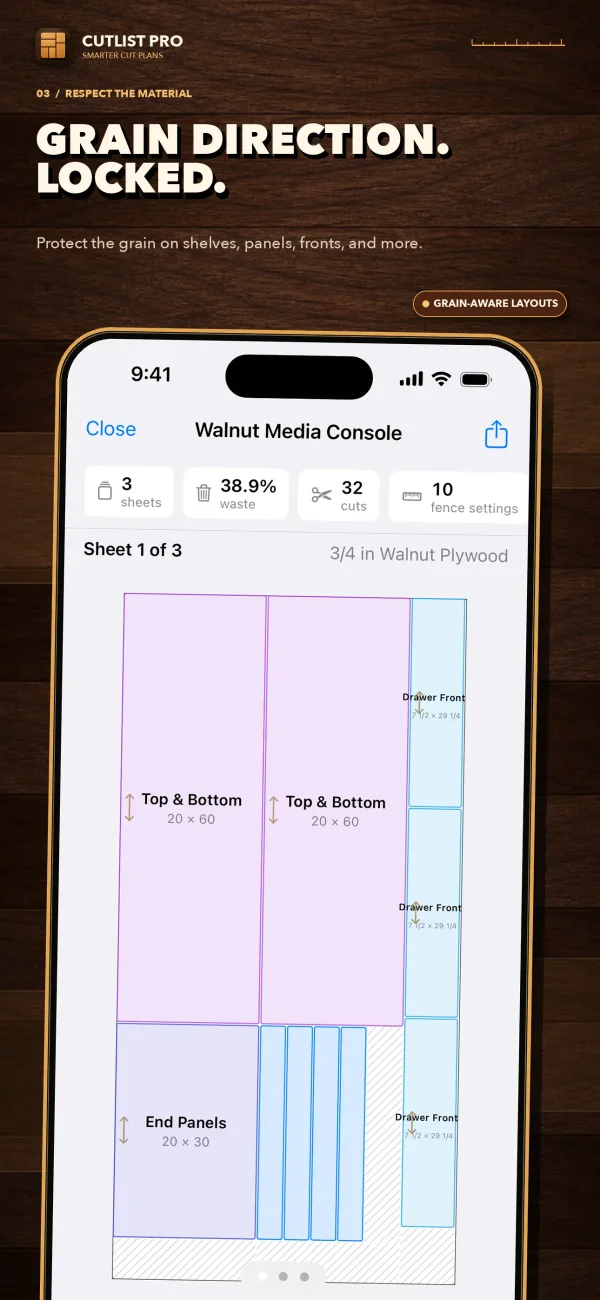
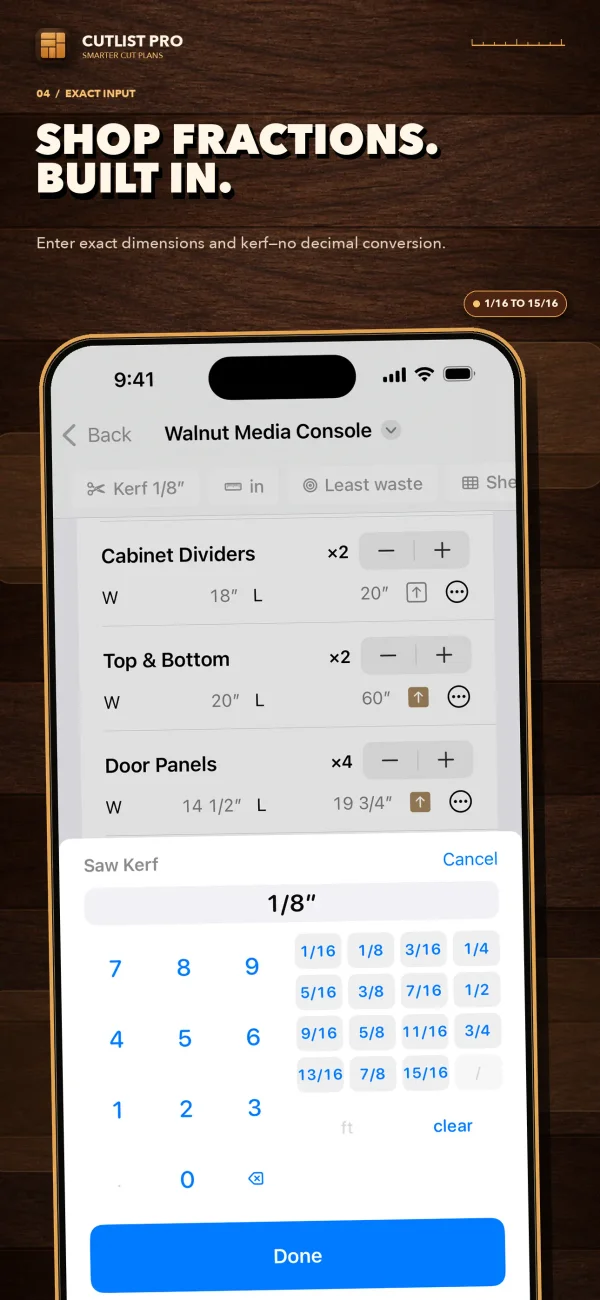
Built for the shop floor: fraction-native input (type 30 1/4 as easily as you'd say it), true guillotine layouts a table saw can actually execute, and grain direction handled correctly on every part.
TWO WAYS TO OPTIMIZE
• Least waste — classic sheet nesting that squeezes your parts into fewer sheets
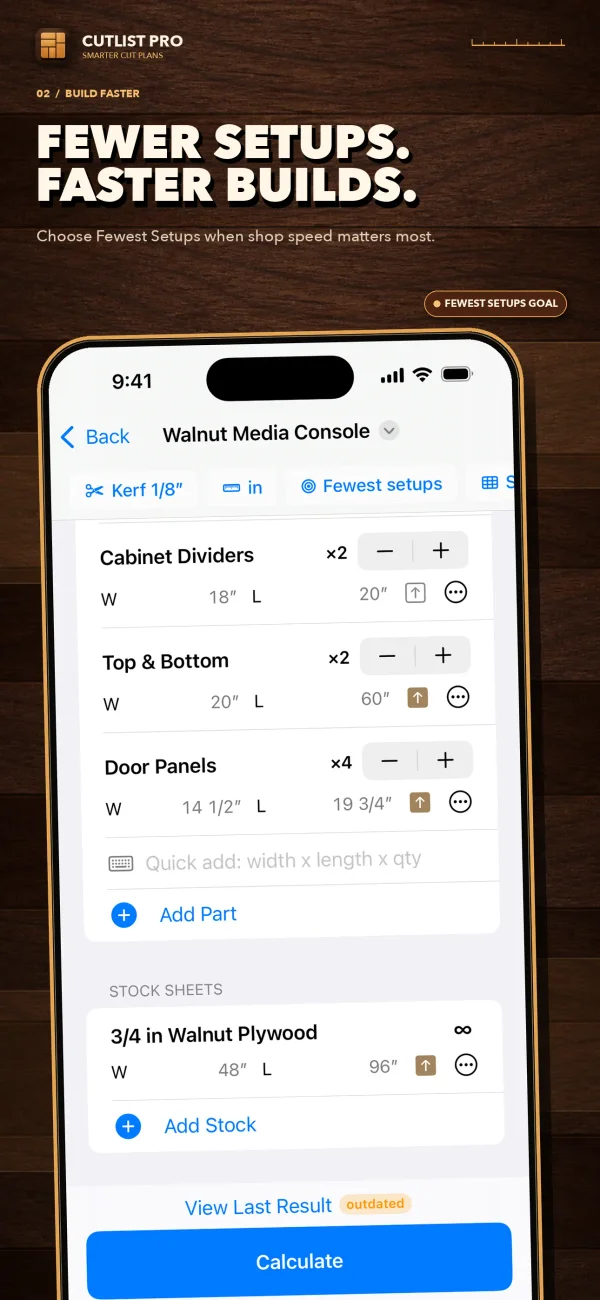
• Fewest setups — groups rips by width so you dial the fence once, not nine times
WHAT YOU GET
• Exact tape-measure fractions (1/8, 1/16, 1/32) and full metric support
• Grain direction locked per part, with arrows on the diagram
• Kerf-aware math — every cut accounts for your blade
• Per-sheet cut diagrams with pinch-zoom, labels, and offcut tracking
• An ordered cut sequence you can follow at the saw
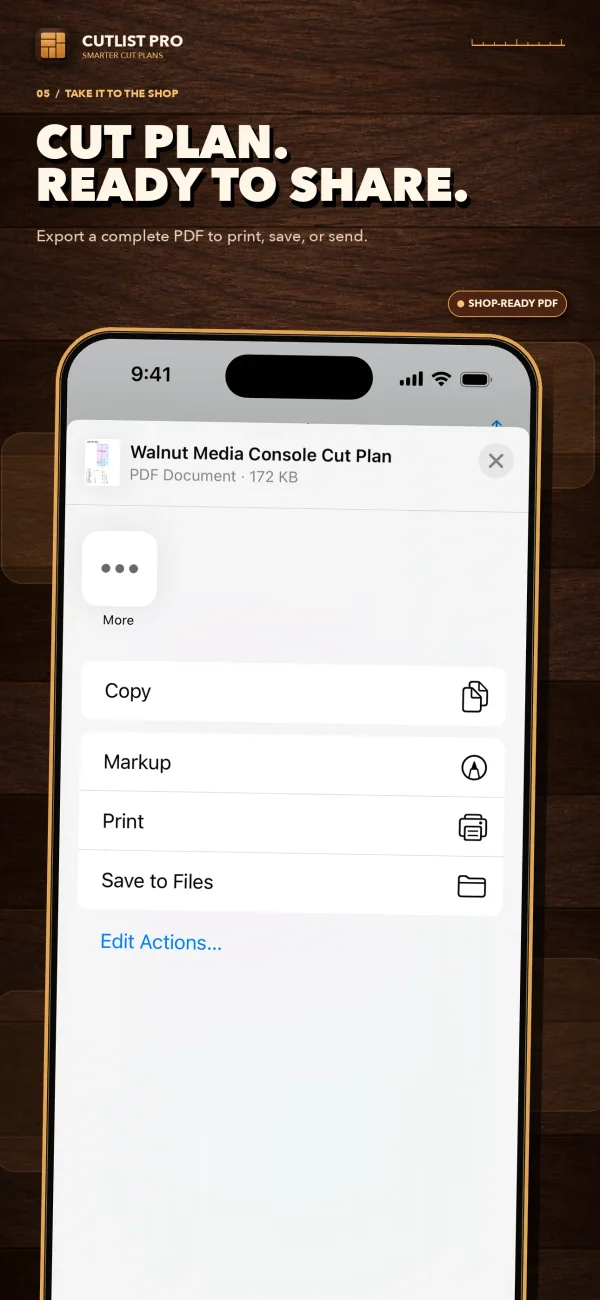
• PDF cut plans: diagrams, cut list, and printable part labels
• Sheet goods AND dimensional lumber (board) modes
• Works 100% offline. No account. No ads.
WORKSHOP TOOLBOX
Use the board foot calculator to estimate lumber volume and cost. Calculate fractions, shelf and slat spacing, panel subdivisions, picture frames, and edge banding. Add generated parts and shop notes to a project.
Measure twice, cut once — and let the math find the layout.
https://www.apple.com/legal/internet-services/itunes/dev/stdeula/
What’s new
Version 2026.11.3 · Nov 5, 2026
Blank and whitespace stock labels now recover to stable names without changing measurements, toolbox events use in/mm, and editor save failures include bounded diagnostics. Offering loads now distinguish startup/retry recovery.
App privacy
What Massive Interface LLC declares on the App Store about how this app handles data.
-
Data not linked to you
May be collected but is not linked to your identity.
- Purchases
- Identifiers
- Usage data
- Diagnostics
Privacy practices may vary, for example with the features you use or your age.
Information
- Seller
- Massive Interface LLC
- Category
- Utilities
- Version
- 2026.11.3
- Updated
- Nov 5, 2026
- Released
- Aug 14, 2026
- Size
- 32.6 MB
- Requires
- iOS 17.0 or later
- Age rating
- 4+
- Price
- Free
- In-app purchases
- Yes
- Languages
- English, French, German, Italian, Simplified Chinese, Spanish
- Copyright
- © 2026 Massive Interface LLC
You might also like
-
 LumberCut: Cut List OptimizerWoodworking waste calculator
-
 Cut Optimizer – Cut ListSheet, Panel & Linear Cutting
-
 Cutlist: Optimize KerfCut lists: save time & money
-
 Glessio: Cut List OptimizerOptimized Wood Cutting Plans
-
 cut list calculatorCutList Optimizer
-
 Cutlist Optimizer - MDF MasterOffcut Layout to reduct waste
-
 Kerfly: Cut List OptimizerSheet & Panel Layout Planner
-
 XyloKerf: Cut List OptimizerPlywood & Sheet Cutting Plans
-
 CutFlow: Cut List OptimizerSheet Cutting Optimizer Tool
-
 CutSmart - Cut List OptimizerPlywood Cutting Calculator