
Cutout: Sticker Maker
Lift subjects, send stickers
Designed for iPhone
Free · In-app purchases
- Age rating4+
- CategoryPhoto & Video
- DeveloperSahil Jain
- LanguagesEnglish
- Size7.5 MB
Links to the official App Store page
Download.org hosts no file of Cutout: Sticker Maker. The button opens its official App Store page, published by Sahil Jain. Listing last checked on Nov 13, 2026.
Screenshots


About
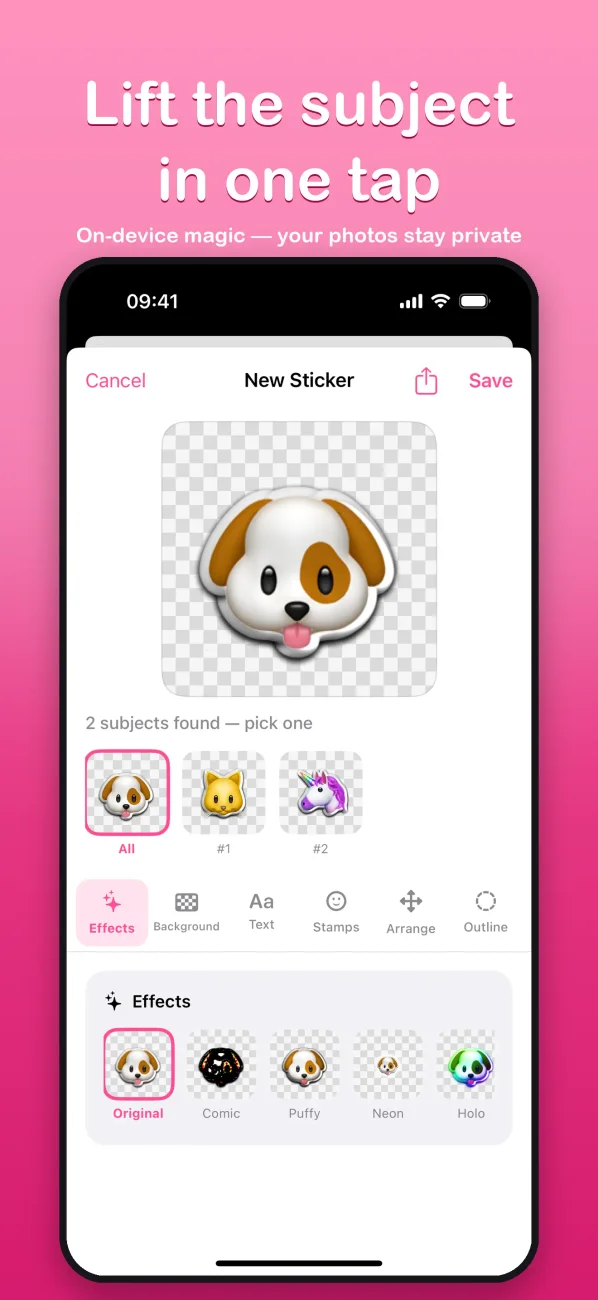
Cutout turns any photo into a sticker you can send right inside iMessage. Pick a photo, and Cutout instantly lifts the subject - a person, pet, or object - onto a clean transparent background. It feels like magic, and it all happens on your device.
HOW IT WORKS
- Pick any photo from your library.
- Cutout uses on-device intelligence to find the subject and lift it out, leaving a crisp transparent cut-out.
- Found more than one subject? Choose which one to keep, or grab them all.
- Your finished sticker lands in your library, ready to send.
SEND STICKERS IN IMESSAGE
Your cut-outs show up as stickers right inside the Messages app. Tap to send, or drag one onto a message bubble to place it. Build a personal sticker pack from your own photos - your pet, your friends, your favorite things.
100% ON YOUR DEVICE
Everything runs locally. There is no account, no sign-in, no cloud, no analytics, and no tracking. Cutout has zero networking code - your photos never leave your phone. The subject lift uses Apple's on-device frameworks, so it works even in airplane mode.
FREE, WITH NO LIMITS
- One-tap subject lift, as many stickers as you like
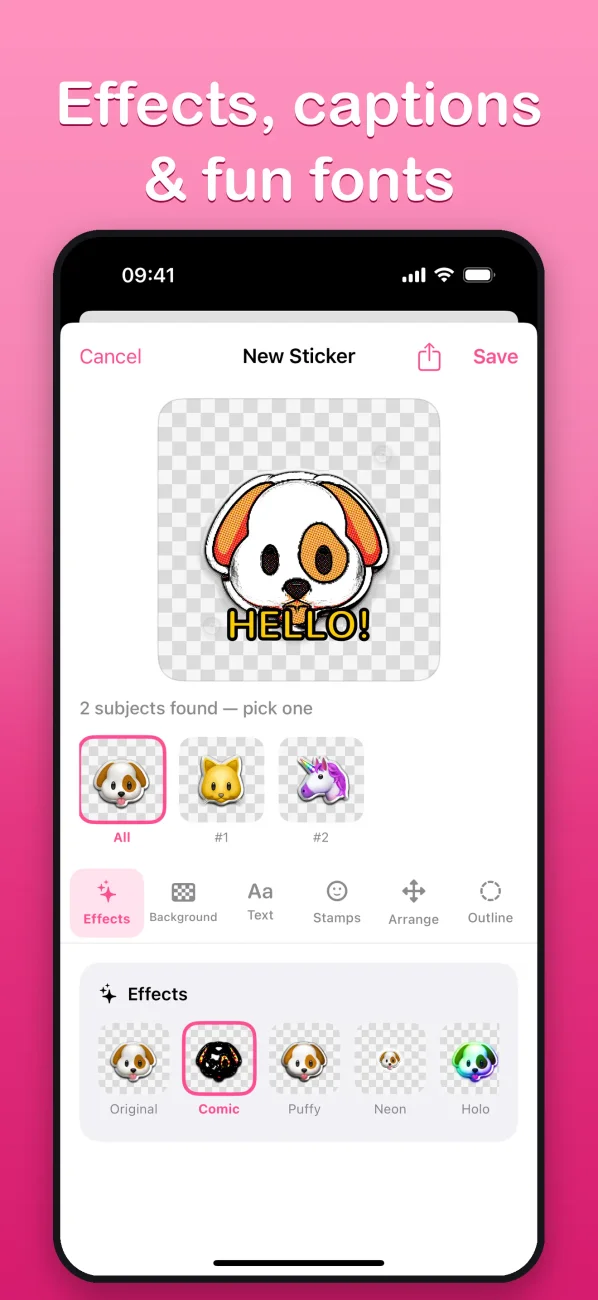
- Effects: comic, puffy, neon, holographic, sketch, and glitch looks
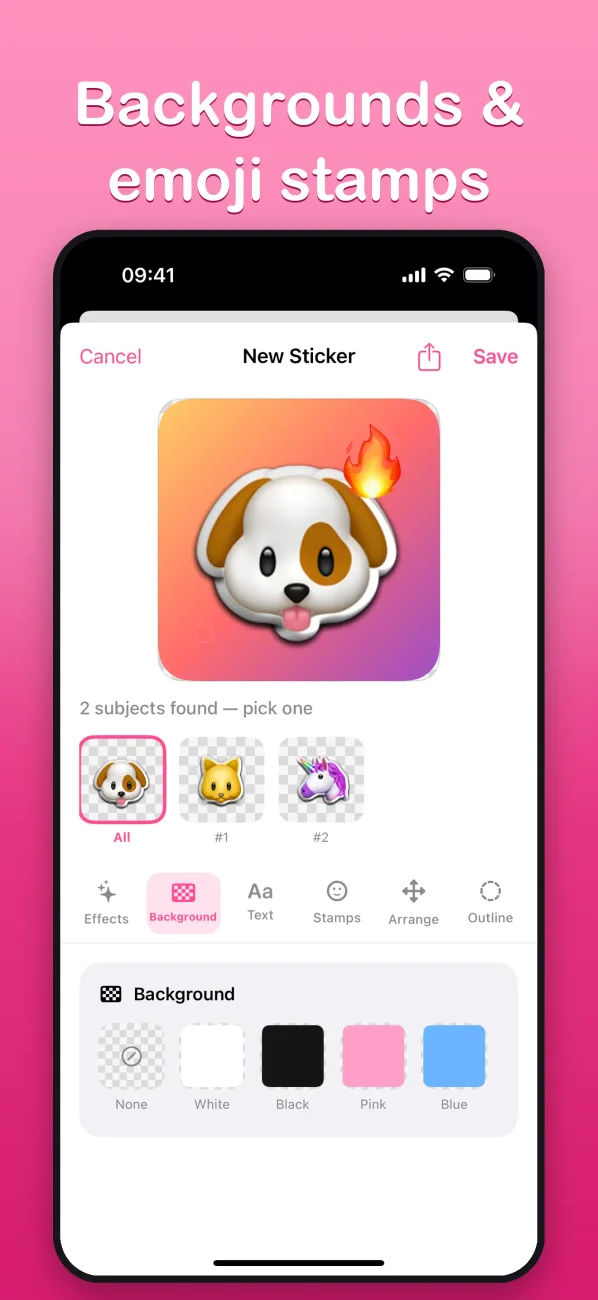
- Backgrounds: solid colors, gradients, and patterns for a die-cut card look
- Captions in six fonts, emoji stamps, and freehand drawing
- Outlines and drop shadows, plus batch-lift up to 10 photos at once
- Saves stickers as transparent PNGs you can share anywhere
CUTOUT PRO - ONE PAYMENT, NO SUBSCRIPTION
Everything above stays free forever. If you want more, Cutout Pro unlocks six extras with a single purchase - no subscription, no recurring charge:
- Animated stickers: turn a video or Live Photo into a looping sticker, with the subject lifted frame by frame
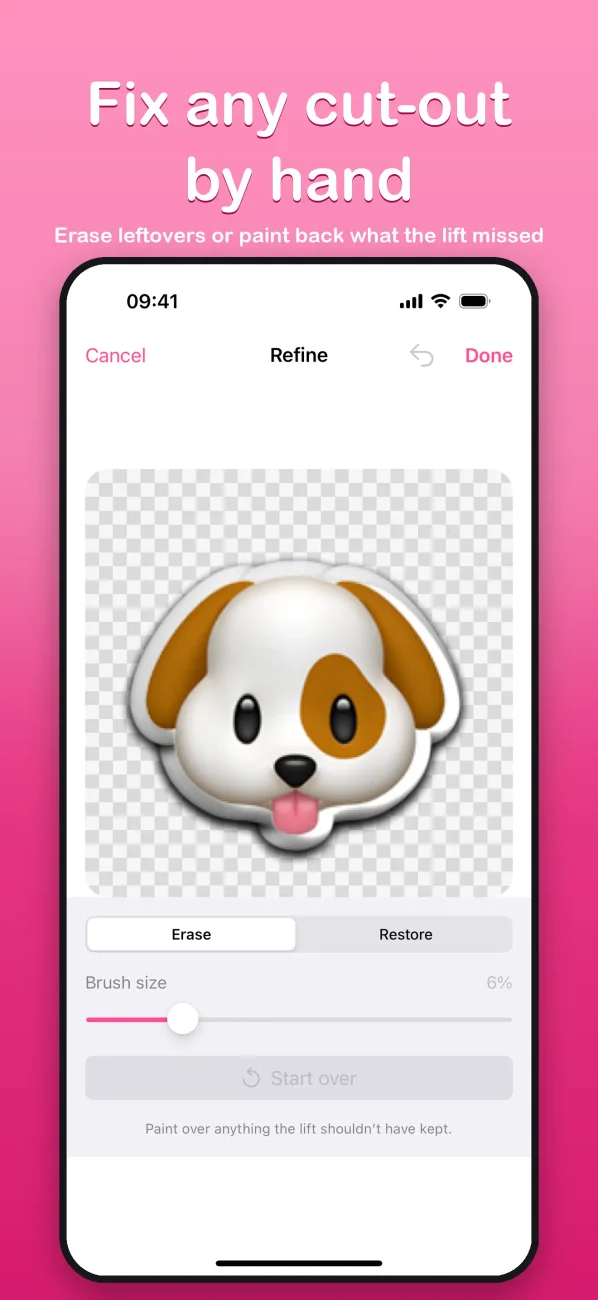
- Refine brush: fix any cut-out by hand - erase leftovers, or paint back the detail the lift trimmed off
- Pro styling: any color you like, double outlines, and full control over the drop shadow
- Re-editable stickers: reopen any sticker to fix a typo, swap an effect, or spin off a variant
- Sticker packs: organize your stickers into named packs and switch between them inside Messages
- Backup and restore: save your whole library to a single file you keep, and bring it to a new phone
DESIGNED FOR EVERYONE
- Full Dark Mode and Dynamic Type support
- VoiceOver labels throughout
- Reduce Motion support and gentle haptics
Make a sticker out of anything. Send it in iMessage. Keep your photos private. That's Cutout.
What’s new
Version 1.2 · Sep 8, 2026
Cutout Pro is now available to purchase.
Cutout Pro is a one-time purchase - no subscription, no recurring charge. Everything that was free before is still free and still unlimited.
IN CUTOUT PRO
- Animated stickers: turn a video or Live Photo into a looping iMessage sticker, with the subject lifted frame by frame
- Refine brush: erase leftovers or paint back detail the automatic lift missed
- Pro styling: custom colours, double outlines, and full drop-shadow control
- Re-editable stickers: reopen a sticker to fix a typo, swap an effect, or make a variant
- Sticker packs: organise your library and switch packs right inside Messages
- Backup and restore: save everything to a single file you keep
BETTER LIBRARY
- Tap any sticker to open it - straight into the editor when it can be edited, otherwise a detail view with every action in one place
- Select mode for moving, sharing or deleting several stickers at once
- Favourite the stickers you send most, and reach them from Messages too
- Animated stickers play right in your library
Still 100% on-device. No accounts, no analytics, no networking - your photos never leave your phone.
App privacy
What Sahil Jain declares on the App Store about how this app handles data.
-
Data not collected
The developer does not collect any data from this app.
Privacy practices may vary, for example with the features you use or your age.
Information
- Seller
- Sahil Jain
- Category
- Photo & Video
- Version
- 1.2
- Updated
- Sep 8, 2026
- Released
- Jun 15, 2026
- Size
- 7.5 MB
- Requires
- iOS 17.0 or later
- Age rating
- 4+
- Price
- Free
- In-app purchases
- Yes
- Languages
- English
- Copyright
- © 2026 App Ideas
You might also like
-
 Snipmoji: Cutout Sticker MakerBead patterns & sticker prints
-
 Snippie: Moving Sticker MakerAnimated stickers from video
-
 PasteUp: Meme Maker & CollageCutouts, stickers & boards
-
 FanCut Photo StickersPNG sticker maker
-
 Ejecto: AI Sticker MakerTurn photos into sticker packs
-
 Stickie: Video Sticker MakerMake stickers from your videos
-
 Cutout - Subject CutoutPrivate Background Remover
-
 Photo Stamp Maker: StampperDate Stamp Camera & Scrapbook
-
 Sticker BestieTurn anything into a sticker
-
 Snippa: Background EraserRemove & change backgrounds