
- Age rating4+
- CategoryProductivity
- DeveloperStephen Dantes
- LanguagesEnglish
- Size14.9 MB
Links to the official App Store page
Download.org hosts no file of Cybee's List. The button opens its official App Store page, published by Stephen Dantes. Listing last checked on Nov 18, 2026.
Screenshots





About
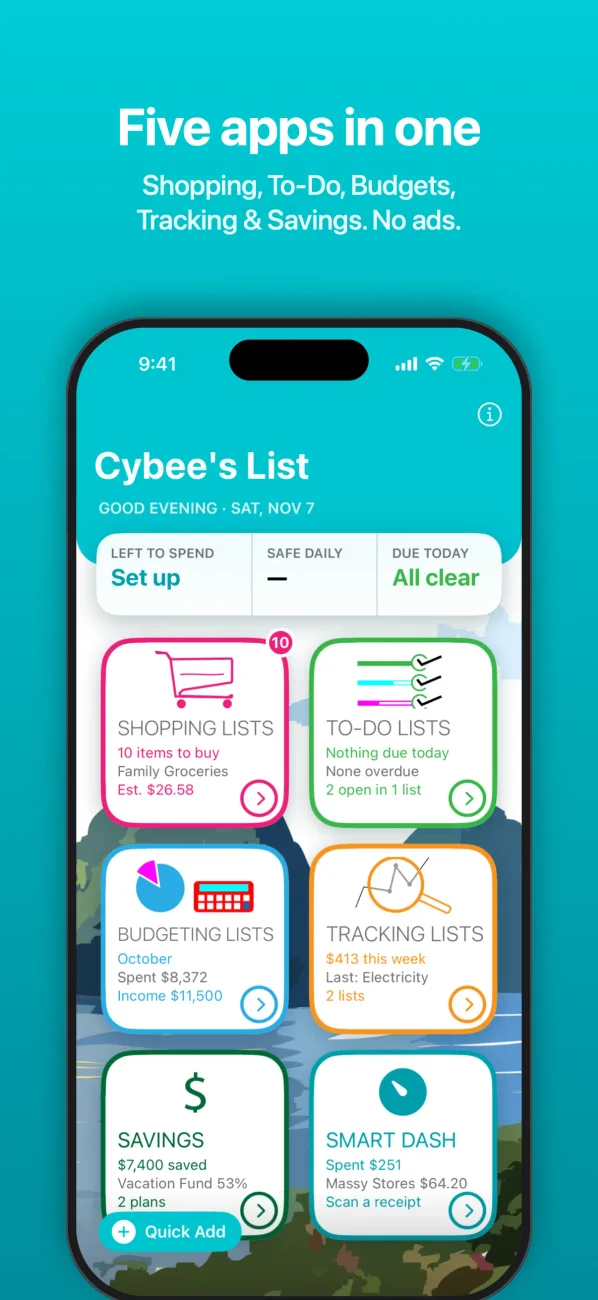
Shopping lists, to-dos, budgets, trackers and savings plans, all in one simple app. No ads, no account, and your data stays on your iPhone.
Cybee's List replaces five apps with one. Plan the week's shopping, tick off chores, set a monthly budget, track your bills and watch your savings grow, all from one home screen.
NEW IN 4.0
• Home Screen widgets for Today, To-Do, Shopping, Smart Dash and Savings
• A home screen that shows what's left to spend, today's safe amount and what's due
• Today view: every overdue and due-today task in one place
• Repeating reminders: every day, week, month or year
• Convert any currency right in the calculator, even offline
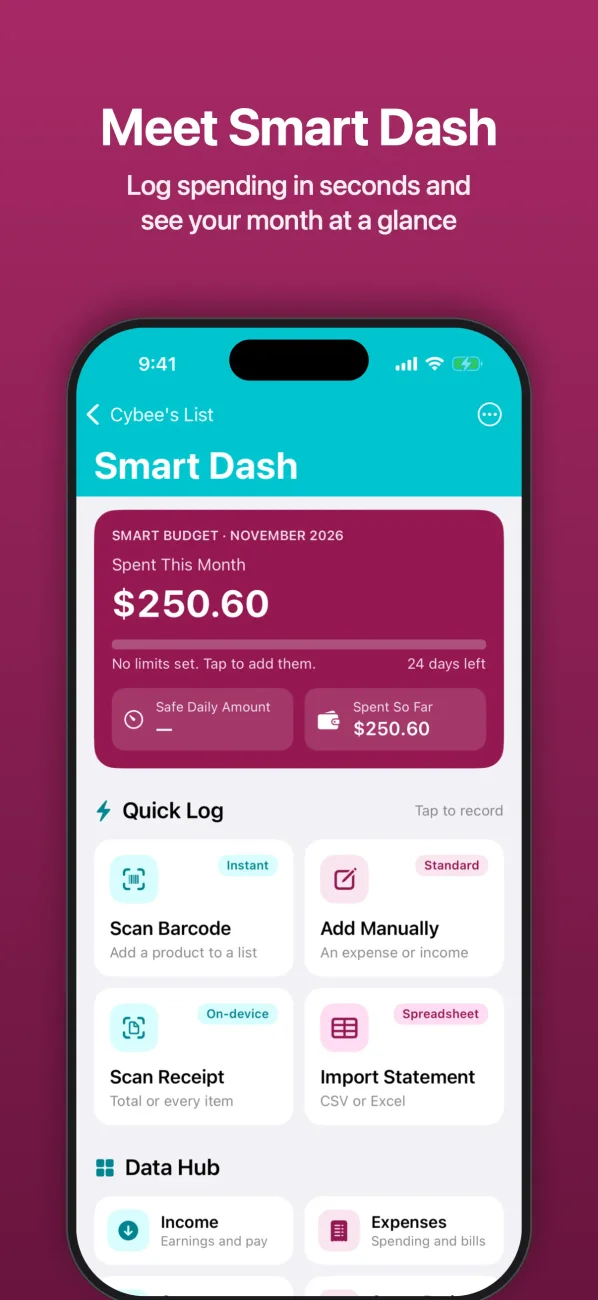
SMART DASH
• See what you've spent this month at a glance
• Log an expense in seconds, with the category guessed for you
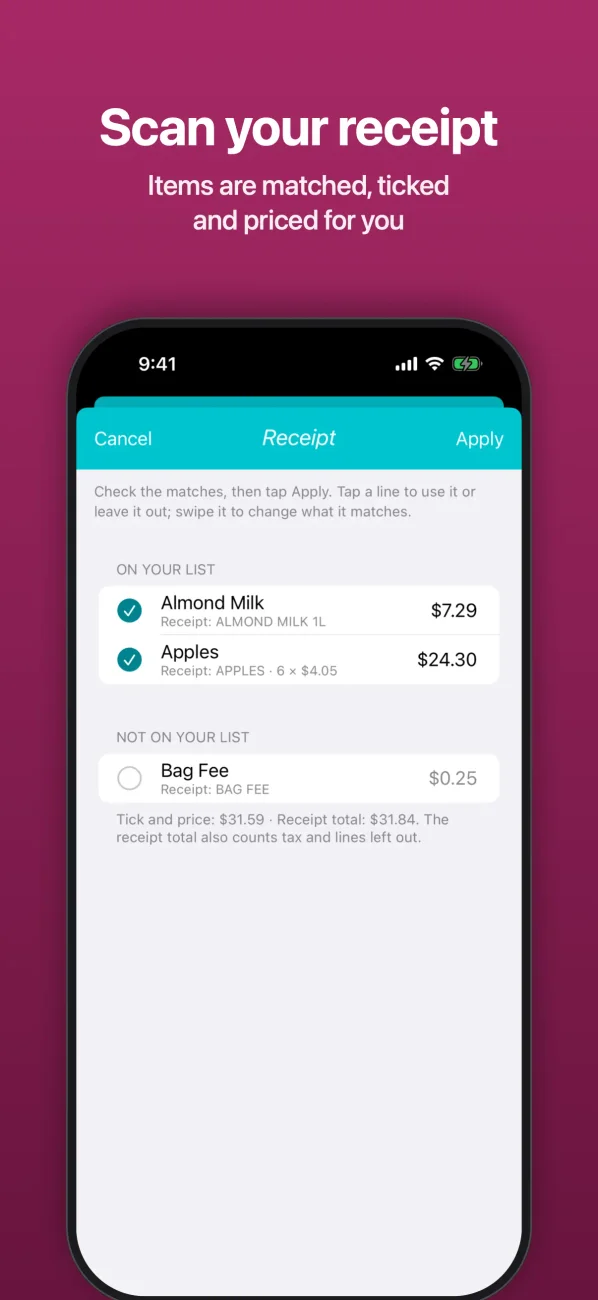
• Scan a receipt: items are matched to your shopping list, ticked and priced
• Scan barcodes: products you've bought before fill in their name and last price
• Import bank statements (CSV or Excel). Rows are categorised, and duplicates from earlier imports are left out
• Learned rules, Smart Stores and Smart Tracking build themselves from what you record
SHOPPING LISTS
• Organise lists by shop, with quantities, prices and a running total
• Price history shows what an item cost before
• Favourites and saved lists for the things you buy every week
• Built-in calculator with currency conversion
• Send a list's total straight to your budget
TO-DO LISTS
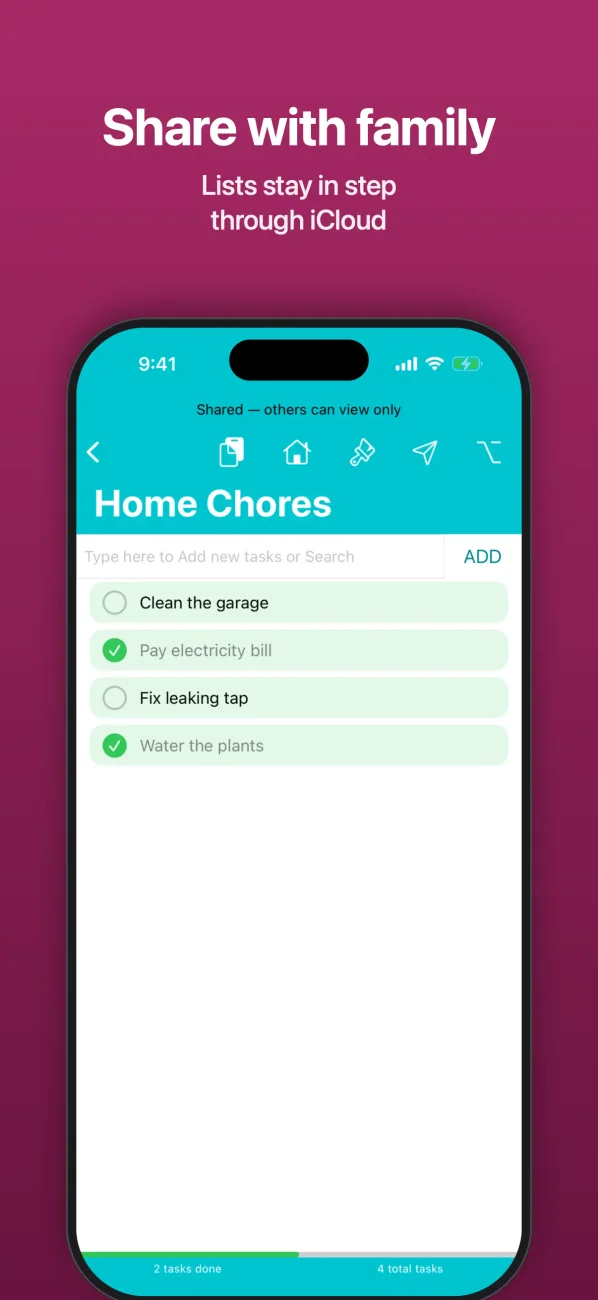
• Search tasks or add new ones in the same box
• Paste a list to turn every line into a task
• Notes and repeating reminders on any task
• See progress at a glance
BUDGETING LISTS
• Income, budgeted amounts and expenses for every month
• Your own categories, with names and colours you choose
• Graphs that show where your money goes
TRACKING LISTS
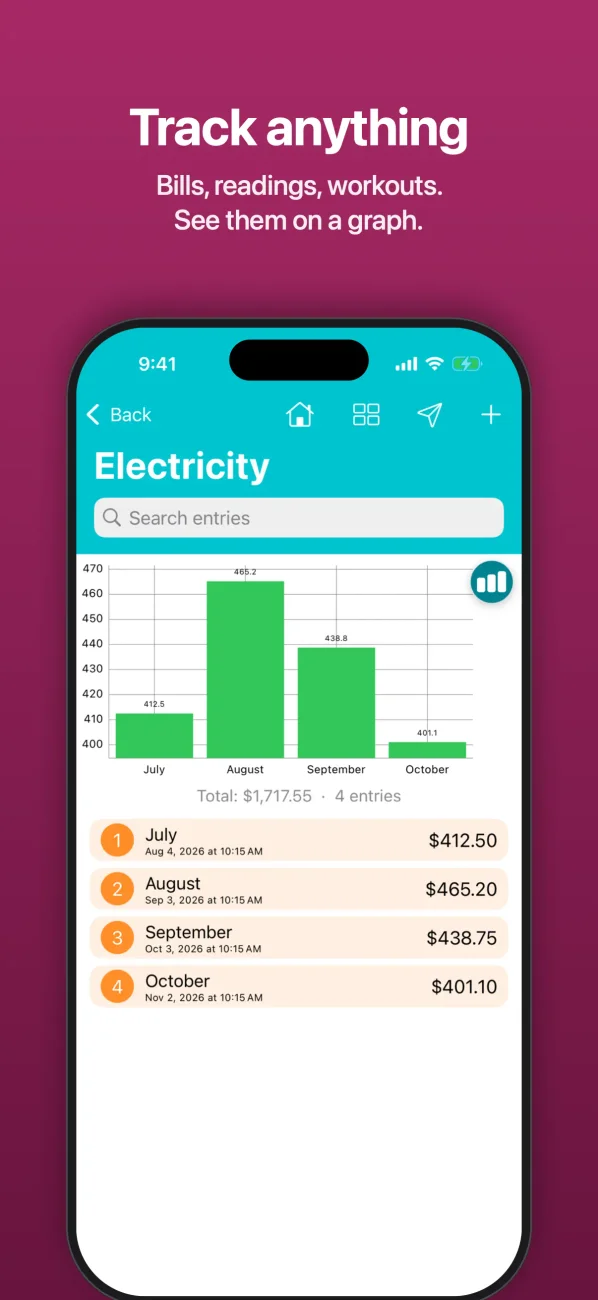
• Track bills, meter readings, workouts or anything else over time
• Switch between bar and line graphs
• Select rows to see their total or difference
SAVINGS PLANS
• Set a target and record deposits and withdrawals
• Watch your progress toward every goal
EVERYTHING CONNECTS
Send a shopping total to your budget, a bill to a tracker, or a savings expense to a savings plan. Linked entries are counted once and update together.
SHARE WITH FAMILY
Share any shopping, to-do, budget, tracking or savings list through iCloud. You decide whether others can edit or only view.
PRIVATE BY DESIGN
• Works offline. Your lists stay on your iPhone
• Only the lists you choose to share are sent to iCloud
• Optional Face ID lock for Budgets and Savings
• Back up to iCloud Drive and restore anytime
• Supports Dark Mode, VoiceOver and larger text sizes
Whether you're at home or on the go, Cybee's List is your reliable companion for effortless organisation.
What’s new
Version 4.0 · Nov 8, 2026
Cybee's List 4.0:
• Home Screen widgets for Today, To-Do, Shopping, Smart Dash and Savings
• A new home screen: what's left to spend, today's safe amount and what's due, plus Quick Add and your recent lists
• Today view: every overdue and due-today task in one place
• Repeating reminders: every day, week, month or year
• Paste a list to turn every line into a task
• Touch and hold any item for quick actions, and drag tasks into your own order
• Price history: see what an item cost before
• Learned rules: Smart Dash remembers where each shop's spending goes
• Calculator currency converter: convert an amount before you use it, or convert your answer, even offline
• Better VoiceOver labels and many smaller fixes
App privacy
What Stephen Dantes declares on the App Store about how this app handles data.
-
Data not collected
The developer does not collect any data from this app.
Privacy practices may vary, for example with the features you use or your age.
Information
- Seller
- Stephen Dantes
- Category
- Productivity
- Version
- 4.0
- Updated
- Nov 8, 2026
- Released
- Jun 7, 2023
- Size
- 14.9 MB
- Requires
- iOS 17.6 or later
- Age rating
- 4+
- Price
- Free
- Languages
- English
- Copyright
- © 2026 Stephen A. Dantes
You might also like
-
 Social Saver AI OrganizerSocial Media's Inspo board!!!
-
 Blob To Do - Task ListFeel Good Productivity Manager
-
 Tapestry CalendarWeave every calendar into one.
-
 Dayline: Daily PlannerTasks, notes & reminders
-
 Reoccur: Subscriptions & BillsManage Payments with Reminders
-
 To Do List: Planner & BudgetTask, Reminder & Habit Tracker
-
 iGrocery list - Shopping listIntuitive Shopping List
-
 Planner - daily planner todoTo do list & Todo task
-
 Daily Task OrganiserEffortlessly Organize Your Day
-
 PROSYS - Life Management ToolProductivity