
d0ne - Smart Task Scheduler
Time block all your tasks
Designed for iPhone
In-app purchases
- Age rating4+
- CategoryProductivity
- DeveloperDelbert Ty
- LanguagesEnglish
- Size11.3 MB
Links to the official App Store page
Download.org hosts no file of d0ne - Smart Task Scheduler. The button opens its official App Store page, published by Delbert Ty. Listing last checked on Nov 15, 2026.
Screenshots

About
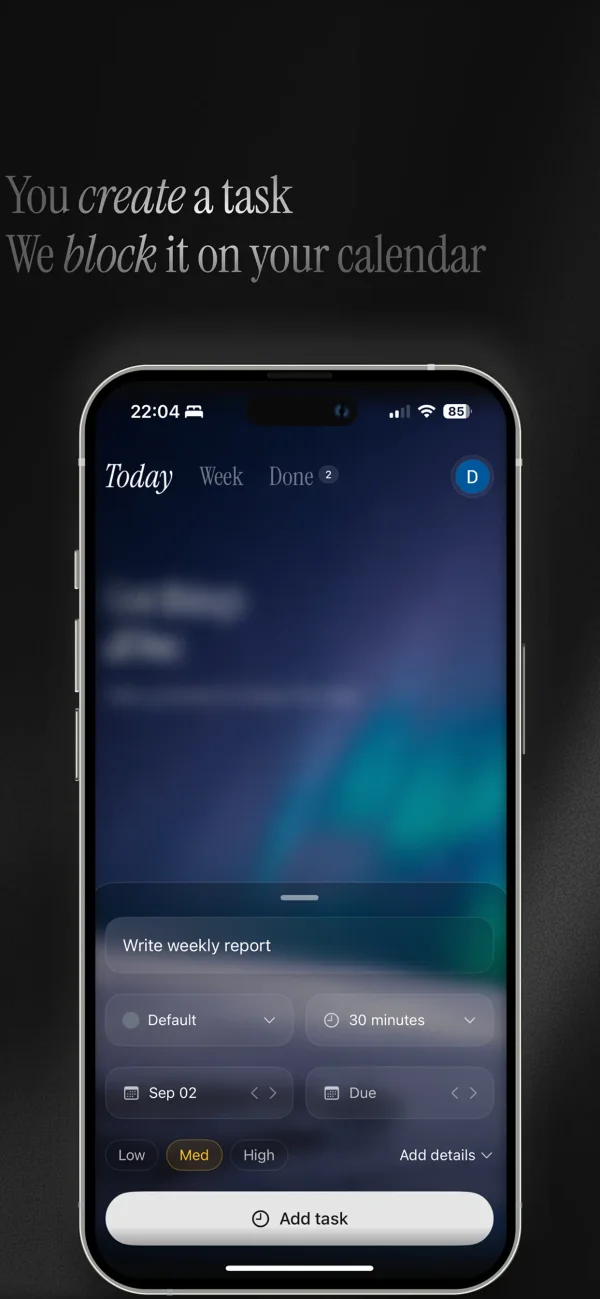
d0ne is a productivity app that takes the guesswork out of scheduling. Instead of juggling to-do lists and calendars, d0ne automatically places your tasks into your schedule using AI and your real availability.
Key Features:
AI-Powered Scheduling – Add a task and let d0ne suggest the best slot based on your calendar and preferences.
Google Calendar Sync – Two-way sync so tasks and events always stay up to date.
Automatic Rescheduling – Overdue tasks are re-scheduled nightly so nothing falls through the cracks.
Natural Language Input – Type “Tomorrow at 2pm” or “every Monday” and d0ne understands instantly.
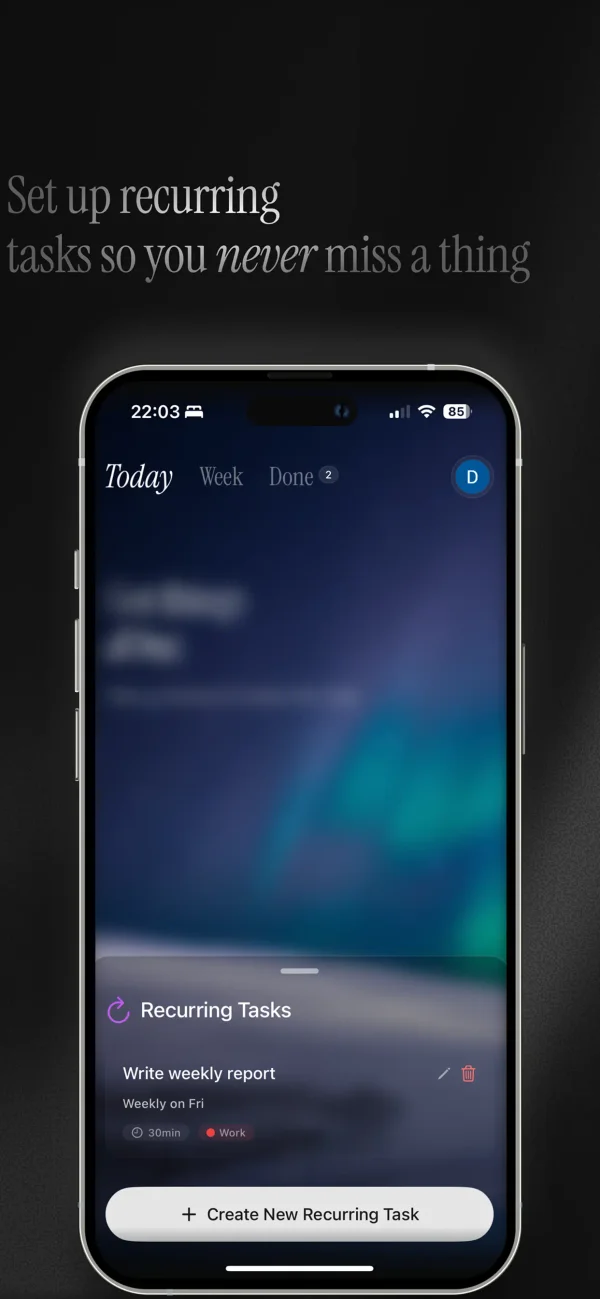
Recurring Tasks – Build habits with flexible daily, weekly, or custom recurrences.
Custom Rules – Set working hours, buffer times, and task limits that match your lifestyle.
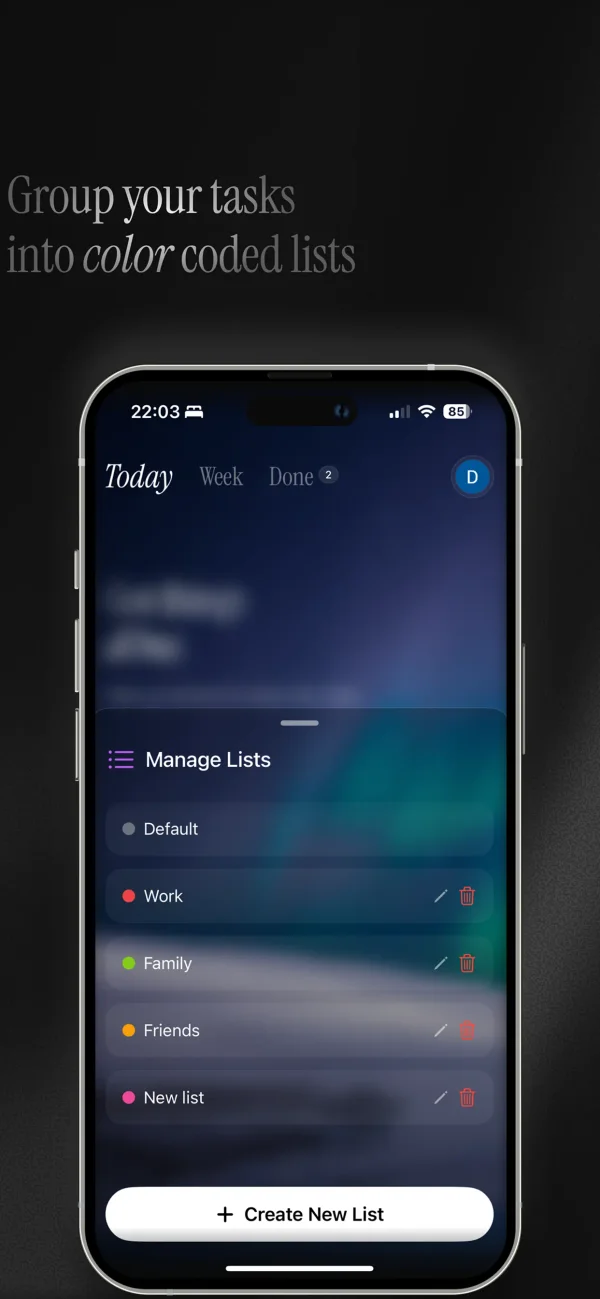
Simple Lists – Organize tasks by projects or categories with color-coded lists.
With a sleek design, glassmorphic UI, and powerful automation under the hood, d0ne turns your task list into a living schedule.
Why d0ne?
Traditional to-do apps make you plan. d0ne makes you act. By combining AI, calendar integration, and automation, it helps you beat procrastination and stay focused.
Terms of use: https://d0ne.today/terms/
Privacy Policy: https://d0ne.today/privacy/
What’s new
Version 1.031 · Jun 8, 2026
This update makes d0ne faster, smarter, and much better at working with your real calendar setup.
You can now connect more than one Google account, and d0ne will schedule tasks across your connected accounts so your availability is respected everywhere. Calendar settings have also been moved into a dedicated Calendars sheet, making it easier to see connected accounts, manage active calendars, and sync your timezone from Google Calendar.
New tasks can now be added from Shortcuts and Siri. Create a shortcut with the d0ne Add Task action, say the task out loud, and d0ne will add it and schedule it in the background.
We also improved the way tasks sync with Google Calendar when you mark them done. Completed tasks now update their calendar blocks more reliably across connected accounts, including when several tasks are completed quickly.
The task list should feel more stable and responsive too. Optimistic updates for creating, completing, and deleting tasks have been tightened so cards no longer bounce back during quick actions, and the new-task glow now follows the correct task even when tasks are added in quick succession.
Finally, this release includes performance and polish improvements across the glass UI, scheduling rules, calendar handling, and task animations.
App privacy
What Delbert Ty declares on the App Store about how this app handles data.
-
Data linked to you
May be collected and linked to your identity.
- Location
- Contact info
-
Data not linked to you
May be collected but is not linked to your identity.
- Usage data
- Diagnostics
Privacy practices may vary, for example with the features you use or your age.
Information
- Seller
- Delbert Ty
- Category
- Productivity
- Version
- 1.031
- Updated
- Jun 8, 2026
- Released
- Sep 8, 2025
- Size
- 11.3 MB
- Requires
- iOS 18.5 or later
- Age rating
- 4+
- In-app purchases
- Yes
- Languages
- English
- Copyright
- © 2025 TynkTank Pte. Ltd.
You might also like
-
 Clair AppYour Tasks, Cards & Notes
-
 Steady: Neurospicy ToolsADHD focus, planner & to-do
-
 Capacify: ADHD Energy PlannerSpoon theory task & focus list
-
 Onka: Daily CalendarPlan your days
-
 SnappyTasksVoice powered Tasks & Reminder
-
 Daily Planner & Habit TrackerGoals Reminder: Journal/Vision
-
 mystash.aiProductivity
-
 LuFeedYour Personal News Universe
-
 DoNext - Next Action ToDo ListGet things done without stress
-
 Valuist: Daily PlannerA few things, in order.