
DahongMemo - Quick Notes
Find every thought with ease
Designed for iPhone, iPad
Free · In-app purchases
- Age rating4+
- CategoryProductivity
- DeveloperYoungWon Studio
- LanguagesEnglish+ 5 more
- Size7.8 MB
Links to the official App Store page
Download.org hosts no file of DahongMemo - Quick Notes. The button opens its official App Store page, published by YoungWon Studio. Listing last checked on Nov 17, 2026.
Screenshots
About
Write down a thought and find it when you need it.
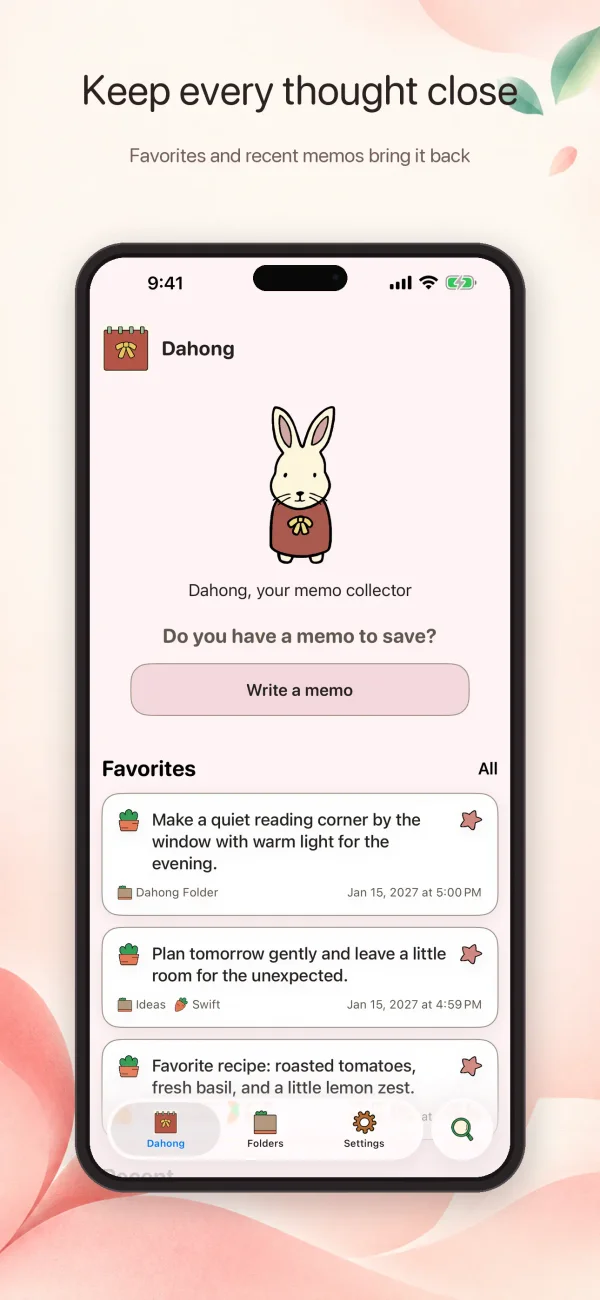
DahongMemo keeps notes simple, with folders, tags, and search across your memo text, folders, and tags.
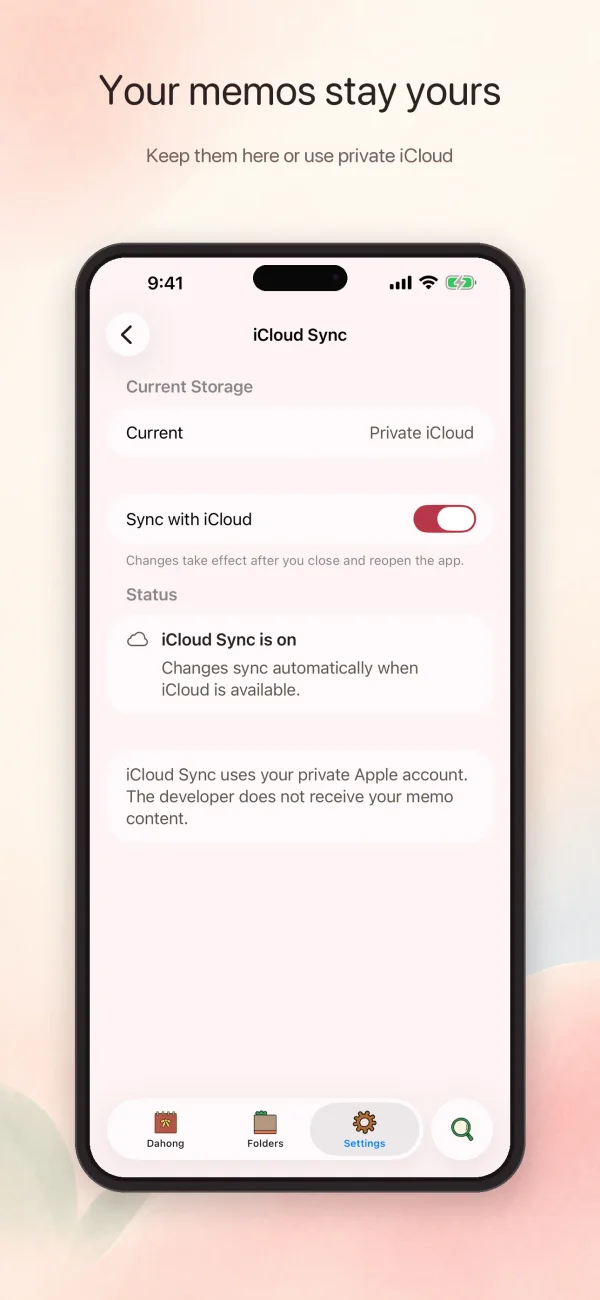
No separate account, ads, or third-party tracking. Your memos stay on your device by default.
WRITE WITHOUT THE SETUP
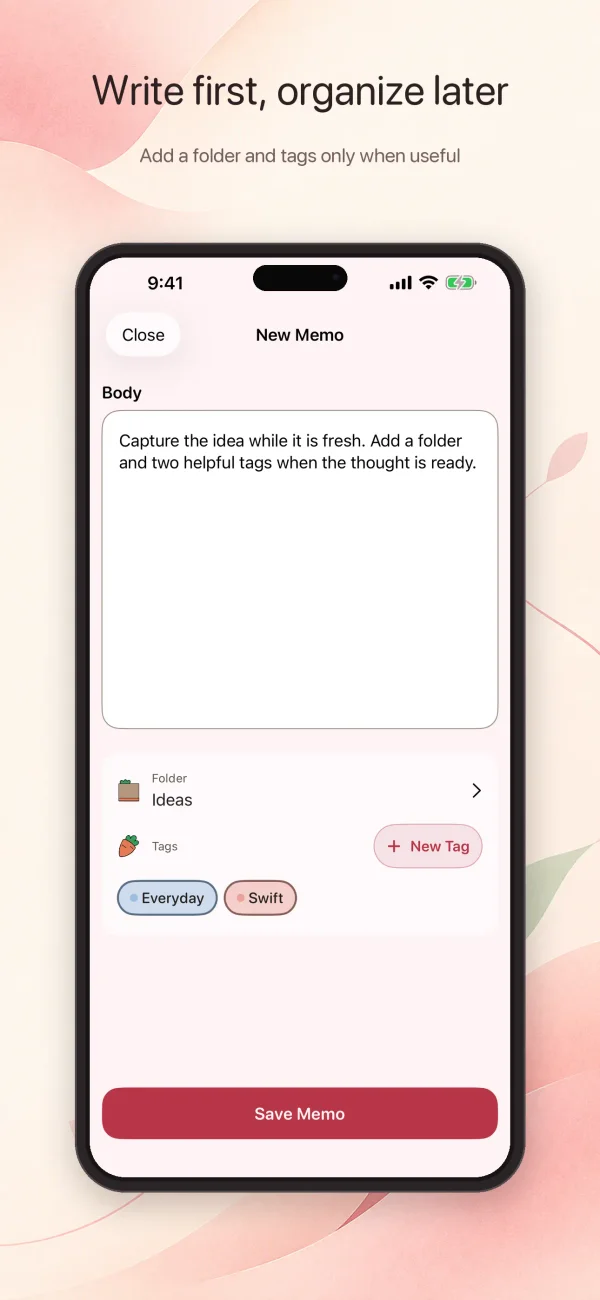
• Start with one flexible memo body—no title required
• Keep a draft safe while you choose a folder and multiple tags
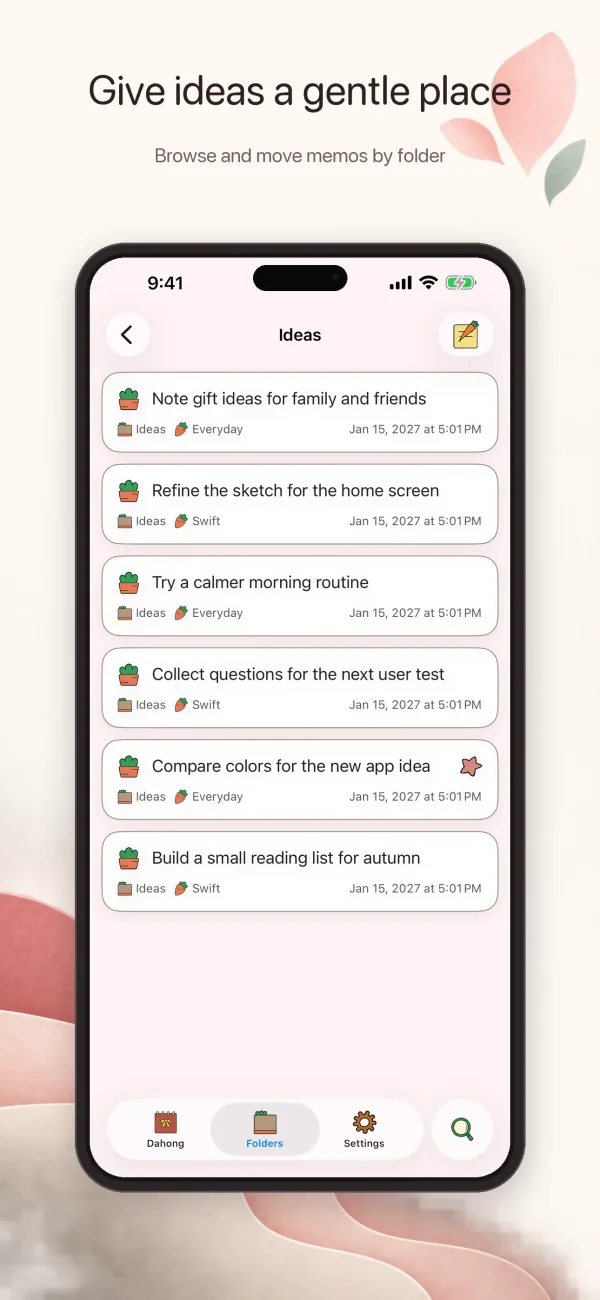
• Read, edit, favorite, and move memos; undo accidental deletions
FIND WHAT YOU SAVED
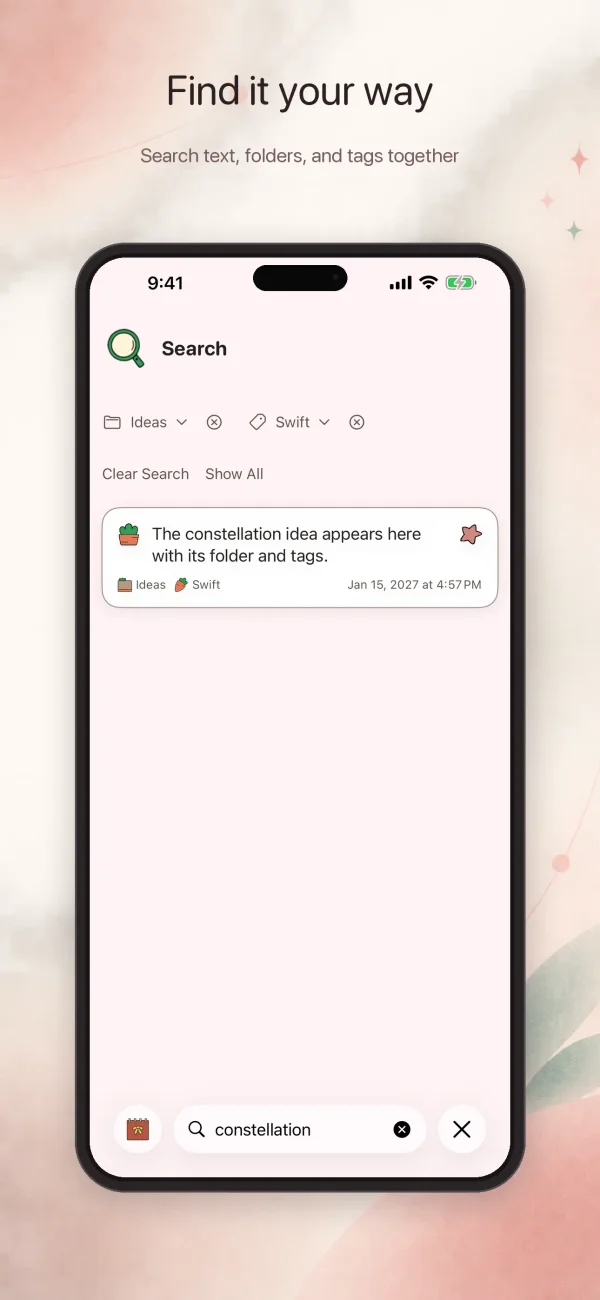
• Search memo text, folders, and tags together
• Narrow results with folder and tag filters
• Return to your search context after opening a result
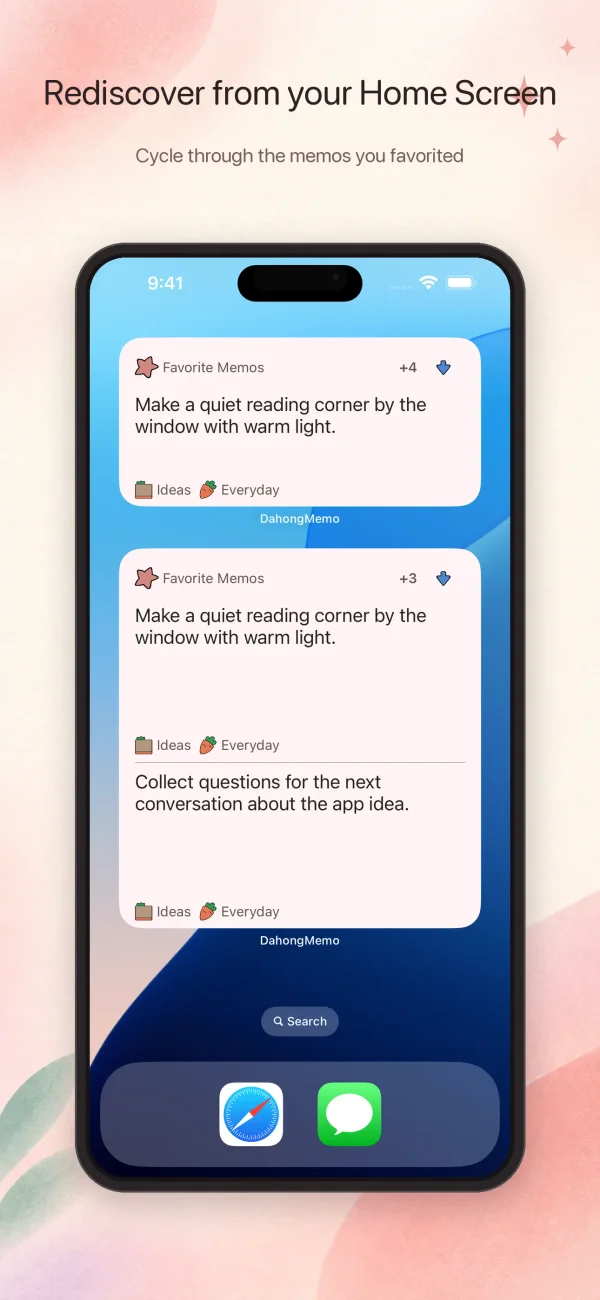
• Revisit favorites and recent memos from Home
MAKE THE SPACE YOURS
• Organize with the default folder and your own folders
• Lock folders with device authentication
• Create and manage colored tags
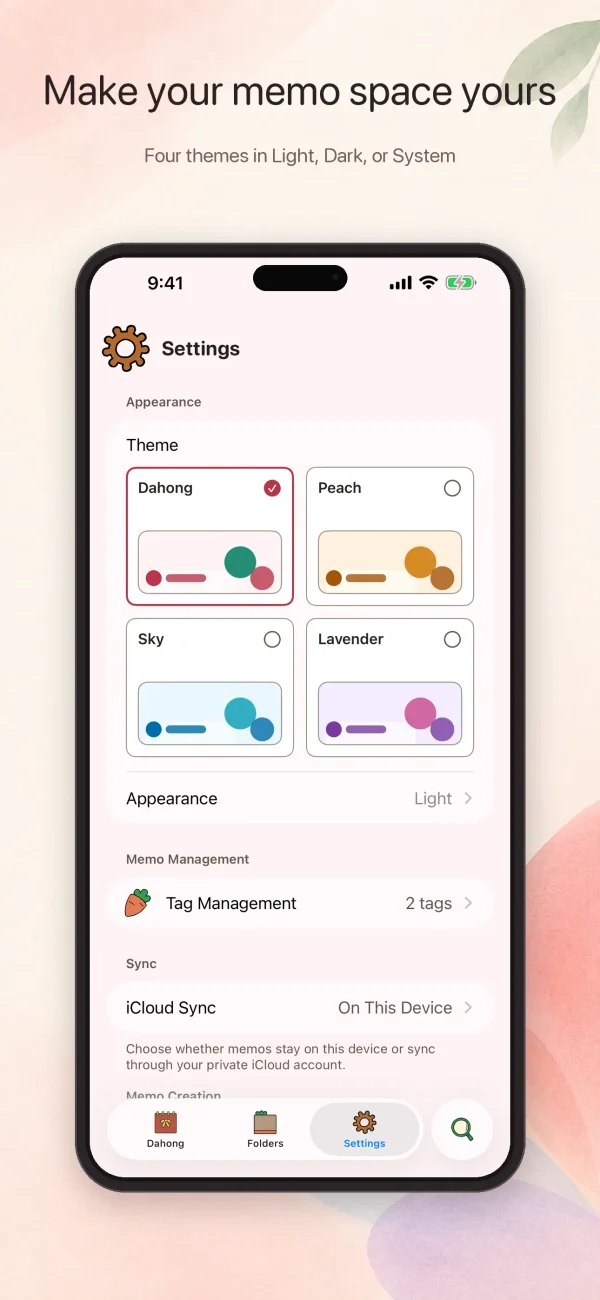
• Choose Dahong, Peach, Sky, or Lavender in Light, Dark, or System appearance
• Cycle through favorite memos in Medium and Large Home Screen widgets
ON YOUR DEVICE, WITH OPTIONAL iCloud SYNC
Your memos are stored on your device by default. If you choose to enable iCloud, your memos, folders, tags, and favorites can sync through your private iCloud account. The developer does not operate a memo server.
Keep up to 50 memos for free. An optional one-time purchase removes this limit. Existing memos, editing, search, folders, tags, themes, widgets, and iCloud remain available without purchase.
What’s new
Version 1.4 · Nov 12, 2026
- Added an optional daily update notice that waits until writing, authentication, and other dialogs are finished.
- Fixed the search field disappearing when switching tabs or returning to the app.
- Existing drafts are now preserved and opened for recovery when writing from a folder, without an incorrect folder error.
App privacy
What YoungWon Studio declares on the App Store about how this app handles data.
-
Data not collected
The developer does not collect any data from this app.
Privacy practices may vary, for example with the features you use or your age.
Information
- Seller
- YoungWon Studio
- Category
- Productivity
- Version
- 1.4
- Updated
- Nov 12, 2026
- Released
- Sep 18, 2026
- Size
- 7.8 MB
- Requires
- iOS 18.6 or later
- Age rating
- 4+
- Price
- Free
- In-app purchases
- Yes
- Languages
- English, French, German, Japanese, Korean, Simplified Chinese
- Copyright
- © 2026 YoungWon Studio
You might also like
-
 saidosi - AI NotesSave, find, edit with an agent
-
 Progress: Idea JournalJot It Down. Iterate. Do It.
-
 Life Reset: Reboot DayReset Habits, Reach Your Goals
-
 BrainArchiveA Home for Your Ideas
-
 NoteChatSimple, beautiful note-taking
-
 Ply Note - Capture Daily LifeLight Notes, Free Flow
-
 KonspektorRTF and TXT files editor
-
 计划清单·ontodo-日程安排打卡日历Productivity
-
 Converter - Format ConverterConvert Files to Any Format
-
 PodigeeYour Podcast Companion To Go