Daily Check Widget
Habits that reset every day
Designed for iPhone, iPad
Free · In-app purchases
- Age rating4+
- CategoryProductivity
- DeveloperOANA RINALDI
- LanguagesEnglish
- Size20.1 MB
Links to the official App Store page
Download.org hosts no file of Daily Check Widget. The button opens its official App Store page, published by OANA RINALDI. Listing last checked on Nov 17, 2026.
Screenshots
About
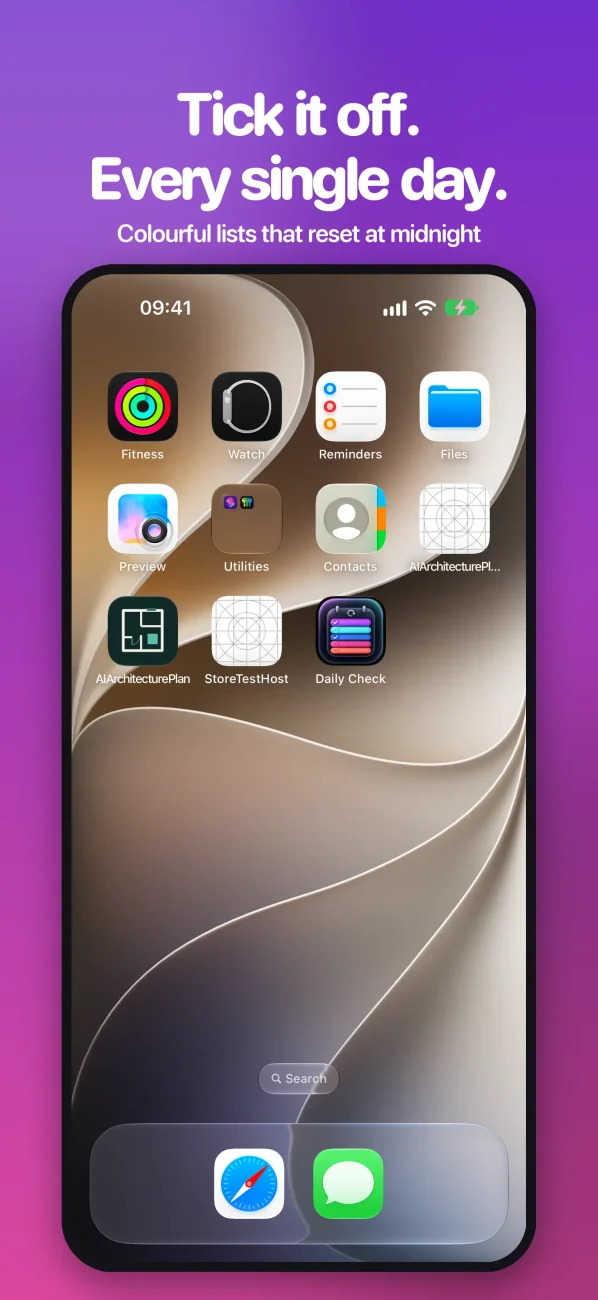
Daily Check is a checklist that lives on your Home Screen and empties itself every night.
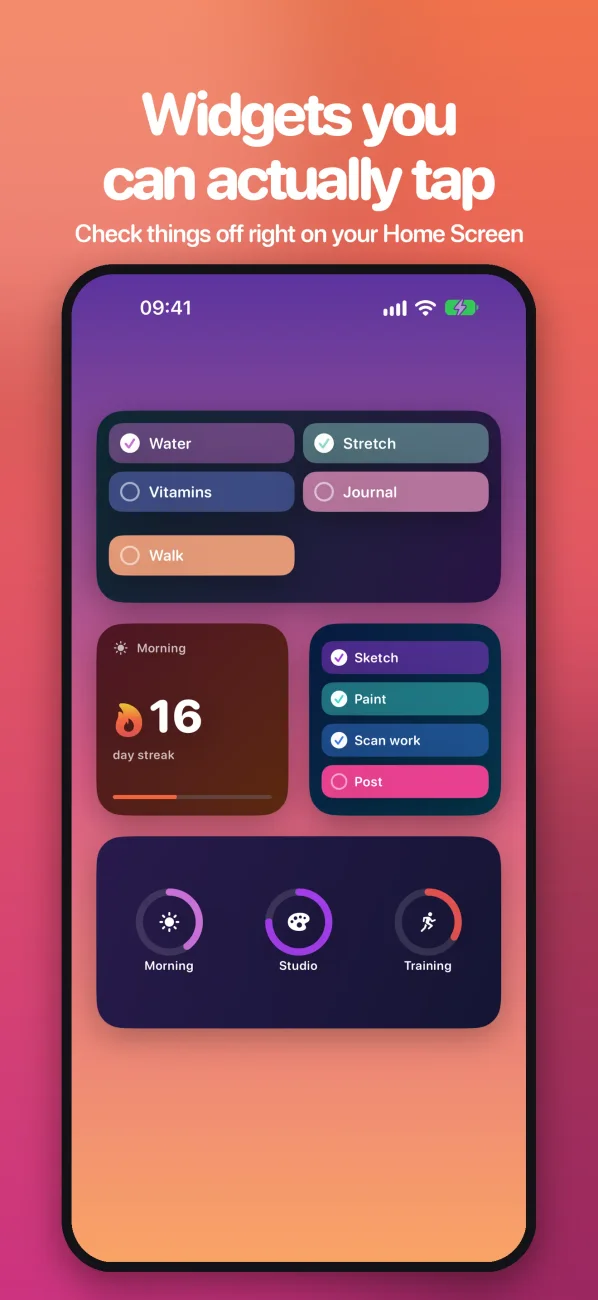
Make a list of the things you want to do each day — a morning routine, studio work, training, medication, whatever repeats. Add the Daily Check widget, and tick items off by tapping them directly on the Home Screen. The app never has to open.
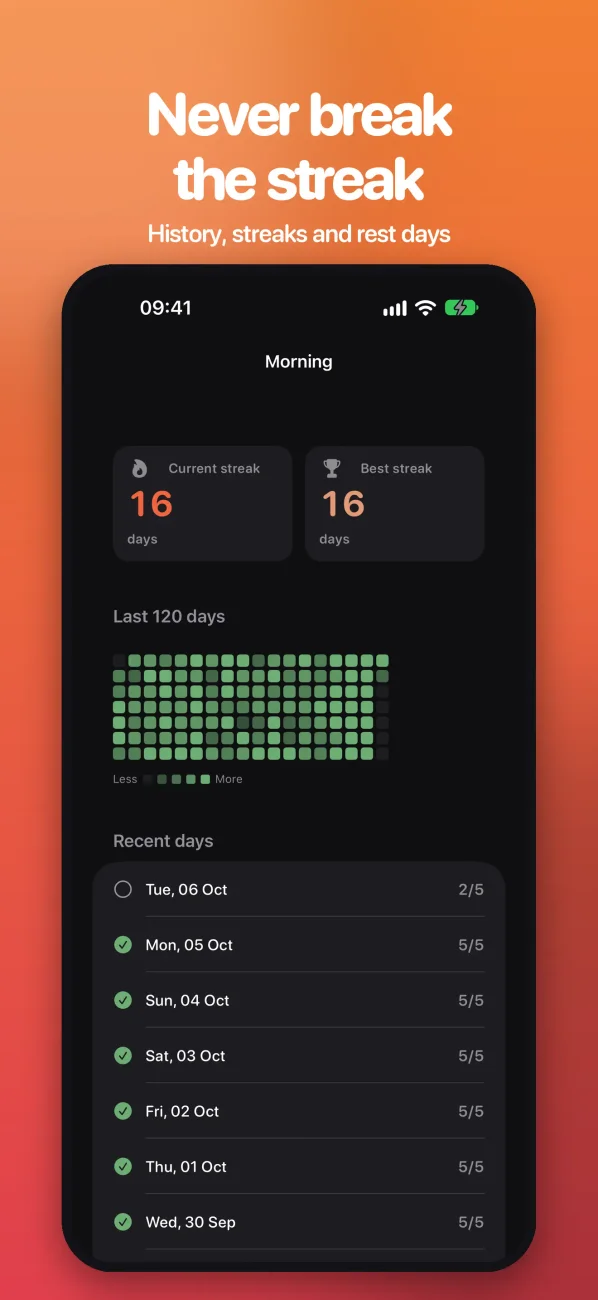
At midnight everything unchecks and a fresh day begins. Nothing is deleted: every day you complete is kept, so you can look back and watch your streak grow.
WIDGETS THAT ACTUALLY DO SOMETHING
Small, medium and large Home Screen widgets show your list as coloured rows. Tap a row to check it off. No launching, no loading, no waiting.
BUILT FOR MORE THAN ONE LIST
Keep separate lists for separate parts of your life, each with its own icon and colour, and give every item its own colour so you can read the list at a glance.
ON YOUR WRIST
A full Apple Watch app plus complications for your watch face, so you can see what is left without reaching for your phone.
HISTORY AND STREAKS
Every completed day is recorded. See your current streak, your best streak, and a calendar of the last four months.
RESETS WHEN YOU DO
If your day really ends at 3am, set the reset hour to match. The list will not clear until you are actually done.
PRIVATE BY DEFAULT
No account. No sign-up. No tracking. Your lists sync across your devices through your own iCloud account, and nobody else — including us — can read them.
DAILY CHECK PRO (OPTIONAL)
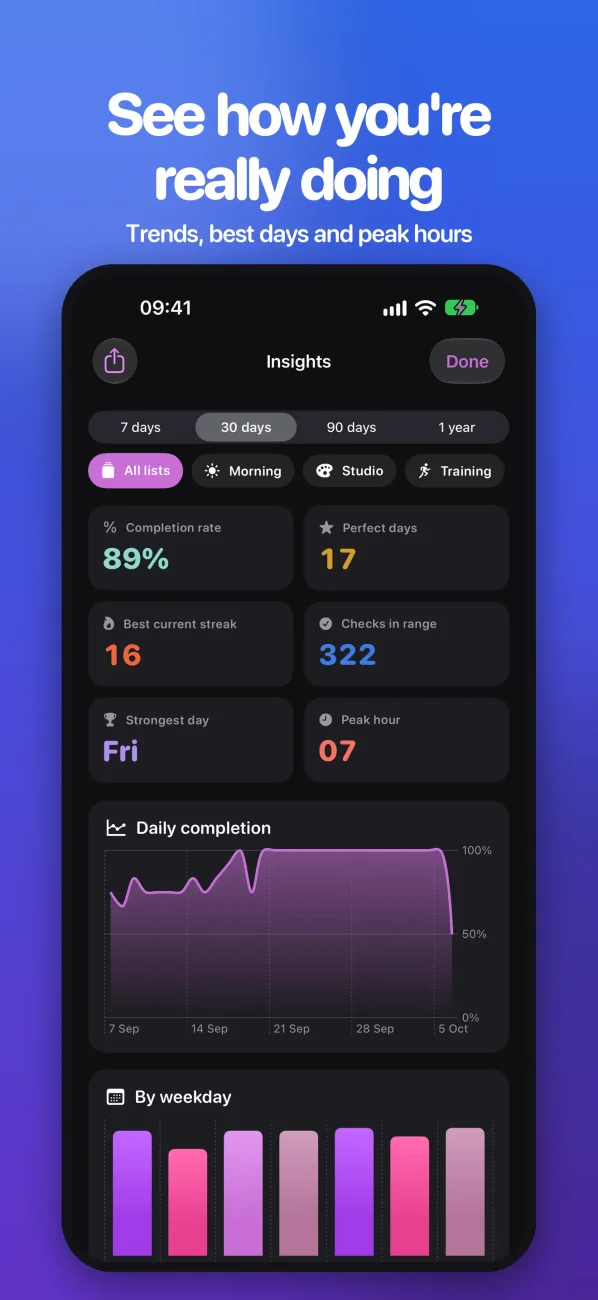
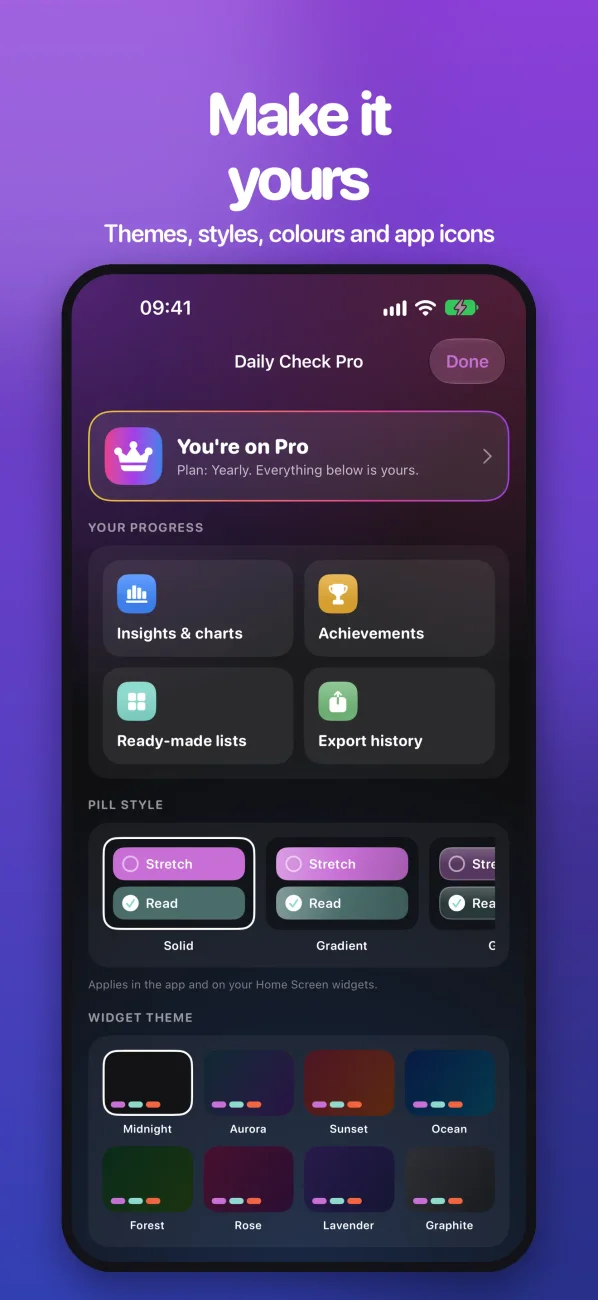
Upgrade for Insights charts, achievements, smart reminders, streak-saving rest days, ready-made routines, pill styles, widget themes, extra widgets, colours, icons, alternate app icons and CSV export. Choose yearly (with a one-week free trial), monthly, or a one-time lifetime purchase.
Subscriptions renew automatically unless cancelled at least 24 hours before the end of the current period. Manage or cancel in your App Store account settings.
Terms of Use: https://www.apple.com/legal/internet-services/itunes/dev/stdeula/
Privacy Policy: https://www.oanarinaldi.com/dailycheckprivacy.html
What’s new
Version 1.1 · Oct 6, 2026
Introducing Daily Check Pro — everything you had stays free, plus:
• Insights: completion trends, your strongest weekdays, peak hours and an item leaderboard
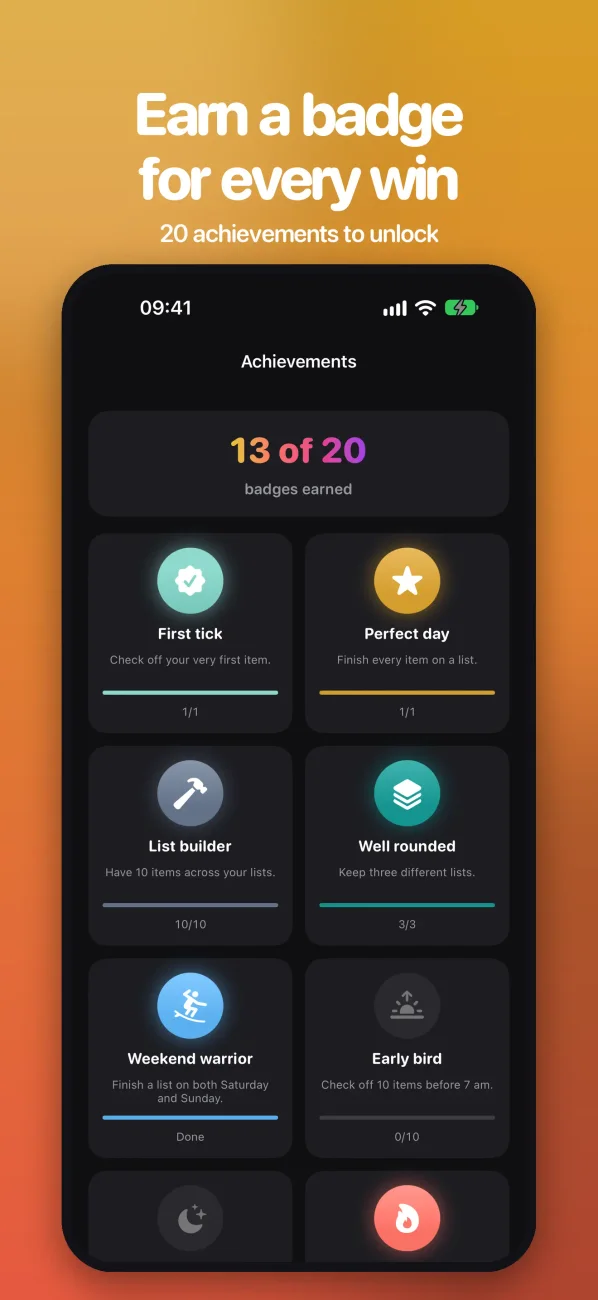
• Achievements: 20 badges for streaks, perfect days, early mornings and more
• Smart reminders that only fire when a list isn't finished yet
• Rest days that keep your streak alive through holidays
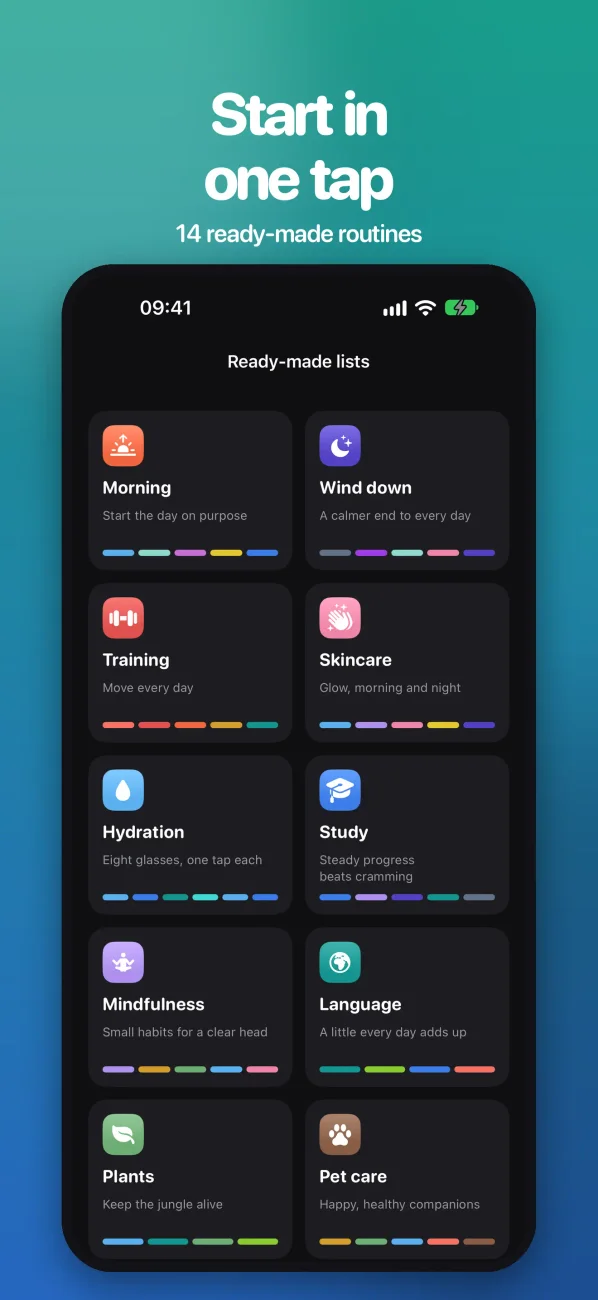
• 14 ready-made routines to start in one tap
• Gradient, glass, neon and outline pill styles
• 8 widget themes, plus new All Lists and Streak widgets
• 12 extra colours, 44 extra list icons and 5 alternate app icons
• Export your history as CSV
Try Pro free for a week.
App privacy
What OANA RINALDI declares on the App Store about how this app handles data.
-
Data not collected
The developer does not collect any data from this app.
Privacy practices may vary, for example with the features you use or your age.
Information
- Seller
- OANA RINALDI
- Category
- Productivity
- Version
- 1.1
- Updated
- Oct 6, 2026
- Released
- Aug 26, 2026
- Size
- 20.1 MB
- Requires
- iOS 17.0 or later
- Age rating
- 4+
- Price
- Free
- In-app purchases
- Yes
- Languages
- English
- Copyright
- © Oana Rinaldi
You might also like
-
 Daily Checklist: Home WidgetSimple Todo List with Widgets
-
 Revert: Routine ResetChecklist that resets daily
-
 Daily Reset ChecklistRecurring Routine & To Do List
-
 Daily To-Do List: tiqTasks, Habits & Reset
-
 Tickgrid: Habit Tracker WidgetOne-tap streaks on Lock Screen
-
 Life Ticker: Day CounterCountdown to Goals & Dreams
-
 時間管理 円グラフ 一日予定表 TimeAllocatorProductivity
-
 Gört - Lists & TasksOrganize, Plan & Collaborate
-
 Logline: Timeline Notes & LogNotes and tasks, in time order
-
 Repeatable Checklists & TasksDaily Routine & To Do Tracker