
Daily Planner: SyncMinder
To Do List: Task Manager
Designed for iPhone, iPad, iPod touch
In-app purchases
- Age rating4+
- CategoryProductivity
- DeveloperMuhammad Asad
- LanguagesEnglish
- Size53.8 MB
Links to the official App Store page
Download.org hosts no file of Daily Planner: SyncMinder. The button opens its official App Store page, published by Muhammad Asad. Listing last checked on Nov 23, 2026.
Screenshots


About
Daily Planner: SyncMinder is the simplest and most powerful way to manage your tasks, reminders, and lists — all in one place, across every device you own.
Tired of forgetting important tasks, missing reminders buried in notifications, or rebuilding your lists when you switch phones? SyncMinder keeps everything organized, synced, and always within reach — whether you're on iPhone or iPad.
- Custom Snooze from Notifications Got a reminder at a bad time? Snooze it for 15 minutes, 1 hour, or set your own custom time — right from the notification. No need to open the app.
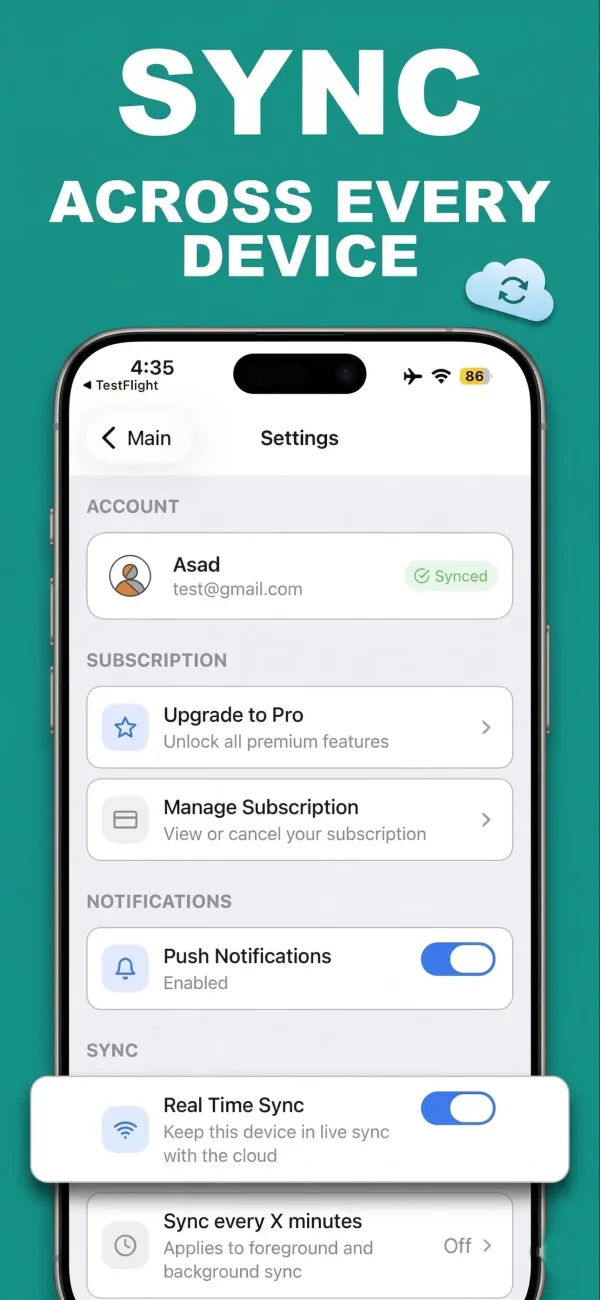
- Real-Time Cloud Sync Your tasks, reminders, and lists stay perfectly in sync across all your devices. Update on your iPhone, see it instantly on your iPad.
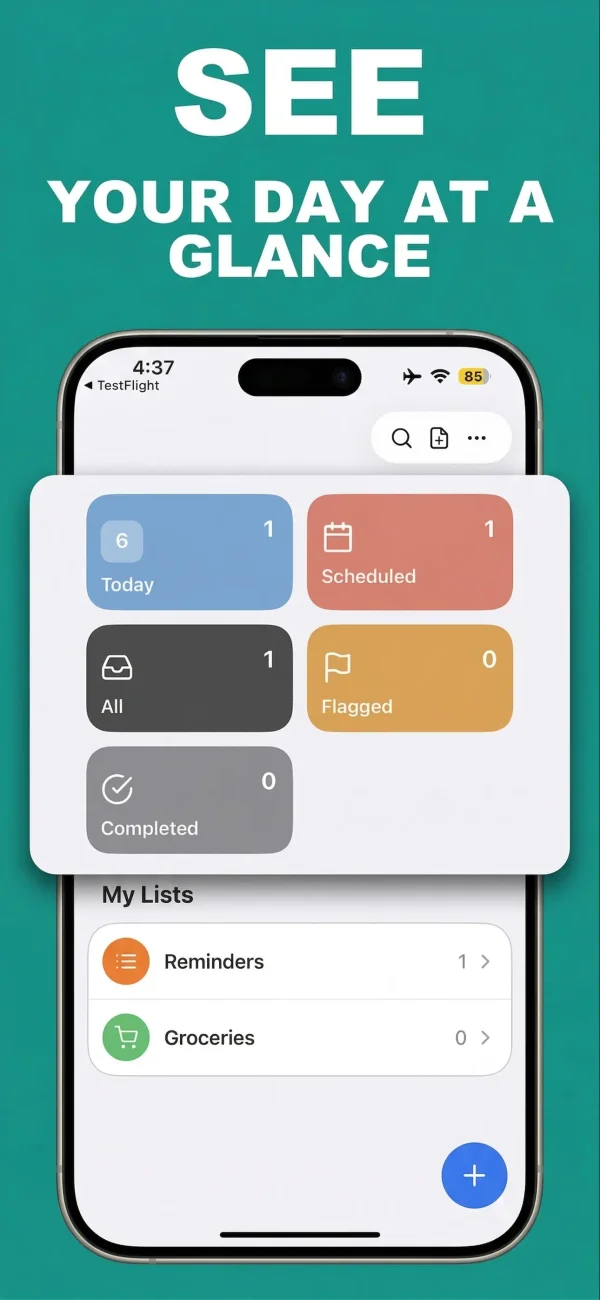
- Smart Lists Dashboard See your entire day at a glance with smart lists — Today, Scheduled, Flagged, and Completed — each with live counts so you always know where you stand.
- Custom Color-Coded Lists Create unlimited lists with your choice of color and icon. Groceries, Work, Personal, Fitness — organize everything your way.
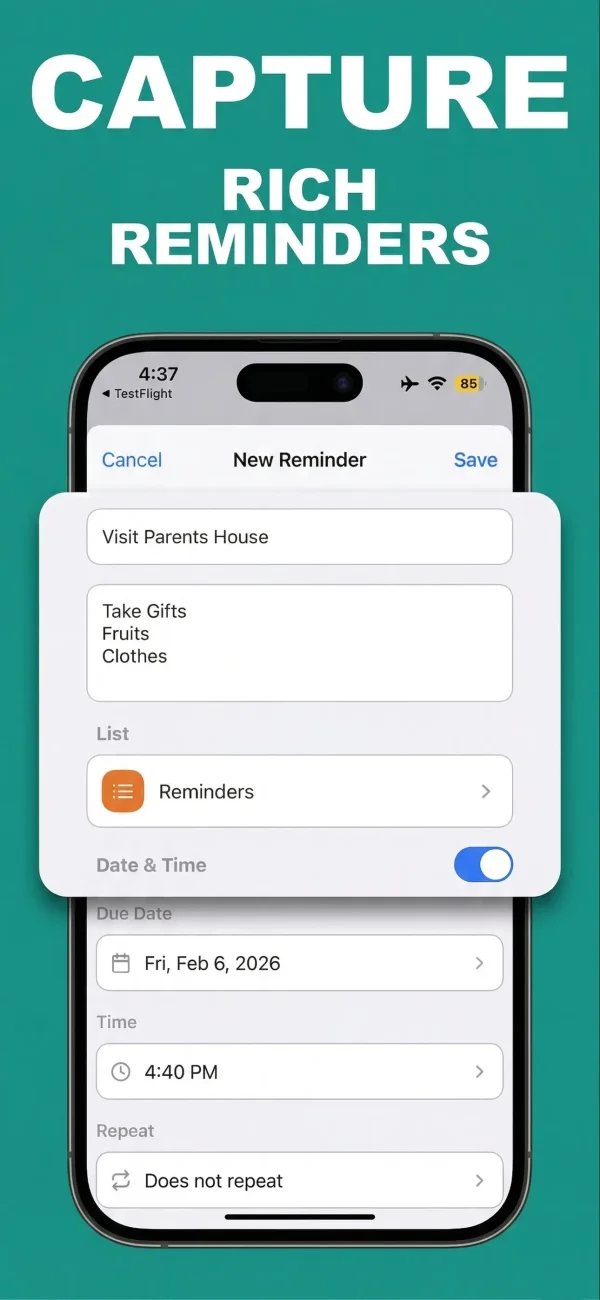
- Rich Reminders Add detailed notes, set due dates and times, choose repeat schedules, and assign reminders to any list. Capture everything in one place.
- Flag What Matters Mark your most important tasks as flagged so they never get lost in the noise.
How it works:
1. Open SyncMinder and see your day at a glance on the home dashboard.
2. Tap + to create a task or reminder with a title, notes, date, time, and repeat schedule.
3. Get notified at the right time — snooze right from the notification if you need more time.
4. Organize with custom lists, sort by due date or title, and flag your priorities.
5. Sign in to sync everything across your devices in real time.
Your daily planner should work around your life — not the other way around. With SyncMinder, managing your to-do list and tasks becomes effortless, organized, and truly cross-platform.
A subscription is required to unlock the full experience of SyncMinder, including cloud sync, real-time sync, unlimited lists, and advanced sorting.
Terms of Use: https://asadkhilji.github.io/SyncMinder-Terms.html
Privacy Policy: https://asadkhilji.github.io/SyncMinder-PrivacyPolicy.html
What’s new
Version 1.1 · May 19, 2026
- Added Weekly Subscription
App privacy
What Muhammad Asad declares on the App Store about how this app handles data.
-
Data not linked to you
May be collected but is not linked to your identity.
- Contact info
- Identifiers
Privacy practices may vary, for example with the features you use or your age.
Information
- Seller
- Muhammad Asad
- Category
- Productivity
- Version
- 1.1
- Updated
- May 19, 2026
- Released
- Apr 9, 2026
- Size
- 53.8 MB
- Requires
- iOS 15.1 or later
- Age rating
- 4+
- In-app purchases
- Yes
- Languages
- English
- Copyright
- © Muhammad Asad
You might also like
-
 Marron ToDo - Tasks & ListsRecurring chores, notes & web
-
 Due Something: Pokes to RemindFor Tasks You Can't Forget
-
 Wateera: Prayer-Window HabitsSchedule after Fajr, not 6 AM
-
 Agendara - Tasks take timePlan them that way.
-
 RemindAllReminders, Alarms & Sync
-
 Do Later · To Do ListSimple, recurring to-do lists
-
 Taskly: To Do List & ChecklistSimple Offline Task Manager
-
 Family Chore Tracker: RewardsRoutines, allowance & habits
-
 Routino: habit routinesBuilt around your real week