
- Age rating4+
- CategoryBusiness
- DeveloperAlberto Huesca
- LanguagesEnglish+ 2 more
- Size10.0 MB
Links to the official App Store page
Download.org hosts no file of Daily Reports Master. The button opens its official App Store page, published by Alberto Huesca. Listing last checked on Nov 18, 2026.
Screenshots
About
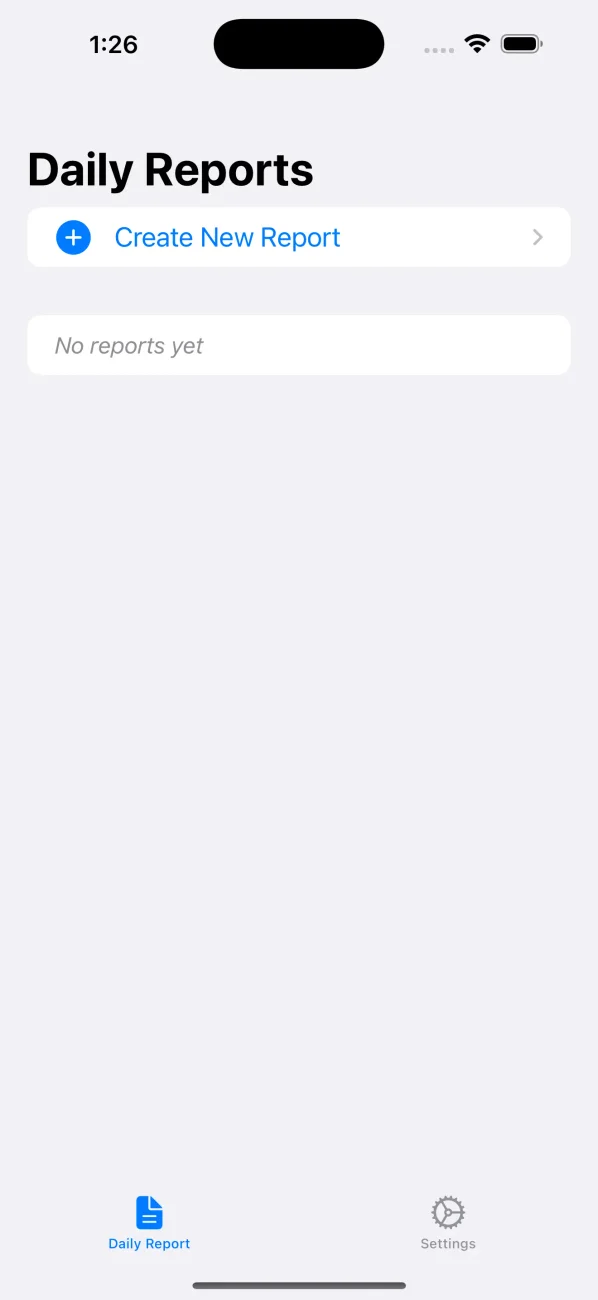
Home Screen (Daily Reports)
Displays a list of daily reports.
Allows users to create new reports.
If no reports are available, it shows a placeholder message ("No reports yet").
A prominent "+ Create New Report" button allows quick creation of a new report.
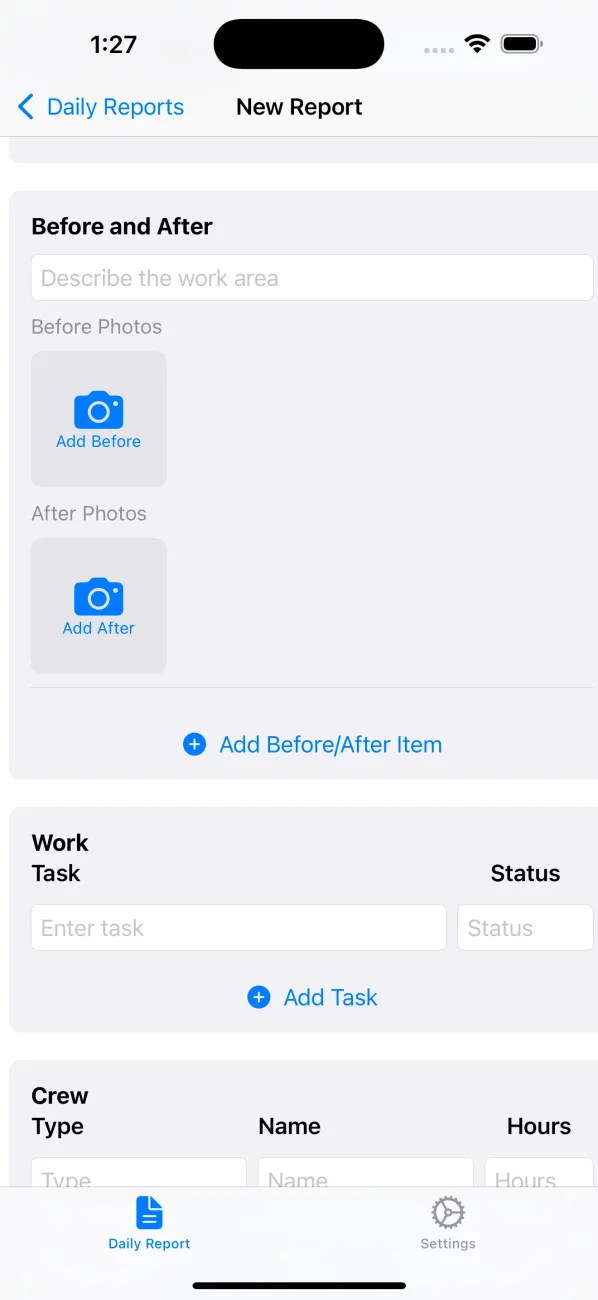
New Report Creation
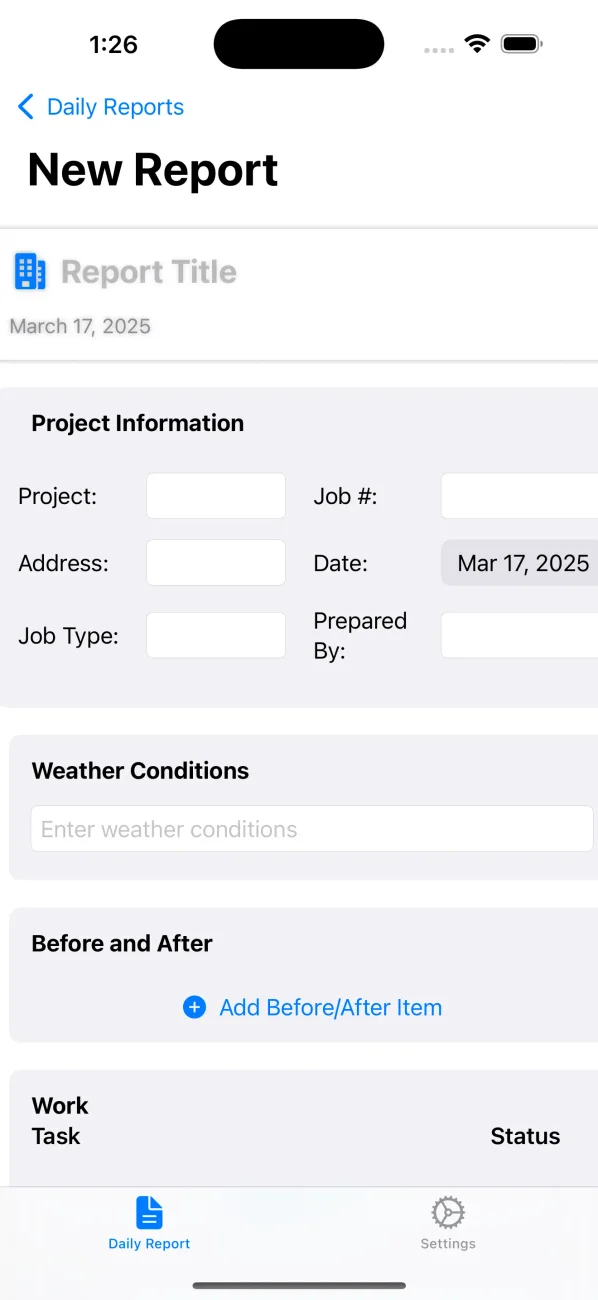
The new report screen is well-organized into sections for entering detailed information:
Project Information:
Project Name
Job Number
Address
Date (pre-filled)
Job Type
Prepared By
Weather Conditions:
Text field to describe weather conditions.
Before and After:
Section for adding photos and descriptions of the work area.
"+ Add Before/After Item" button allows adding multiple sets of before and after photos.
Work:
Add specific tasks with status.
"+ Add Task" button to list additional tasks.
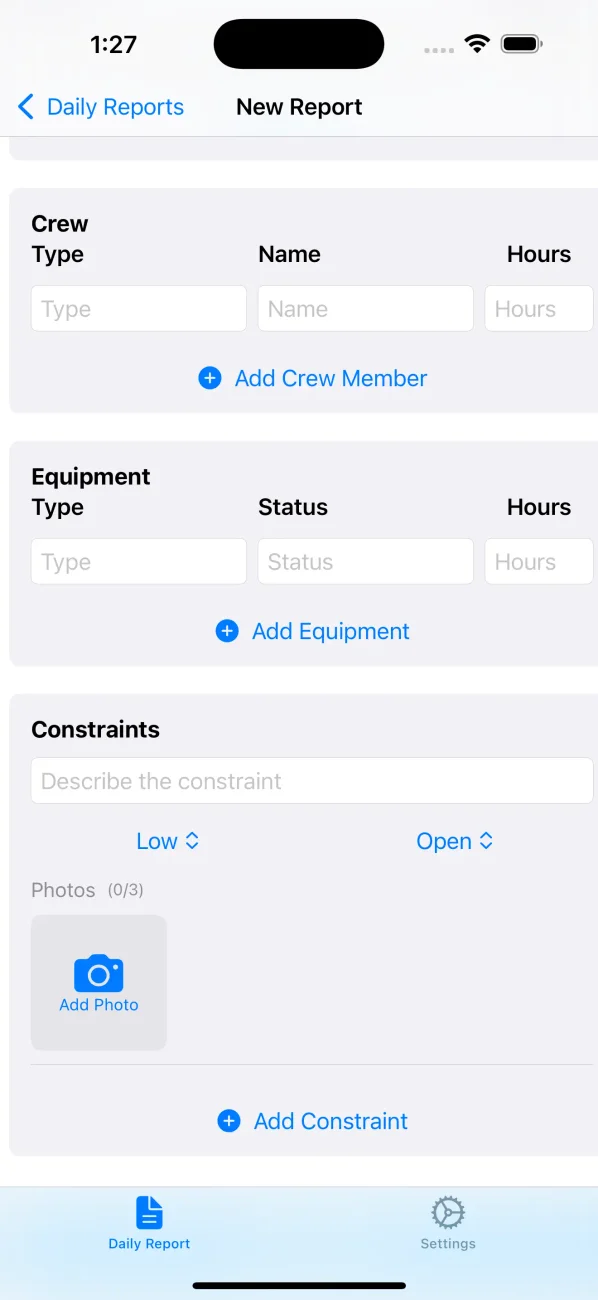
Crew:
Add crew members with their type, name, and hours worked.
"+ Add Crew Member" button.
Equipment:
Add equipment details with type, status, and hours used.
"+ Add Equipment" button.
Constraints:
Describe project constraints.
Set priority (Low, Medium, High).
Upload up to 3 images to describe the constraint.
"+ Add Constraint" button.
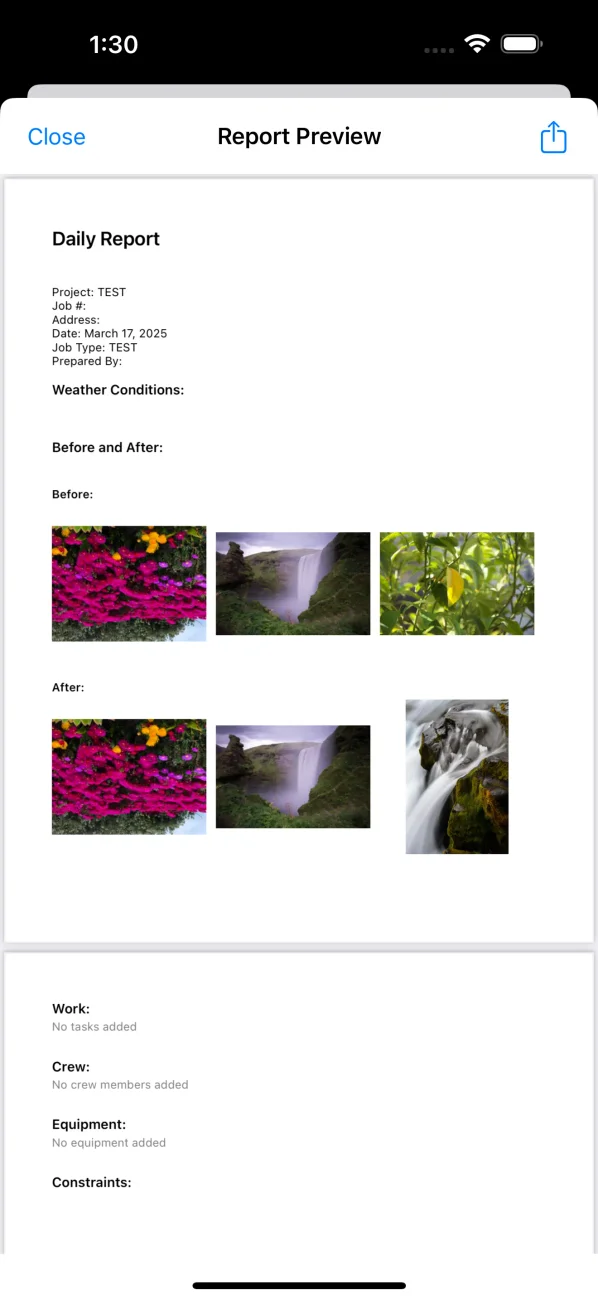
Report Preview
After filling out the report, users can generate a PDF-style preview.
Includes all the entered information (project details, weather, work, crew, equipment, photos, and constraints).
A Share button in the top-right corner allows quick sharing via email or other platforms.
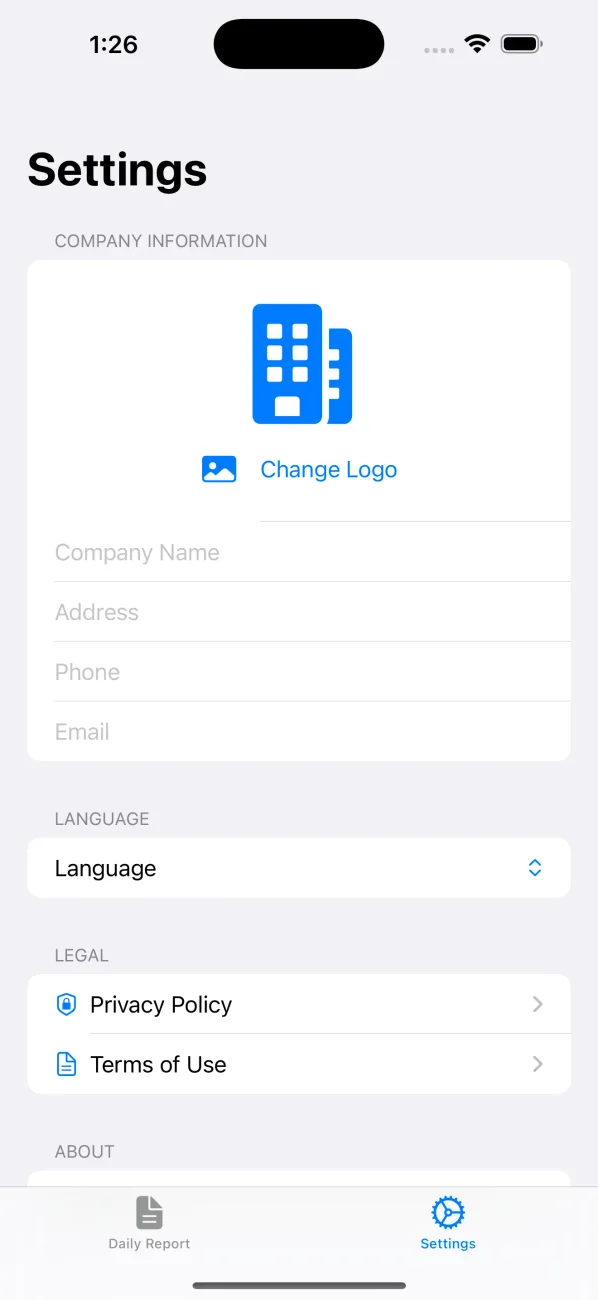
Settings Screen
Company Information:
Upload a logo.
Enter company name, address, phone number, and email.
Language:
Select the preferred language.
Legal:
Access to Privacy Policy and Terms of Use.
Tab Bar Navigation
Daily Reports Tab: Access report list and create new reports.
Settings Tab: Manage company details and app settings. NOT FULLY COMPATIBLE WITH IPAD
App privacy
What Alberto Huesca declares on the App Store about how this app handles data.
-
Data not collected
The developer does not collect any data from this app.
Privacy practices may vary, for example with the features you use or your age.
Information
- Seller
- Alberto Huesca
- Category
- Business
- Version
- 1.0
- Updated
- Mar 20, 2025
- Released
- Mar 20, 2025
- Size
- 10.0 MB
- Requires
- iOS 17.6 or later
- Age rating
- 4+
- Price
- Free
- Languages
- English, French, Spanish
- Copyright
- © Alberto Huesca
You might also like
-
 Nototone - Daily Work ReportsField reports, photos to PDF
-
 Stallmark: Loyalty ProgramDigital Stamp & Punch Cards
-
 Site Field Log: DailyReportr+Crew, Labor, Equipment & Time
-
 CRM Pro Advanced Offline LeadsAdvanced OneTouch Offline CRM
-
 Salutem: Construction LogsLogs & Management Tool
-
 Offline Restaurant POSBilling, KOT & table orders
-
 North South SupplyBusiness
-
 Wellsite ReportProductivity
-
 Construction Daily Reports AppCrew, Contractor & Field Log