- Age rating4+
- CategoryProductivity
- DeveloperODERA Formations
- LanguagesFrench+ 1 more
- Size42.2 MB
Links to the official App Store page
Download.org hosts no file of Daily Tasks Notebook. The button opens its official App Store page, published by ODERA Formations. Listing last checked on Nov 15, 2026.
Screenshots
About
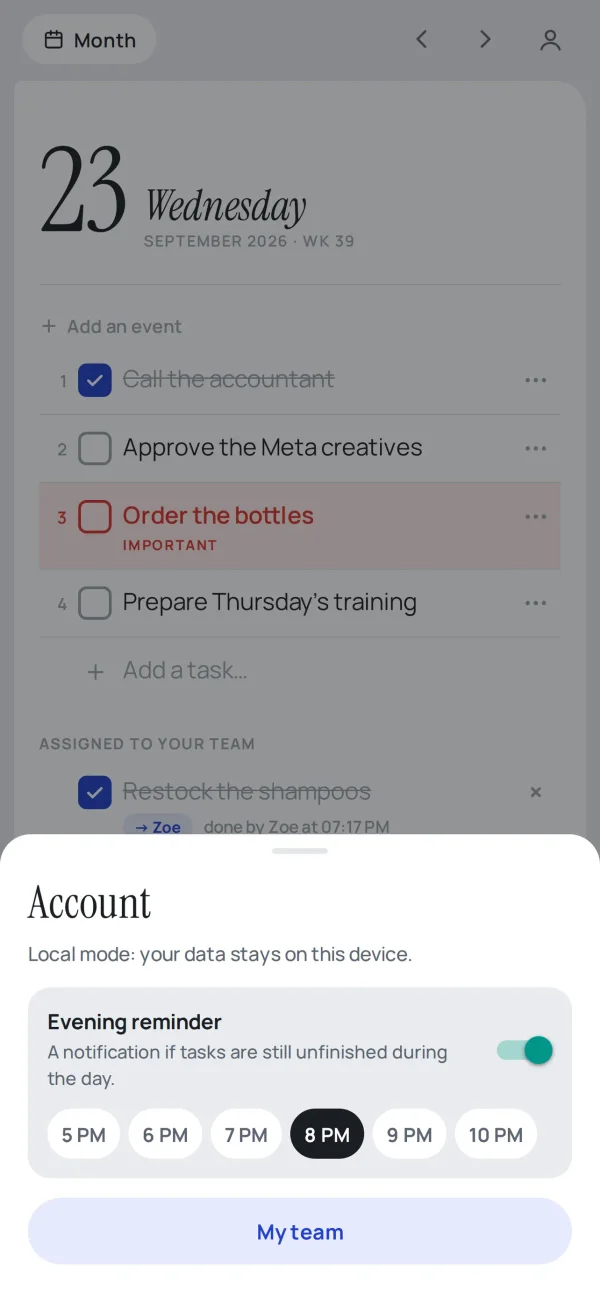
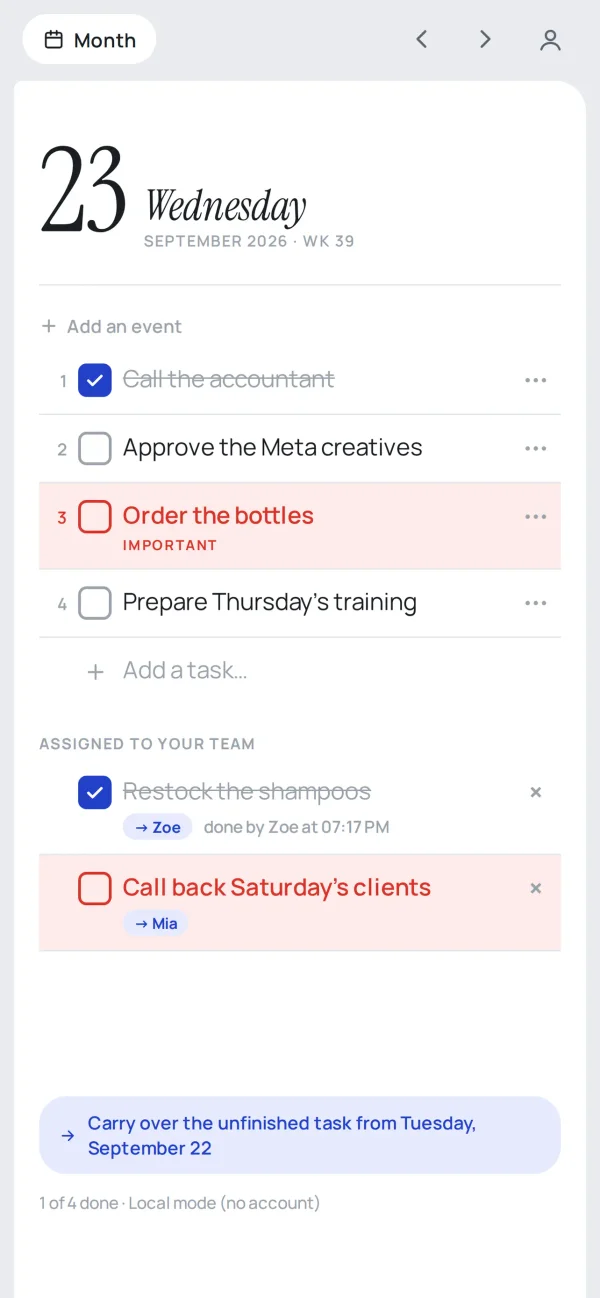
Daily Tasks replaces the paper notebook where you write today's date, then the day's tasks.
Every day gets a blank page. You write your tasks and tick them off. No hours, no columns, no complicated settings.
ONE PAGE PER DAY
- Pick the date and the page opens
- Write your tasks one after another, tick them with one finger
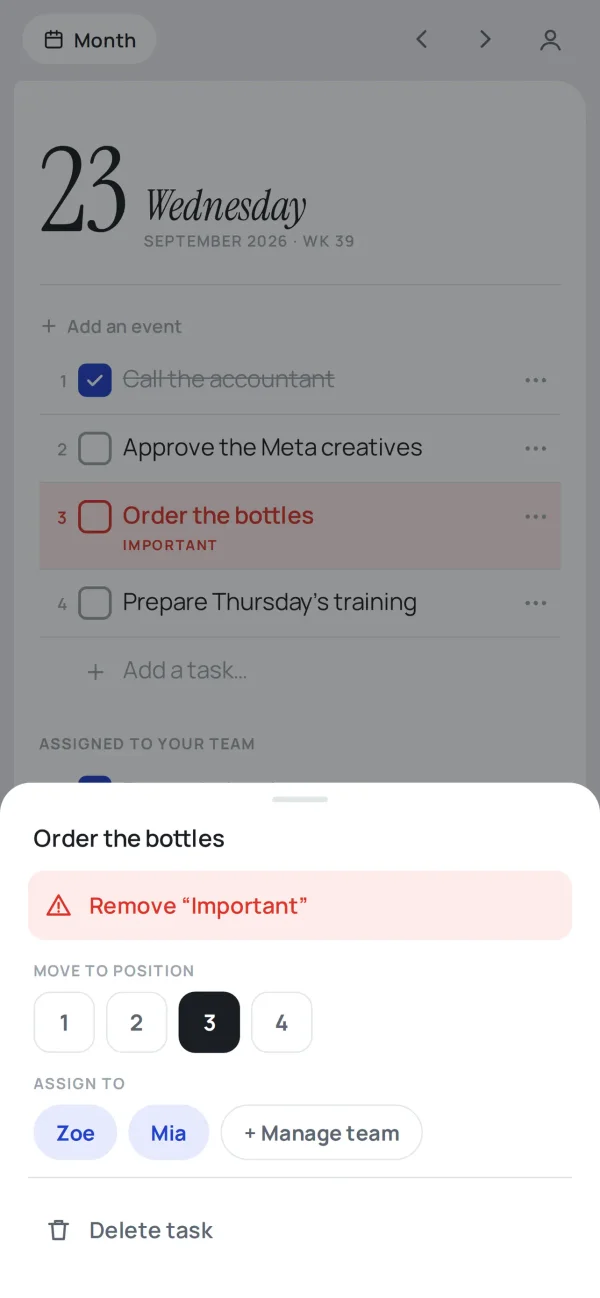
- Mark a task "Important": it turns red
- Order your tasks from 1 to 10 or more, however suits you
- Unfinished tasks from the day before move over with one button
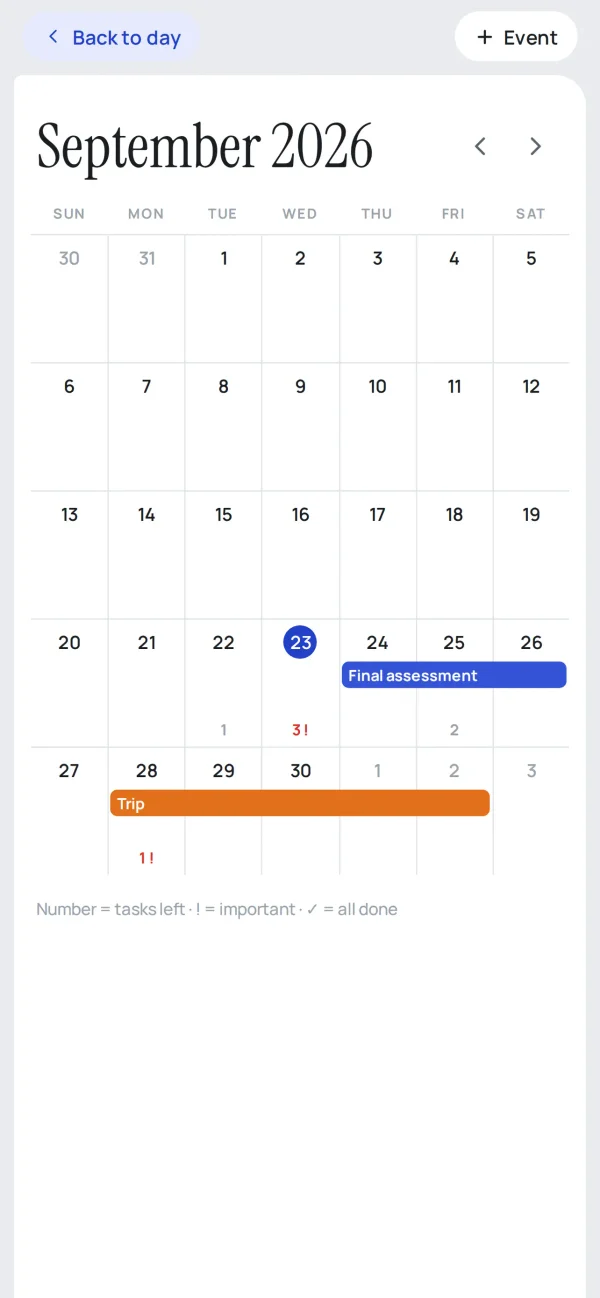
MULTI-DAY EVENTS
- A trip from the 13th to the 15th, a three-day assessment: a name, two dates and a colour
- The event shows above your tasks on each day it covers
- The month view shows events as coloured bars, and how many tasks are left each day
EVENING REMINDER
- At the time you choose, a notification tells you what is still unfinished
- Tap it and the day's page opens
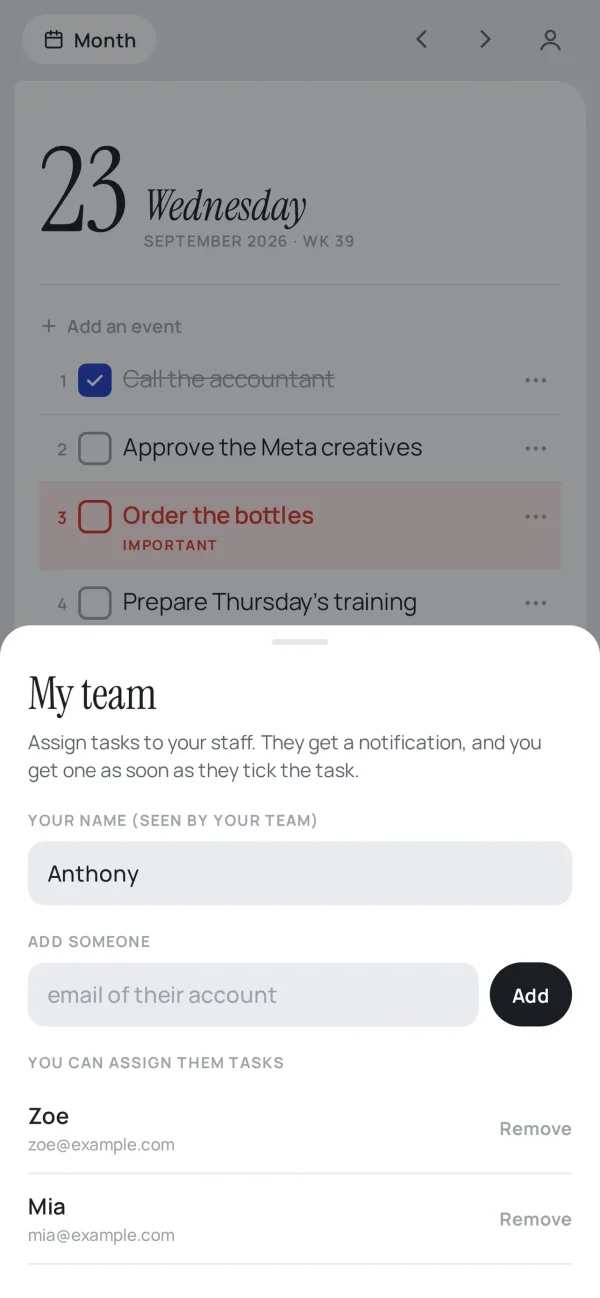
TASKS ASSIGNED TO YOUR TEAM
- Assign a task to a colleague: they get a notification
- As soon as they tick it, you are told
- Everyone keeps their own notebook; you only see the shared tasks
ON ALL YOUR DEVICES
- Your pages sync between your phone and your other devices
- Offline, everything is kept on the phone and sent when the connection returns
- The app follows your phone's language
No ads, no tracking. You can delete your account and all your data from inside the app, in two taps.
What’s new
Version 1.7 · Nov 15, 2026
• Two buttons, − and +, to set the text size, down to seeing the whole day at a glance
• In Horizons, the day column now has arrows to move between days
• Fixes blank lines appearing in tasks added by voice dictation
App privacy
What ODERA Formations declares on the App Store about how this app handles data.
-
Data linked to you
May be collected and linked to your identity.
- Contact info
- User content
- Identifiers
Privacy practices may vary, for example with the features you use or your age.
Information
- Seller
- ODERA Formations
- Category
- Productivity
- Version
- 1.7
- Updated
- Nov 15, 2026
- Released
- Sep 25, 2026
- Size
- 42.2 MB
- Requires
- iOS 16.4 or later
- Age rating
- 4+
- Languages
- French, English
- Copyright
- © 2026 ODERA FORMATIONS
You might also like
-
 Stream NoteMinimal notes, a day at a time
-
 Important FirstFocus on what matters
-
 Yetly: Recurring RemindersChores, plants, filters, pets
-
 Quarterly Goals: 12 Week Year90 day planner for objectives
-
 Daily Page: Journal & PlannerHabits, Mood, Tasks & Agenda
-
 CosoftProductivity
-
 Sonto - Goal & Life PlannerWeekly Planner & Goal Tracker
-
 Daily Schedule Planner: NotifyTo Do List, Activity Scheduler
-
 Driver by CEVAProductivity
-
 Stack: Daily Planner & RoutineTask Organizer & Habit Tracker