
- Age rating4+
- CategoryDeveloper Tools
- DeveloperXenx Technology Limited
- LanguagesEnglish
- Size19.5 MB
Links to the official App Store page
Download.org hosts no file of Dartsnut Updater. The button opens its official App Store page, published by Xenx Technology Limited. Listing last checked on Nov 18, 2026.
Screenshots

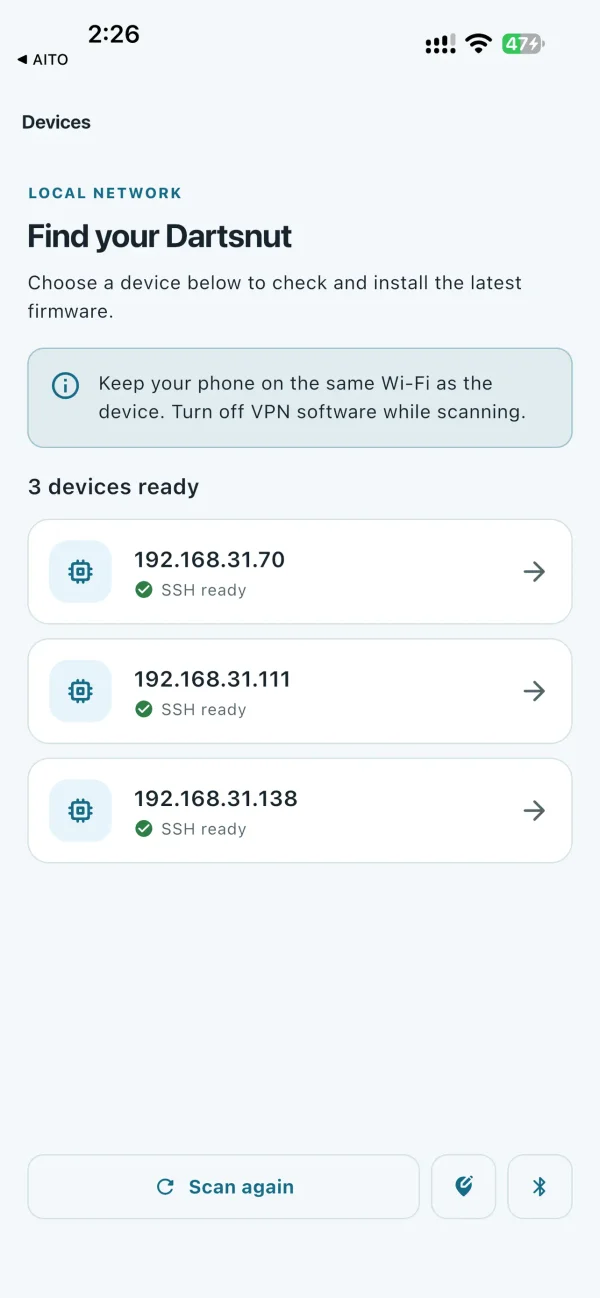
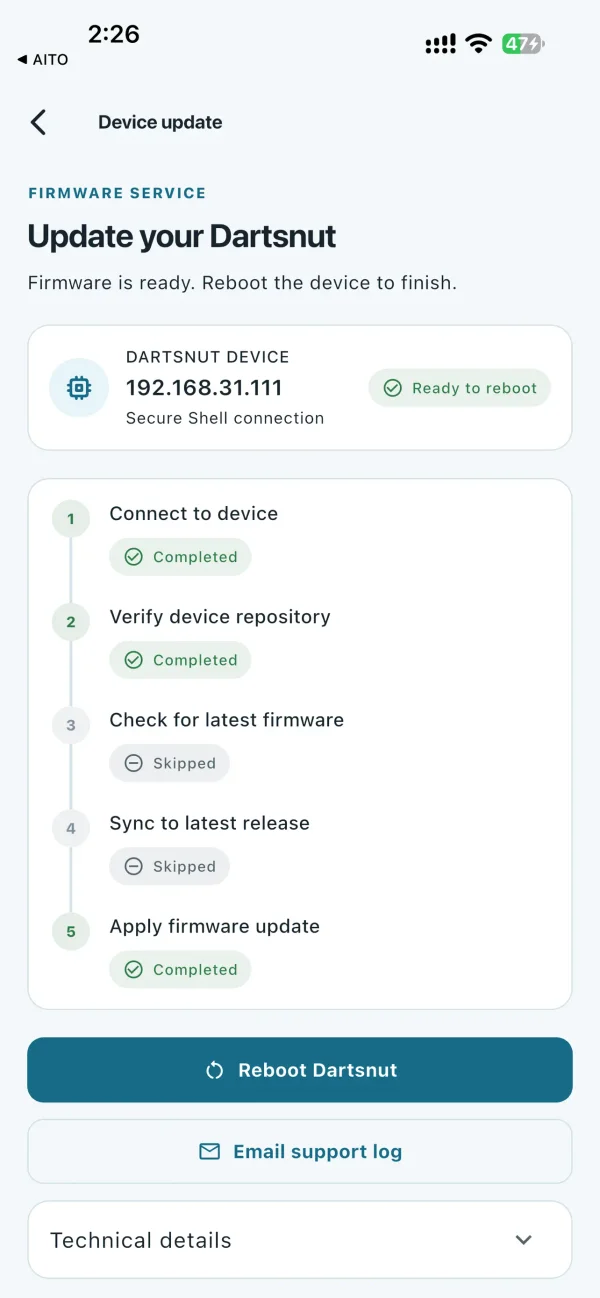
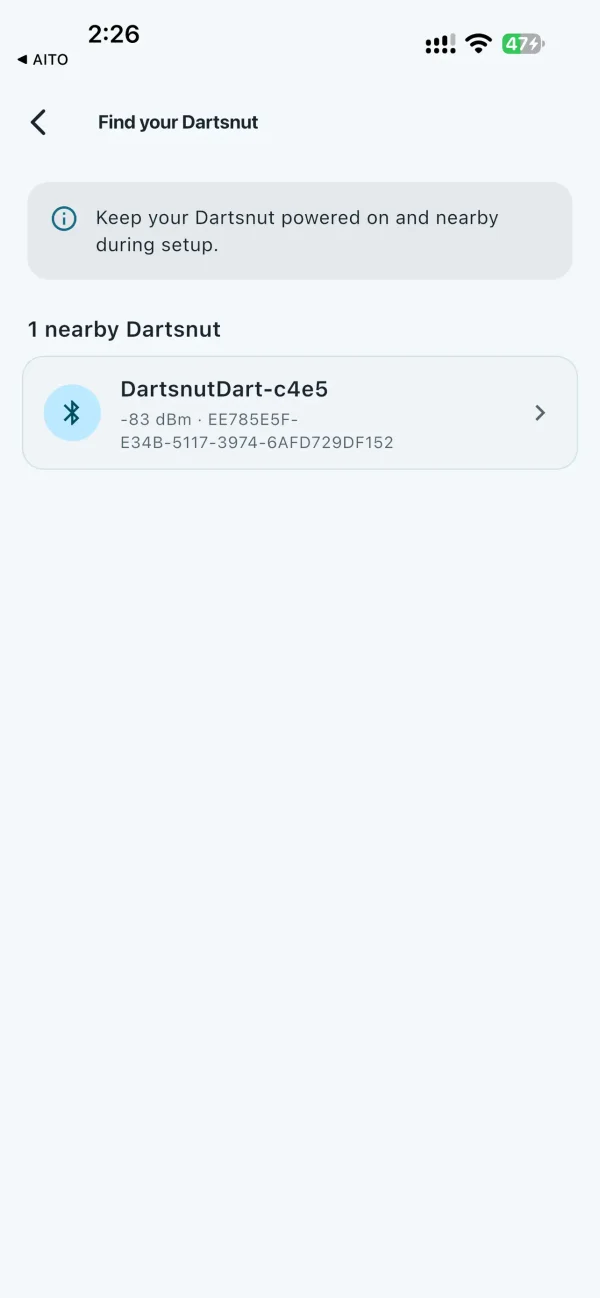
About
Dartsnut Updater is a support tool for Dartsnut device owners. Use it when your device has firmware or networking problems—whether it’s not showing on Wi‑Fi, needs a software update, or won’t connect properly.
WHAT IT DOES
• Find your Dartsnut on your Wi‑Fi network so you can update it from your phone.
• Configure Wi‑Fi over Bluetooth (BLE) if your device isn’t on the network yet or can’t connect.
• Update to the latest firmware and reboot your device remotely via a simple tap.
WHO IT’S FOR
This app is intended only for customers who own Dartsnut hardware and are troubleshooting firmware or connectivity issues. If you don’t have a Dartsnut device, this app will not be useful.
HOW IT WORKS
If your device is already on Wi‑Fi:
1. Connect your phone to the same Wi‑Fi and open the app.
2. Allow location permission when asked (required for local network scanning).
3. Your Dartsnut should appear in the list—tap it, then tap “Update to latest firmware” and follow the prompts.
4. Reboot the device from the app when the update finishes.
If your device isn’t on Wi‑Fi:
1. Tap “Scan for BLE devices” and connect to your Dartsnut via Bluetooth.
2. Choose your Wi‑Fi network, enter the password, and send the settings to the device.
3. Once it’s on Wi‑Fi, use the steps above to update and reboot.
TROUBLESHOOTING TIPS
• No devices found: Ensure your phone and Dartsnut are on the same Wi‑Fi and that VPN is turned off.
• Bluetooth device not found: Put the Dartsnut in pairing/BLE mode and keep it close to your phone.
• Update fails: Try again; if it keeps failing, copy any log lines marked [ERROR] and contact Dartsnut support.
Dartsnut Updater is an official support tool to help you get your device back on the latest firmware and connected reliably.
What’s new
Version 1.1.0 · Aug 29, 2026
UI/UX make over.
App privacy
What Xenx Technology Limited declares on the App Store about how this app handles data.
-
Data not collected
The developer does not collect any data from this app.
Privacy practices may vary, for example with the features you use or your age.
Information
- Seller
- Xenx Technology Limited
- Category
- Developer Tools
- Version
- 1.1.0
- Updated
- Aug 29, 2026
- Released
- Mar 5, 2026
- Size
- 19.5 MB
- Requires
- iOS 15.0 or later
- Age rating
- 4+
- Price
- Free
- Languages
- English
- Copyright
- © Dartsnut
You might also like
-
 GitFinderAppDeveloper Tools
-
 BuildDeckYour Developer Command Center
-
 Pulse – Network LoggerNetwork Logger and Debugger
-
 ROBO Pro CodingDeveloper Tools
-
 Termix Pro: SSH & SFTP ClientA powerful terminal emulator
-
 InteractfulLearn SwiftUI
-
 HerdrOfficial Herdr companion app
-
 ProxMateManage your Proxmox Instances
-
 MySQL Mobile ClientDeveloper Tools
-
 nRF Device Firmware UpdateDeveloper Tools