
Data Tap: Sensor Control
Motion, touch, camera to OSC
Designed for iPhone, iPod touch
Free · In-app purchases
- Age rating4+
- CategoryMusic
- DeveloperManifest Audio LLC
- LanguagesEnglish
- Size7.9 MB
Links to the official App Store page
Download.org hosts no file of Data Tap: Sensor Control. The button opens its official App Store page, published by Manifest Audio LLC. Listing last checked on Nov 22, 2026.
Screenshots

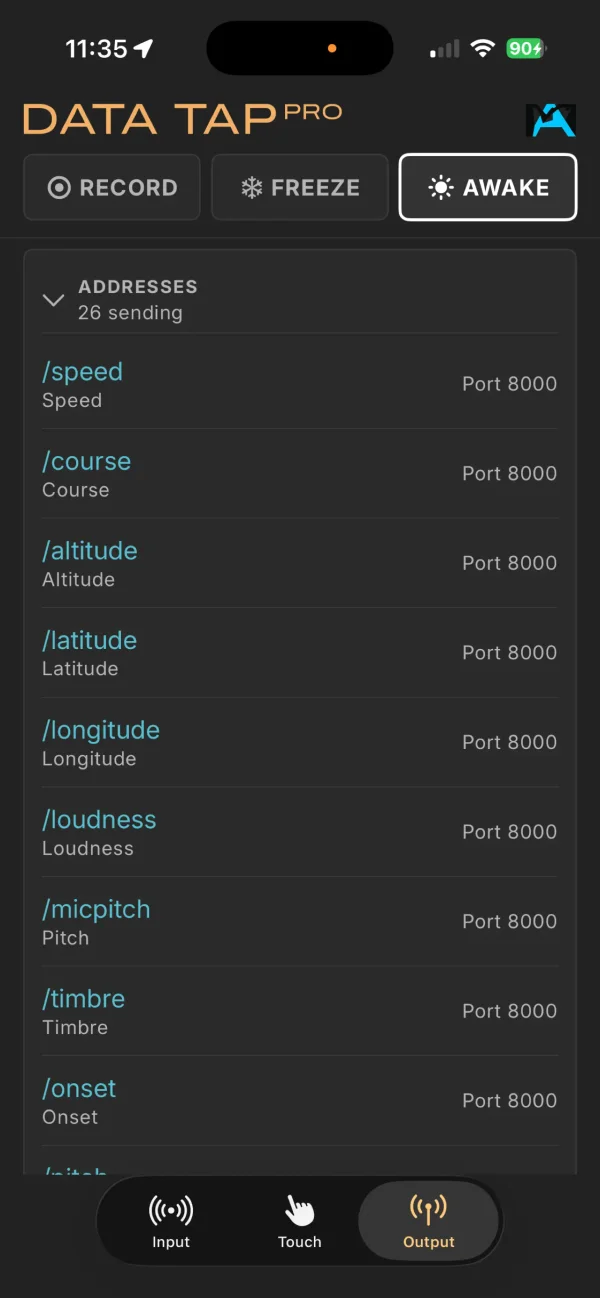
About
Your phone is already a box full of sensors. Data Tap opens it.
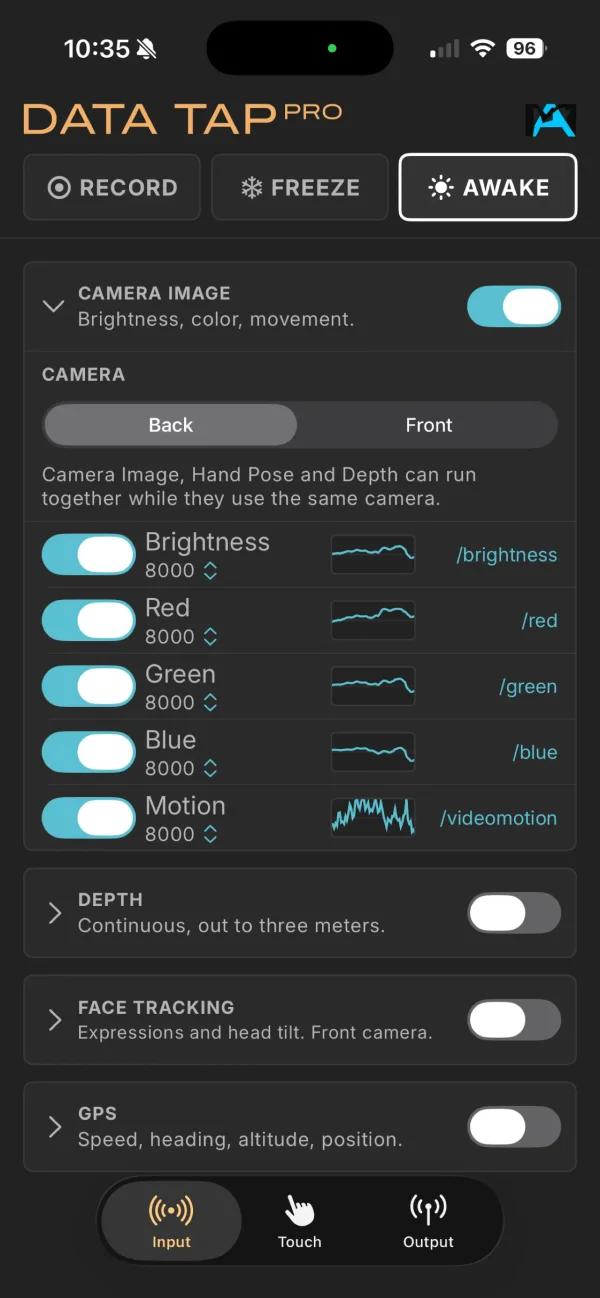
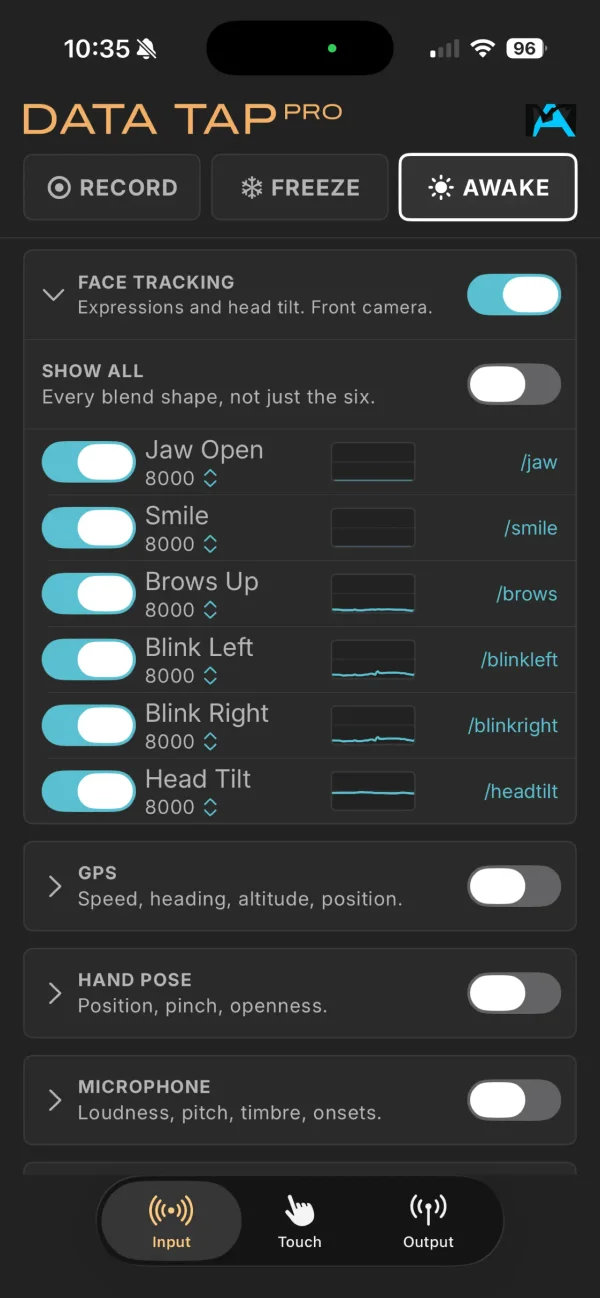
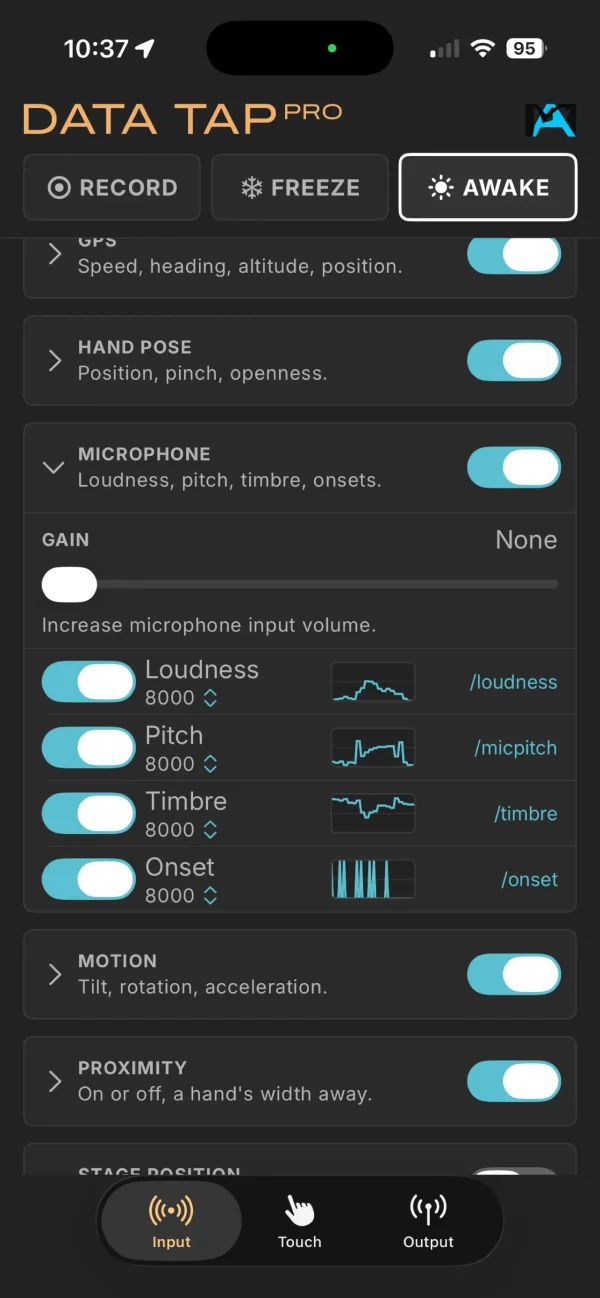
Point it at a computer on the same network and Data Tap streams what the device can feel as OSC: tilt, rotation and acceleration, three fingers on a pad, loudness and pitch from the microphone, brightness and movement from the camera, hand position and pinch, facial expression, distance, where you are standing, GPS speed, heading and altitude, and the beat of a Bluetooth heart rate strap.
Every value arrives the same way: a number from -1 to 1, on an address you can read and copy. Nothing has to be scaled or guessed at the other end.
WHAT IT SENDS
Motion: tilt, rotation, acceleration
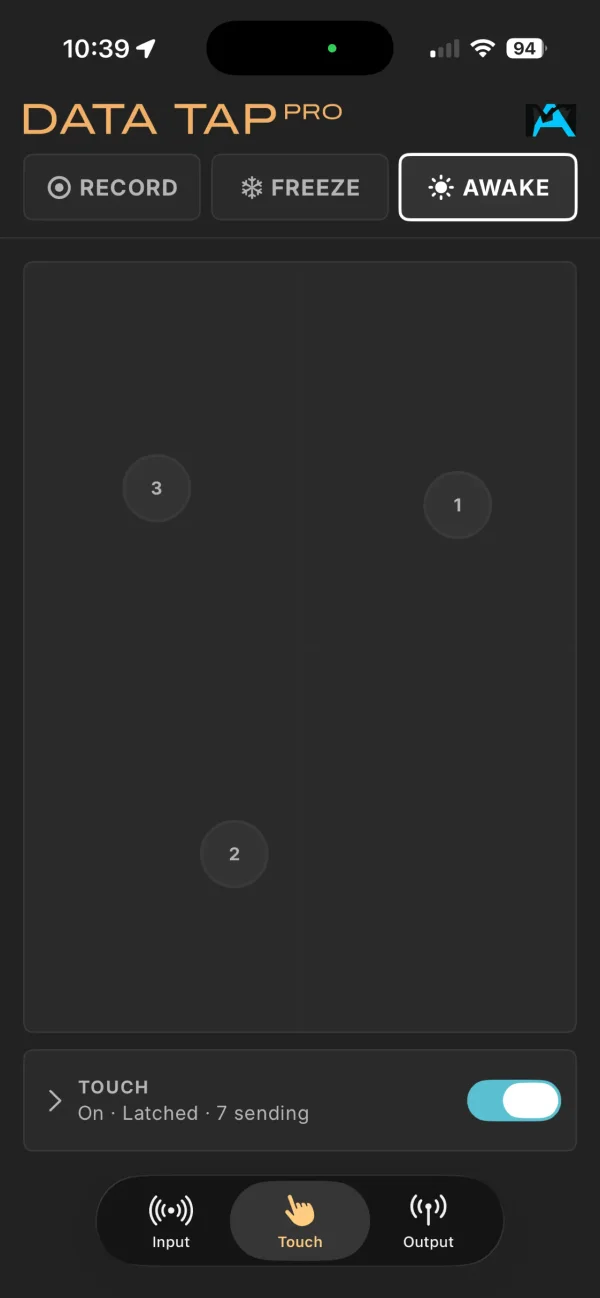
Touch: three fingers, with latch
Proximity: on or off, a hand's width away
Microphone: loudness, pitch, timbre, onsets
Camera: brightness, color, movement
Hand pose: position, pinch, openness
Face tracking: expression and head tilt, plus every ARKit blend shape
Depth: continuous distance, out to three meters
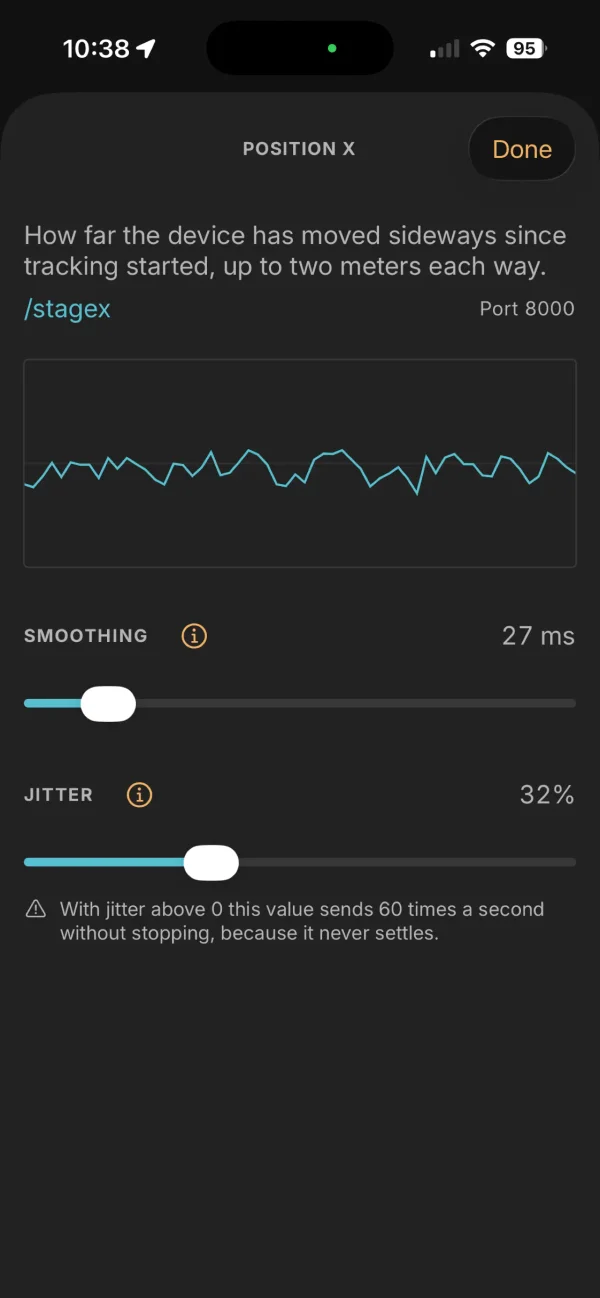
Stage position: where you have moved, within two meters
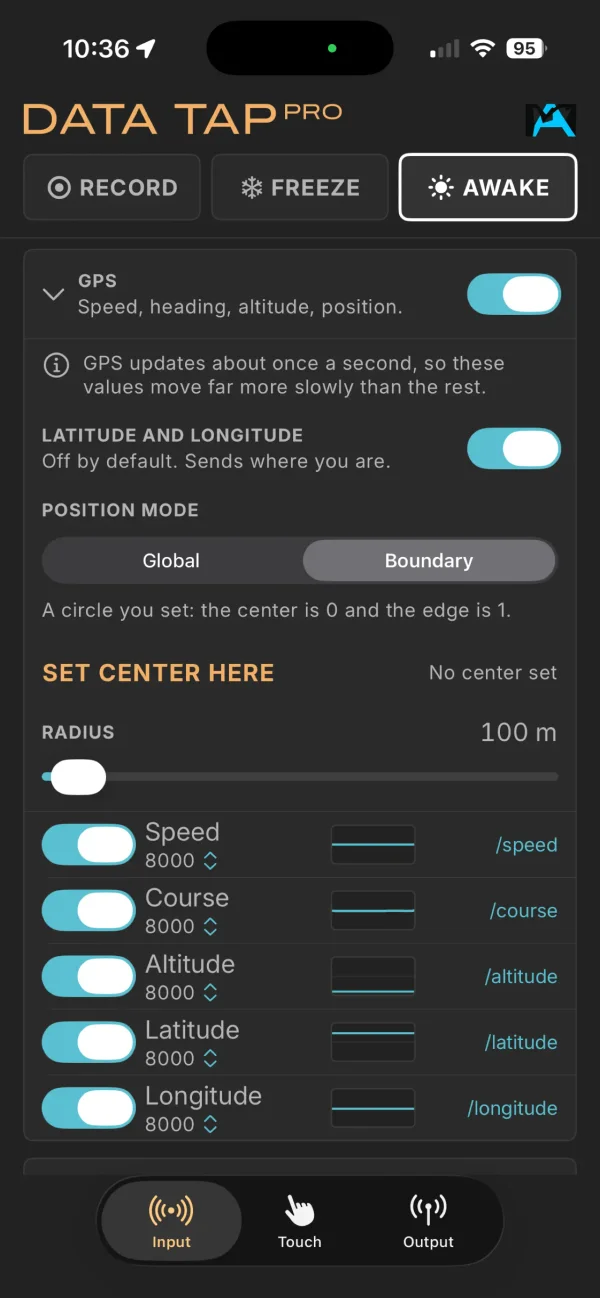
GPS: speed, heading, altitude, position
Heart rate: from a Bluetooth strap, with a pulse on every beat
SHAPED BEFORE IT LEAVES
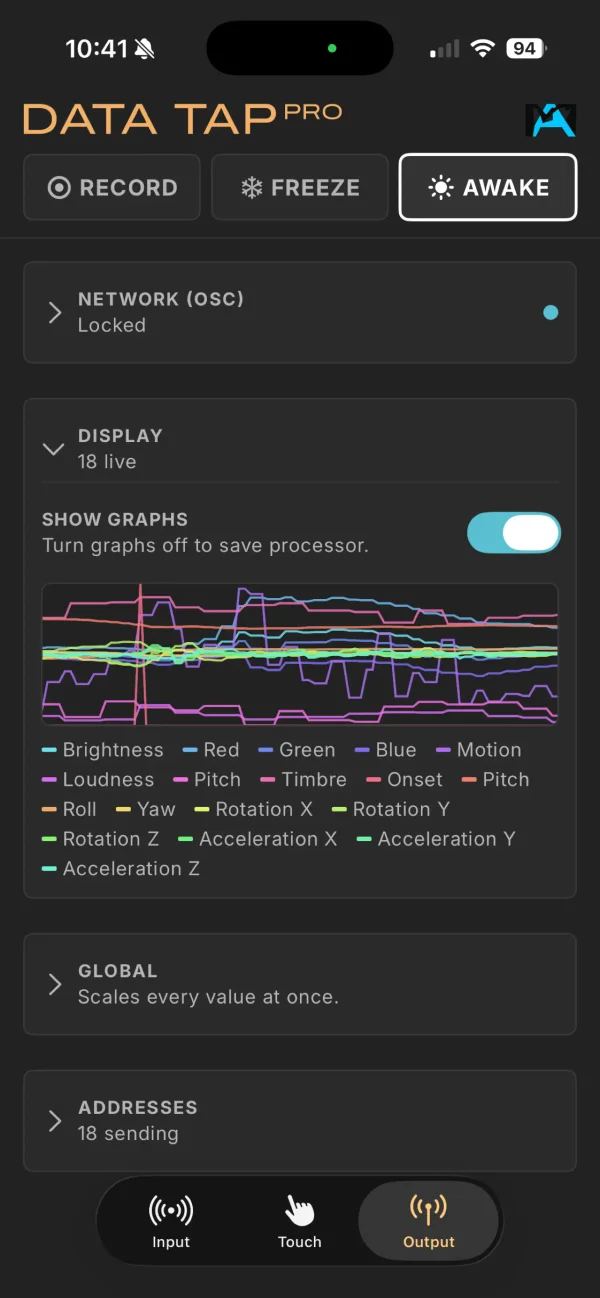
Every value has its own smoothing and its own jitter, so a sensor can be made as calm or as lively as the part it is playing. Two global knobs scale all of them at once. A graph on every row shows what is actually going out.
ONE PORT EACH, OR ALL TOGETHER
Send everything to one port, or give any value a port of its own, up to fifty above the main one. Plug-ins that bind their own port can each have one.
RECORD IT
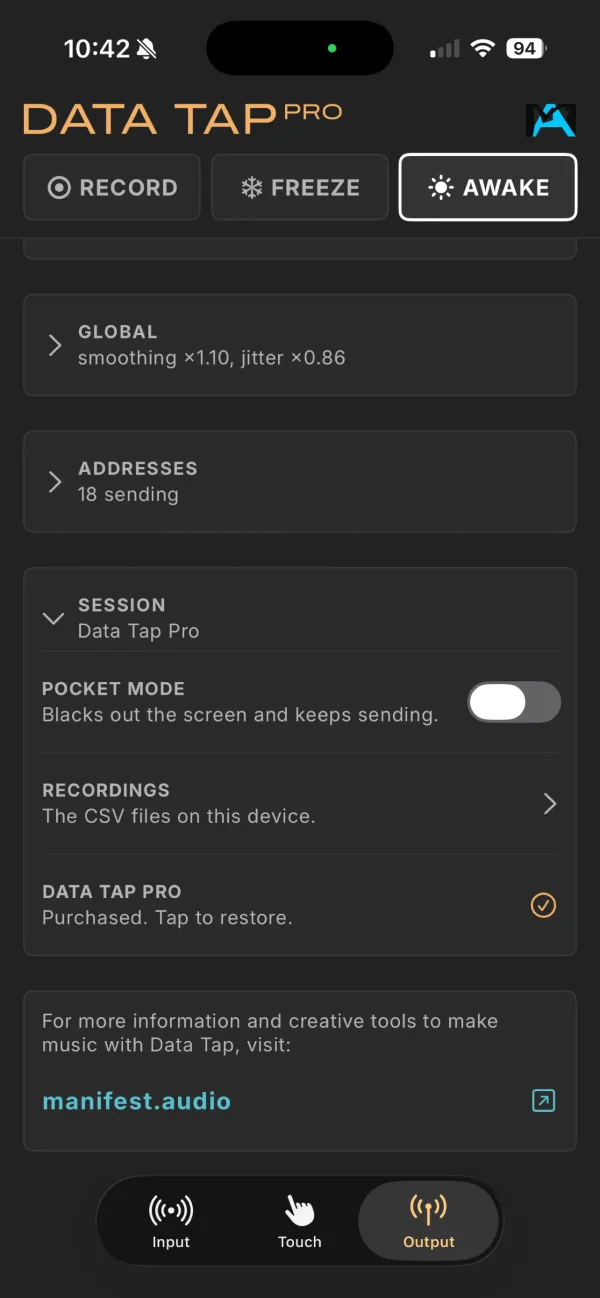
Start a recording and every value is written to a CSV file with an unbroken timeline, ready to open in anything. The files sit in the Files app, yours to copy off.
BUILT FOR A STAGE
Freeze holds every value where it is. Pocket mode blacks out the screen and keeps sending, so the phone can go in a pocket. Awake stops the screen locking in the middle of a set.
FREE, AND PRO
Motion, touch and proximity are free, with no time limit and nothing held back. Data Tap Pro is a single purchase, once, that adds every remaining sensor and Bluetooth heart rate straps, along with CSV recording, pocket mode and the global controls.
PRIVATE BY CONSTRUCTION
Data Tap has no accounts, no analytics and no third-party code. Nothing it reads is stored or sent anywhere except as the OSC or CSV you asked for. The camera and microphone are read only while you have those sources switched on, and what they see and hear never leaves the device. A Bluetooth sensor is read only once you have chosen it, and only while the app is open.
Requires iOS 15 or later. Works on iPhone.
What’s new
Version 1.1 · Nov 19, 2026
Heart rate from a Bluetooth strap. Connect any chest strap or armband that uses the standard Bluetooth heart rate profile, and Data Tap sends your heart rate, the time between beats, how much that time varies, and a pulse on every beat, as OSC and in CSV recordings. Turn it on from Bluetooth Sensors at the foot of the Input tab. Part of Data Tap Pro.
Recordings have their own section in the Output tab, and can now be deleted one at a time or all at once, with a prompt to confirm first.
A new Allow other audio switch in the Microphone settings lets other apps keep playing while the microphone converts audio to data.
The Host IP field now accepts commas and other symbols in place of a period, for number pads that offer no period key.
App privacy
What Manifest Audio LLC declares on the App Store about how this app handles data.
-
Data not collected
The developer does not collect any data from this app.
Privacy practices may vary, for example with the features you use or your age.
Information
- Seller
- Manifest Audio LLC
- Category
- Music
- Version
- 1.1
- Updated
- Nov 19, 2026
- Released
- Oct 12, 2026
- Size
- 7.9 MB
- Requires
- iOS 15.0 or later
- Age rating
- 4+
- Price
- Free
- In-app purchases
- Yes
- Languages
- English
- Copyright
- © 2026 Manifest Audio LLC
You might also like
-
 Crazy Sound RecorderPlayback audio in a fun way
-
 MARS Mobile Reference SpeakerHear your mix on a phone
-
 The Snail 3See the Sound
-
 Stay Synced | MetronomeFor Percussionists
-
 Morphix SynthesizerMusic
-
 Kompute - Music CalculatorStudio Math for Producers
-
 PedalEditorAnyPedal.AnyBrand.FullControl.
-
 SWAM French Horn FExpressive Modeled Brass
-
 frekvensMusic
-
 VAPolyFMv2Modular FM Synthesizer