
- Age rating4+
- CategoryProductivity
- DeveloperHYOJUNG KIM
- LanguagesEnglish
- Size32.9 MB
Links to the official App Store page
Download.org hosts no file of DavRoll. The button opens its official App Store page, published by HYOJUNG KIM. Listing last checked on Nov 12, 2026.
Screenshots
About
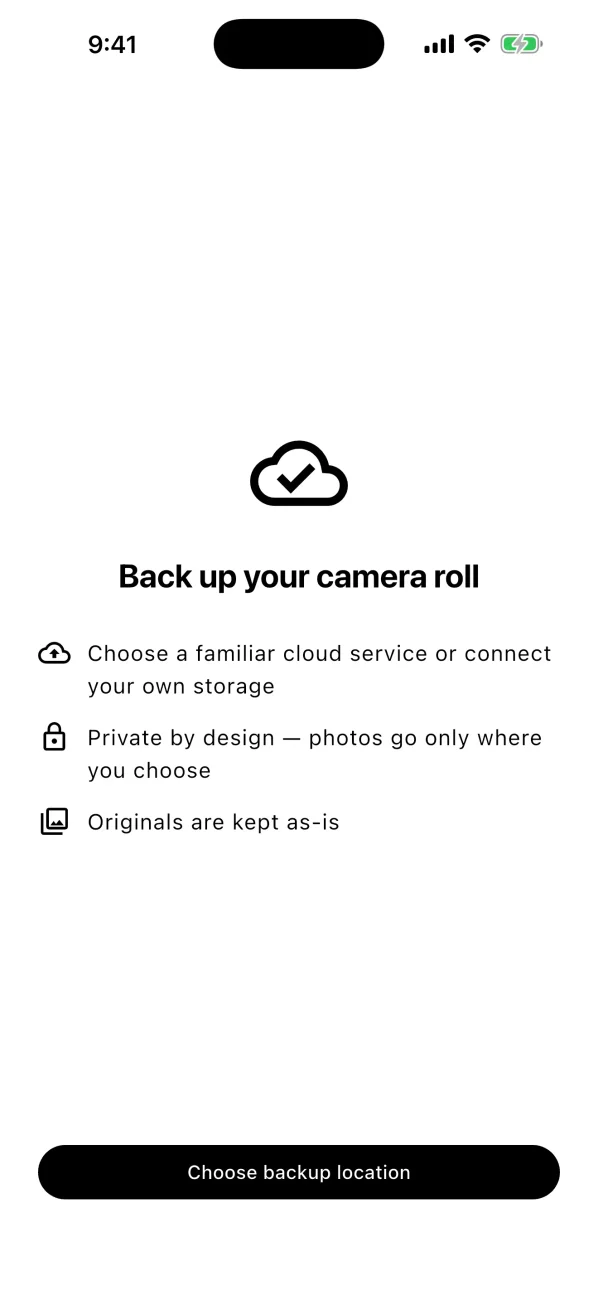
Automatic photo and video backup to your NAS — no subscription and no ads. DavRoll is a free personal app that scans the photo library you authorize to back up new photos and standard videos. It can also back up contacts (as vCard) and PDF documents from folders you choose. Your backup files go only to storage you own or manage, and you can browse and restore them anytime.
If the auto-upload app that came with your NAS let you down, DavRoll takes over your photo auto-upload: background sync uploads new photos on its own, failed uploads are retried automatically, and a Wi-Fi-only option keeps your mobile data untouched.
Supported storage
• NAS — connect via WebDAV or SMB
• Self-hosted servers such as Nextcloud — connect via WebDAV
• Amazon S3-compatible storage, with setup presets for Backblaze B2, Cloudflare R2, Wasabi, and MinIO
• Google Drive
• Microsoft OneDrive app folder
• Dropbox App Folder
• iCloud Drive folders
• Back up to one or more destinations at the same time
Backup
• Manual and background auto sync for photos and standard videos, with automatic retries
• Wi-Fi-only upload option to save mobile data
• Export contacts as vCard and back up PDF documents from folders you choose
• WebDAV and S3 uploads count as successful only after passing SHA-256 checksum verification
• Optionally encrypt new WebDAV and S3 photo backups on your device
• Optional lossless JPEG XL recompression for WebDAV and S3 JPEG backups — the original JPEG is rebuilt on restore
• Preview and approve natural-language organization rules for new photos, with optional bounded event-name suggestions
Restore Center
• Browse, search, and sort your backups in each configured destination
• Restore selected files or supported folders sequentially
• Share or delete multiple restored files
• Save supported images back to Photos without re-encoding
• Conflict-safe naming that never overwrites existing local files
Privacy first
• Credentials stay in Keychain-backed secure storage on your device
• WebDAV and S3 connections are HTTPS-only
• Original photos, videos, and backup files are uploaded only to the storage you configure
• The optional natural-language organizer sends only instructions, locale, and bounded event-name metadata to the DavRoll API; it does not send photos, filenames, paths, EXIF, or location
• Firebase is used only for crash reporting and aggregate analytics
• No ads, no ad trackers
Privacy policy: https://davroll.nine20.net/en/
What’s new
Version 26.8.2 · Aug 13, 2026
Improves photo scanning and app startup reliability. This update also refines photo and video backup, storage connections, backup details and settings, and adds optional natural-language organization.
App privacy
What HYOJUNG KIM declares on the App Store about how this app handles data.
-
Data not linked to you
May be collected but is not linked to your identity.
- Diagnostics
Privacy practices may vary, for example with the features you use or your age.
Information
- Seller
- HYOJUNG KIM
- Category
- Productivity
- Version
- 26.8.2
- Updated
- Aug 13, 2026
- Released
- Jun 26, 2026
- Size
- 32.9 MB
- Requires
- iOS 15.0 or later
- Age rating
- 4+
- Languages
- English
- Copyright
- © 2026 nine20
You might also like
-
 Buck-It: S3 ClientS3 Cloud Storage Client
-
 S3 File ManagerSleek S3 Compatible client
-
 Cloudreve V3Productivity
-
 ZFilesLocal and remote file browser
-
 Pho - Photo Sync, NAS & Cloudsmb/webdav/nfs/s3 & Encrypted
-
 NASLink: SMB File ManagerRemote NAS Access & Transfer
-
 AudioDocEffortless Typing
-
 JotlaCamera Roll for Work
-
 CloudMeProductivity
-
 Sona: AI Chat Bot AssistantVoice-first AI assistant