- Age rating4+
- CategoryBusiness
- DeveloperElsayed Zakaria
- LanguagesEnglish
- Size23.7 MB
Links to the official App Store page
Download.org hosts no file of Dawmly Admin. The button opens its official App Store page, published by Elsayed Zakaria. Listing last checked on Nov 11, 2026.
Screenshots

About
Dawmly Admin — Manage Your Team, Anywhere
Dawmly Admin is the on-the-go companion for business owners, branch managers, and
admins using Dawmly, the attendance and workforce management platform for growing
teams across the Middle East and beyond.
APPROVE OVERTIME
• Review employee overtime records at a glance
• Filter by branch or status
• Approve or reject requests directly from your phone
BUILD SHIFT SCHEDULES
• Create and manage shifts and shift templates
• Assign shifts to multiple employees at once with the bulk shift-assignment
wizard, across custom date ranges
TRACK ATTENDANCE
• See every clock-in and clock-out session, filtered by date, branch, employee, or
status
• Correct sessions, add manual punches, and review attendance details
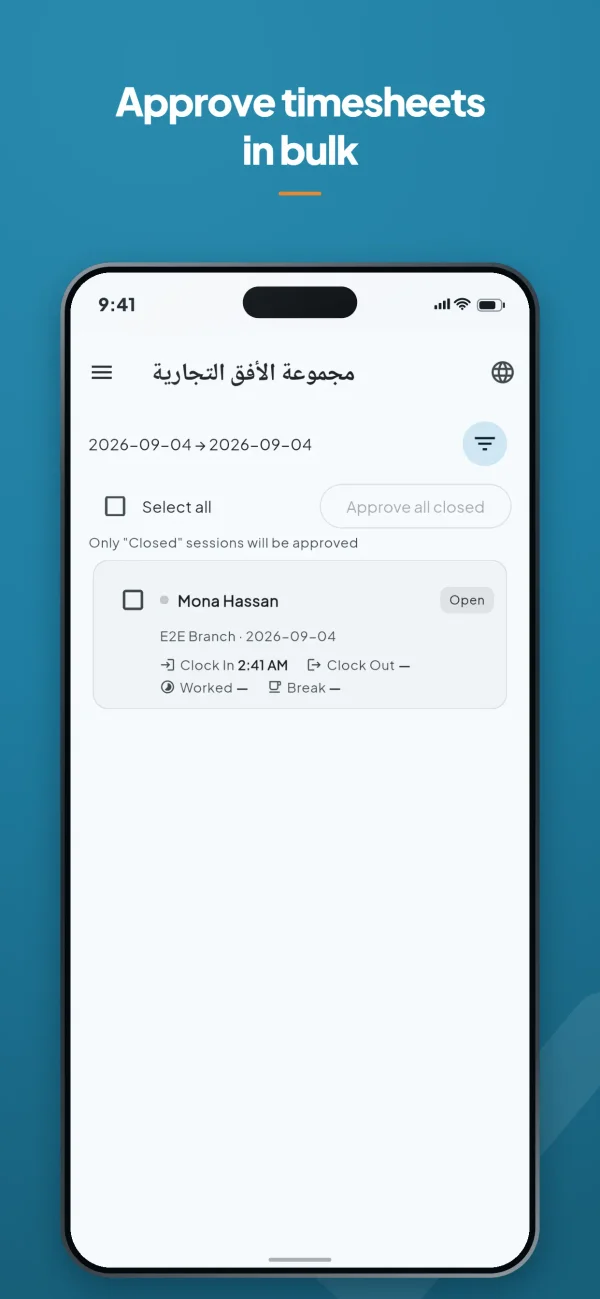
• Approve individual sessions or bulk-approve a whole day's closed sessions
• Review clock-in/out selfie photos where selfie verification is enabled
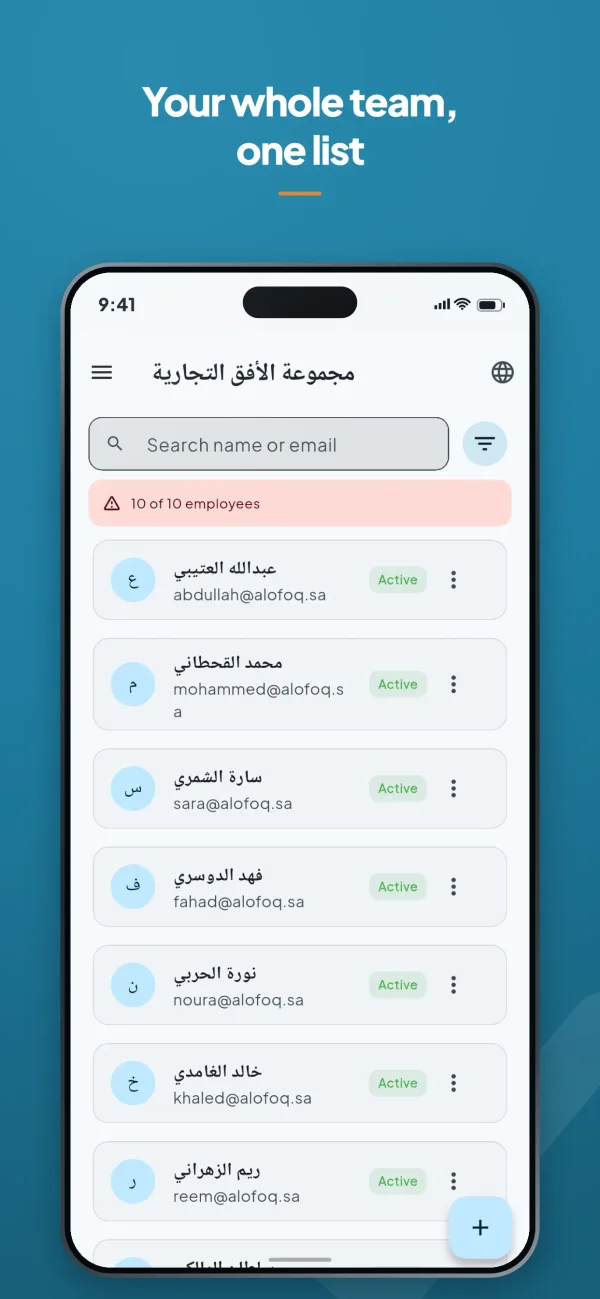
MANAGE YOUR PEOPLE
• View, add, and edit employee records — name, contact info, department, position,
branch, and employment status
• Assign roles (Employee, Branch Admin, Admin) and manage login credentials
• Upload profile photos
• Keep your team's Employees list in sync with the web dashboard
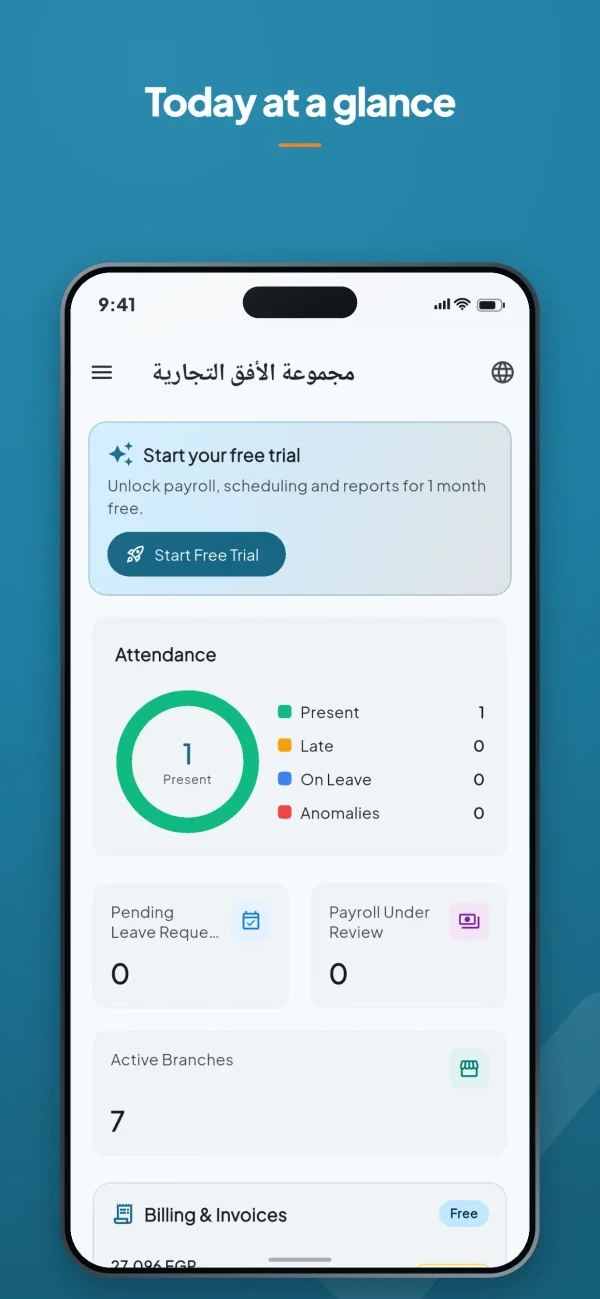
STAY ON TOP OF TODAY
• A daily dashboard: who's present, who's late, and what needs your attention
• Trial and subscription status at a glance
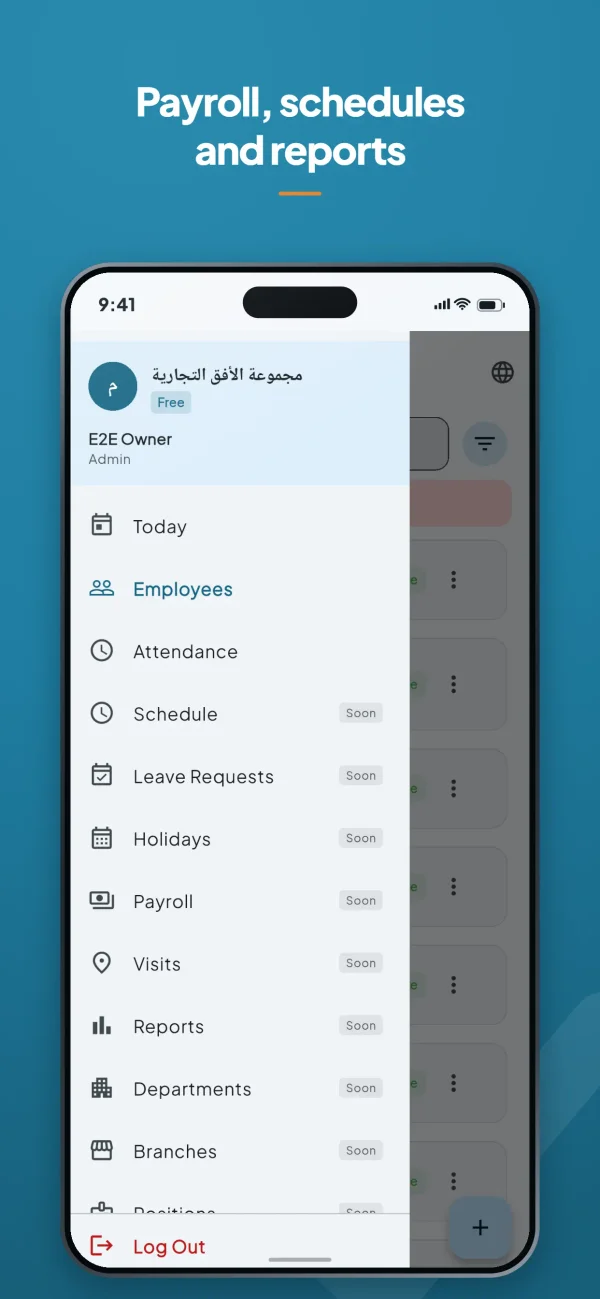
EVERYTHING ELSE, ONE TAP AWAY
Leave, payroll, field visits, reports, branches, and account settings are managed
from the full Dawmly web dashboard today — Dawmly Admin opens straight to the right
page in your phone's browser so you're never stuck waiting for a native screen to
catch up.
BUILT FOR HOW YOU WORK
• Full Arabic and English support, right-to-left included
• Works with your existing Dawmly account — no separate signup
• Role-based access: only Admins and Branch Admins can sign in
Dawmly Admin requires an existing Dawmly account. Don't have one yet? Create your
business account at dawmly.com or from the Dawmly Admin app itself.
Looking to clock in, request leave, or view your payslip as an employee? Use the
separate Dawmly app instead.
What’s new
Version 1.0.20 · Oct 22, 2026
• Attendance: edit the time of any clock-in or clock-out record, or delete it, from the session correction screen. The session's times and hours are recalculated automatically.
• Fixed: adding the clock-out to a session that was auto-closed (Disputed) now works and closes it with the right time.
• Fixed: when a record can't be added, the app now tells you why instead of doing nothing.
• Performance improvements and bug fixes.
App privacy
What Elsayed Zakaria declares on the App Store about how this app handles data.
-
Data not collected
The developer does not collect any data from this app.
Privacy practices may vary, for example with the features you use or your age.
Information
- Seller
- Elsayed Zakaria
- Category
- Business
- Version
- 1.0.20
- Updated
- Oct 22, 2026
- Released
- Sep 16, 2026
- Size
- 23.7 MB
- Requires
- iOS 15.0 or later
- Age rating
- 4+
- Languages
- English
- Copyright
- © 2026 Dawmly