
Day Agenda
A smarter view of your day.
Designed for iPhone, iPad, Mac
Free · In-app purchases
- Age rating4+
- CategoryProductivity
- DeveloperJoshua Sroufe
- LanguagesEnglish
- Size188.4 MB
Links to the official App Store page
Download.org hosts no file of Day Agenda. The button opens its official App Store page, published by Joshua Sroufe. Listing last checked on Nov 16, 2026.
Screenshots



About
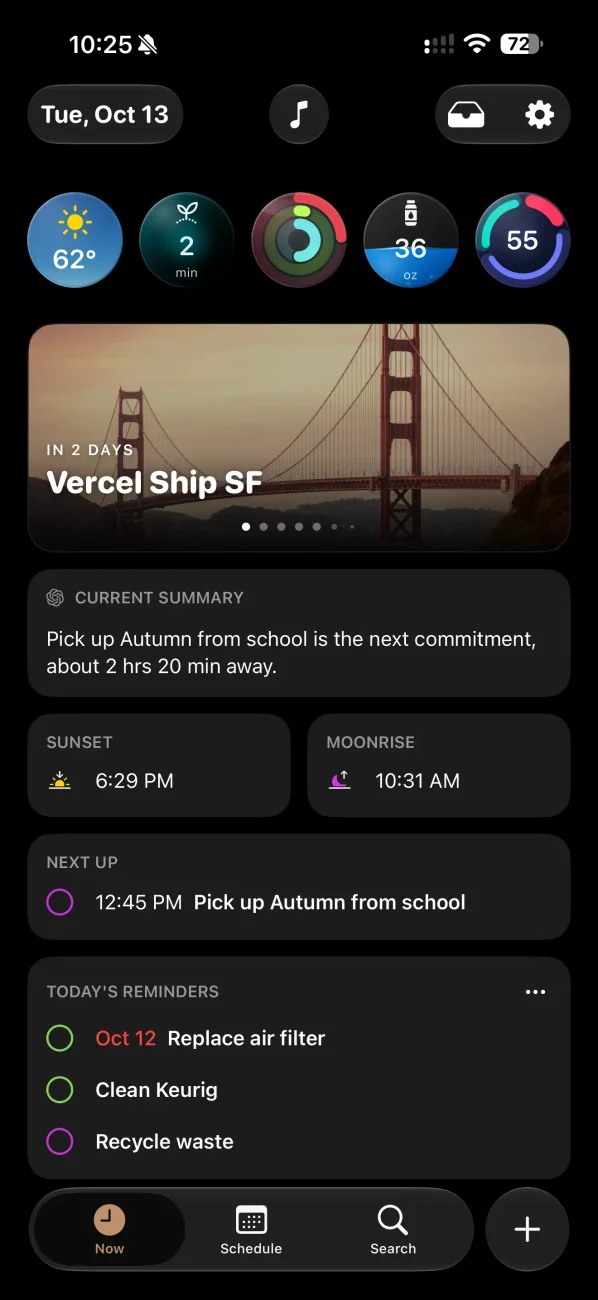
Your calendar, reminders, routines, health, weather, and music—together in one intelligent view.
Day Agenda (https://mydayagenda.com) helps you understand what matters now, plan what comes next, and make room for focus and rest.
PLAN YOUR DAY
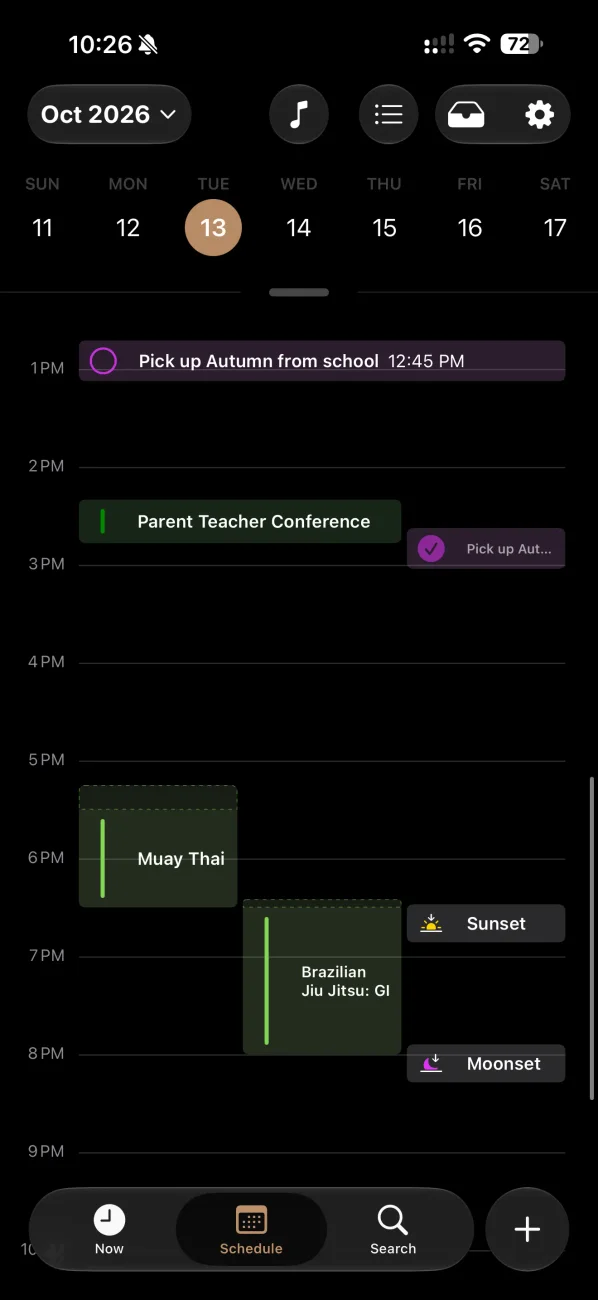
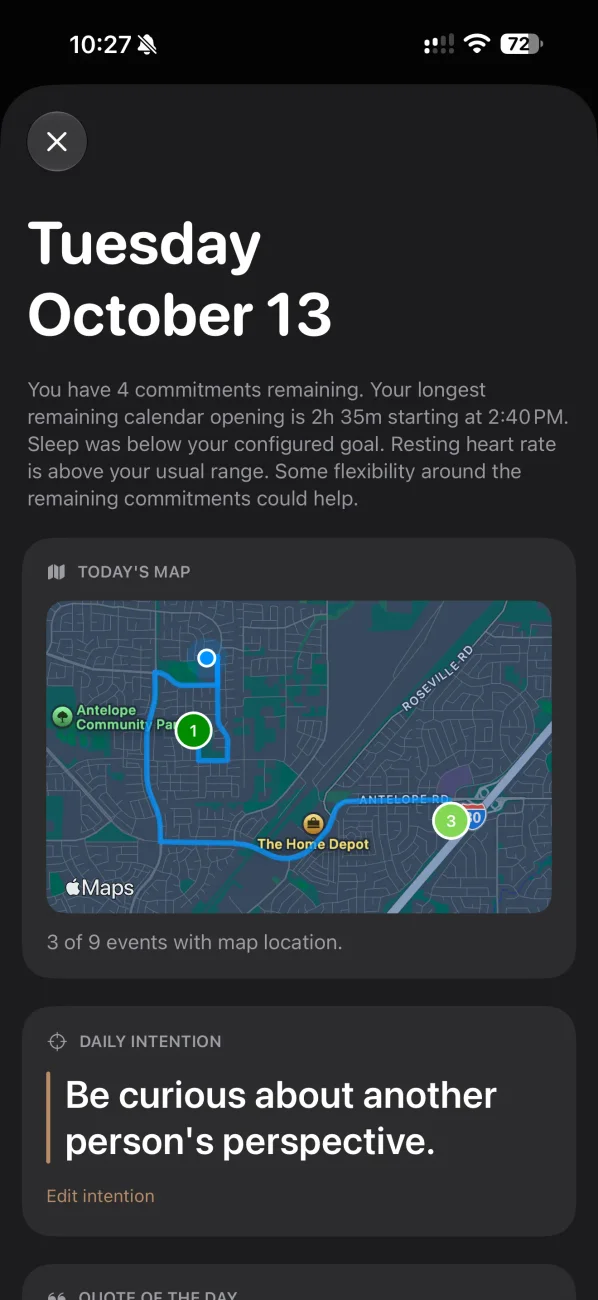
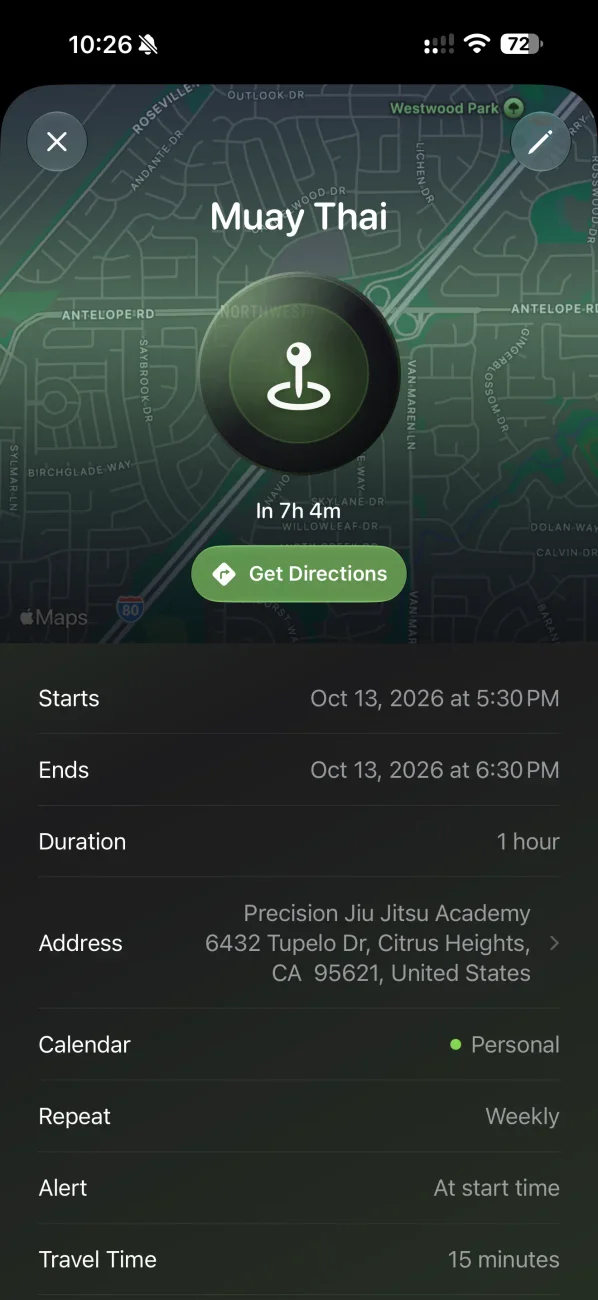
Switch between a list and an hourly timeline. See events, reminders, travel time, all-day plans, and schedule gaps together. Preview recurring reminders, add events and tasks, manage invitations, and keep birthdays close at hand. Open focused details with notes, checklists, maps, directions, call links, and relevant actions. Choose and arrange the signals and Now sections that matter to you.
MANAGE EVERY KIND OF REMINDER
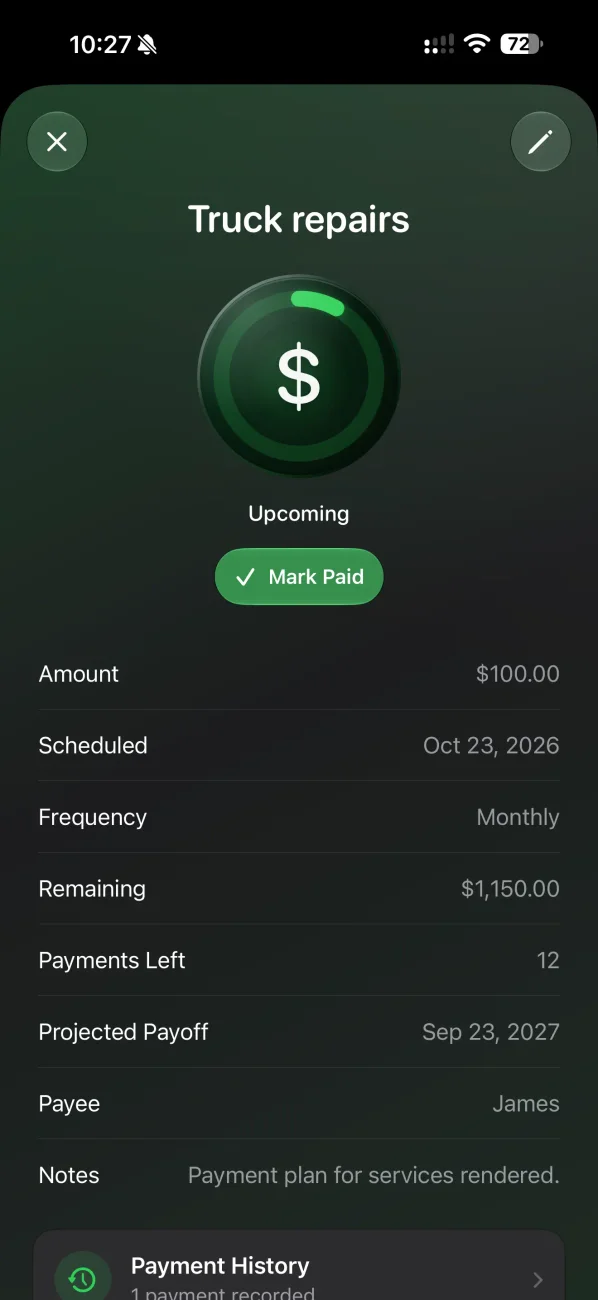
Use standard reminders for everyday tasks, payment reminders for bills and recurring expenses, and medication reminders for doses and routines. Create personal or shared lists, choose all-day or timed schedules, and see past-due items throughout Schedule, Now, summaries, and planning. Mark items complete, paid, taken, or skipped, and review payment and medication history.
COUNT DOWN TO WHAT MATTERS
Create beautiful visual countdowns for birthdays, trips, milestones, and anything worth anticipating. Smart Highlights brings countdowns and flight updates into one swipeable card.
PLAY SOMETHING THAT FITS
Listen to Apple Music playlists, albums, and stations without leaving your day. Browse Recently Played, For You, Heavy Rotation, library playlists, and curated collections. Pin favorites and sync them through iCloud across iPhone, iPad, and Mac. Or choose nature sounds, calming soundscapes, colored noise, and Weather Reactive audio.
FOCUS, PAUSE, OR WIND DOWN
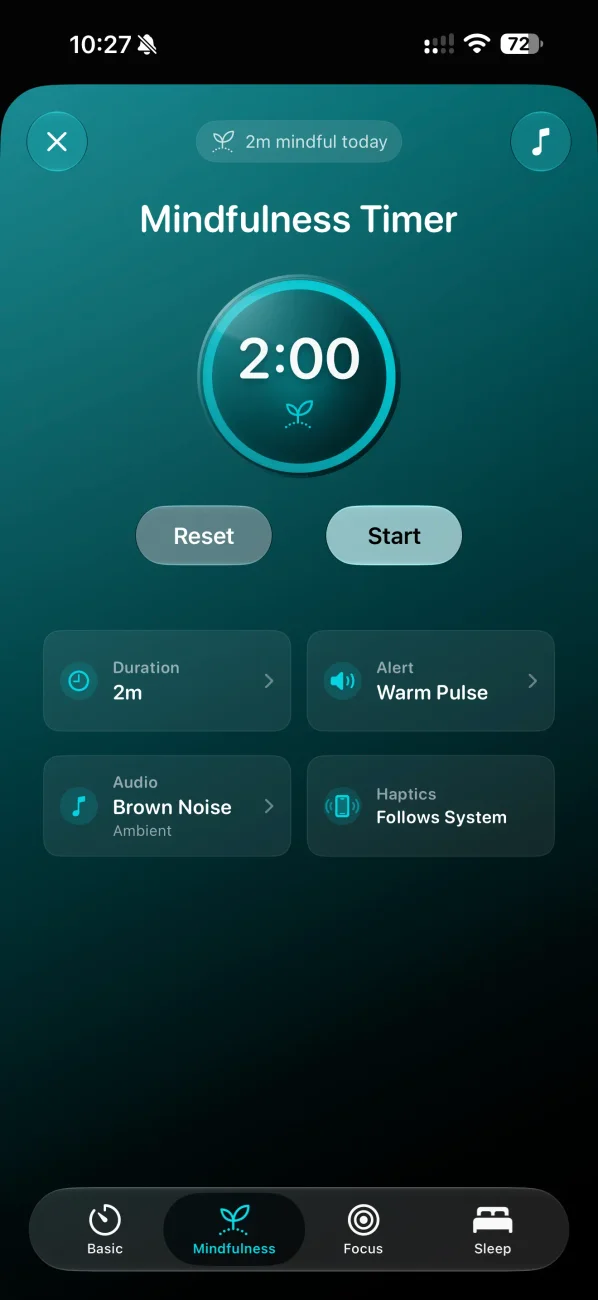
Choose Basic, Mindfulness, Focus, or Sleep timers. Customize durations, audio, and alerts. Focus includes work sessions and short or long breaks. Mindfulness sessions can log to Apple Health with permission. The Sleep Timer plays audio for a set time, then stops quietly—without an alarm, notification, or haptic alert.
PLAN FROM A PHOTO OR FILE
Describe your goal or attach a schedule, flyer, image, PDF, or text file. AI Planner turns the information into draft events and reminders. Review every suggestion, choose its calendar or reminder list, and add items individually or together.
UNDERSTAND YOUR DAILY RHYTHM
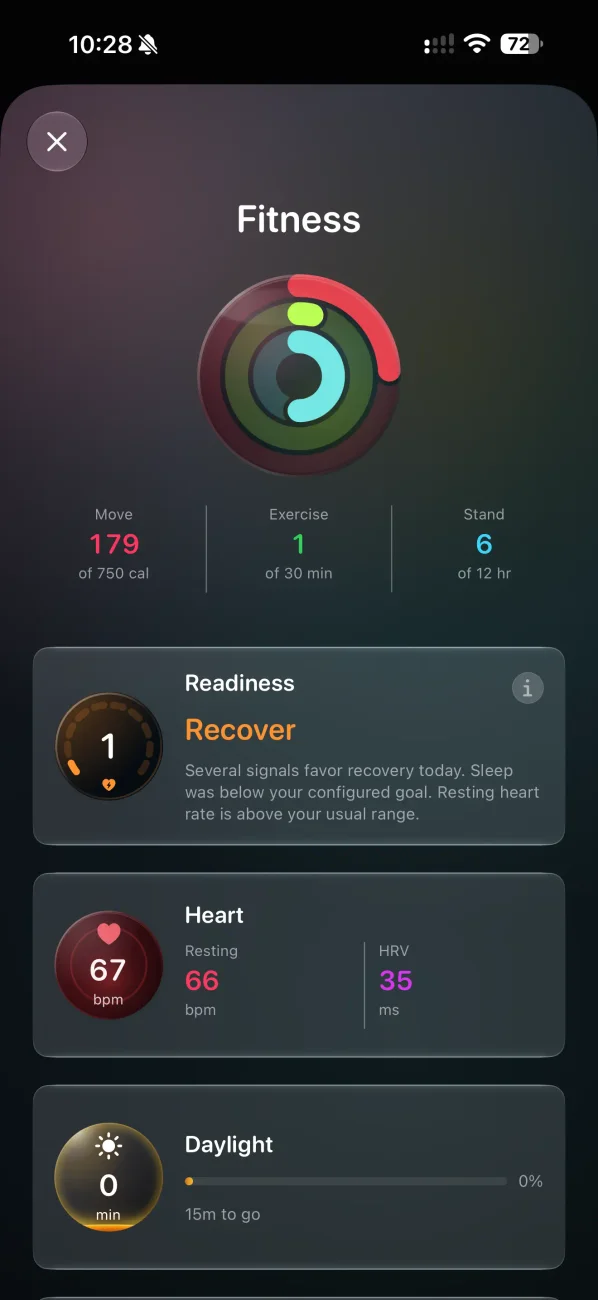
See activity rings, steps, heart data, daylight, workouts, and fitness trends alongside your schedule. Review sleep stages, your sleep score, and overnight vitals. Set sleep schedules, wind-down time, and optional wake alarms. Choose notifications for daily goals and important updates.
STAY A STEP AHEAD
Get a Current Summary informed by your schedule, health, and weather, with supported options including Day Agenda, Apple Intelligence, ChatGPT, Gemini, and Claude. Listen to your summary, ask Siri to start a mindfulness or focus timer, or log water. Mark a timed reminder Urgent for an alarm on a supported iPhone.
AT HOME ACROSS YOUR APPLE DEVICES
Use Day Agenda on iPhone, iPad, Mac, and Apple Watch. Enjoy adaptive layouts, iPhone landscape support, keyboard shortcuts, widgets, Control Center actions, Live Activities, and companion snapshots on supported devices.
Start free. Day Agenda Pro adds AI Planner, Focus timers, payment and medication reminders, sleep insights and schedules, visual countdowns, flight tracking, detailed weather, and sun and moon details.
Apple Music playback requires an active subscription and permission. Available music varies by account and region. Health features require permission and available data; Mac uses synced companion data. iCloud features require the same Apple Account and may take time to update. AI features, alarms, widgets, and Live Activities vary by device, OS, permissions, and plan. AI Planner usage limits apply. Payment and medication reminders are organizational tools and do not provide financial or medical advice.
Privacy: https://mydayagenda.com/privacy
Terms of Use: https://www.apple.com/legal/internet-services/itunes/dev/stdeula/
What’s new
Version 3.10 · Oct 18, 2026
Bug fixes and enhancements.
App privacy
What Joshua Sroufe declares on the App Store about how this app handles data.
-
Data not collected
The developer does not collect any data from this app.
Privacy practices may vary, for example with the features you use or your age.
Information
- Seller
- Joshua Sroufe
- Category
- Productivity
- Version
- 3.10
- Updated
- Oct 18, 2026
- Released
- Jun 20, 2025
- Size
- 188.4 MB
- Requires
- iOS 17.0 or later
- Age rating
- 4+
- Price
- Free
- In-app purchases
- Yes
- Languages
- English
- Copyright
- © 2026 Day Agenda. All rights reserved.
You might also like
-
 Beck: AI Assistant for WorkMeeting Notes, Calendar, Tasks
-
 Pebble AI: To-Do & FocusFocus, App Blocker & Timer
-
 Extra - your life's inboxYour inbox, handled.
-
 AnySchedule - Shared CalendarPlanner, To-Do & Habit Tracker
-
 Moleskine PlannerOrganize your time and tasks
-
 NoteCircle: To-Do ListWeekly Planner,Habit,Checklist
-
 Claude Duet by AnthropicYour proactive work agent
-
 Brainrot: Screen Time ControlApp Blocker & Focus Timer
-
 Hero Assistant: Run Your DayAI Calendar, Todo, Habit, Note
-
 Tiimo: To-Do List PlannerSchedule Structured Daily Task