Day Pilot Planner
Your tasks, auto-scheduled
Designed for iPhone, iPad
Free · In-app purchases
- Age rating4+
- CategoryProductivity
- DeveloperJohn DELANO
- LanguagesEnglish
- Size15.9 MB
Links to the official App Store page
Download.org hosts no file of Day Pilot Planner. The button opens its official App Store page, published by John DELANO. Listing last checked on Nov 6, 2026.
Screenshots
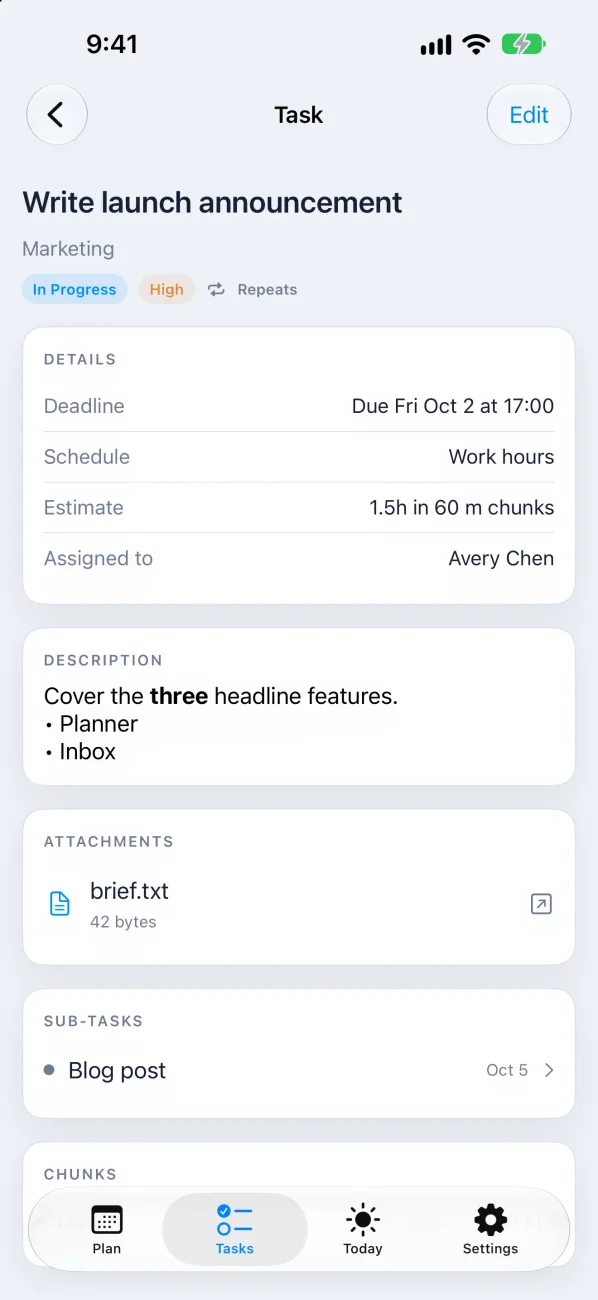
About
Day Pilot Planner turns your task list into a realistic plan for your day.
Tell Day Pilot when you're available and what needs to get done. It places each task into your free time, works around your meetings and events, and replans automatically when something changes. You decide what matters. Day Pilot decides when.
PLAN WITHOUT THE BUSYWORK
• Set your working hours once with weekly schedules.
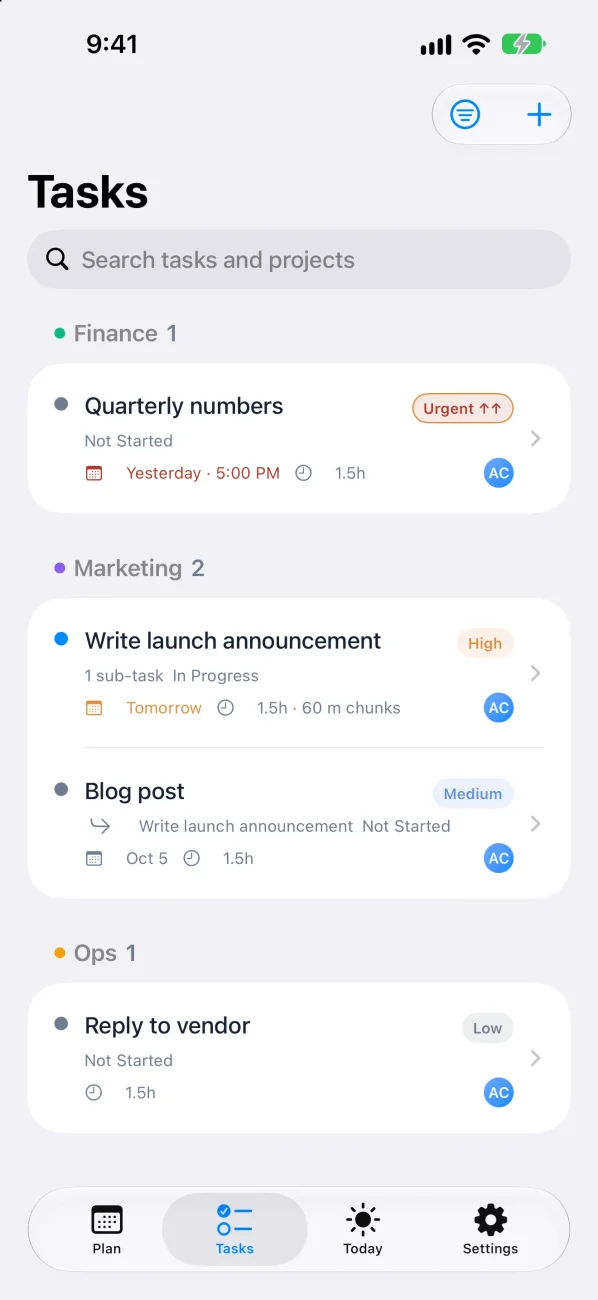
• Add tasks with a priority, due date, and time estimate.
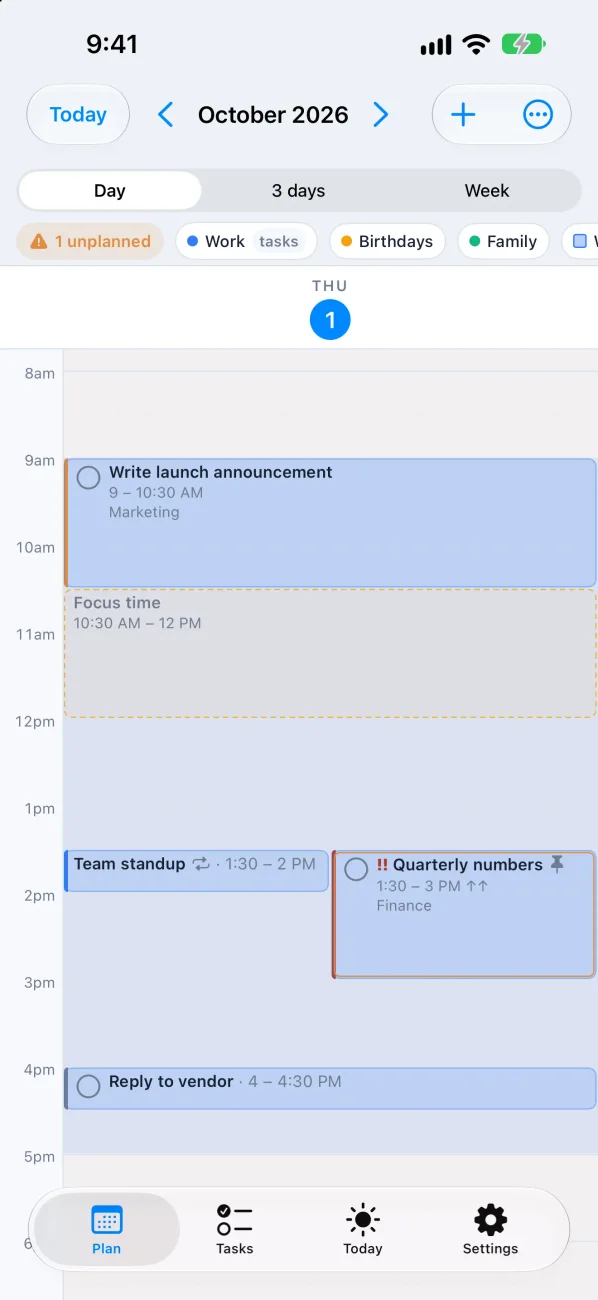
• Watch them land on a timeline that respects your real availability.
• Drag any block to a new time and the rest of your plan adjusts around it.
A PLANNER BUILT FOR REAL DAYS
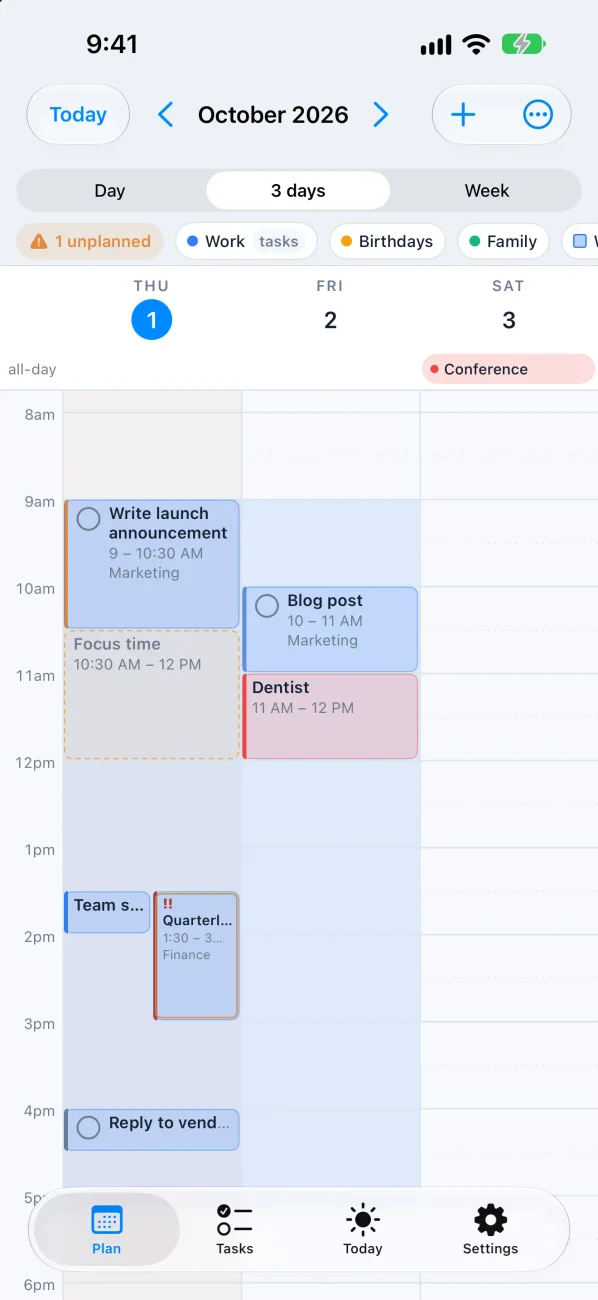
• Switch between Day, 3-day, and Week views.
• Add one-time or recurring events, and edit a single occurrence or the whole series.
• Break large tasks into focused chunks spread across your week.
• Set a fixed due time for tasks that must happen at a specific moment.
TASKS WITH DEPTH
• Organize work by project, each with its own color.
• Four priority levels: Low, Medium, High, and Urgent.
• Track status from Not Started through In Progress, Waiting, and Done.
• Add subtasks, rich-text notes, and file attachments.
• Save recurring work as templates and reuse them in a tap.
TODAY, AT A GLANCE
• See what's on your plate right now, what's next, and what's overdue.
• Check off tasks as you finish them and your plan updates instantly.
MADE FOR IPHONE AND IPAD
• Full iPad layout with room to see the whole week.
• Light and dark themes, plus adjustable planner text size.
• Haptic feedback and VoiceOver support throughout.
ALWAYS IN SYNC
Day Pilot Planner is the companion to daypilot.app. Everything you add on your iPhone or iPad is on the web the moment you open it, and the other way around.
SUBSCRIPTIONS
DayPilot is free for one person. Optional subscriptions add more:
DayPilot Pro, for one person (monthly or yearly)
• Google Calendar sync and write-back
• Email-to-task inbox with AI drafting
• Push notifications
• Task and project templates
• Unlimited schedules
• 5 GB of attachments
DayPilot Team, for up to 5 people (monthly or yearly)
Everything in Pro for every member, plus shared groups, task assignment and admin roles.
DayPilot Team Plus, for up to 10 people (monthly or yearly)
Everything in Team.
Larger teams: contact support@daypilot.app.
Payment is charged to your Apple ID when you confirm the purchase. Subscriptions renew automatically unless cancelled at least 24 hours before the end of the current period, and your account is charged for renewal within 24 hours before the period ends. Manage or cancel subscriptions in your App Store account settings.
Terms of Use: https://daypilot.app/Terms
Privacy Policy: https://daypilot.app/Privacy
Questions or ideas? Reach us through daypilot.app.
App privacy
What John DELANO declares on the App Store about how this app handles data.
-
Data linked to you
May be collected and linked to your identity.
- Contact info
- User content
- Identifiers
Privacy practices may vary, for example with the features you use or your age.
Information
- Seller
- John DELANO
- Category
- Productivity
- Version
- 1.0
- Updated
- Oct 31, 2026
- Released
- Oct 31, 2026
- Size
- 15.9 MB
- Requires
- iOS 17.0 or later
- Age rating
- 4+
- Price
- Free
- In-app purchases
- Yes
- Languages
- English
- Copyright
- © 2026 John D. Delano