- Age rating4+
- CategoryLifestyle
- DeveloperJack Richmond
- LanguagesEnglish
- Size81.4 MB
Links to the official App Store page
Download.org hosts no file of DayBoard TV. The button opens its official App Store page, published by Jack Richmond. Listing last checked on Nov 16, 2026.
Screenshots




About
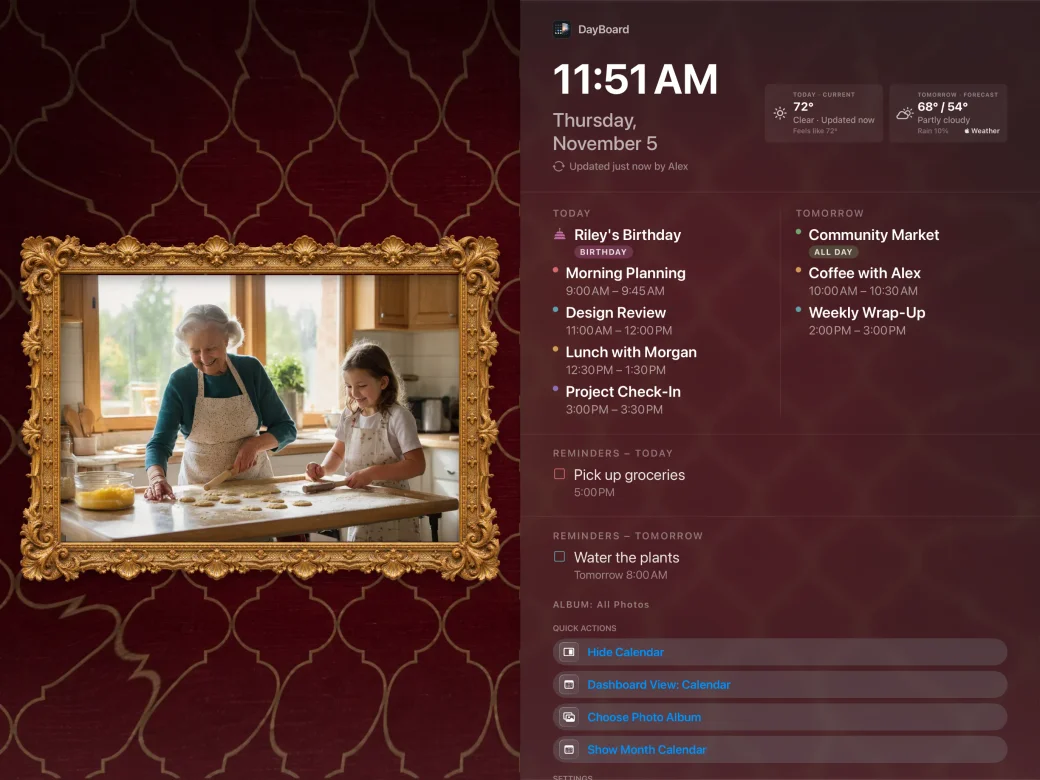
DayBoard turns your iPad into a calm, always-on home dashboard: the same DayBoard as on Apple TV, with a framed photo on your wall, today's and tomorrow's calendar, reminders and local weather, readable from across the room. Stand it on a counter or hang it on the wall: it fills the screen, landscape or portrait, and the screen stays on while DayBoard is open.
The dashboard is free:
- A framed photo slideshow from any album, hung on a wallpaper or a match of your own wall, with realistic depth and light that follows the real sun through the day
- Today and tomorrow at a glance, from the calendars you choose in DayBoard Companion on iPhone
- Your work calendar from a screenshot: import a photo of your Teams or Outlook calendar right on the iPad, review it, and it joins the board
- Reminders for today and tomorrow
- Apple Weather: current conditions and tomorrow's forecast
- Four Dashboard Views: Calendar, Gallery & Clock, Family DayBoard and Host Mode
- Albums in shelves: Library, My Albums, Shared Albums, People and the Gallery
- A month calendar, a dashboard schedule, night dimming and Liquid Glass styling
DayBoard Plus adds:
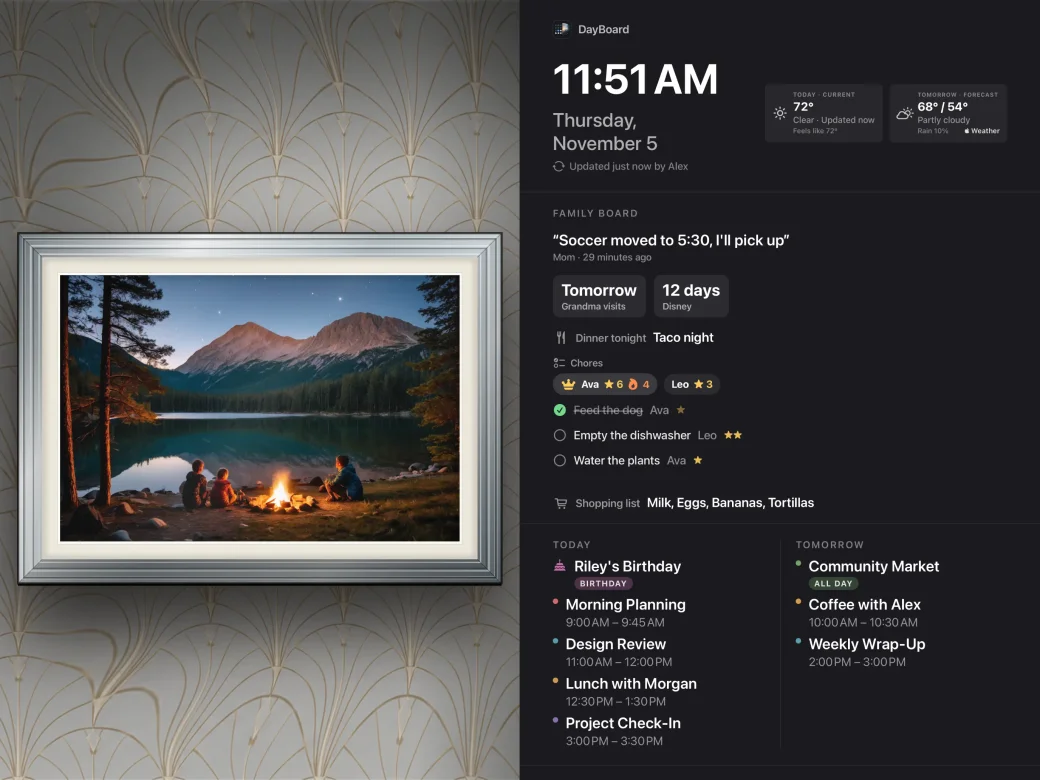
- The Family Board: notes, countdowns, chores (ticked off right on the board), tonight's dinner and the shopping list, edited from any family member's iPhone
- The Gallery: 129 public-domain masterpieces from the Art Institute of Chicago (Monet, Van Gogh, Seurat, Hokusai and more) in the frame, each with its museum placard
- Up to 50 Photos from iPhone per board
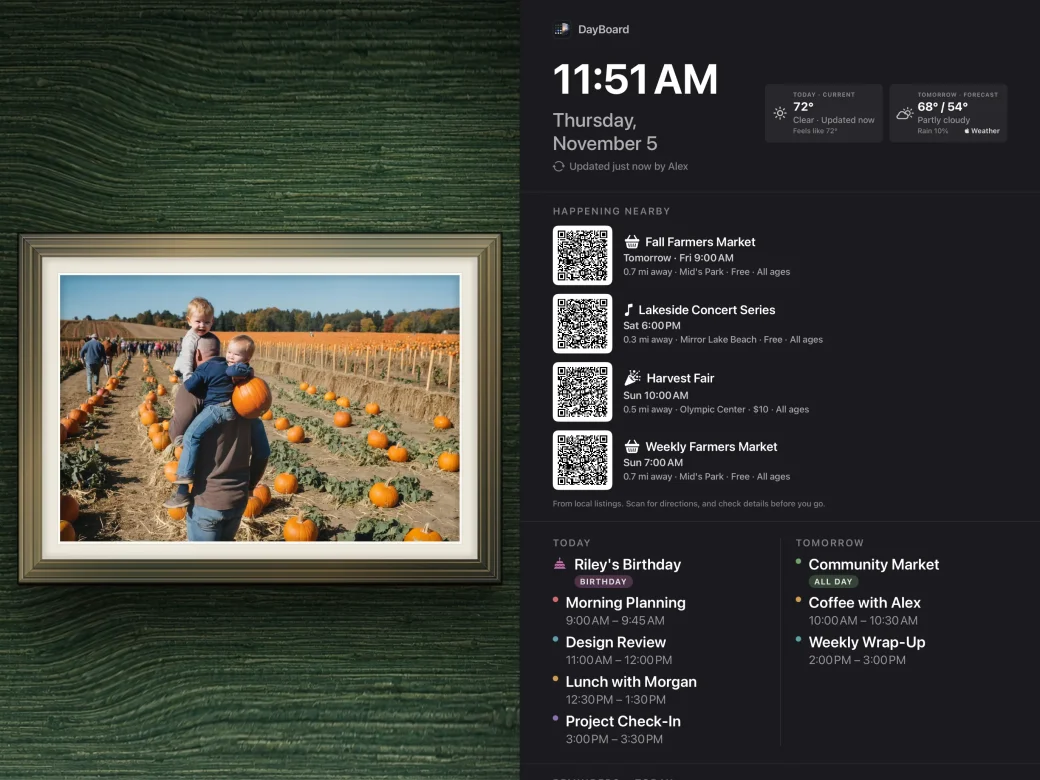
- Nearby Events, with a monthly or yearly plan: what's on near home this week, from farmers markets and festivals to live music, each with a code to scan for directions
DayBoard Host turns a vacation rental's iPad or TV into a welcome screen:
- Greets each guest by name, with your personal note
- A Wi-Fi code guests scan with their phone's camera, so nobody types a password
- Checkout steps on the last morning, and ready for the next guests that afternoon
- Your house guide and local favorites
- Reads your Airbnb, VRBO or Booking.com calendar by itself, so it knows who's arriving even when you're miles away
- Your own calendar, reminders and the board's settings stay hidden
- Includes everything in DayBoard Plus
DayBoard Plus is available monthly or yearly, each starting with a two-week free trial, or as a one-time lifetime purchase, which includes everything in Plus except Nearby Events. DayBoard Host is available monthly or yearly, starting with a two-week free trial. Subscriptions renew automatically unless cancelled at least 24 hours before the end of the current period; manage them in your Apple Account settings. One purchase covers DayBoard on Apple TV and iPad signed in with the same Apple Account. You can also subscribe in the free DayBoard Companion iPhone app, which unlocks every Apple TV and iPad paired with that iPhone.
Terms of Use: https://www.apple.com/legal/internet-services/itunes/dev/stdeula/
Privacy Policy: https://dayboard-support.jacknrichmond.workers.dev/privacy/
What’s new
Version 2.2.2 · Nov 13, 2026
Birthday Spotlight now celebrates the people you choose. Add them in DayBoard Companion, then pick which ones each iPad celebrates.
Once today's last event is over, the calendar shows tomorrow and the day after, so the evening is for getting ready.
Tap a weather alert on the dashboard to read it in full, with a code for the complete statement. The forecast now opens full screen, with the next 12 hours and the chance of rain.
Photo Frames has its own screen in Settings > Appearance, grouped Carved, Wood, Metal and Painted. Fourteen more fonts in Text Settings.
Update DayBoard Companion for birthdays and the grouped frame picker.
App privacy
What Jack Richmond declares on the App Store about how this app handles data.
-
Data not linked to you
May be collected but is not linked to your identity.
- Location
Privacy practices may vary, for example with the features you use or your age.
Information
- Seller
- Jack Richmond
- Category
- Lifestyle
- Version
- 2.2.2
- Updated
- Nov 13, 2026
- Released
- Jun 5, 2026
- Size
- 81.4 MB
- Requires
- iOS 17.0 or later
- Age rating
- 4+
- Price
- Free
- In-app purchases
- Yes
- Languages
- English
- Copyright
- © 2026 Jack Richmond
You might also like
-
 DawnboardYour day, on display
-
 Home Dash TVYour family's ambient TV hub
-
 SYNQORAAI-Powered Family Coordination
-
 Scan-A-BinLifestyle
-
 CouplewinkWhat do we want to do tonight?
-
 Clackline: Home Message BoardNotes that land with a clack
-
 Smart Home Display for HomeKitWall Dashboard & Automations
-
 Realtor RodgerLifestyle
-
 Washr Mobile: Car DetailingMobile Car Wash & Detailing
-
 HomeDeck for HomeKitDashboard for iPad & Apple TV