DayDrop – Count the Days
Count down to what matters.
Designed for iPhone, iPad, Mac
Free · In-app purchases
- Age rating4+
- CategoryUtilities
- DeveloperDevScape.io LLC
- LanguagesEnglish
- Size17.8 MB
Links to the official App Store page
Download.org hosts no file of DayDrop – Count the Days. The button opens its official App Store page, published by DevScape.io LLC. Listing last checked on Nov 16, 2026.
Screenshots

About
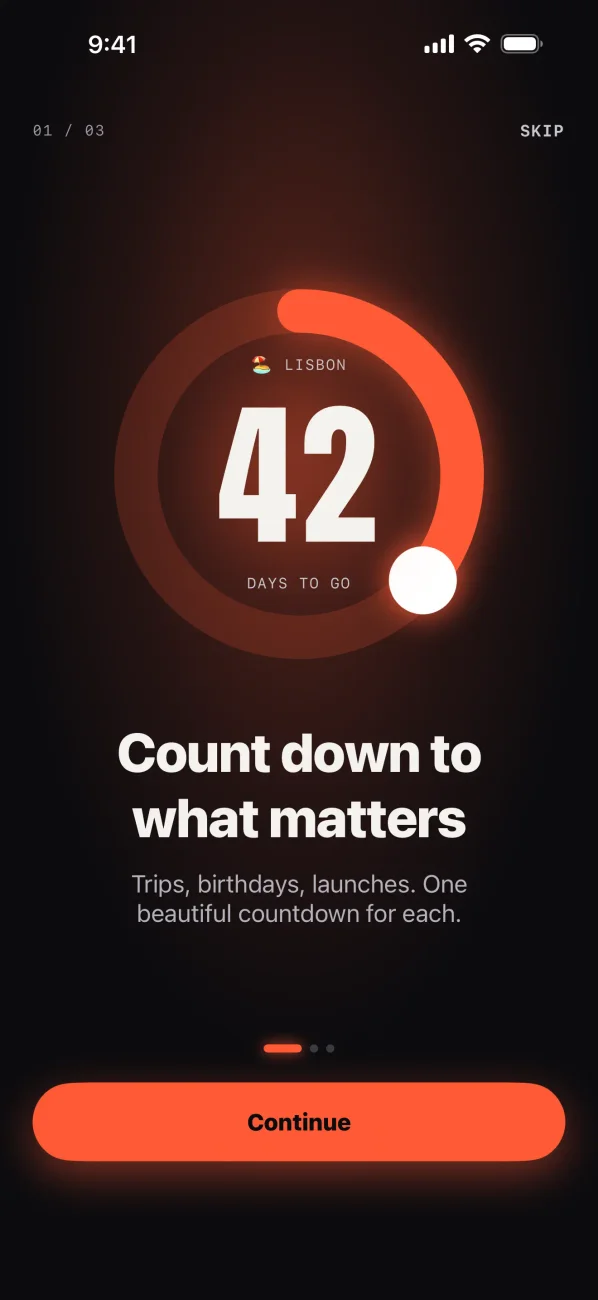
DayDrop turns the dates you care about into something you actually see.
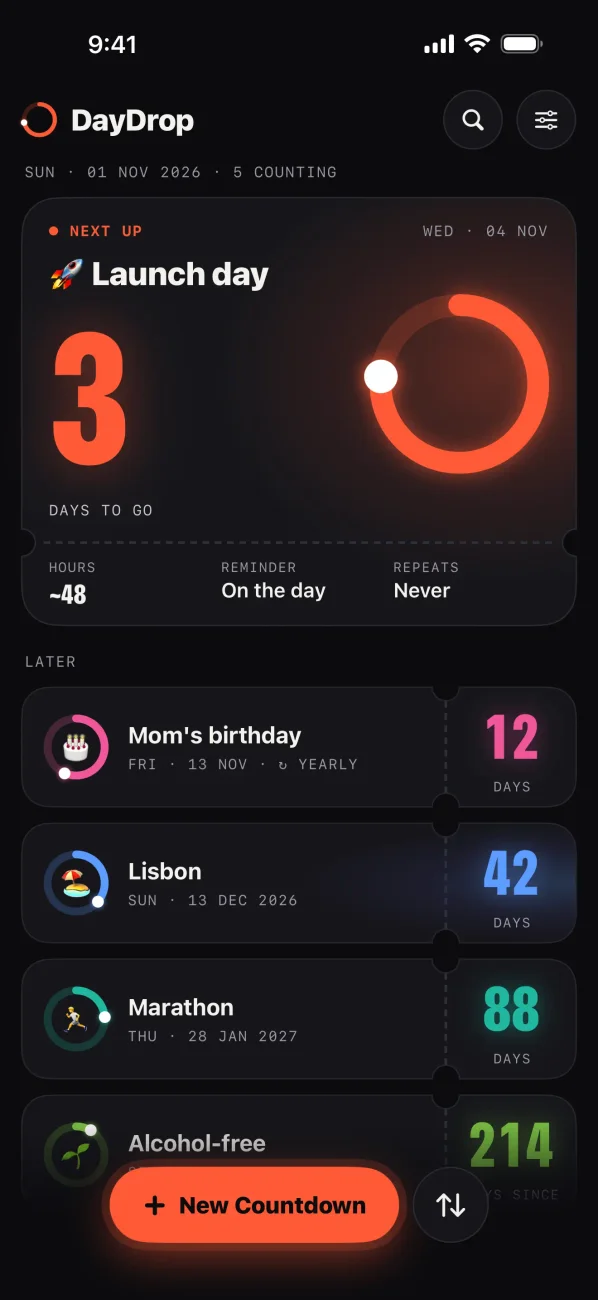
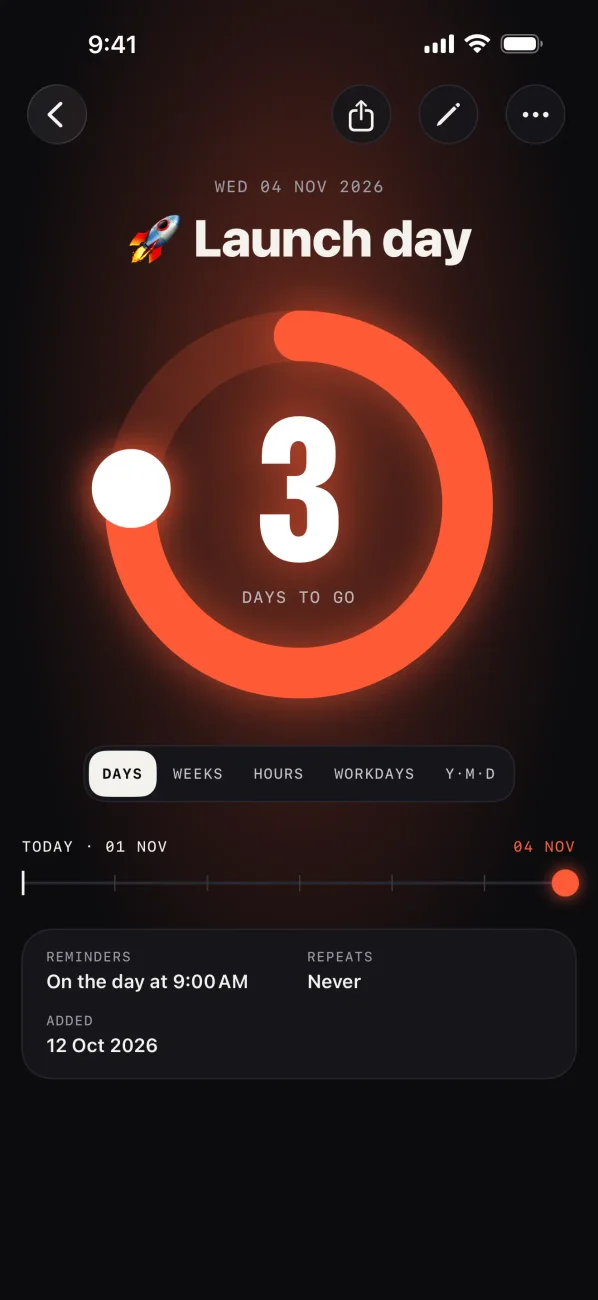
Make a countdown for a trip, a birthday, a launch, or a wedding. Give it a color, an emoji, and a photo. Then watch a progress ring fill as the day gets closer — on your Home Screen, your Lock Screen, and your Mac.
One thing, done beautifully.
BEAUTIFUL BY DEFAULT
• A progress ring that fills as the date approaches
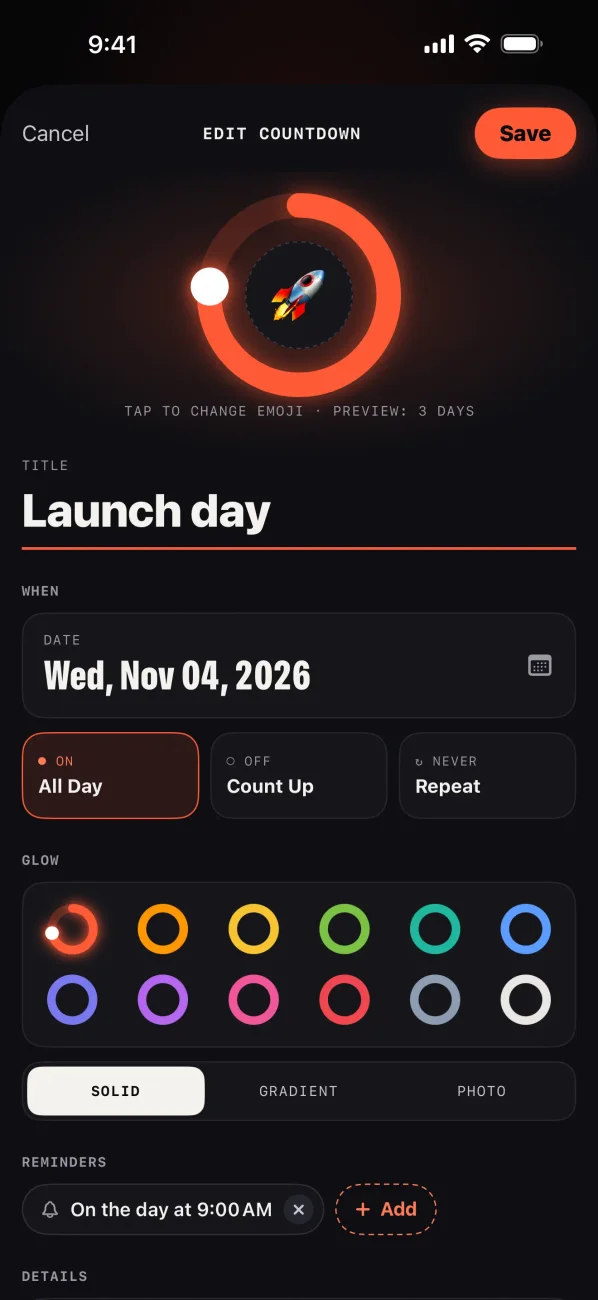
• Ten colors, gradients, and your own photos as backgrounds
• Big, friendly numbers you can read from across the room
• Standard or compact cards, whichever suits your list
WIDGETS EVERYWHERE
• Home Screen widgets in every size
• Lock Screen and StandBy widgets
• An "Up Next" widget for your soonest countdowns, or just one folder
• Live Activities that tick down the final hours on your Lock Screen
• A menu bar countdown on Mac — free for everyone
COUNT DOWN, OR COUNT UP
• Days, weeks, hours, working days, or a full year-month-day breakdown
• Count up from a start date for streaks, sobriety, and milestones
• Repeating birthdays and anniversaries that roll over on their own
• All-day dates never drift when you travel or change time zones
NEVER MISS THE DAY
• Reminders a week out, a day out, and on the morning of
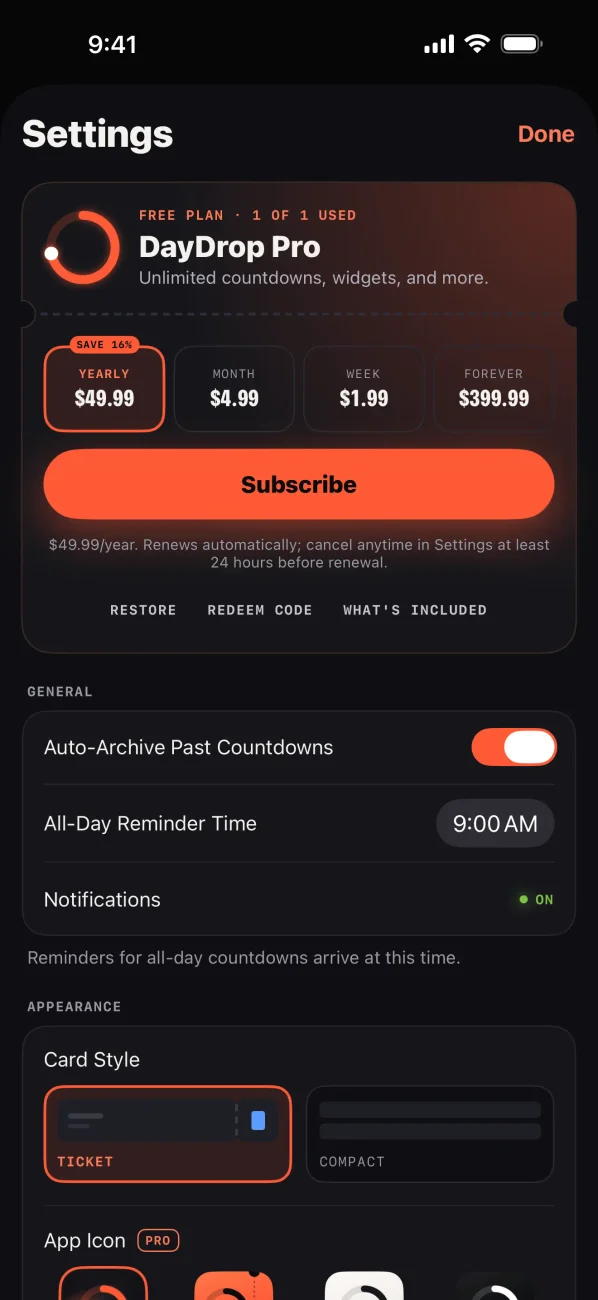
• Pick the time all-day reminders arrive
• Past countdowns can archive themselves automatically
SHARE IT
• Send any countdown to a friend in Messages with a rich preview
• They can open it in DayDrop and keep it, or just see the link
• Import a calendar event and turn it into a countdown
ON EVERY DEVICE
• Native apps for iPhone, iPad, and Mac — not a stretched phone app
• iCloud keeps everything in sync through your own private database
• Split view, keyboard shortcuts, and a real menu bar on iPad and Mac
• Shortcuts and Siri support for making countdowns by voice
• Export and import your countdowns as a file, any time
PRIVATE BY DESIGN
No account. No tracking. No ads. Your countdowns sync through your own iCloud,
and nobody — including us — can read them.
DAYDROP PRO
DayDrop is free to use with one active countdown, sharing, iCloud sync, a day-of
reminder, and the Mac menu bar countdown.
DayDrop Pro unlocks unlimited countdowns, all widgets and Live Activities, photo
and gradient backgrounds, repeating dates, multiple reminders, count-up mode,
alternative time units, folders, notes, custom app icons, Shortcuts, calendar
import, and export/import.
Pro is available weekly, monthly, or yearly with a 7-day free trial — or as a
one-time lifetime purchase.
If a subscription ever lapses, nothing is deleted. Your oldest countdown stays
editable and the rest wait, read-only, until you come back.
What’s new
Version 1.1.0 · Nov 7, 2026
• A brand-new look, with a new app icon.
• Choose a style for each widget: just edit the widget.
• Pro now stays unlocked reliably after renewals and Restore Purchases.
App privacy
What DevScape.io LLC declares on the App Store about how this app handles data.
-
Data not collected
The developer does not collect any data from this app.
Privacy practices may vary, for example with the features you use or your age.
Information
- Seller
- DevScape.io LLC
- Category
- Utilities
- Version
- 1.1.0
- Updated
- Nov 7, 2026
- Released
- Sep 19, 2026
- Size
- 17.8 MB
- Requires
- iOS 18.0 or later
- Age rating
- 4+
- Price
- Free
- In-app purchases
- Yes
- Languages
- English
- Copyright
- © 2026 DevScape.io LLC
You might also like
-
 Purrgets – Countdown WidgetsDays Since & Year Progress
-
 HypeDay - Countdown WidgetsBeautiful Countdown Widgets
-
 Yet Another CountdownDays Until Events & Birthdays
-
 Day Counter: Since & UntilUtilities
-
 Another Countdown AppCountdowns with widgets
-
 Countdown Central: EventsWidgets, Birthday & Timer
-
 BPaaS Image RulerMeasure your Images!
-
 Strata Countdown WidgetHome screen countdown widget
-
 Wall Countdown TimerFullscreen countdown!
-
 DayCount: Event CountdownPhoto Widget & Days Until