
DayGlance: Lock Screen Planner
Your day on your Lock Screen
Designed for iPhone
Free · In-app purchases
- Age rating4+
- CategoryProductivity
- DeveloperTLS INNOVATION AND TECHNOLOGY LTD
- LanguagesEnglish+ 21 more
- Size46.2 MB
Links to the official App Store page
Download.org hosts no file of DayGlance: Lock Screen Planner. The button opens its official App Store page, published by TLS INNOVATION AND TECHNOLOGY LTD. Listing last checked on Nov 17, 2026.
Screenshots


About
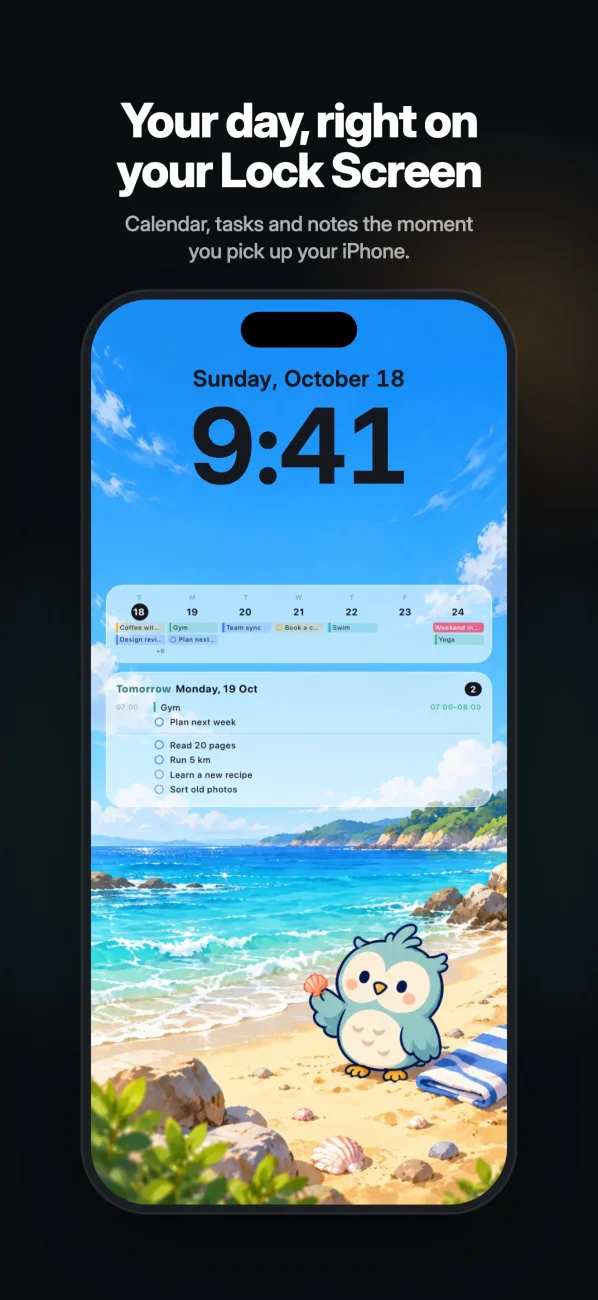
DayGlance puts your day where you look most: your Lock Screen. Your next meetings, today's tasks and your notes appear on your wallpaper, so you know what's next before you even unlock.
YOUR DAY ON YOUR LOCK SCREEN
• Calendar events from your iPhone's calendars and Google Calendar
• Today's tasks and priorities, with what's done checked off
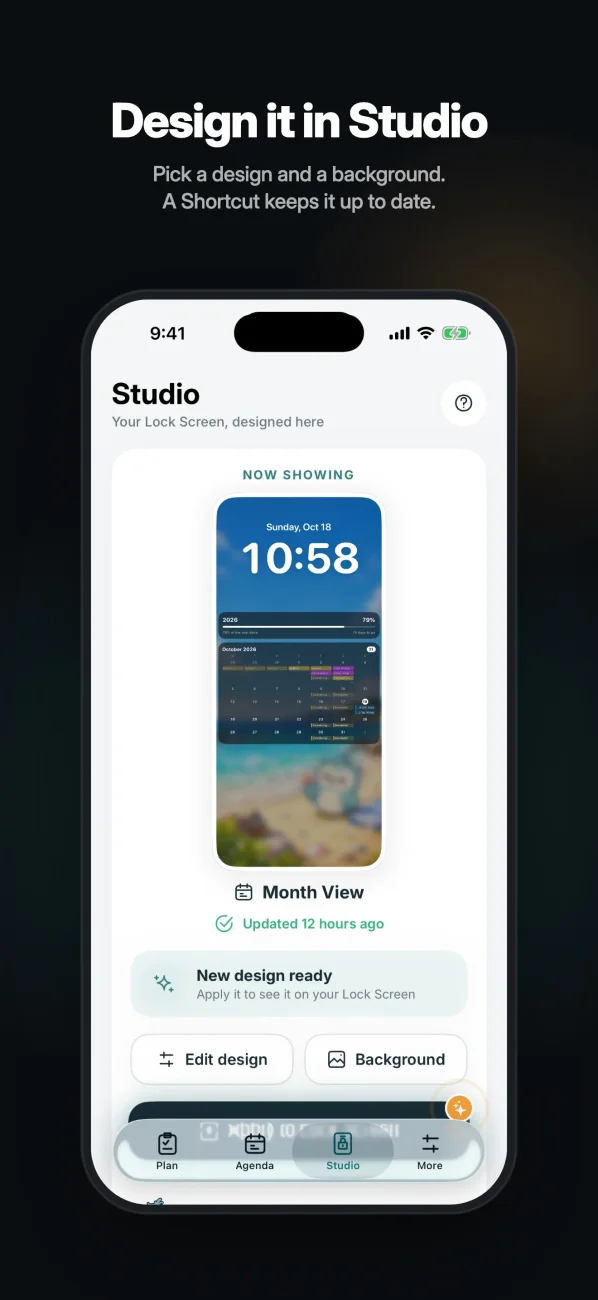
• A Shortcut keeps the wallpaper up to date during the day
A LOOK FOR EVERY DAY
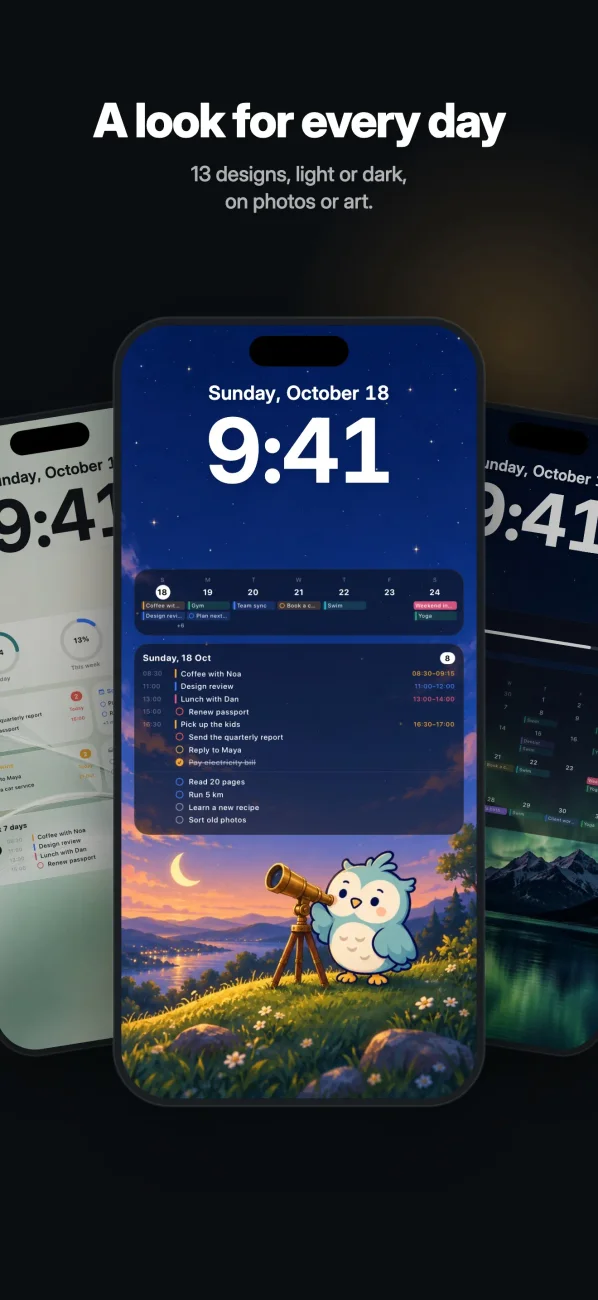
• 17 designs: Smart, Day Trail, One Thing, Daily Edition, Day Orbit, Today, Dashboard, Month, Matrix, Timeline and more
• Light or dark, on your own photos or on our illustrated backgrounds
• Fine-tune it in Studio
PLAN YOUR DAY
• Plan your tasks by priority, see your agenda, keep notes
• A short, friendly summary of your day and your streak
• Reminders you can snooze like an alarm
WIDGETS AND LIVE ACTIVITY
• Home Screen widgets, small to large, light or dark
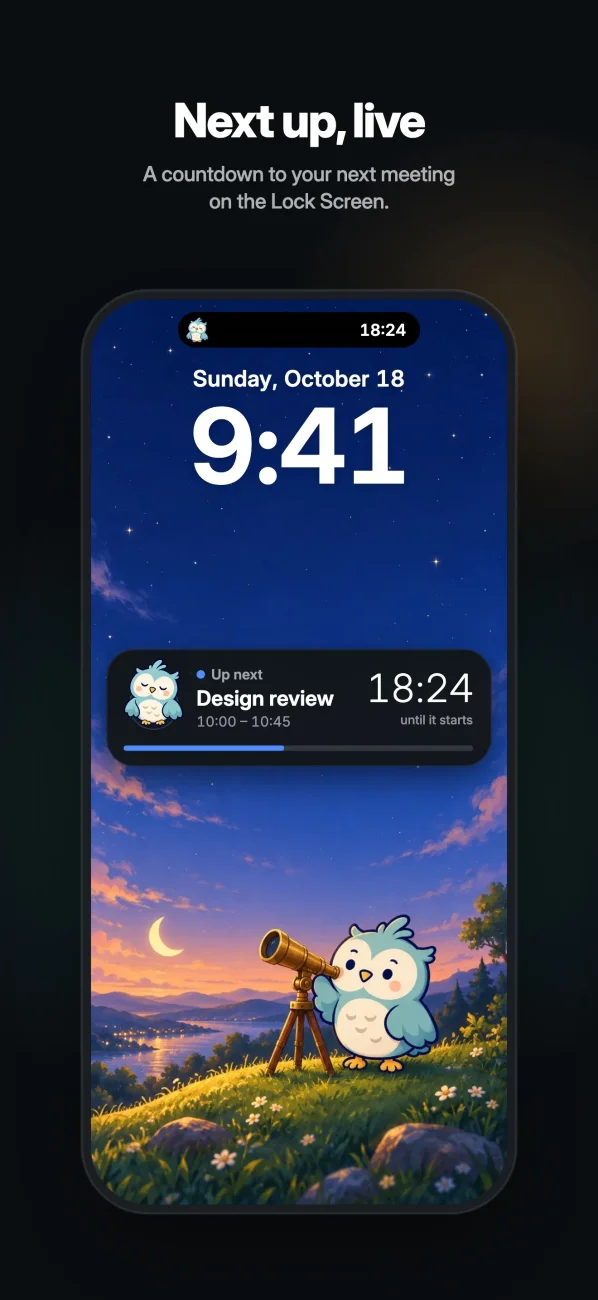
• A live countdown to your next meeting on the Lock Screen and in the Dynamic Island
PRIVATE BY DESIGN
No accounts, no ads, no tracking. Your calendar stays on your iPhone, and your tasks and notes sync through your own iCloud.
DAYGLANCE PRO
Everything in the app is free except putting your day on the Lock Screen, which needs DayGlance Pro: $4.99 a month or $29.99 a year, each starting with a free week where you're eligible. Payment is charged to your Apple Account when the free week ends. The subscription renews automatically unless you cancel at least 24 hours before the end of the period; manage or cancel it in Settings → Apple Account → Subscriptions.
Terms of Use: https://www.apple.com/legal/internet-services/itunes/dev/stdeula/
Privacy Policy: https://day-glance.io/privacy
What’s new
Version 1.2.0 · Nov 11, 2026
A big update:
• Apple Reminders as tasks, in Plan, Agenda, on the Lock Screen and in widgets
• Outlook calendars, and Add a calendar in More
• Notes and a Day Summary on your Lock Screen
• Dozens of new Lock Screen designs, sorted by category in Studio
• Medications: add your doses and mark them taken
• Captured payments: your Wallet payments beside your day
• The Together card and Home Screen widget
• A one-time lifetime purchase, and your first day free
• Starred tasks in one list, and many small touches
App privacy
What TLS INNOVATION AND TECHNOLOGY LTD declares on the App Store about how this app handles data.
-
Data not linked to you
May be collected but is not linked to your identity.
- User content
- Identifiers
Privacy practices may vary, for example with the features you use or your age.
Information
- Seller
- Tal Shukrun
- Category
- Productivity
- Version
- 1.2.0
- Updated
- Nov 11, 2026
- Released
- Nov 9, 2026
- Size
- 46.2 MB
- Requires
- iOS 17.0 or later
- Age rating
- 4+
- Price
- Free
- In-app purchases
- Yes
- Languages
- English, Arabic, Dutch, French, German, Hebrew, Hindi, Indonesian, Italian, Japanese, Korean, Polish + 10 more
- Copyright
- © 2026 Tal Shukrun
You might also like
-
 OutWork - Your workspace appFind your perfect workspace
-
 dayGLANCE: Daily PlannerPlanner, goals & habit tracker
-
 Managerr AppManages *arrs and Transmission
-
 Simple Habit Tracker (SHT)Track your habits. Simply.
-
 Nextcloud AttendanceRSVP & CheckIns for Groups
-
 eliko dayan - אליקו דייןProductivity
-
 Envisioned: Goal TrackerVision Board & OKR Planning
-
 Lock In - Stop ProcrastinatingReduce your Screentime
-
 AI Note Taker: Audio SummaryProductivity
-
 Remindly: Reminder & To-DoSmart Alerts, Made Simple