
- Age rating4+
- CategoryPhoto & Video
- Developer포테이토크래프트
- LanguagesEnglish+ 37 more
- Size28.7 MB
Links to the official App Store page
Download.org hosts no file of dayLime. The button opens its official App Store page, published by 포테이토크래프트. Listing last checked on Nov 21, 2026.
Screenshots


About
Keep important dates in view with dayLime day counter and countdown widgets.
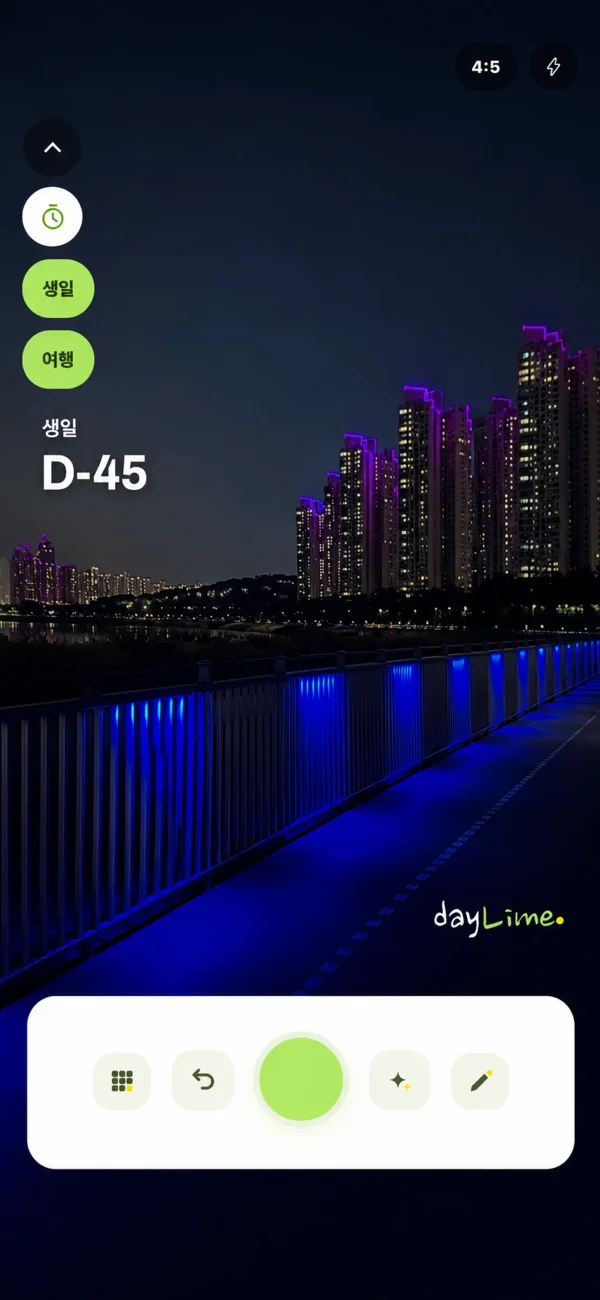
Stamp the date, time and D-day on photos as you shoot with the timestamp camera.
Match your angle with ghost mode and turn your photos into a timelapse.
1. Count days from or until a date
See elapsed days as D+N or remaining days as D-N. Use this day counter app for exams, travel, anniversaries or days together. For a SAT countdown, set your own test date to count the days left. Add a D-day countdown widget or a sticky note widget to your home screen. Put a D-day widget on your Lock Screen, too. There are five slots: slots 1 and 2 are free; slots 3, 4 and 5 require a premium purchase.
2. Stamp the moment you take a photo
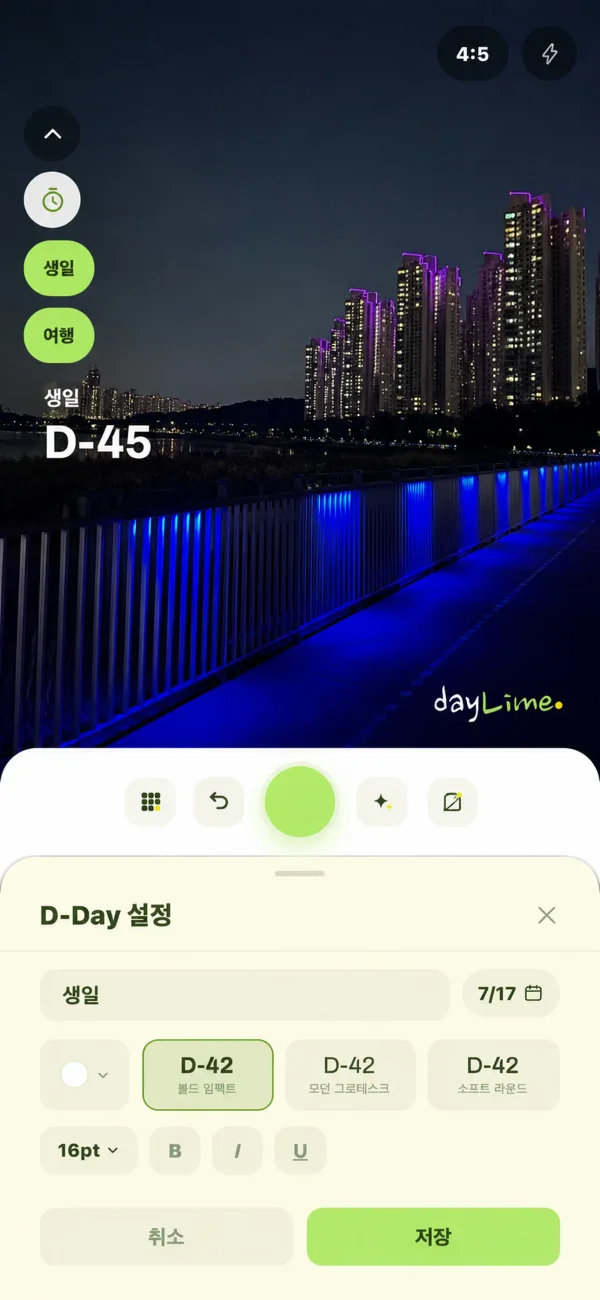
Turn on the date, time and D-day you want to show in the timestamp camera. Those values are stamped on the photo at capture. Choose from seven date formats and three time formats. Style the D-day label with text frames, and choose from six photo frame options, including Retro Date Stamp. Your photo timestamp can show both when you took the picture and the day count.
3. Keep your angle and watch progress
Ghost mode overlays the latest photo in your current record as a translucent guide. Match your pose and framing for fitness progress photos or a diet record. With at least two record photos, make a photo timelapse MP4 in one tap. The timelapse is saved as a video to the Photos app and is ready to share right away. Try the same angle for baby, pet or plant growth.
4. Share a card by link
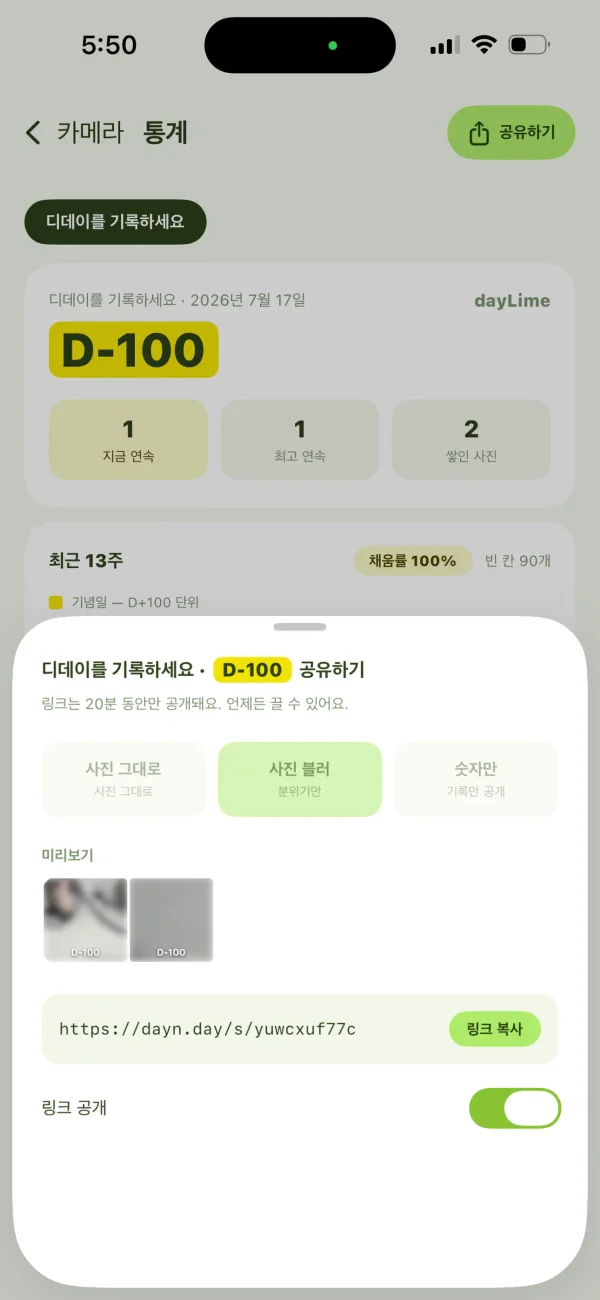
Make a collage, calendar or sticky note wall card. For collages and calendars, choose original photos, blurred photos or numbers only. Numbers only uses no photos; a collage with this option becomes a calendar of numbers. The sticky note wall has no photos or privacy choices. Choose a link duration of one day, one week, 30 days or no expiry.
5. Make it part of your day
Post-workout photos: stamp the date and time after your session.
Fitness progress photos: match your last pose to record body changes.
SAT: set your own test date in your day counter app and follow the days left.
Couple anniversaries: count days together and put the day count on a photo.
Travel: use a countdown widget before departure, then photograph the trip.
Baby, pet and plant growth: keep an angle as your subject grows.
6. Before you start
You cannot add new stamps to existing photos. Take photos with the timestamp camera to stamp the moment. Contains ads and in-app purchases for additional slots.
What’s new
Version 2.1 · Oct 8, 2026
- Minor bug fixes
App privacy
What 포테이토크래프트 declares on the App Store about how this app handles data.
-
Data used to track you
May be used to track you across apps and websites owned by other companies.
- Purchases
- Location
- Identifiers
- Usage data
- Diagnostics
-
Data linked to you
May be collected and linked to your identity.
- Purchases
- Identifiers
- Usage data
- Diagnostics
-
Data not linked to you
May be collected but is not linked to your identity.
- Location
Privacy practices may vary, for example with the features you use or your age.
Information
- Seller
- potatocraft
- Category
- Photo & Video
- Version
- 2.1
- Updated
- Oct 8, 2026
- Released
- Sep 9, 2025
- Size
- 28.7 MB
- Requires
- iOS 17.6 or later
- Age rating
- 4+
- In-app purchases
- Yes
- Languages
- English, Amharic, Arabic, Burmese, Czech, Dutch, French, Georgian, German, Greek, Hawaiian, Hebrew + 26 more
- Copyright
- © 2024-2026 potatocraft
You might also like
-
 Nowstamp: Date Stamp CameraTimestamp your photos. No ads.
-
 Timestamp Camera: GPS TagWork Photos, Date & Location
-
 PhotoRelayFor photographers, on the go
-
 Retro Camera – Vintage FilmAnalog & 35mm Film Photos
-
 Kelvin Camera: Manual Pro RAWFilm, Manual Control, No AI
-
 TimeSnap: Daily Photo JournalOne Photo a Day, Same Time
-
 WorkMark: Timestamp CameraPhoto proof with time and GPS
-
 Stikka - Timestamp CameraAdd date & time to your photos
-
 JunCam - GPS Timestamp CameraAdd GPS Map, Date & Time
-
 Momar v5Photo & Video