- Age rating4+
- CategoryProductivity
- DeveloperYun Gu Lee
- LanguagesKorean+ 1 more
- Size4.4 MB
Links to the official App Store page
Download.org hosts no file of Daylog: Time & Place Tracker. The button opens its official App Store page, published by Yun Gu Lee. Listing last checked on Nov 12, 2026.
Screenshots
About
Daylog records your day by time and by place.
No account. No server. Everything stays on this device.
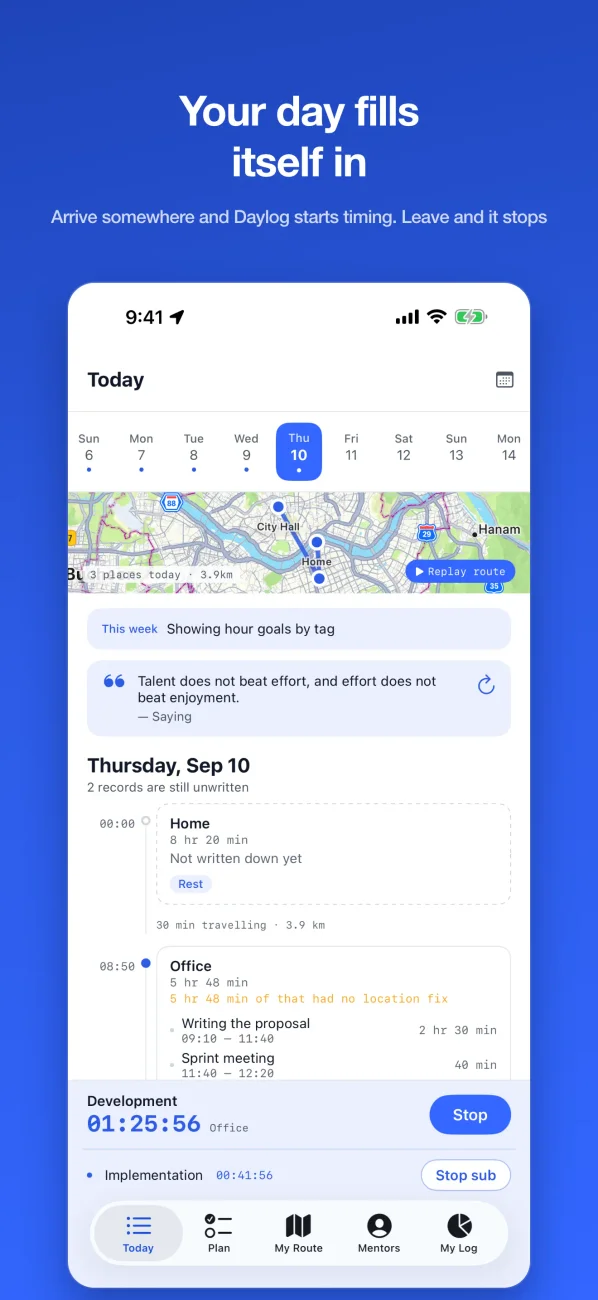
■ It writes itself
Arrive somewhere and Daylog starts timing. Leave and it stops.
You don't have to press anything for your day to fill in.
Give the entry a name later, or leave it as it is.
■ Time it with one tap
Tap to start what you're doing, tap again to stop.
Nest smaller activities inside a session, like Core and Legs inside Workout.
Fill empty stretches in afterwards so the day joins up.
■ Places you keep going back to
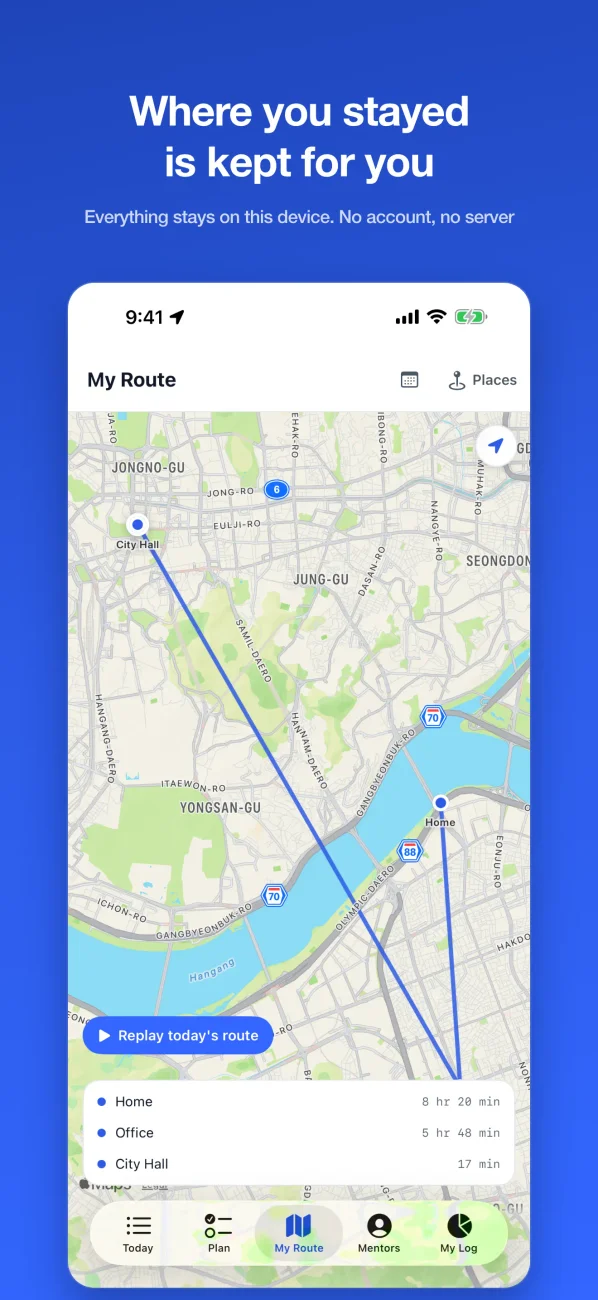
Daylog remembers where you stayed and for how long.
Your route is kept too, so you can retrace the day on a map.
If collecting that closely is too much, you can turn it off in Settings.
Name a place once and it reads as "6 hours at the office" from then on.
■ Goals by tag
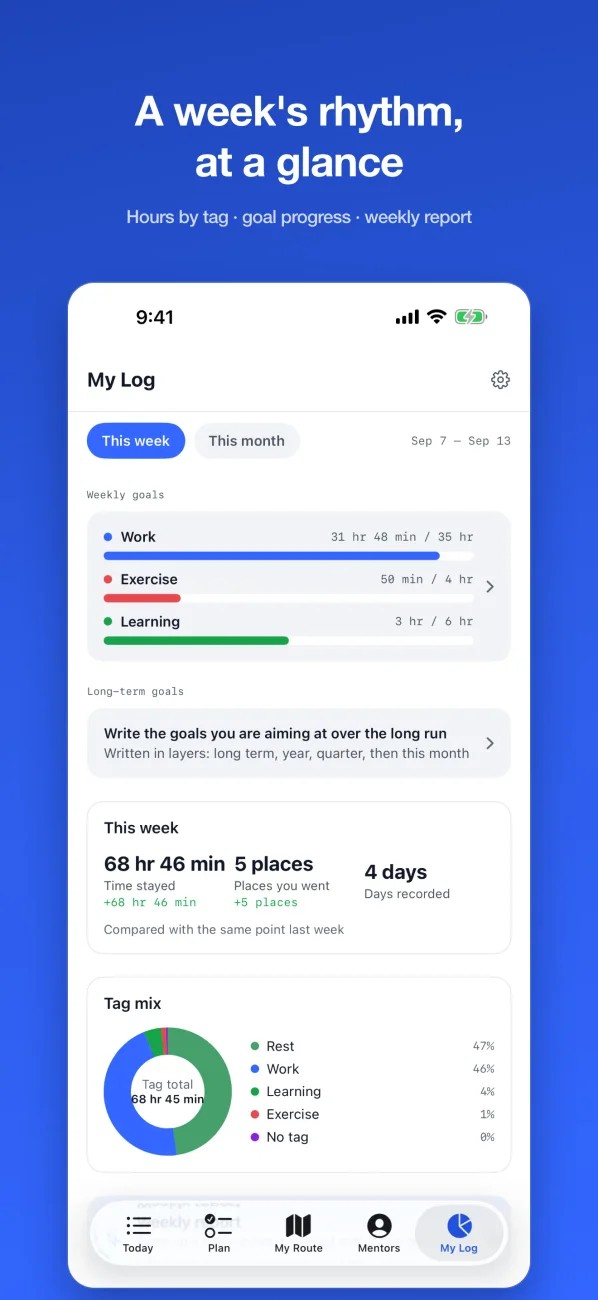
Set a weekly target per tag, like 3 hours of exercise.
A bar shows how much is left, and Daylog tells you when the pace slips.
■ Look back on a week
A tag donut, an intensity map and a weekday rhythm show the week at a glance.
If you did the same thing more than once, Daylog tells you how it compared.
■ Compare your day with theirs
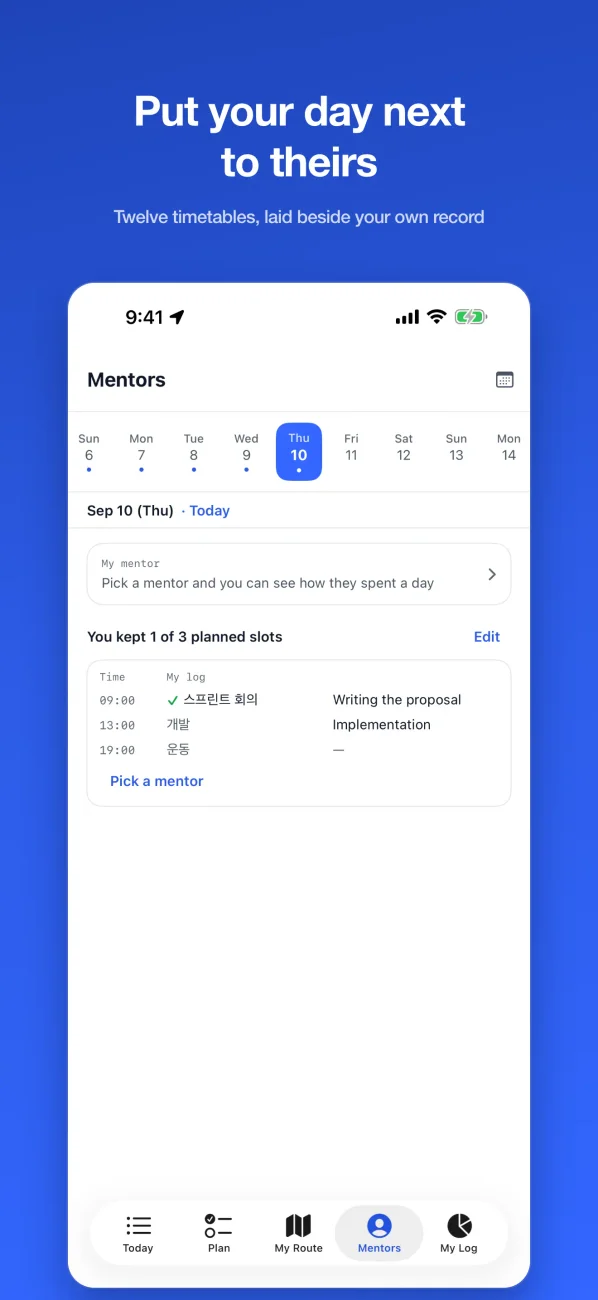
See how well-known figures split up a day, laid out as a timetable.
Pick one as your mentor and put their day next to yours.
These are reconstructions based on published interviews and articles.
They are approximations, not confirmed schedules, so read them as a comparison rather than a plan.
■ Without opening the app
Start and stop from the home screen widget.
While something is running, the widget shows what you're timing.
Lock screen widgets come in inline, circular and rectangular.
― Calendar ―
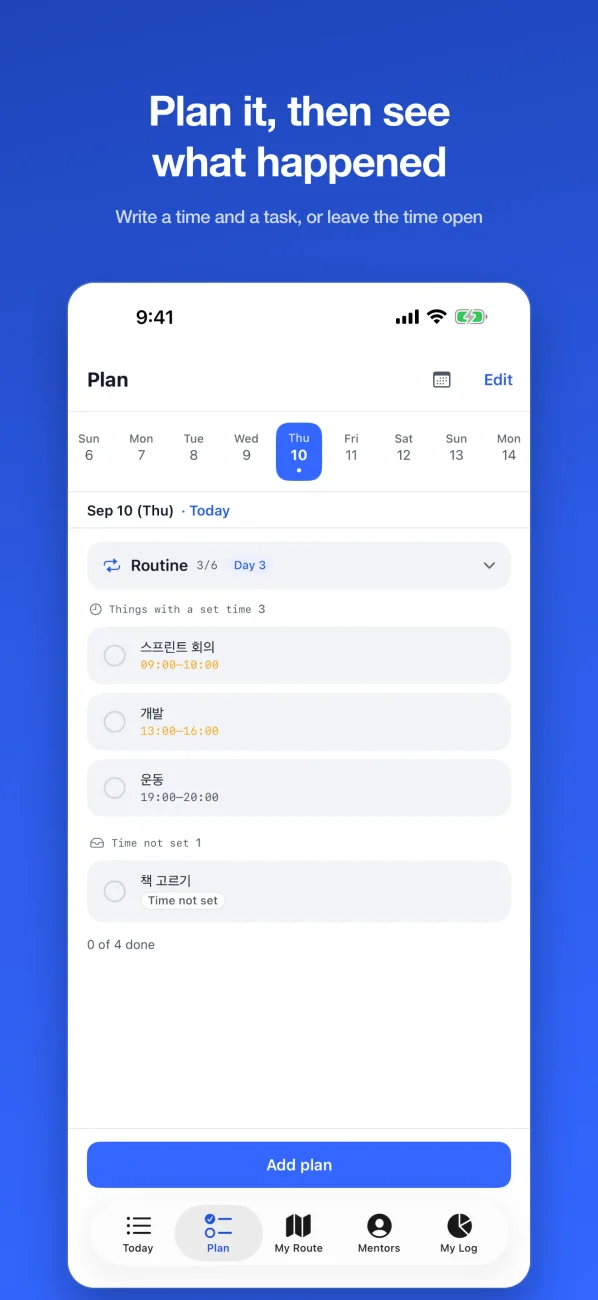
Daylog treats its plans and your device calendar as the same thing.
Write a plan and it appears as a calendar event. Change or delete it on either side and the other follows.
You can also see which events were on at a given time.
― Privacy ―
Daylog does not send what it collects anywhere.
Your location, your activities and your schedule stay on this device.
Delete the app and the records go with it.
"Always" location access is only needed for automatic recording.
Without it, everything you time by hand still works.
What’s new
Version 1.10 · Sep 17, 2026
- Tracking now stops automatically when you leave a place
- Touch and hold a card on Today and drop it on another to merge them
- Tags now go on activities, not places, and stats count activity time
- Checked plans move to the bottom of the list
- Fixed time spent in one place showing up as a location gap
- Clearer, shorter wording across the app
App privacy
What Yun Gu Lee declares on the App Store about how this app handles data.
-
Data not collected
The developer does not collect any data from this app.
Privacy practices may vary, for example with the features you use or your age.
Information
- Seller
- Yun Gu Lee
- Category
- Productivity
- Version
- 1.10
- Updated
- Sep 17, 2026
- Released
- Jul 27, 2026
- Size
- 4.4 MB
- Requires
- iOS 17.0 or later
- Age rating
- 4+
- Languages
- Korean, English
- Copyright
- © 2026 Hepiproject
You might also like
-
 tiilo: Focus Timer & PlannerDaily Routines & Time Alerts
-
 DayploTasks, calendar & notes
-
 Tori: Cozy Pomodoro TimerPuppy Study & Focus Buddy
-
 GoalUp: AI Goals & ChallengesTurn Goals Into Reality
-
 Stream NoteMinimal notes, a day at a time
-
 CountUp: Counter & GoalsA Counter App for Daily Growth
-
 PureFlow - 심플 투두리스트Productivity
-
 버딩 - 습관 형성 캘린더Productivity
-
 Mosco - Calendar & To-DoType one line. It's scheduled.