
DayLog10
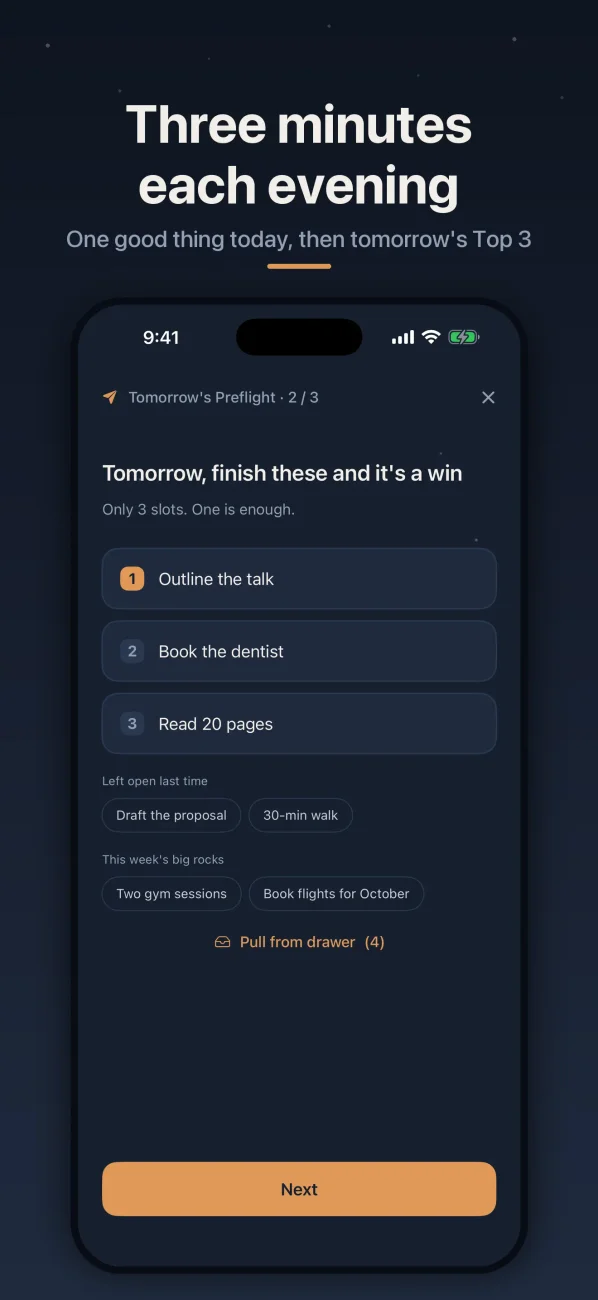
Three minutes each evening
Designed for iPhone, iPad
$1.99 · In-app purchases
- Age rating4+
- CategoryLifestyle
- Developersangin jung
- LanguagesEnglish+ 3 more
- Size6.4 MB
Links to the official App Store page
Download.org hosts no file of DayLog10. The button opens its official App Store page, published by sangin jung. Listing last checked on Nov 23, 2026.
Screenshots


About
DayLog10 is a planning coach, not another to-do list.
Most planning apps hand you a blank page. DayLog10 hands you a method — and helps you keep it.
THREE MINUTES EACH EVENING
Before bed, a short ritual: one good thing about today, then tomorrow's Top 3, then when you'll start the first one ("with my coffee"). That's it. Tomorrow is already planned when you wake up.
MORNINGS WITH NOTHING TO DECIDE
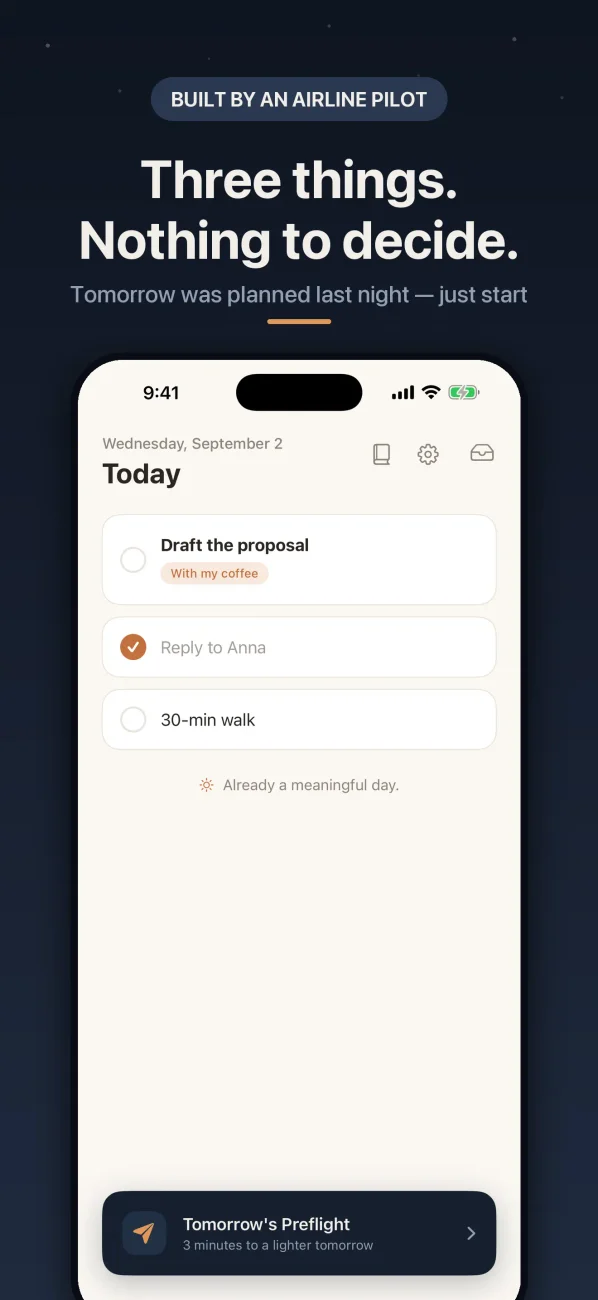
Open the app and see three things. No inbox, no backlog, no scrolling. Start with #1.
ONLY THREE — AND ONE IS ALREADY A WIN
The day has three slots. There is no fourth. Finish one and the day already counts.
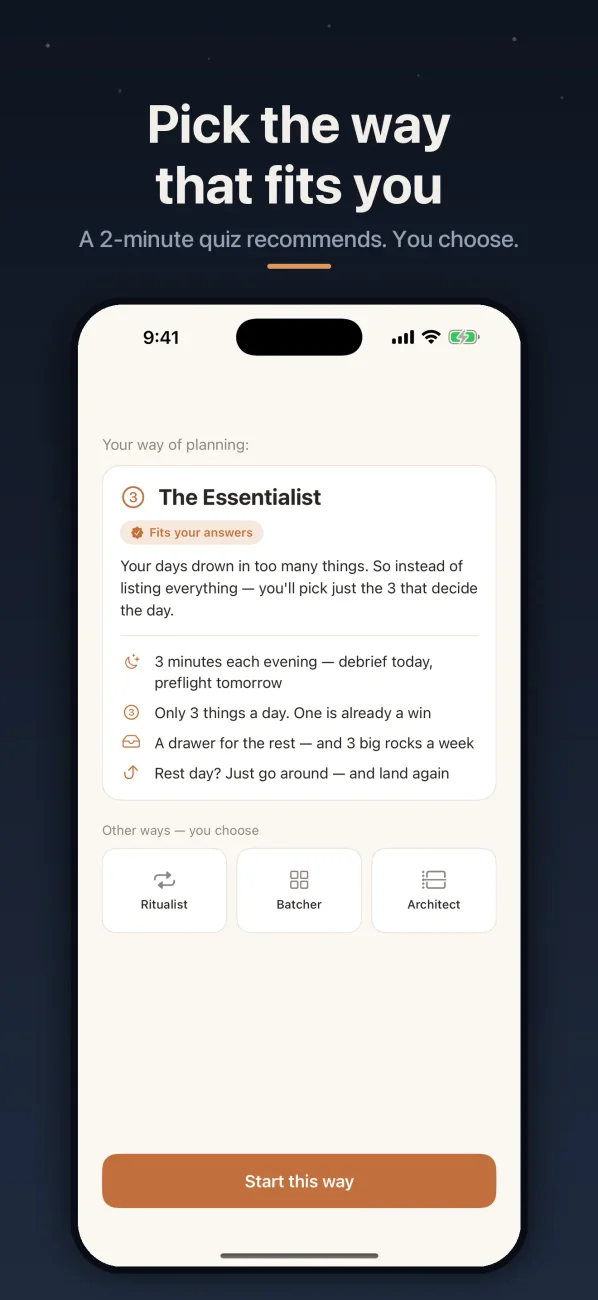
PICK THE WAY THAT FITS YOU
A 2-minute quiz recommends a planning style — you make the final call:
• The Essentialist — Top 3 plus a drawer for everything else, and three big rocks a week
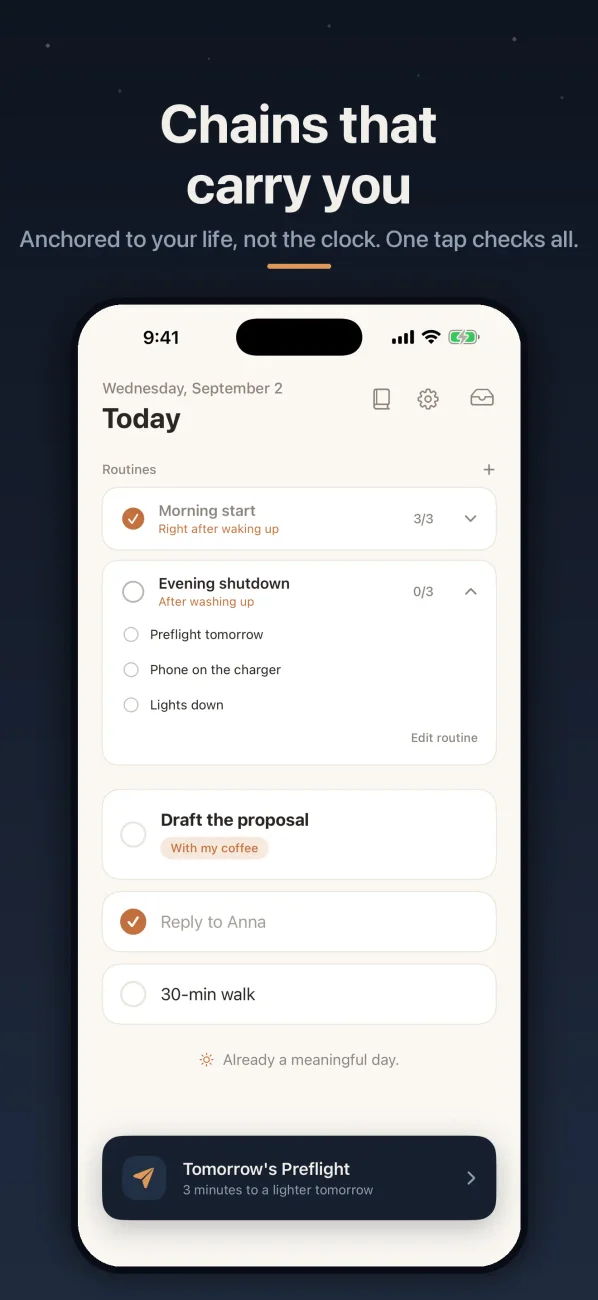
• The Ritualist — morning and evening chains anchored to your life, not the clock
• The Batcher — give each weekday one theme so the day pulls in one direction
• The Architect — sketch the day in blocks, with your calendar alongside (read-only)
Mix them later. Switching keeps everything you've logged.
MISSED A FEW DAYS? JUST START AGAIN
No streaks to break, no red marks, no guilt. Come back and you get a short briefing — what you left open, one small step to restart.
A LOGBOOK OF YOUR DAYS
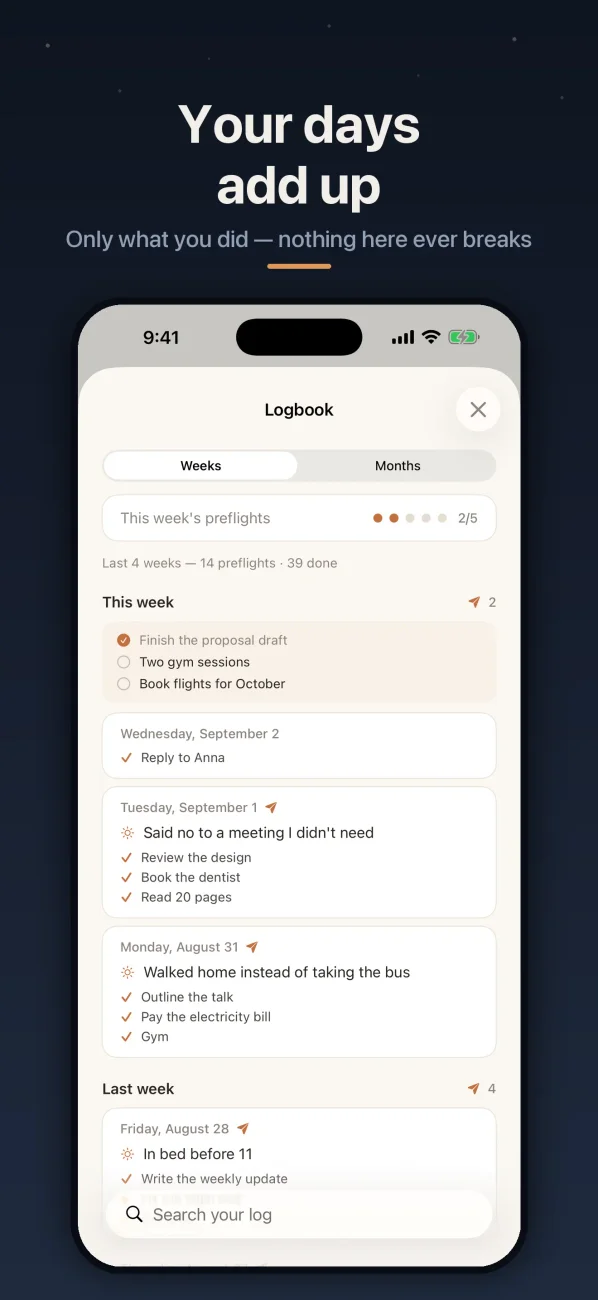
Every evening adds a page: what went well, what you finished. Weeks and months add up. Search it anytime. Export it as plain text — your log is yours.
QUIET BY DESIGN
One reminder in the evening. A gentle nudge on Monday if you've drifted. Silence during the day.
ALSO
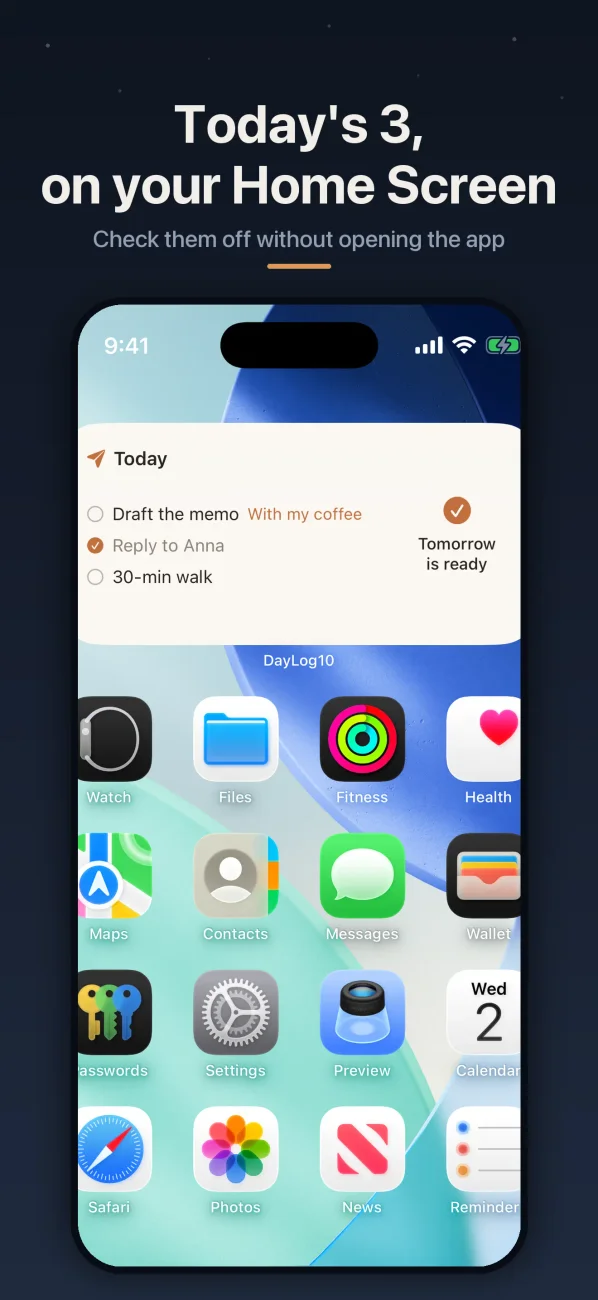
• Home Screen widget — today's three, check them off without opening the app
• Notes on any task — as long as you like
• iPad: several days side by side in the timeline
• iCloud sync across your iPhones and iPads (no account, no sign-up)
• iPhone Duo: folded for the day's three, opened as a two-page spread
• The drawer from anywhere — Share sheet, Siri, Control Center, Lock Screen
• Dark mode; English, Korean, Japanese and Thai
• Works for regular and irregular schedules alike — shifts, flights, freelance
PAY ONCE — EVERYTHING INCLUDED
DayLog10 is a one-time purchase: no subscription, no ads, no tracking, no accounts, and nothing locked. Every style, the logbook, widgets, iCloud sync, app icons and accent colors are yours. If it makes your evenings lighter, you can leave a tip in the amount you choose.
Built by an airline pilot. Pilots log everything — and plan the next flight the night before.
Privacy Policy: https://daylog10.vercel.app/privacy
Terms of Use (EULA): https://www.apple.com/legal/internet-services/itunes/dev/stdeula/
What’s new
Version 2.2 · Nov 18, 2026
Today now shows you where to start — and DayLog10 feels at home on your Mac.
• The one to do now: your next unfinished promise stands out on Today. Finish it, and the next one steps forward.
• A line from the past: when you write tonight's compliment, a line you wrote a year ago today — or a month ago — quietly appears.
• Your journey: Settings now shows how many weeks you've been with DayLog10 and how many times you've prepared. It only counts up.
On Mac
• Text size: make everything bigger or smaller in Settings › Appearance, or with ⌘+ and ⌘−. ⌘0 brings it back.
• Keyboard shortcuts (also on iPad with a keyboard): ⌘1–⌘5 for each tab, ⌘← and ⌘→ for the previous and next day, ⌘T for today. They're all in the View menu.
• Hover over the menu icons to see their names.
• Right-click anything in your Drawer to open it, send it to today, or remove it. On iPhone and iPad, press and hold.
• Tip: if hovering or right-clicking doesn't respond, turn off Touch Alternatives in DayLog10 › Settings.
App privacy
What sangin jung declares on the App Store about how this app handles data.
-
Data not collected
The developer does not collect any data from this app.
Privacy practices may vary, for example with the features you use or your age.
Information
- Seller
- sangin jung
- Category
- Lifestyle
- Version
- 2.2
- Updated
- Nov 18, 2026
- Released
- Sep 9, 2026
- Size
- 6.4 MB
- Requires
- iOS 18.0 or later
- Age rating
- 4+
- Price
- $1.99
- In-app purchases
- Yes
- Languages
- English, Japanese, Korean, Thai
- Copyright
- © 2026 Sangin Jung
You might also like
-
 Cardora: Life in CardsJournal Cards for Life Moments
-
 PeeldayA diary for the little things
-
 노크오피스Lifestyle
-
 Violent GentlemenClothing and Accessories
-
 SK Magic Smart HomeLifestyle
-
 TPZ studio - 더프라자 스튜디오Lifestyle
-
 WashDrop LaundryLaundry made simple
-
 SisMakeupLifestyle
-
 Soapmaking Friend – Soap CalcSoap recipes & lye calculator