
DayRipple: Shared Calendar
Couples Planner & To Do List
Designed for iPhone, iPad, Mac
Free · In-app purchases
- Age rating4+
- CategoryLifestyle
- DeveloperBYUNGJUNE pakr
- LanguagesEnglish+ 33 more
- Size110.4 MB
Links to the official App Store page
Download.org hosts no file of DayRipple: Shared Calendar. The button opens its official App Store page, published by BYUNGJUNE pakr. Listing last checked on Nov 25, 2026.
Screenshots



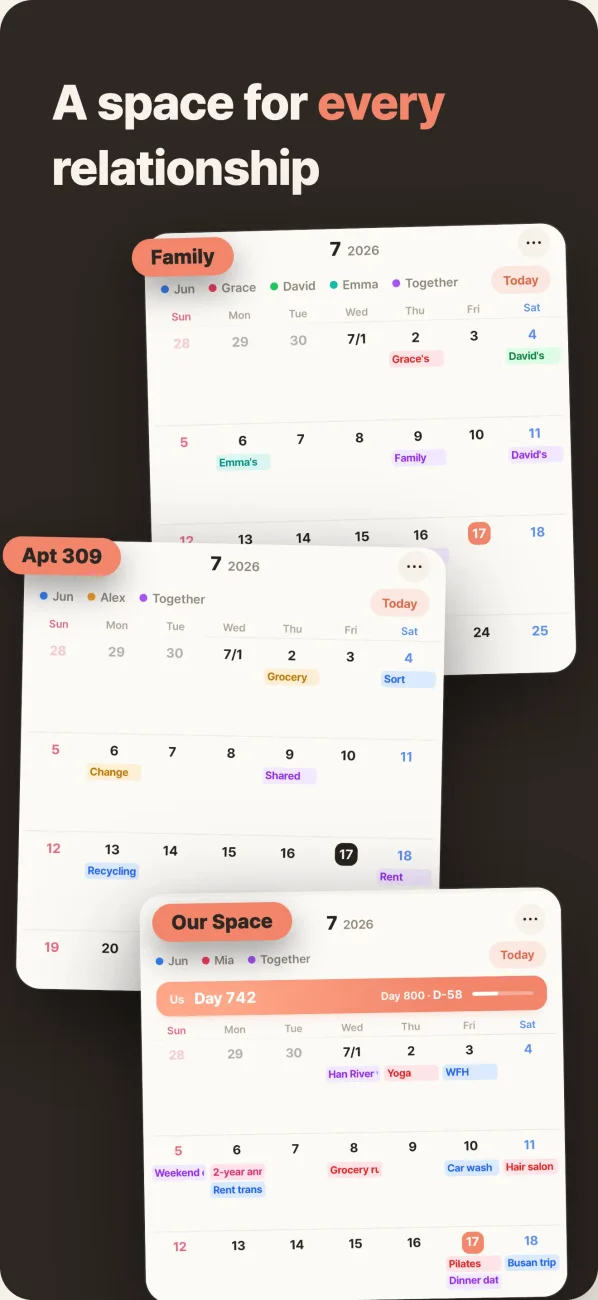
About
DayRipple brings a to-do app and a shared calendar together.
Your tasks stay in your private Planner. Only plans you share go on your shared calendar.
No more “I told you about that” mix-ups. No more switching between two apps.
No chat, no albums, no ads, no monthly subscription.
Just your tasks, your plans together, and your anniversaries.
You can use it together, even with different phones.
■ Using one app for to-dos and another for shared plans?
Switching between two apps takes more effort than it seems.
DayRipple brings it all into one place.
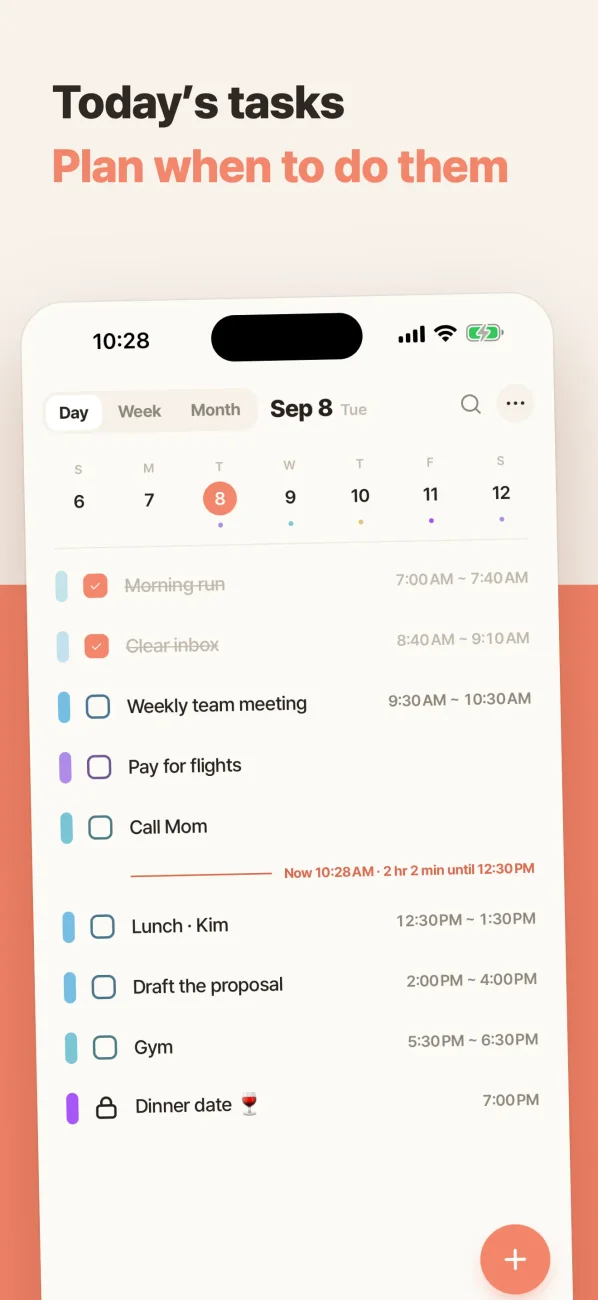
Your Planner is just for you. Keep dinner alongside today’s tasks, then add only that event to your shared calendar.
Keep your task list private without missing the plans you both need to know about.
■ Plan what to do—and when
Write down your tasks and give them a time. Your day starts taking shape.
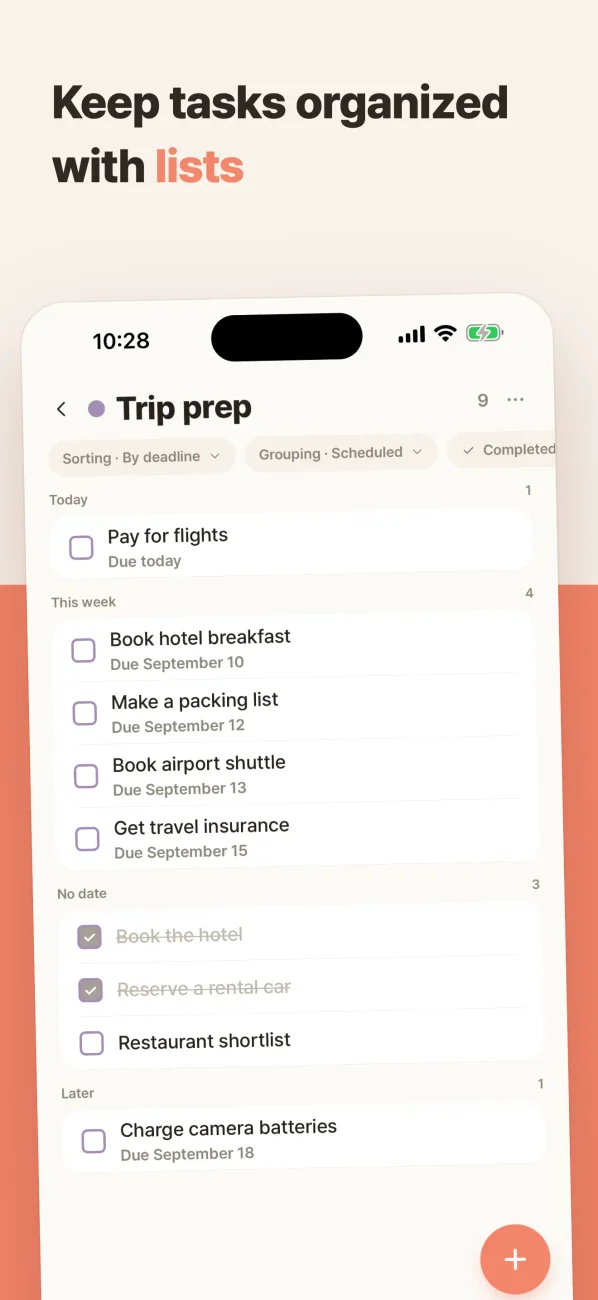
Sort them into lists for work, everyday life, or travel prep, so everything has a place.
See events from connected calendars alongside your tasks and spot your free time.
■ Just what you need
No unnecessary couple features. None of the bulk of a work calendar.
A good tool shouldn’t get between you. So we took things out instead of adding more.
■ Getting connected is simple
Create a space, invite someone, and you’re set.
When one of you adds or changes an event, your shared calendar updates right away,
and notifications remind you about important events and anniversaries.
■ Your Google and phone calendars, shared too
Connect Google Calendar or the phone calendar you already use, and its events appear alongside yours in DayRipple.
Turn on “Share with space members” for a calendar, and your space members see its events on their calendar too. No need to copy work events over to show when you’re busy.
You can pick which calendars they see, one by one.
■ Check your plans without opening the app
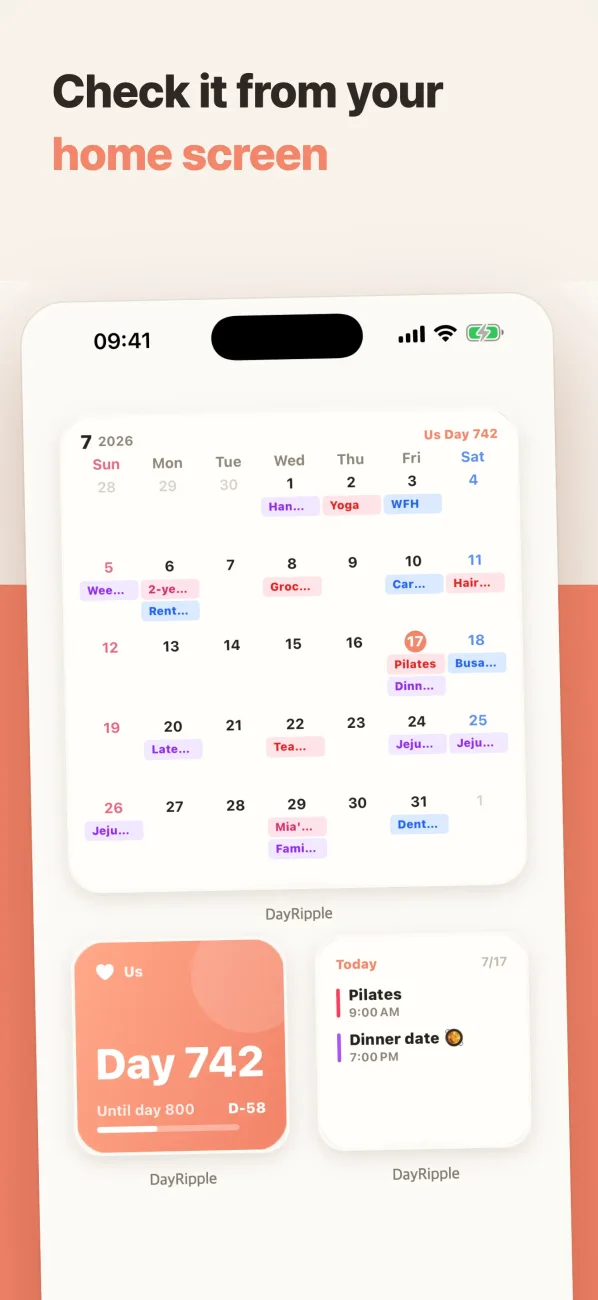
See today’s events, upcoming plans, and your shared day counters in home screen widgets.
■ One date, anniversaries calculated for you
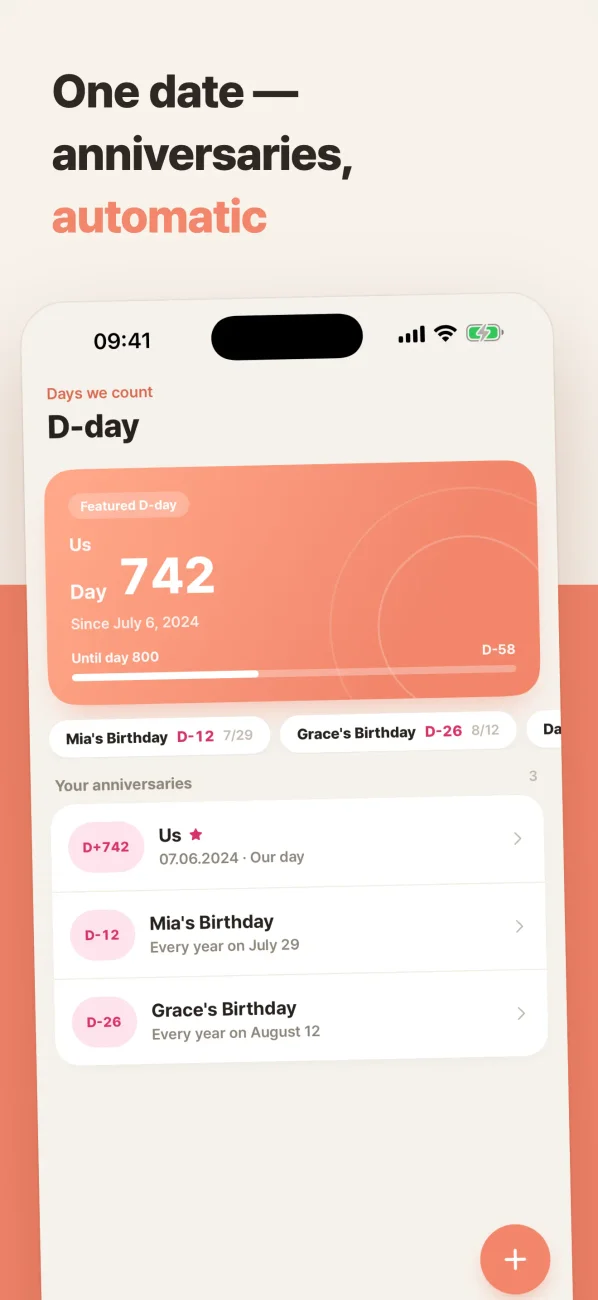
Enter your relationship start date or wedding date just once,
and DayRipple works out your 100th day, 200th day, first anniversary, and 1,000th day.
The app does the math. You make the day special.
■ Split the to-dos, check them off together
“I’ll get groceries. You book the table.”
Assign to-dos to each other and check them off together.
Fewer plans made in conversation and forgotten later.
■ A separate space for every relationship
Create separate spaces for your partner, family, and roommates.
Each has its own members and calendar, so plans from different parts of your life stay separate.
■ Start without a monthly subscription
Start for free. Buy only the extras you need, each with a one-time purchase.
One person buys lifetime access to a shared space. Their invited partner gets access to that same space.
[Made for]
● Just you — Use it as a to-do app without sharing. Create a space when you have plans to share.
● Couples — Dates, work dinners, overtime, your 100th day, and wedding anniversaries, all in one calendar.
● Roommates — Keep track of bills, recycling duty, and lease renewals together.
● Family — Add member slots to keep up with school events and parents’ birthdays together.
● Part-time workers and small teams — See who’s working and who’s off at a glance.
Like a gentle ripple reaching the far shore, your days stay quietly connected.
That’s all DayRipple is here to do.
Start with your own day. When you have plans together, bring them to your shared calendar.
―――
[App permissions]
· Required: none
· Optional: Notifications — Used only for event and anniversary alerts.
· Optional: Calendar — Reads events from connected calendars to show alongside your own in the calendar and Planner. Sharing is off by default: only calendars you choose to share send event titles, dates and times to your space members; everything else stays on this device.
What’s new
Version 2.2.2 · Nov 24, 2026
Planner notifications are now more accurate
· You’ll no longer get notifications for to-dos already completed on another device.
· Tapping the “Overdue events” notification opens the “Today” screen in Planner.
· Fixed other annoyances.
App privacy
What BYUNGJUNE pakr declares on the App Store about how this app handles data.
-
Data used to track you
May be used to track you across apps and websites owned by other companies.
- Identifiers
- Usage data
- Other data
-
Data linked to you
May be collected and linked to your identity.
- Purchases
- Contact info
- User content
- Identifiers
- Diagnostics
-
Data not linked to you
May be collected but is not linked to your identity.
- Usage data
- Other data
Privacy practices may vary, for example with the features you use or your age.
Information
- Seller
- BYUNGJUNE pakr
- Category
- Lifestyle
- Version
- 2.2.2
- Updated
- Nov 24, 2026
- Released
- Jul 29, 2026
- Size
- 110.4 MB
- Requires
- iOS 16.4 or later
- Age rating
- 4+
- Price
- Free
- In-app purchases
- Yes
- Languages
- English, Arabic, Croatian, Czech, Danish, Dutch, Filipino, Finnish, French, German, Greek, Hebrew + 22 more
- Copyright
- © 2026 RippleHouse
You might also like
-
 OurDay Calendar - For CouplesShared plans, D-days & photos
-
 Couple Calendar & Widget: NaruLDR Photo Widget & Time Zones
-
 SAI: Shared Group CalendarSync Schedules & Organize Life
-
 Lubble: Couple Calendar&To-doCreate your space together
-
 Duet: Shared Couples CalendarAnniversary Tracker, Wish List
-
 Griddy: Time Block Day PlannerYour day on a 24-hour grid
-
 우디 - 우리들의 커플 다이어리Lifestyle
-
 Hours for Two: Couple CalendarShared Free Time & Date Nights
-
 Dayori: 다이어리, 캘린더, 필기Lifestyle