Days Counter - Countdown
Widget, anniversary & D-Day
Designed for iPhone, iPad
In-app purchases
- Age rating4+
- CategoryLifestyle
- DeveloperMatthew Wong
- LanguagesEnglish
- Size2.0 MB
Links to the official App Store page
Download.org hosts no file of Days Counter - Countdown. The button opens its official App Store page, published by Matthew Wong. Listing last checked on Nov 8, 2026.
Screenshots
About
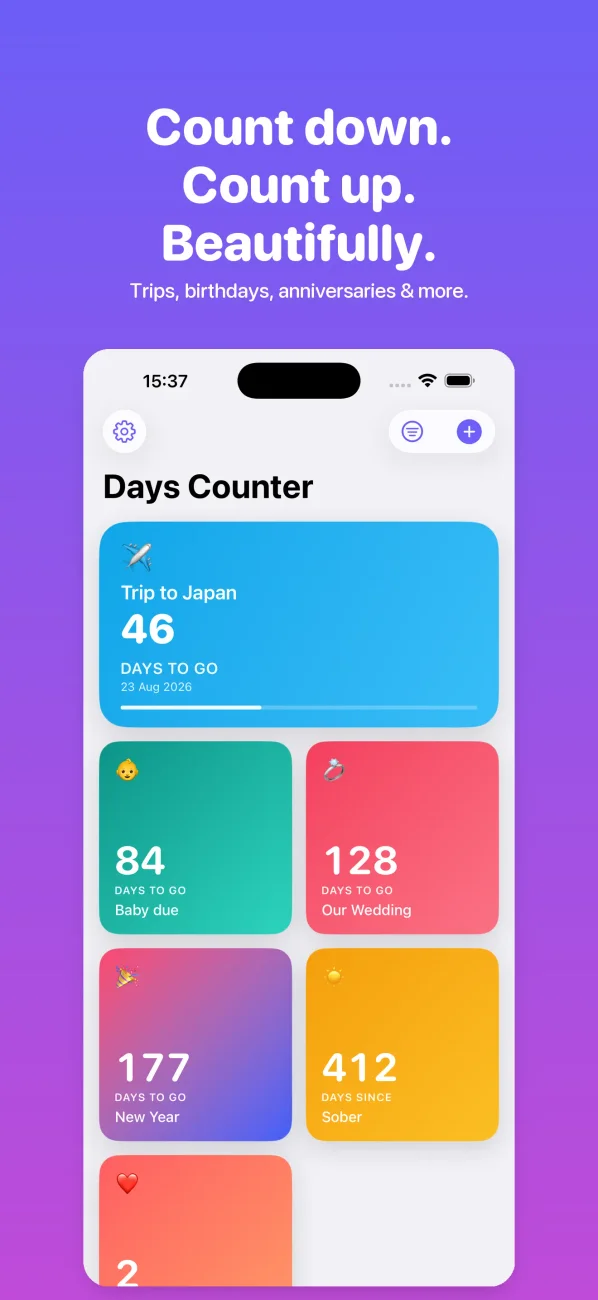
Days Counter turns the dates that matter into beautiful cards you'll actually want to look at. Count down to the day you can't wait for — a trip, a wedding, a birthday, an exam, retirement, a due date — or count up from a moment you never want to forget, like a sober streak or an anniversary.
WHY YOU'LL LOVE IT
• No ads. Ever. Just your countdowns
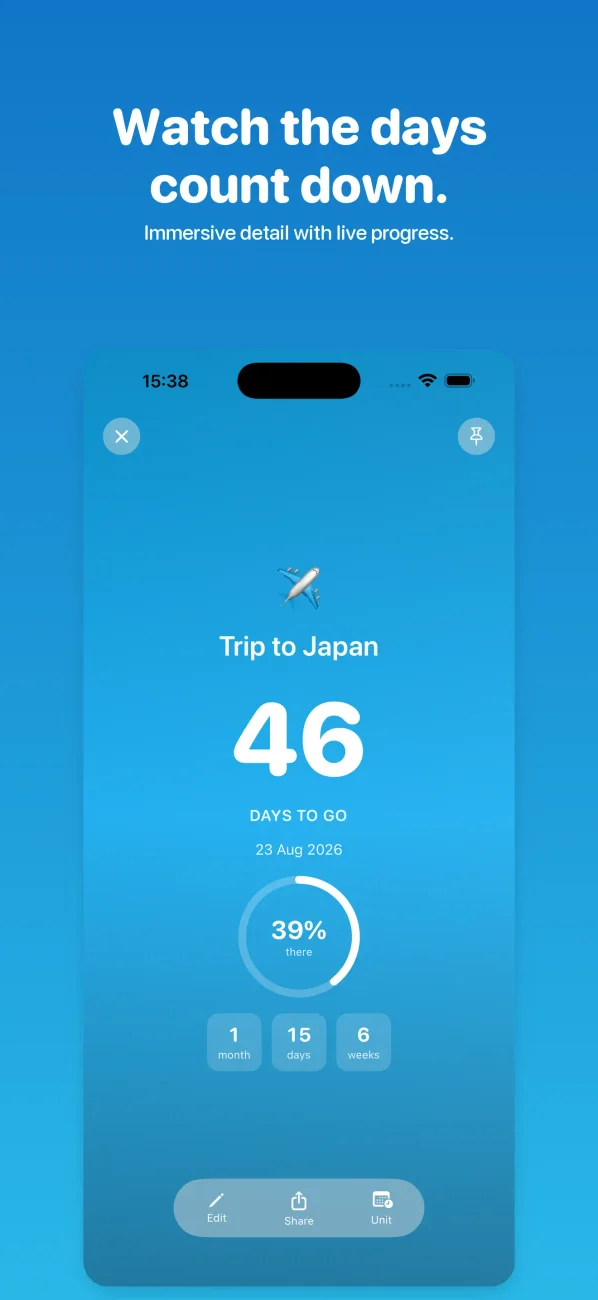
• Count down AND count up, with real time-of-day precision
• See it your way — days, weeks, months, years, or a full breakdown
• Gorgeous themes: a curated gallery of gradients, your own photos, emoji & symbols
• Home Screen & Lock Screen widgets that stay one glance away
• Live Activities & Dynamic Island keep your top countdown ticking on the Lock Screen (Pro)
• Ask Siri how many days are left — or jump straight to a countdown with a Shortcut
• Share any countdown as a beautiful image, or as a link that opens right in the app
• Reminders on the day, plus milestone alerts (100 days, 1 year, 1,000 days…)
• Recurring birthdays & anniversaries roll forward automatically every year
• A little confetti when the big day arrives — then it flips to counting up
• Dark mode, iPhone & iPad, and iCloud sync across your devices
FREE & PRO
Days Counter is free — and completely ad-free — with up to 2 active countdowns. Days Counter Pro unlocks unlimited events, per-event photo backgrounds, every widget, Live Activities & Dynamic Island, iCloud sync, and milestone reminders.
Start counting the days that count.
Days Counter Pro is a Monthly or Annual auto-renewing subscription (the Annual plan includes a 7-day free trial). Payment is charged to your Apple Account at confirmation of purchase. Subscriptions renew automatically unless cancelled at least 24 hours before the current period ends; manage or cancel anytime in your Account settings.
Terms of Use (EULA): https://www.apple.com/legal/internet-services/itunes/dev/stdeula/
Privacy Policy: https://mwsupplylimited.github.io/dayscounter/privacy.html
What’s new
Version 1.2 · Aug 4, 2026
Days Counter is now completely ad-free — for everyone.
• No ads anywhere in the app, and no tracking at all
• A cleaner, faster Home screen with the ad space given back to your countdowns
• A refreshed Pro page that shows exactly what you unlock
• Start Pro with a 7-day free trial on the annual plan
Thanks for counting with us!
App privacy
What Matthew Wong declares on the App Store about how this app handles data.
-
Data not collected
The developer does not collect any data from this app.
Privacy practices may vary, for example with the features you use or your age.
Information
- Seller
- Matthew Wong
- Category
- Lifestyle
- Version
- 1.2
- Updated
- Aug 4, 2026
- Released
- Jul 19, 2026
- Size
- 2.0 MB
- Requires
- iOS 17.0 or later
- Age rating
- 4+
- In-app purchases
- Yes
- Languages
- English
- Copyright
- © 2026 MW Supply Limited
You might also like
-
 Countdown+ Widget: Days UntilDay Counter: Vacation & Events
-
 Day Counter - Time of XCountdown & Days Since Tracker
-
 Minimal Binary ClockTime in Bits, Beautifully
-
 KeepsDay: Days Until EventsBirthdays, Trips & Widgets
-
 Love Counter — Days TogetherCouple Widget & Love Games
-
 Sinced - Anniversary CountdownDays Since & Until + Widgets
-
 Simple Baby WidgetPregnancy weeks on your screen
-
 Countdown & Day Counter: SinceTrack Time, Habits & Streaks
-
 Datto - Countdown WidgetDays to Go & Anniversary Timer
-
 The ADHD ExecutiveAn app for leaders with ADHD