
Days Until - Countdown Widget
Big numbers for your big days
Designed for iPhone
Free · In-app purchases
- Age rating4+
- CategoryLifestyle
- DeveloperMasaki Sato
- LanguagesEnglish+ 1 more
- Size7.6 MB
Links to the official App Store page
Download.org hosts no file of Days Until - Countdown Widget. The button opens its official App Store page, published by Masaki Sato. Listing last checked on Nov 22, 2026.
Screenshots





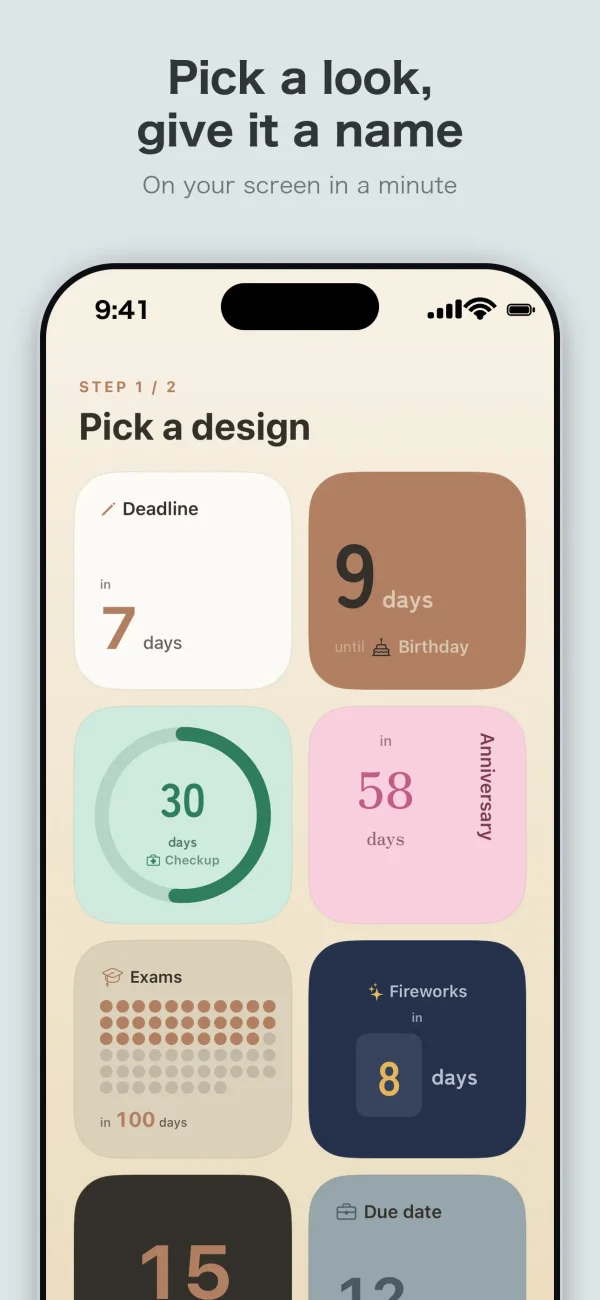
About
The day you're waiting for, always in sight.
Days Until puts a countdown to your trip, anniversary, birthday, wedding or exam right on your iPhone Home Screen. It takes about a minute to make one.
BIG NUMBERS, EASY TO READ
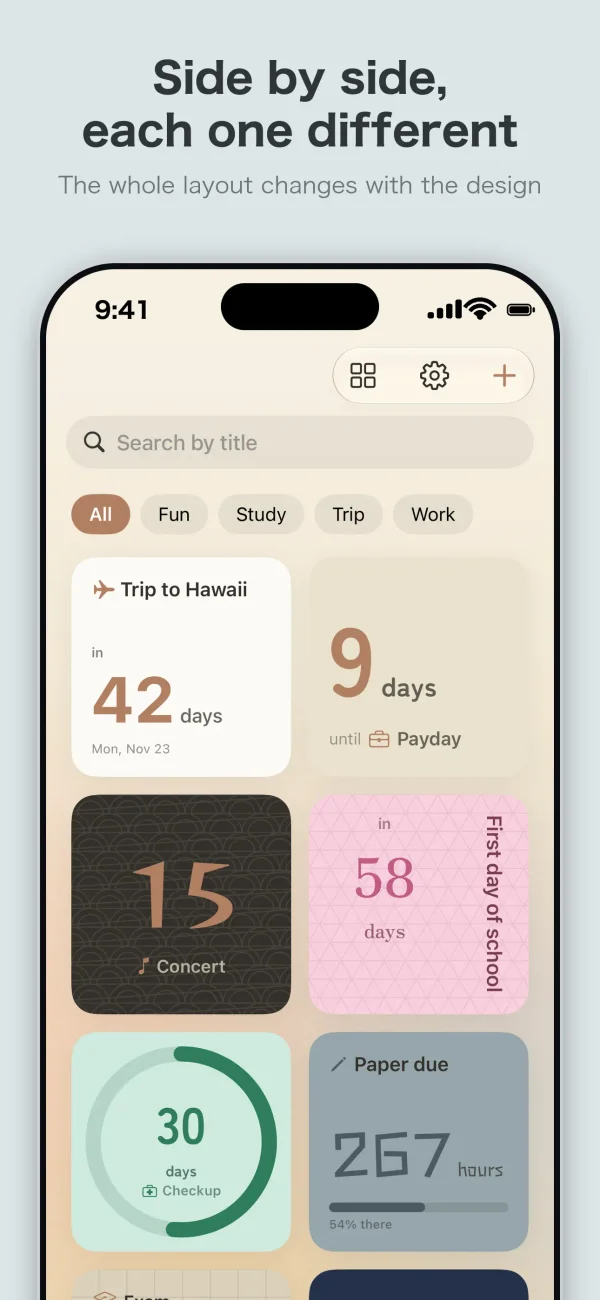
• Choose how the number is laid out: Standard, Big number, Minimal, Vertical, Ring, Bar, Daily dots or Split digits.
• Eleven typefaces for the numbers, from rounded and serif to marker, pixel and handwritten.
• Fifteen patterns, including grid, dots, stripes, checks and traditional Japanese motifs like seigaiha and asanoha.
• Set the background, text and number colors separately. Use a photo as the background and adjust blur, dimming and black-and-white.
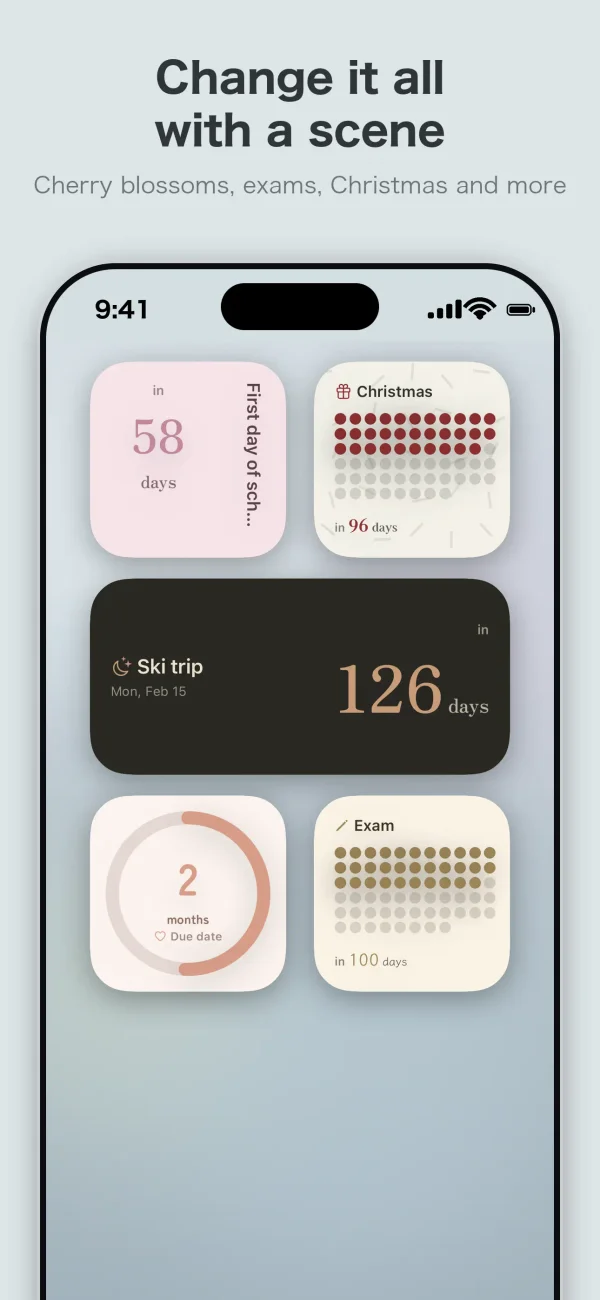
• Pick a scene to change everything at once: cherry blossoms, summer sea, autumn leaves, snow, Christmas, baby and more.
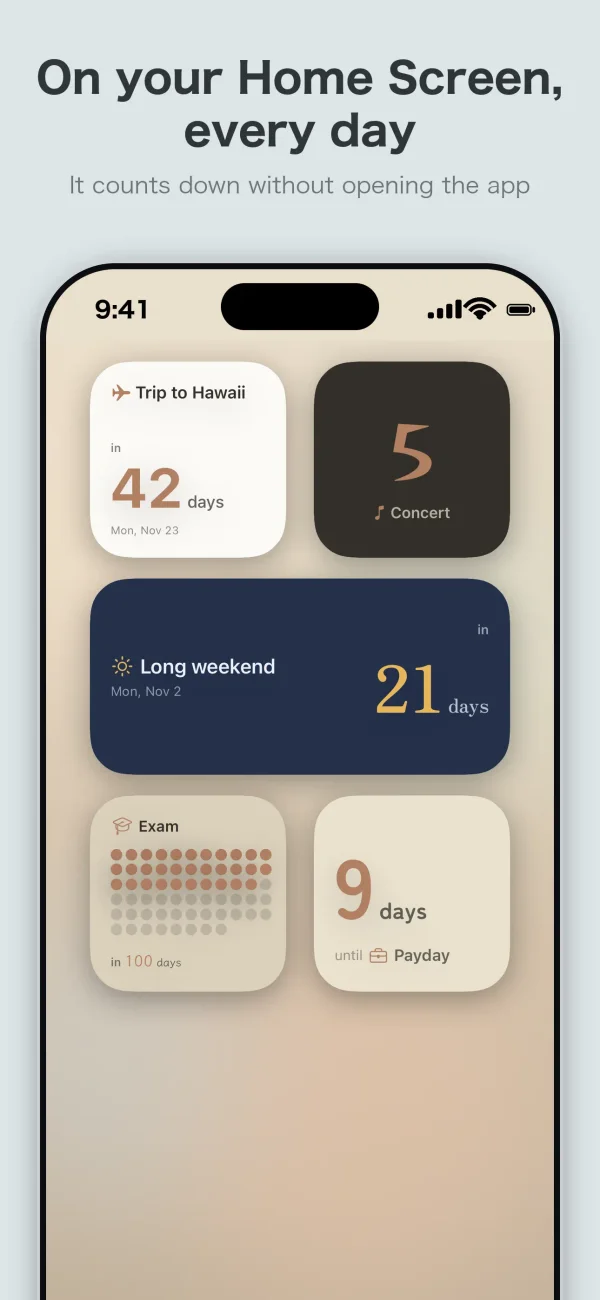
ON YOUR HOME SCREEN, EVERY DAY
• Home Screen widgets count down by themselves. No need to open the app.
• Square and wide sizes. Add as many as you like.
• On the day itself, the Lock Screen counts down to the hour, minute and second.
• Also shows while your iPhone charges on its side, in Control Center, and on Apple Watch.
TIDY, EVEN WITH MANY
• Sort countdowns into folders and switch between them from the list.
• Search by title.
• Show the days to your next event on the app icon (or turn it off).
COUNT YOUR WAY
• Days, Auto, Years/months/days, Weeks, Workdays, Hours or Minutes.
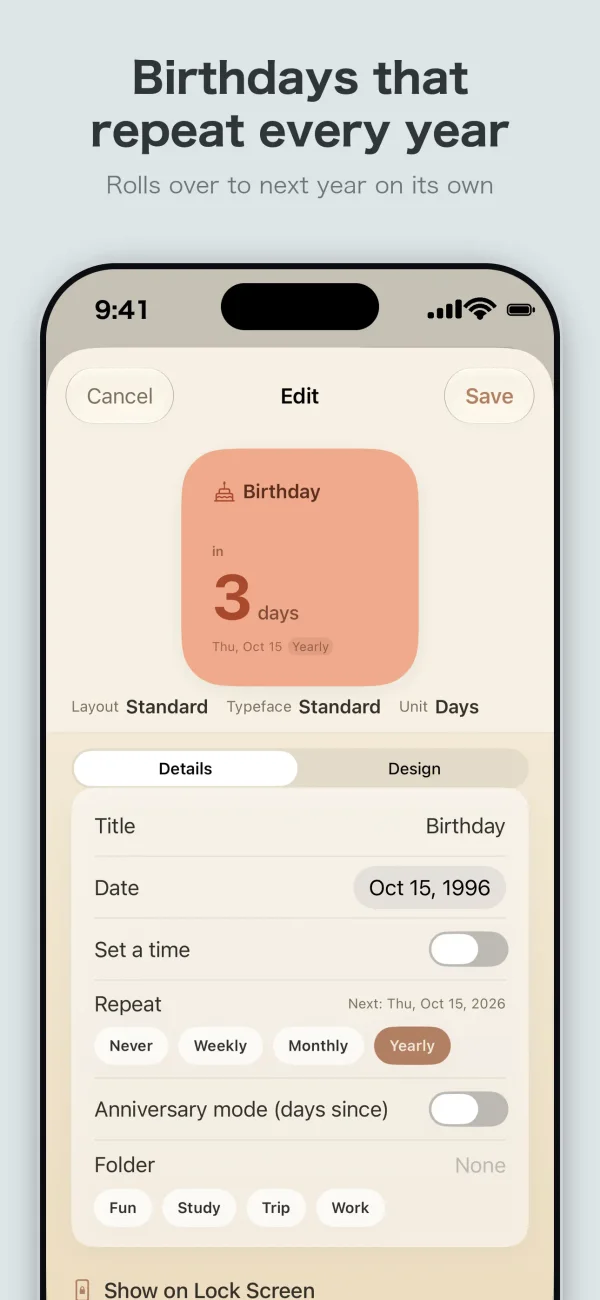
• Repeats weekly, monthly or yearly. Birthdays and anniversaries roll over to next year on their own.
• Count up, too: "it's been 100 days". Get notified at milestones like 100 days and one year.
• Reminders 3 days before, the day before and on the day, set per countdown.
YOUR DATA STAYS YOURS
• Syncs with iCloud, so it moves with you to a new iPhone.
• Your countdowns are stored only on your device and in your own iCloud. Nothing is sent to our servers.
PRICING
• You can make up to 2 countdowns.
• Twelve colors, two layouts, two typefaces and three scenes are included.
• Photo backgrounds, gradients, patterns and the other typefaces are part of Pro. You can try them on and see the result before saving.
• Days Until Pro unlocks unlimited countdowns and every design. One-time purchase, no subscription.
Terms of Use: https://support-site-vercel.vercel.app/terms.html
Privacy Policy: https://support-site-vercel.vercel.app/privacy.html
What’s new
Version 1.1.5 · Nov 17, 2026
You can now choose the start date for the Daily Dots, Ring, and Bar layouts, so countdowns you add later can show the days already passed.
App privacy
What Masaki Sato declares on the App Store about how this app handles data.
-
Data linked to you
May be collected and linked to your identity.
- User content
- Identifiers
- Diagnostics
-
Data not linked to you
May be collected but is not linked to your identity.
- Usage data
Privacy practices may vary, for example with the features you use or your age.
Information
- Seller
- Masaki Sato
- Category
- Lifestyle
- Version
- 1.1.5
- Updated
- Nov 17, 2026
- Released
- Jul 30, 2026
- Size
- 7.6 MB
- Requires
- iOS 17.0 or later
- Age rating
- 4+
- Price
- Free
- In-app purchases
- Yes
- Languages
- English, Japanese
- Copyright
- © Masaki Sato
You might also like
-
 Hourglass Life: Time & GoalsRemaining Time & Wishlist
-
 Timenest: Countdown & Count UpDays until, since & together
-
 Countdown & Days Until WidgetBirthday & Anniversary Timer
-
 Since: Days Since Last TimeKnow when you last did it
-
 TimeLeft-Pocket Life CountdownAre you dead? Be Present Daily
-
 Soda Clock: Flip Clock, WidgetTimer, Countdown, Digital time
-
 Anniversary Count Timer App.How many more days?Count down.
-
 アニバカレンダー:記念日カウントダウンLifestyle
-
 推しウィジェットLifestyle
-
 推し活ポケット - 入金・発券忘れを防ぐLifestyle