
- Age rating4+
- CategoryFinance
- DeveloperDeutsche Bank AG
- LanguagesEnglish+ 6 more
- Size21.1 MB
Links to the official App Store page
Download.org hosts no file of DB Secure Authenticator. The button opens its official App Store page, published by Deutsche Bank AG. Listing last checked on Nov 18, 2026.
Screenshots




About
DB Secure Authenticator provides customers with a two-factor authentication solution for logging into accounts and for authorising transactions. For signing transactions on Deutsche Bank’s Online and Mobile banking platforms, customers from Germany can use the photoTAN app, which can be downloaded from the app store.
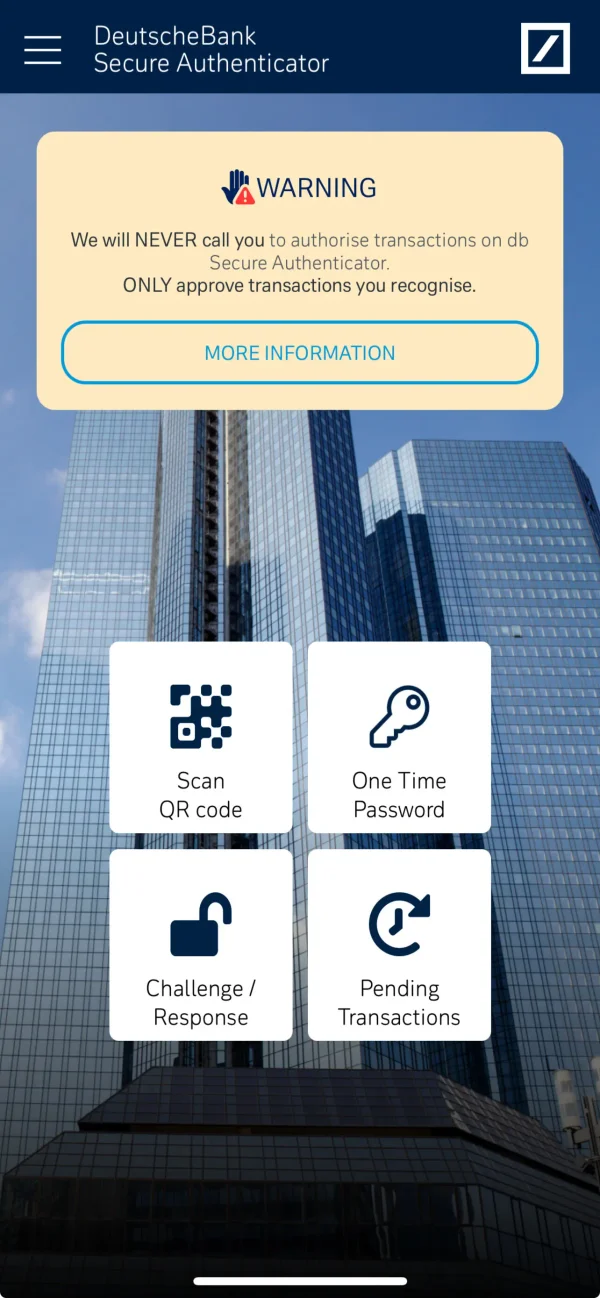
There is a choice of 4 functions within the app:
1. Scan QR Code: Using your phone’s camera, a QR-code is scanned on-screen and a numeric response code is provided. The code may be used for logging into a DB banking application or for authorising transactions.
2. Generate a One-Time Password (OTP): On request, the app generates a numeric code which may be used for logging into a DB banking application.
3. Challenge / Response: When speaking with a DB customer service agent, an 8-digit number provided by the agent is entered into the app and a response code is provided. This function is used for customer identification via the telephone.
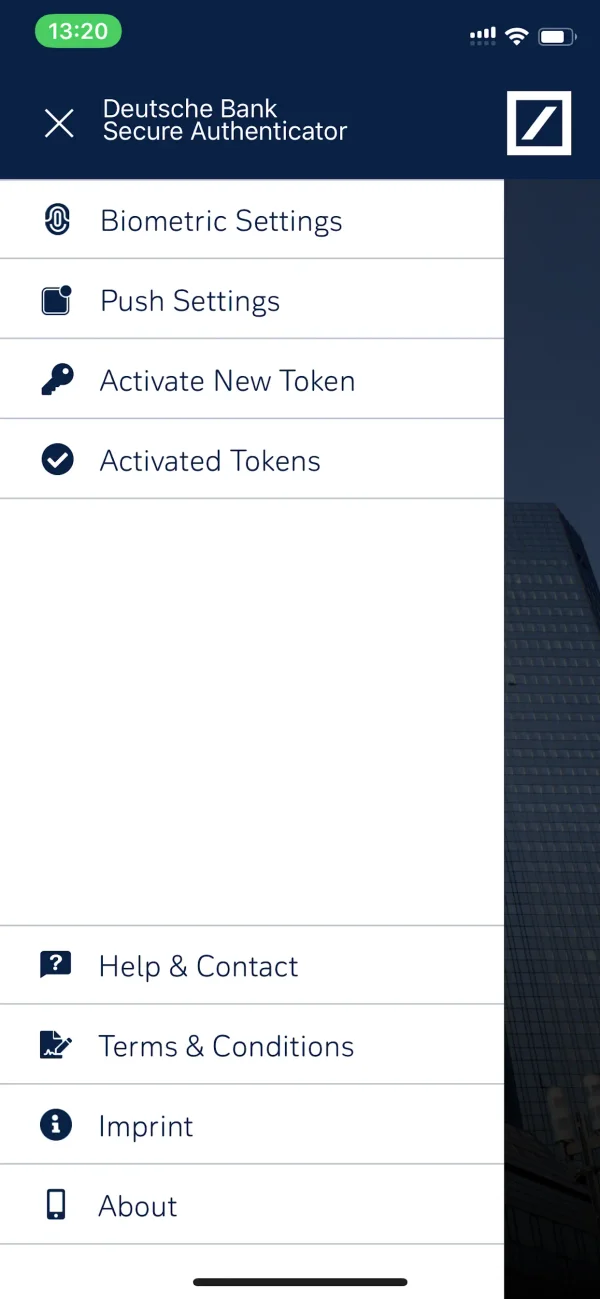
4. Authorising transactions: If enabled, Push Notifications can be received to inform the user of outstanding transactions. When the app is next opened the transaction details are displayed, and can be authorized without the need to scan a QR-code or type a code into the online banking application.
App setup:
Access to DB Secure Authenticator is controlled either via a 6 digit PIN, which you choose on first launch of the app or by using the device's biometric functionalities, such as fingerprint or facial recognition.
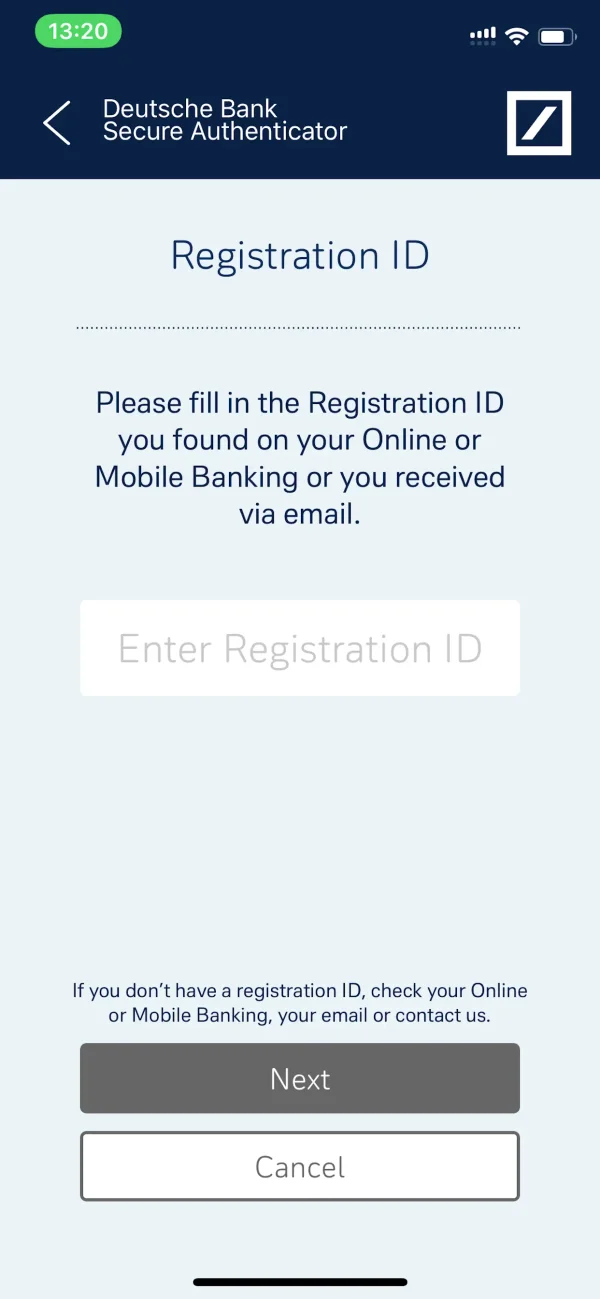
Following the PIN setup, you are required to activate the device. This is done by either entering a provided Registration ID or by scanning two QR-codes through the online activation portal.
What’s new
Version 4.12.0.1.0.3 · Nov 12, 2026
This release contains bug fixes and various optimizations.
App privacy
What Deutsche Bank AG declares on the App Store about how this app handles data.
-
Data not linked to you
May be collected but is not linked to your identity.
- Identifiers
Privacy practices may vary, for example with the features you use or your age.
Information
- Seller
- Deutsche Bank AG
- Category
- Finance
- Version
- 4.12.0.1.0.3
- Updated
- Nov 12, 2026
- Released
- Jul 27, 2018
- Size
- 21.1 MB
- Requires
- iOS 16.0 or later
- Age rating
- 4+
- Price
- Free
- Languages
- English, Basque, Catalan, Galician, German, Italian, Spanish
- Copyright
- Copyright © 2022 Deutsche Bank AG, Frankfurt am Main
You might also like
-
 Straight2BankMaking complex work Simple
-
 Barclays CorporateFinance
-
 HSBCnet MobileFinance
-
 Commerzbank photoTANFinance
-
 Santander Cash Nexus SignFinance
-
 Mizuho Global eBanking OTPMizuho OTP
-
 Global Cash MobileFinance
-
 CitiDirectCitibank N.A.
-
 My WebIDIdentifizierung & Unterschrift
-
 UC Mobile Token for CorporatesFinance