
Deadline Backsolve: Planner
Writing & comic page tracker
Designed for iPhone, iPad
$0.99
- Age rating4+
- CategoryProductivity
- DeveloperDaisuke Yamaguchi
- LanguagesEnglish+ 5 more
- Size4.4 MB
Links to the official App Store page
Download.org hosts no file of Deadline Backsolve: Planner. The button opens its official App Store page, published by Daisuke Yamaguchi. Listing last checked on Nov 20, 2026.
Screenshots


About
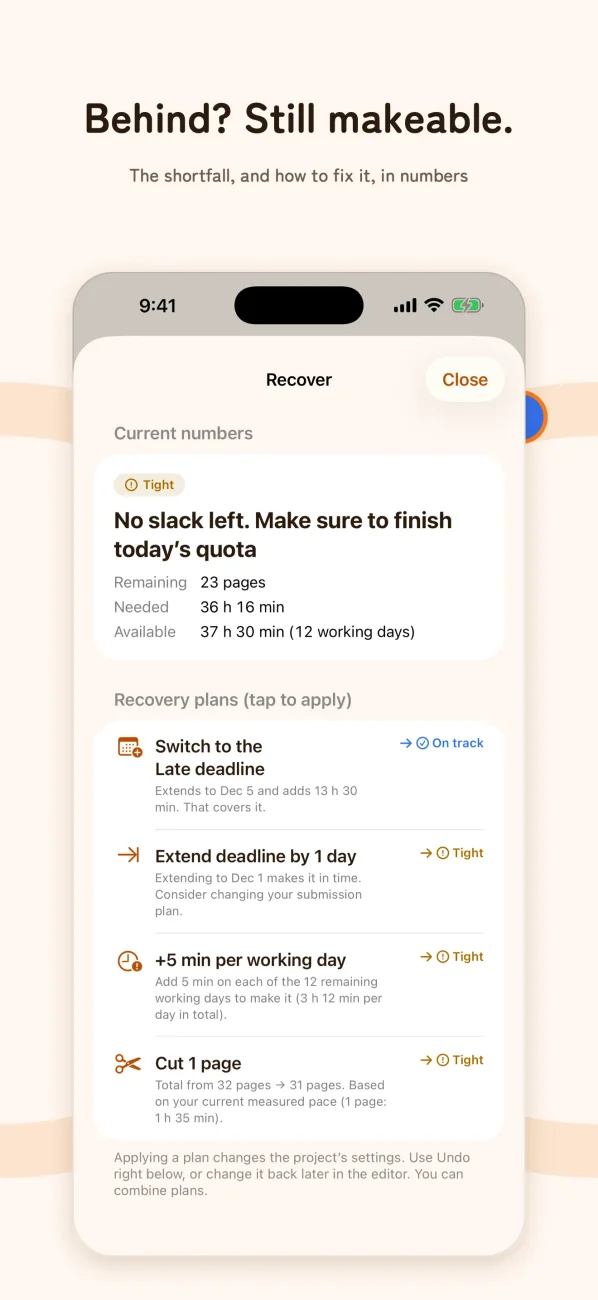
When you realize you won't hit the deadline, what you actually need is the answer to "so what do I change?"
Deadline Backsolve computes the shortfall and gives you concrete fixes: "push the deadline 3 days", "add 45 minutes per working day", "cut 4 pages". Real numbers, not a warning label.
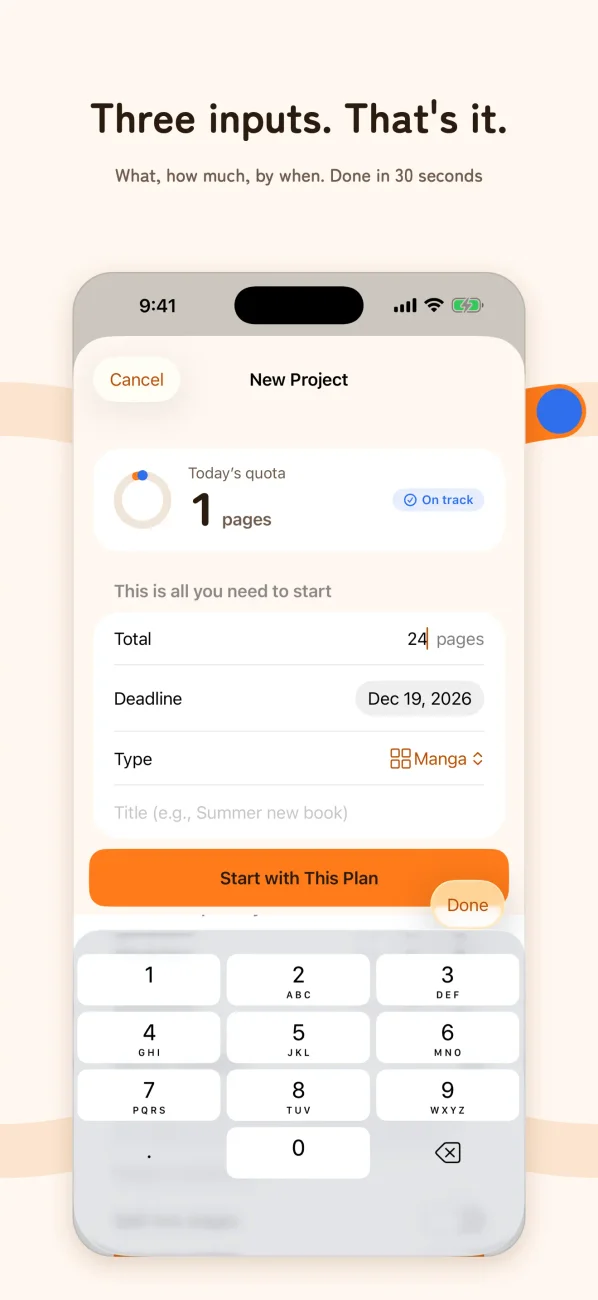
■ Three inputs. Thirty seconds.
What, how much, by when. That's the whole setup. Stages and per-weekday hours can wait until later.
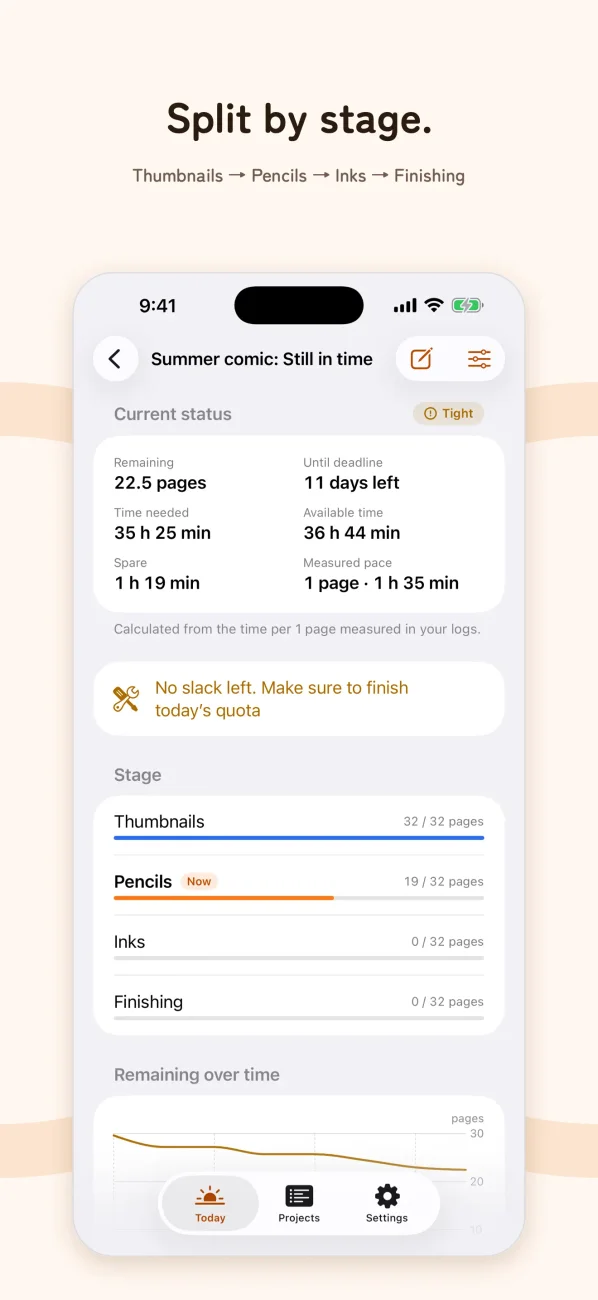
■ Split the work into stages (new in 1.4)
Thumbnails → pencils → inks → finishing, or outline → first draft → revision. Give each stage its share of the time per page, and the Today screen tells you exactly what to do: "Pencils 6 pages → then Inks 2 pages". The project screen shows each stage's progress. Stages are optional, and recovery plans keep working as before.
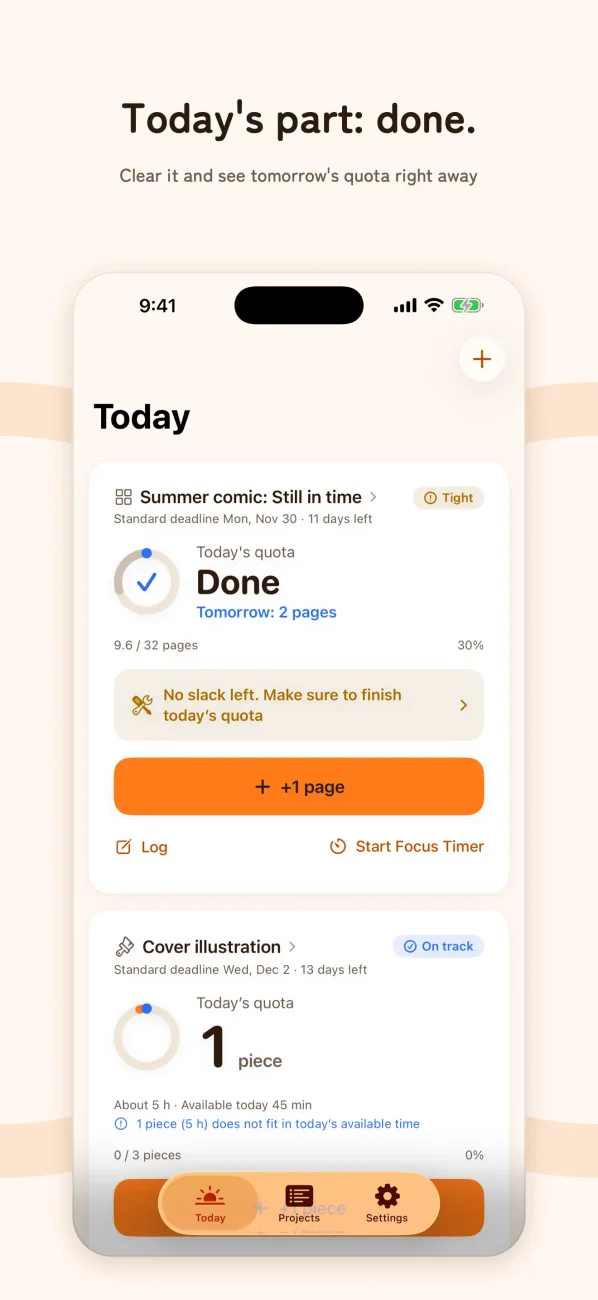
■ You only look at today
The home screen says "Today: 8 pages." That's it. No Gantt charts, no dense tables. Tap "+1 page" when you're done.
■ It follows your real week
One hour on weekdays, three on weekends? Your quota is distributed by the time you actually have.
■ It learns your real pace
It starts from an estimate, then switches to your measured minutes per page once you have logged enough work.
■ Recovery plans, computed
- Switch to a later registered deadline (with hours gained)
- Extend the deadline by N days
- Add N minutes per working day
- Cut N units
- Finish each unit within N minutes
- Open up a day you had marked as rest
Tap any of them to apply it to the plan immediately.
■ A focus timer that survives a crash
It stores the start time, so closing the app never loses your session. It never plays a sound effect.
■ Your entries stay on your device
No account. No ads. What you enter never leaves your device. To improve the app, only anonymous usage data (such as which screens are opened) is counted with Google Analytics (you can turn this off in Settings). Move it with a JSON export/import when you change phones.
■ One-time purchase. No add-ons.
Everything is unlocked at purchase. Unlimited projects and logs. No subscription.
■ Available in English, Japanese, German, French, Korean and Traditional Chinese.
Works for comics, novels, illustration books and merch, but also for articles, reports and theses — anything with an amount and a due date. Name the unit whatever you like.
What’s new
Version 1.9 · Nov 19, 2026
■ A new icon
A comic page split into panels, with a deadline clock in the last one. Easy to spot on your Home Screen.
■ The same page on the first and finishing screens
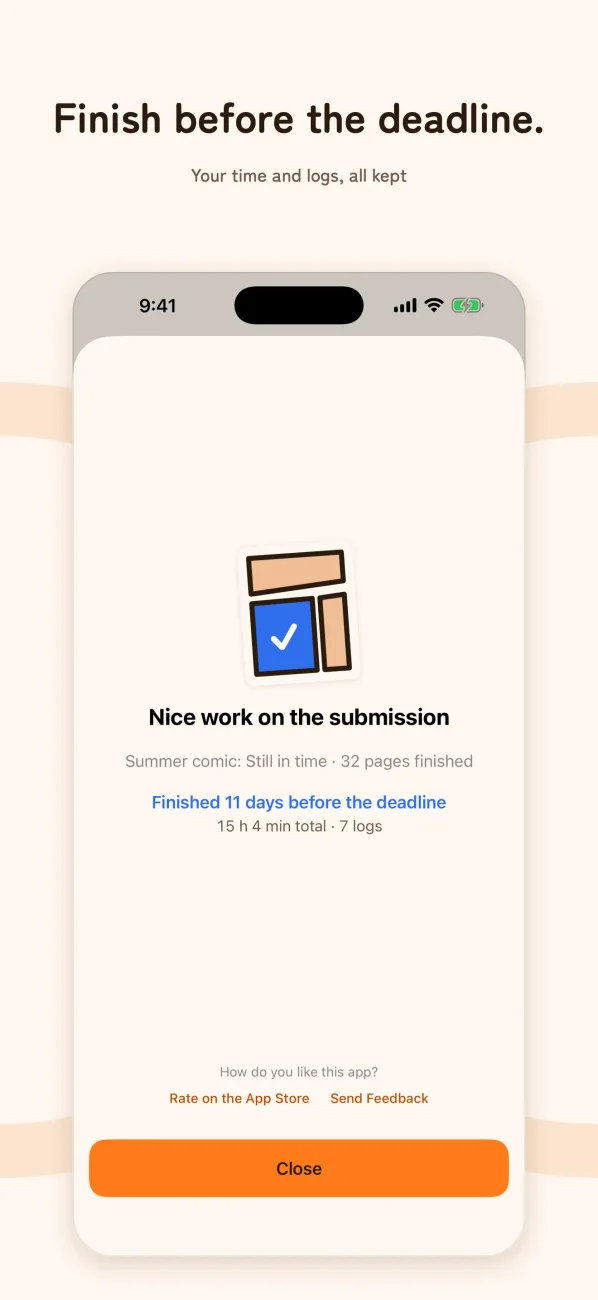
Finish a manuscript and the clock in the deadline panel turns into a check mark.
App privacy
What Daisuke Yamaguchi declares on the App Store about how this app handles data.
-
Data not linked to you
May be collected but is not linked to your identity.
- Location
- Identifiers
- Usage data
Privacy practices may vary, for example with the features you use or your age.
Information
- Seller
- Daisuke Yamaguchi
- Category
- Productivity
- Version
- 1.9
- Updated
- Nov 19, 2026
- Released
- Aug 4, 2026
- Size
- 4.4 MB
- Requires
- iOS 17.0 or later
- Age rating
- 4+
- Price
- $0.99
- Languages
- English, French, German, Japanese, Korean, Traditional Chinese
- Copyright
- © 2026 Sauna Inc.
You might also like
-
 NestoProductivity
-
 SixDo - Ivy Lee Method To-Do6 tasks a day. No ads, ever.
-
 DaySince - Everyday RemindersI’ll keep track for you.
-
 All set?Checklist / Don’t forget / QR
-
 TodoKnock: Count Your ProgressTrack "How Many Left?" Easily
-
 エフィシオ Efficio 使いたくなる生産性向上アプリProductivity
-
 原稿コンシェルジュ - 漫画制作の進行管理Productivity
-
 秒で家計簿Productivity
-
 TABIPOMO-Pomodoro for CreatorsYour best creative partner
-
 Gameify: Turn Life into a GameHabit Tracker, Earn Points