
- Age rating4+
- CategoryEducation
- DeveloperMALTE HORN
- LanguagesEnglish
- Size3.8 MB
Links to the official App Store page
Download.org hosts no file of Deck Odds. The button opens its official App Store page, published by MALTE HORN. Listing last checked on Nov 12, 2026.
Screenshots





About
Deck Odds is an offline probability study notebook that uses a standard 52-card deck as a transparent teaching model. Mark which cards have already been drawn, then read exact remaining-deck counts, combinatorial expansions, and conditional-probability steps—with worked plain-language explanations you can verify by hand.
Built for students, tutors, and self-learners. It is a reference and classroom tool only: no money, stakes, wagering, betting odds, or games of chance.
DRAWN-STATE CARD GRID
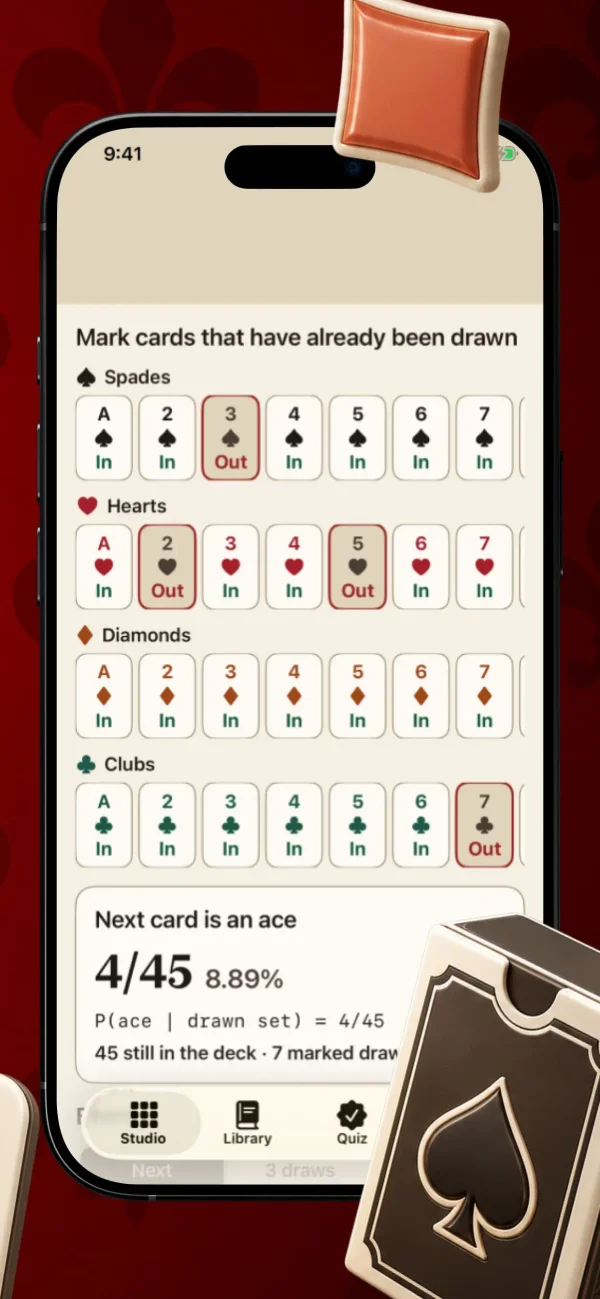
Tap any of the 52 face cards (4 suits × 13 ranks) to toggle Drawn vs Still-in-deck. Live counters show remaining total, per-suit, per-rank, and per-color counts as the sample space shrinks.
EVENT BUILDER WORKSPACE
Choose a target event from teaching presets—next card is a heart, exactly two spades in the next three draws without replacement, full-house shape in a 5-card remainder sample—or define your own rank and suit constraints. The panel recomputes P(event | drawn so far) instantly.
STEP-BY-STEP COMBINATORICS
Expand every result as ordered conditional factors and as combination ratios C(remaining favorable, k) / C(remaining, k). Each intermediate integer is shown so learners can check the arithmetic themselves.
WORKED EXPLANATION PANE
Paired plain-English narrative and formal notation cover the current setup: independence versus without replacement, and why the denominator changes after each drawn card. Always framed as math study—not play advice.
SCENARIO LIBRARY
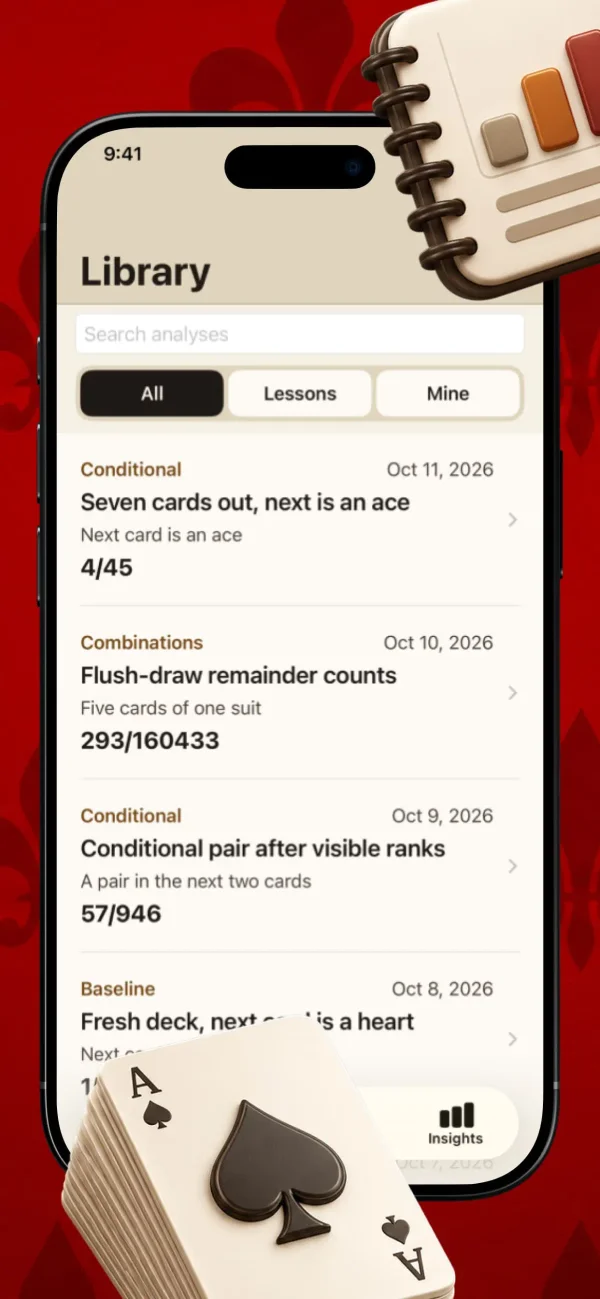
Open pre-seeded classroom notebooks such as “seven cards already out, probability next is an ace,” flush-draw remainder counts, and conditional pair after visible ranks. Each loads a full drawn grid plus a target event.
QUIZ MODE
Multiple-choice and numeric-entry items generated from the same remaining-deck model: identify remaining favorable counts, pick the correct conditional probability, or complete a missing C(n,k) term. Immediate reveal shows the correct expansion and a short remediation note.
PERSONAL NOTEBOOK HISTORY
Save named analyses—drawn-set snapshot, event definition, final probability, and step list—into an on-device list. Reopen any entry to keep editing the grid or re-export.
PDF AND SHARE EXPORT
Render the current grid summary, event statement, numeric result, and full step-by-step derivation into a clean multi-section PDF via the system share sheet for printing, homework submission, or tutor review.
Deck Odds turns abstract conditional probability and combinatorics into a concrete, inspectable deck state—so every path from “cards left” to a final probability is visible, checkable, and ready for study notes.
What’s new
Version 1.1 · Oct 24, 2026
Improves iPhone and iPad layout and keeps the probability notebook faster and more stable.
App privacy
What MALTE HORN declares on the App Store about how this app handles data.
-
Data not collected
The developer does not collect any data from this app.
Privacy practices may vary, for example with the features you use or your age.
Information
- Seller
- MALTE HORN
- Category
- Education
- Version
- 1.1
- Updated
- Oct 24, 2026
- Released
- Oct 14, 2026
- Size
- 3.8 MB
- Requires
- iOS 17.0 or later
- Age rating
- 4+
- Languages
- English
- Copyright
- © 2026 Malte Horn
You might also like
-
 Faro JesterFaro weaves and deck order
-
 LegendLock Motto DeskExpand coin motto legends
-
 Labosir QuestBraille Morse Dojo
-
 Egyptian StarDecans, star clocks and Ra
-
 GleamJewel CutLock cuts, see light return
-
 LumitrapEducation
-
 Strobe CorePrecision Measurement Trainer
-
 Buoy ChannelIALA marks and light rhythms
-
 Lotto Results PlusRegular updates on Draws
-
 Daily Devotional MannadayBible Study, Prayer and Chat