
- Age rating4+
- CategoryPhoto & Video
- DeveloperKIZAI
- LanguagesEnglish
- Size3.0 MB
Links to the official App Store page
Download.org hosts no file of DeckCue. The button opens its official App Store page, published by KIZAI. Listing last checked on Nov 18, 2026.
Screenshots

About
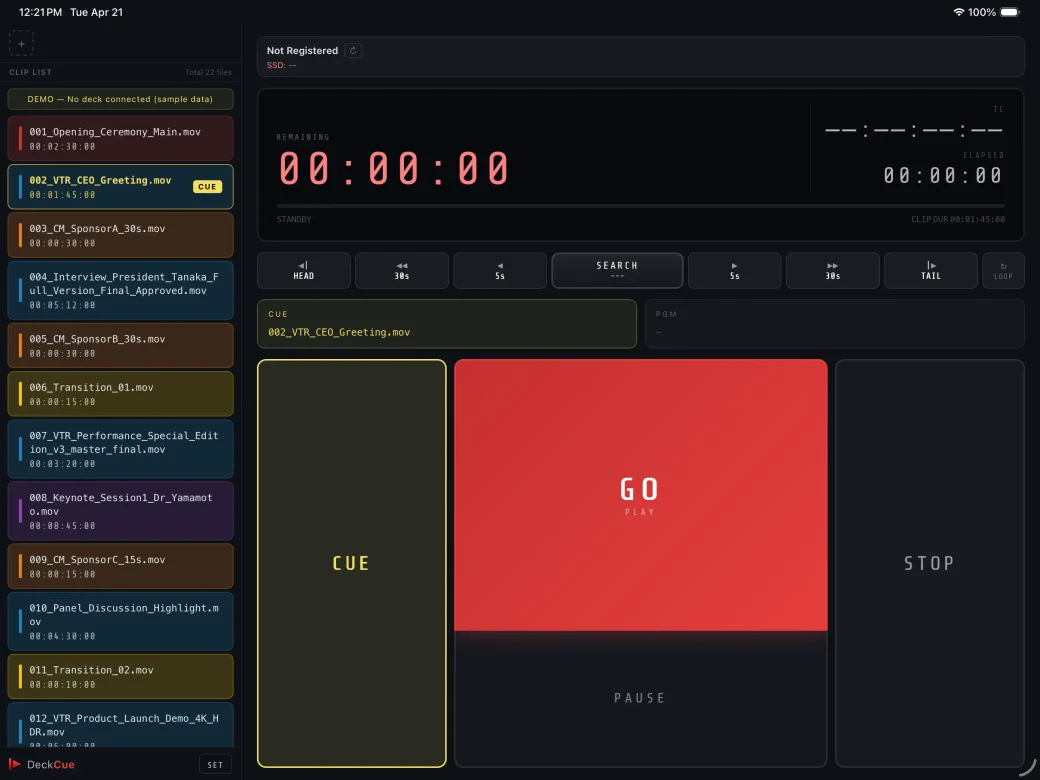
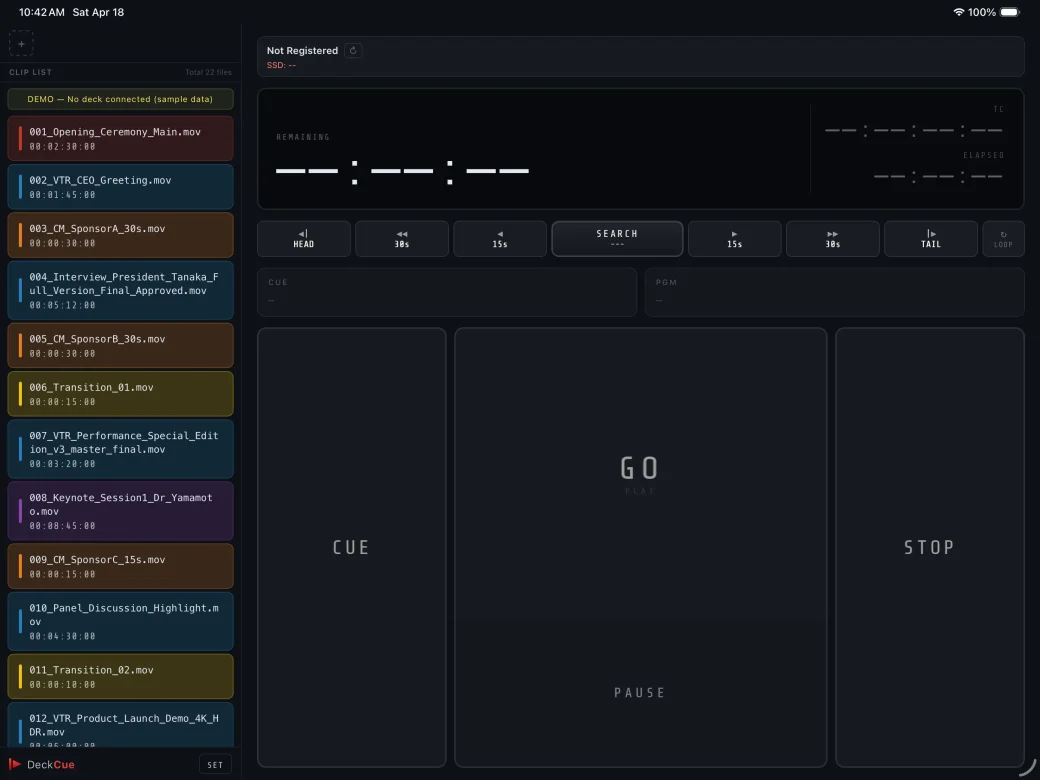
DeckCue is a professional iPad app for remote-controlling the Blackmagic Design HyperDeck series. Built for live events, concerts, broadcast, and exhibitions — a simple, reliable design ready for real-world video playback.
BASIC OPERATION
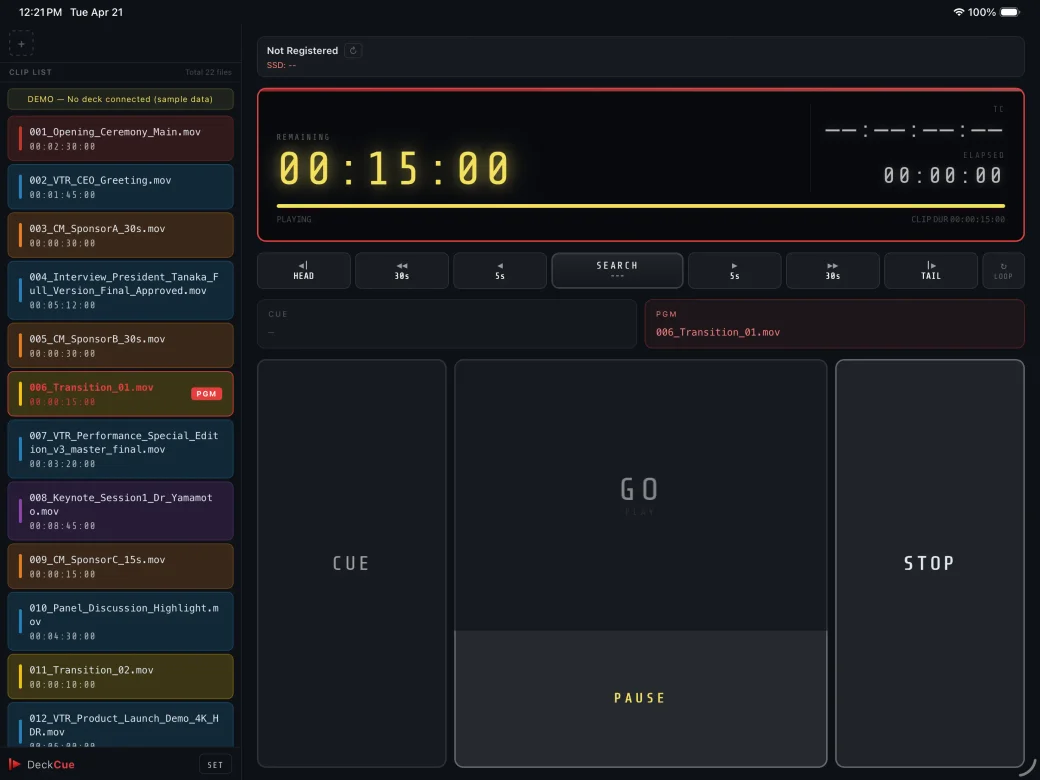
Tap a clip to CUE, press GO to play. Even during playback, cue up the next clip and switch to it instantly with GO. Simple enough for any operator.
REAL-TIME TIMECODE COUNTER
A large timecode counter updated every 100ms, showing remaining and elapsed time at once. Yellow warning at 30 seconds, flashing red at 10 — solid time management during the show.
AUTOMATIC CLIP LOADING
The clip list loads the moment you connect, along with SSD name and video format. Assign colors to individual clips for instant identification — color labels are restored automatically after media swaps.
SEARCH — PLAY FROM ANY POSITION
Set a start position and jump to it with one tap. Accurate even in 59.94fps drop-frame environments.
IN-POINT MEMORY
Save a start position for each clip. Footage with color-bar heads or varying starts cues straight to the real content with a single tap. In-points are tied to the clip name, so they are restored automatically even after an SSD swap.
LOOP & CONTINUOUS PLAY
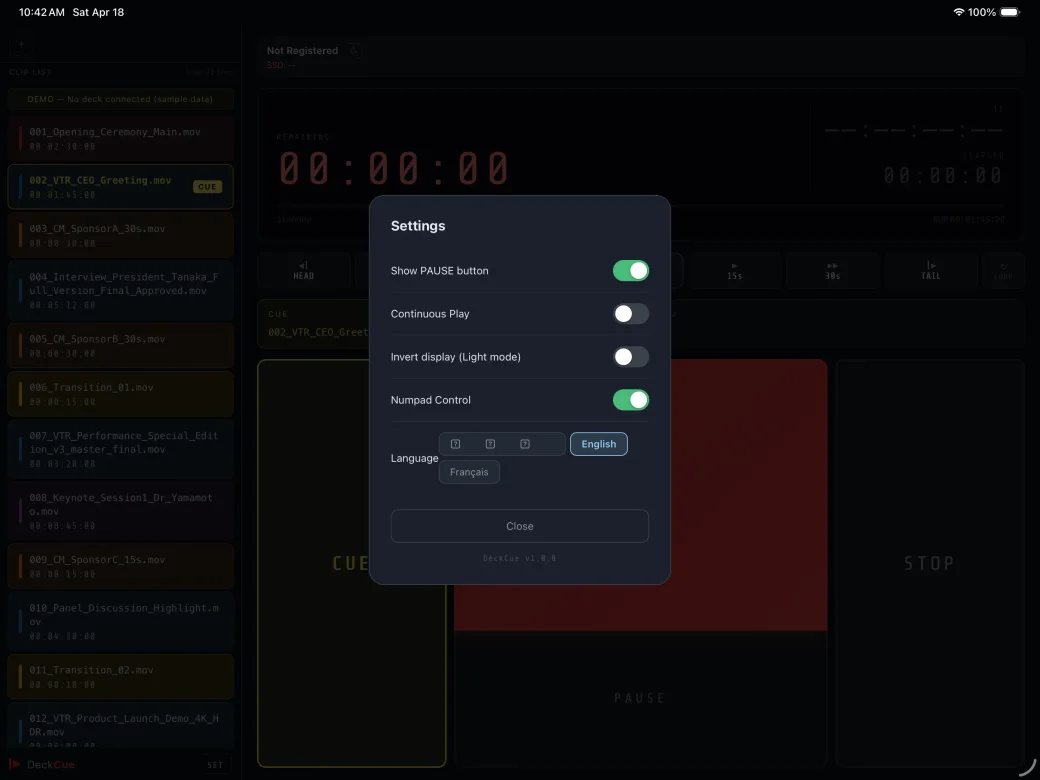
Three playback modes: single-clip stop (default), continuous play, or loop. Ideal for BGM, exhibitions, and broadcast use.
MULTI-DECK SUPPORT
Add and manage decks with custom names (e.g. "Deck A", "Sub Screen") and switch between multiple HyperDecks with tabs.
CONNECTION MONITORING
Instant disconnect alerts with automatic reconnection. The screen stays on during operation, and the TCP connection is maintained even if the screen locks. DeckCue also reconnects to your last-used deck automatically at launch.
NUMPAD CONTROL
Wired and Bluetooth numpads supported — connect and it just works.
Skip steps toggle between seconds (±5/±30) and minutes (±5/±15); numpad keys 1/2/4/5 follow the current mode.
- 0 / Enter: GO
- 1: SKIP -5s (-5min in minute mode)
- 2: SKIP +5s (+5min in minute mode)
- 3: PAUSE
- 4: SKIP -30s (-15min in minute mode)
- 5: SKIP +30s (+15min in minute mode)
- 6: STOP
- 7: HEAD
- 8: TAIL (2s before end)
- 9: Toggle LOOP
- Tab: Switch deck
- +: Next clip
- −: Previous clip
SUPPORTED DEVICES
HyperDeck Studio HD Mini / HD Plus / HD Pro / 4K Pro
HyperDeck Shuttle HD / Shuttle 4K Pro
HyperDeck Extreme 4K / Extreme 8K
Compatible with all models that have Ethernet connectivity.
REQUIREMENTS
- iPad (iPadOS 16 or later)
- Recommended: iPad Air 11" / 13" (M2 or newer)
- Same LAN as the HyperDeck (wired LAN recommended)
- HyperDeck setting: Remote Control → On
NOTES
This app is not an official Blackmagic Design product. It uses the publicly documented HyperDeck Ethernet Protocol. Firmware updates may affect operation. Always test with your actual hardware before going live.
What’s new
Version 1.4.1 · Oct 20, 2026
• Fixed an issue where cueing a clip with an in-point could briefly show the clip's first frame on the deck output. Cueing now seeks directly to the in-point (TAIL and SEARCH improved the same way).
• Loop playback now wraps around more seamlessly. When LOOP is on, in-points are not used — the loop always covers the whole clip.
• Other minor improvements.
App privacy
What KIZAI declares on the App Store about how this app handles data.
-
Data not collected
The developer does not collect any data from this app.
Privacy practices may vary, for example with the features you use or your age.
Information
- Seller
- KIZAI, K.K.
- Category
- Photo & Video
- Version
- 1.4.1
- Updated
- Oct 20, 2026
- Released
- May 21, 2026
- Size
- 3.0 MB
- Requires
- iOS 15.0 or later
- Age rating
- 4+
- Price
- $49.99
- Languages
- English
- Copyright
- © 2026 kizai
You might also like
-
 LipCheckerPhoto & Video
-
 CineLoupeDirector's viewfinder for pros
-
 Live Multi StudioPhoto & Video
-
 Fotra - Tethered ShootingFTP Camera Transfer
-
 Cine Meter IIlight and color metering
-
 SooPic - Image Collage EditorPhoto Into Square and Blur Bac
-
 MixEffect Pro - Paid Up-FrontATEM Switcher Remote Control
-
 Sony | Remote Camera ToolPhoto & Video
-
 Mavis Monitor: Pro DisplayVideo tools certified by NDI
-
 Reeltime ViewerStreaming App for Reeltime Pro