Decoy: Hidden Lock Screen Note
Notes nobody else can see
Designed for iPhone
Free · In-app purchases
- Age rating4+
- CategoryProductivity
- DeveloperMari Suzuki
- LanguagesEnglish+ 1 more
- Size10.1 MB
Links to the official App Store page
Download.org hosts no file of Decoy: Hidden Lock Screen Note. The button opens its official App Store page, published by Mari Suzuki. Listing last checked on Nov 18, 2026.
Screenshots
About
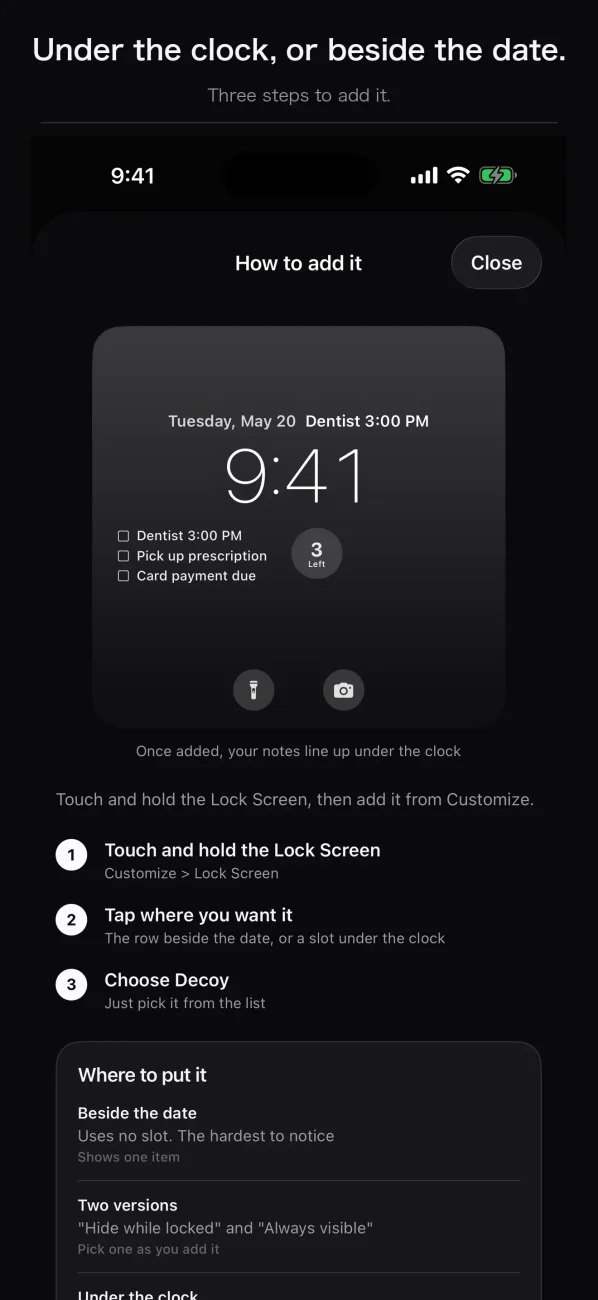
The iPhone's own Notes app can't live on your Lock Screen. Decoy can, and nobody else can read it.
Appointments, medication, errands you'd rather not explain. The Lock Screen is the surface you glance at most, and it's also the one other people see most. So some things never made it there.
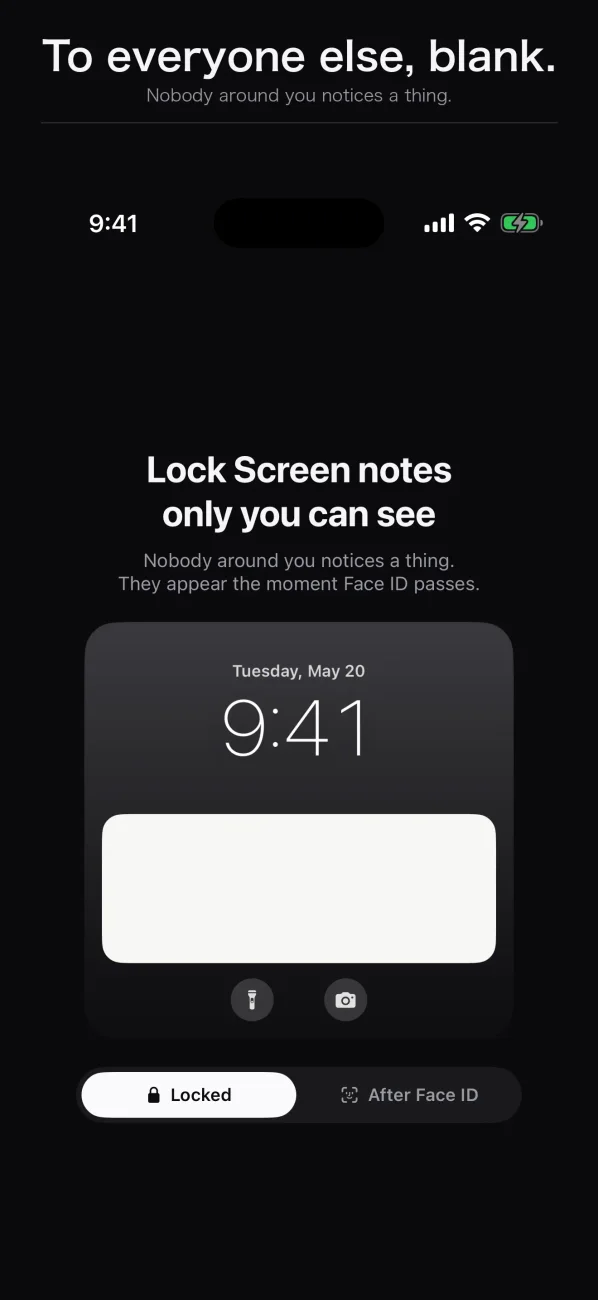
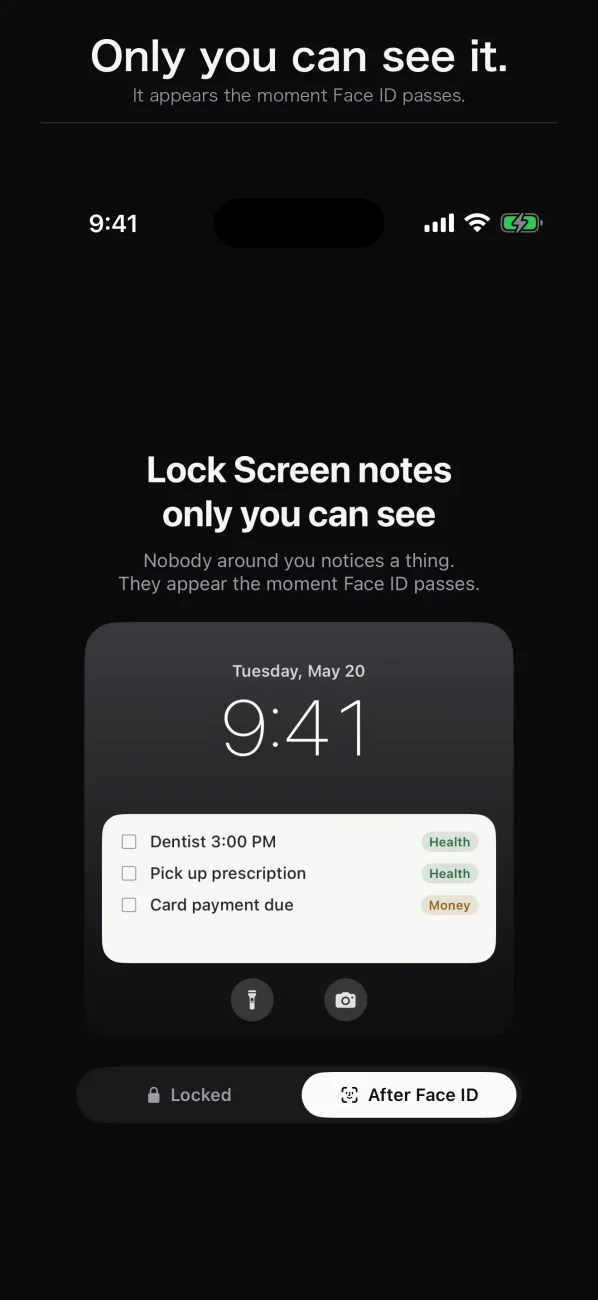
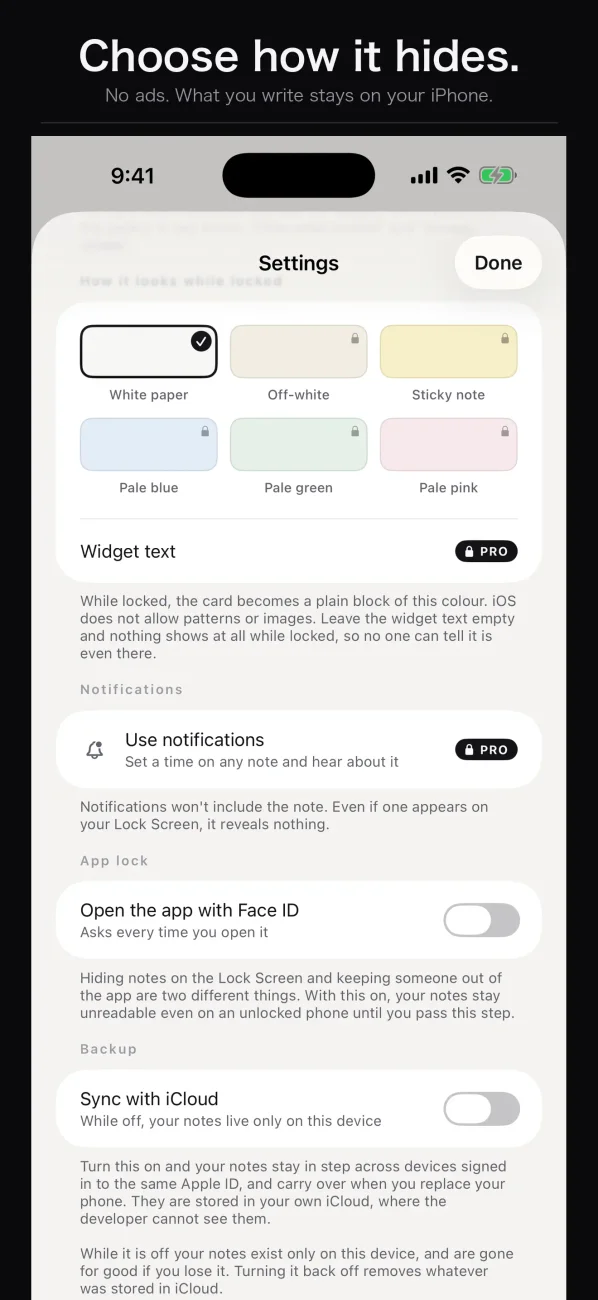
While your phone is locked, Decoy looks like a blank card, or whatever text you chose in advance. The moment Face ID passes, your real notes appear.
■ Made for
・Writing things down and then never looking at them again
・Living or working around people who glance at your screen
・Appointments and errands you'd rather keep to yourself
■ What it does
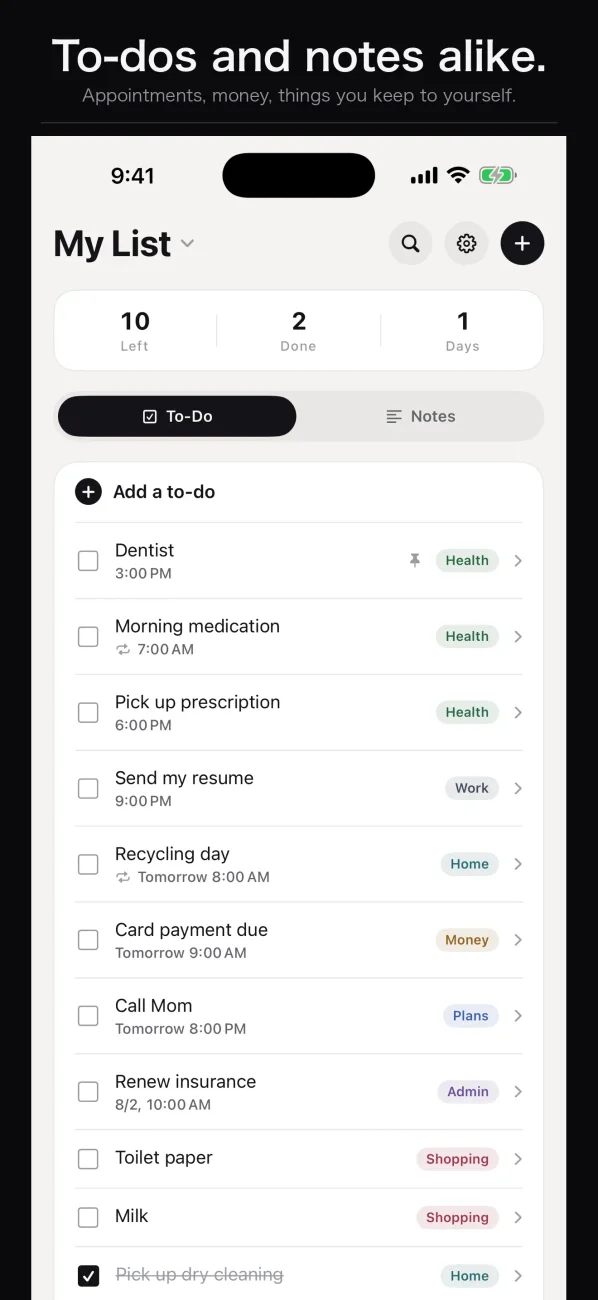
・Works as a to-do list, or as plain notes
・Reminders at the time you set
・Repeats daily, on weekdays, weekly, monthly
・Separate lists for separate parts of your life (Pro)
■ How it's built
・No ads
・Everything stays on your device by default. iCloud sync is there if you want it
・No accounts, no sign-in
A note on what this is not: once Face ID or your passcode has been entered, anyone holding your phone can read your notes. Decoy hides things from the people around you, not from someone with your unlocked phone. Keep passwords and PINs in a dedicated password manager.
Decoy Pro is a one-time purchase. It removes the note limit and adds per-note reminders, separate lists, and control over how things look while locked.
Terms of Use: https://suzukimari.com/terms/
Privacy Policy: https://suzukimari.com/privacy-policy.html
App privacy
What Mari Suzuki declares on the App Store about how this app handles data.
-
Data not linked to you
May be collected but is not linked to your identity.
- Purchases
Privacy practices may vary, for example with the features you use or your age.
Information
- Seller
- Mari Suzuki
- Category
- Productivity
- Version
- 1.0
- Updated
- Aug 7, 2026
- Released
- Aug 6, 2026
- Size
- 10.1 MB
- Requires
- iOS 17.0 or later
- Age rating
- 4+
- Price
- Free
- In-app purchases
- Yes
- Languages
- English, Japanese
- Copyright
- © 2026 Suzuki Mari