
DeepHush: ADHD Focus Timer
Pomodoro, Sounds & Task Lists
Designed for iPhone, iPad, iPod touch
In-app purchases
- Age rating4+
- CategoryProductivity
- DeveloperCheveo GmbH
- LanguagesEnglish
- Size25.1 MB
Links to the official App Store page
Download.org hosts no file of DeepHush: ADHD Focus Timer. The button opens its official App Store page, published by Cheveo GmbH. Listing last checked on Nov 9, 2026.
Screenshots


About
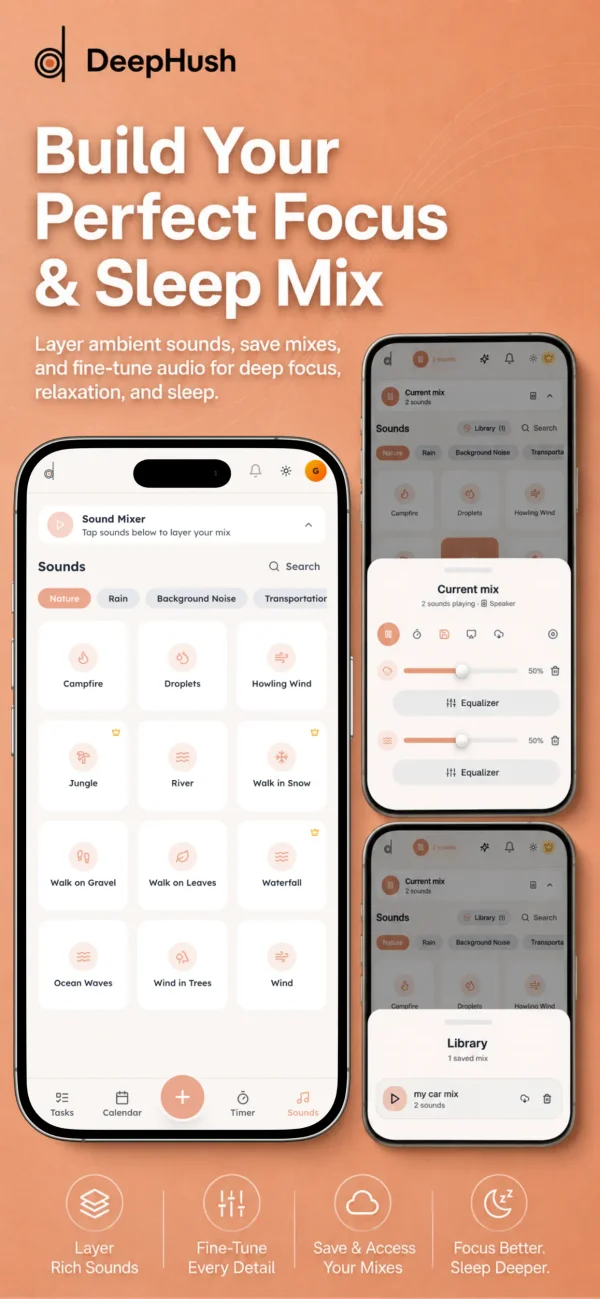
Stop juggling three apps for sounds, timers, and tasks. DeepHush brings them together in one calm, focused workspace.
Whether you have ADHD, work in sprints, or just need to get through your to-do list without distractions, DeepHush gives you everything in one place: ambient soundscapes to block out noise, a Pomodoro timer to structure your work, and smart task management to keep you on track.
WHAT MAKES DEEPHUSH DIFFERENT
Most focus apps give you a timer. Most sound apps give you rain noises. Most task apps give you a list. DeepHush is the only app that combines all three - plus direct import from Jira, Azure DevOps, and Trello - so developers and project managers can work through their actual sprint backlog in focused sessions.
IMPORT FROM JIRA & AZURE DEVOPS
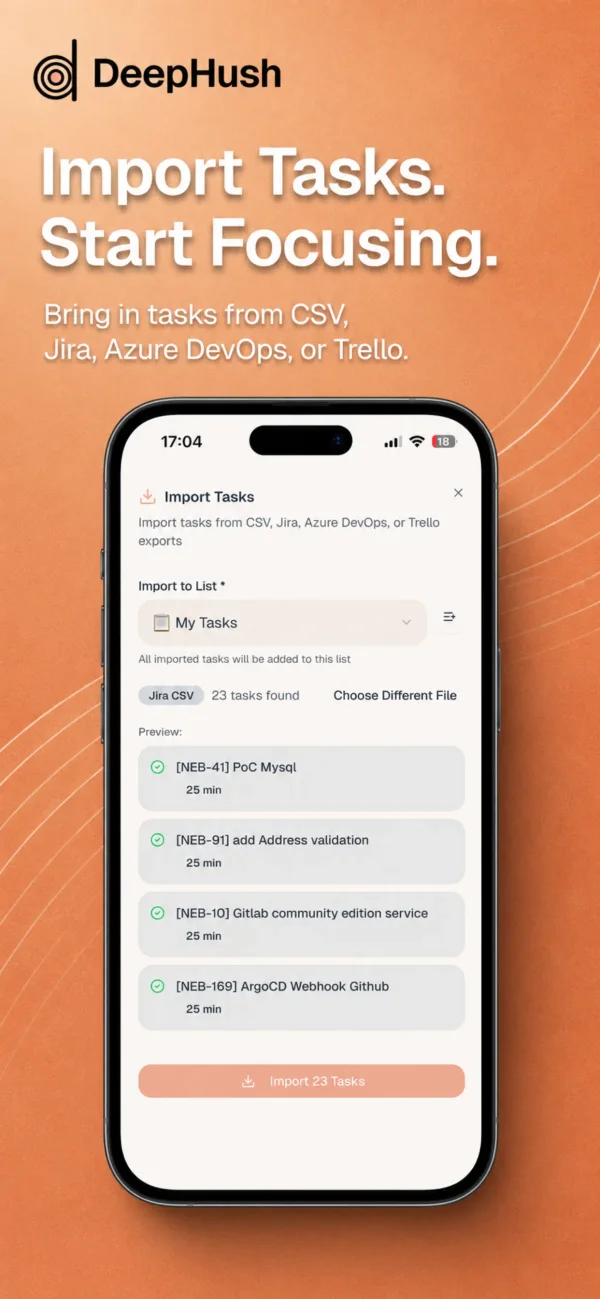
Pull your sprint tasks into DeepHush and work through them one by one with a focus timer. No more switching between your project management tool and a separate timer app.
- Import Jira tickets via CSV export
- Import Azure DevOps work items
- Import Trello cards
- Auto-detects format from your file
- Filter to only import incomplete items
- Work through your sprint backlog in focused sessions
POMODORO & MOMENTUM TIMER
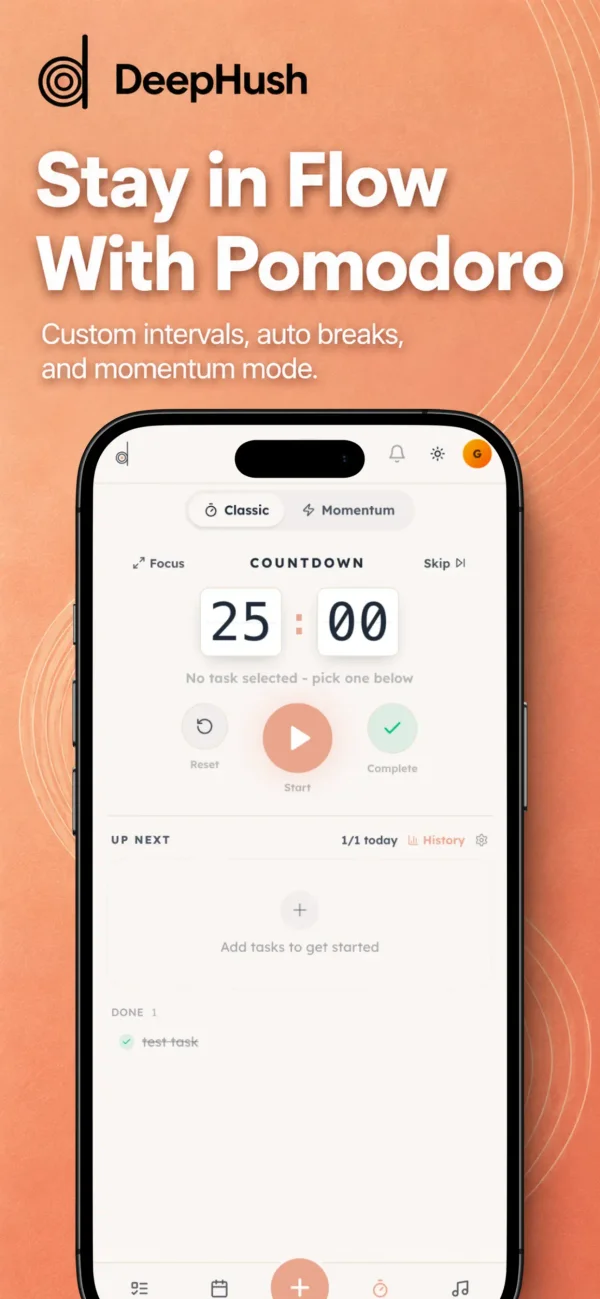
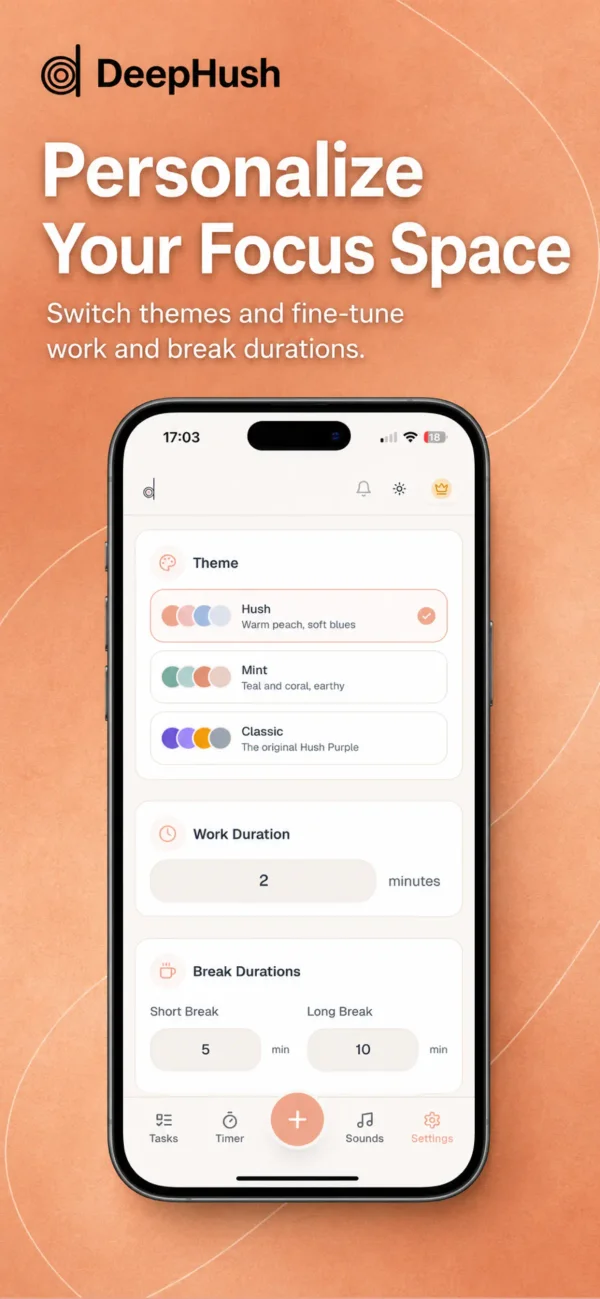
- Classic Pomodoro: 25 min work / 5 min break cycles
- Momentum Mode: flexible intervals that adapt to your flow state
- Full-screen distraction-free focus view
- iOS Live Activities: see your timer on the lock screen and Dynamic Island
- Session tracking with history, charts, and notes
- Audio cues to signal transitions without breaking focus
SMART TASK MANAGEMENT
- Eisenhower Matrix view to prioritize what matters most
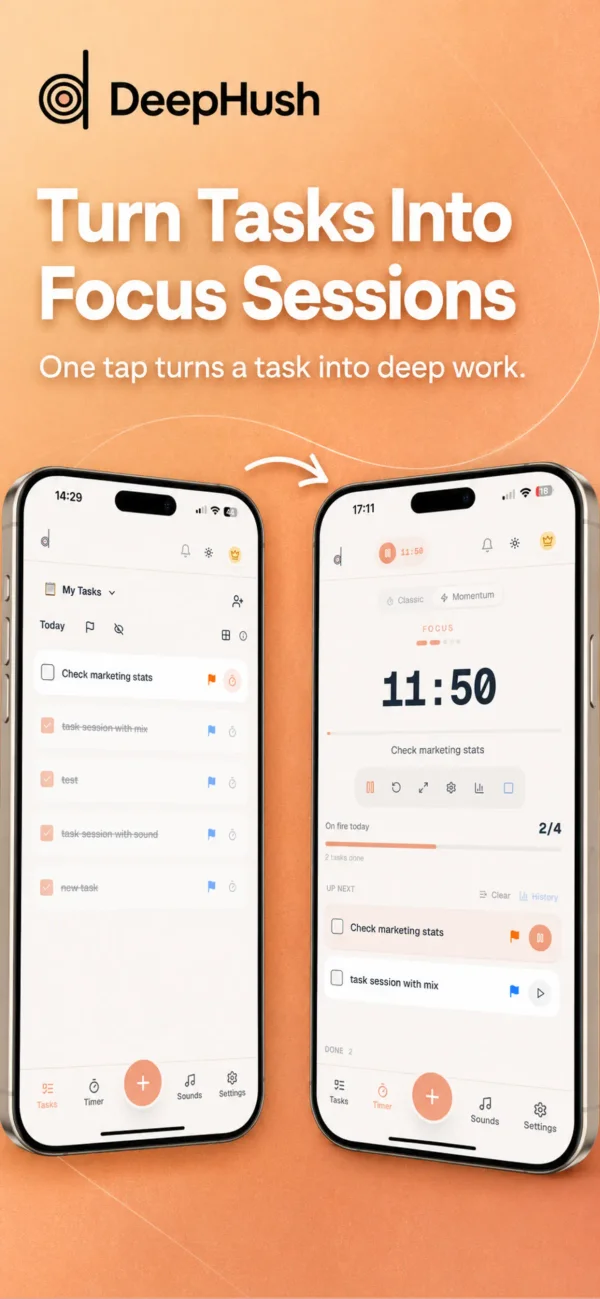
- Drag and drop tasks into your timer queue
- Set due dates, time estimates, and priority levels
- Track completed Pomodoros per task
- Move tasks between lists with ease
AMBIENT SOUND MIXING
- 50+ high-quality sounds: rain, thunder, brown noise, forest, ocean, cafe, campfire, and more
- Mix multiple sounds at once with individual volume sliders
- Built-in equalizer for precise tone control
- Save and name your favorite mixes
- Download sounds for offline use
COLLABORATE WITH YOUR TEAM
- Share task lists in real time
- Invite team members to collaborate on lists
- Nudge teammates with gentle reminders
- Perfect for co-founders, partners, or shared projects
BUILT FOR DEVELOPERS & PROJECT MANAGERS
- Pull Jira sprint items onto your phone
- Focus on one ticket at a time with the Pomodoro timer
- Track time spent per task with session history
- Review your productivity trends over days and weeks
- A calm, private alternative to noisy project management tools
PRIVACY FIRST
- No ads, ever
- No tracking or analytics cookies
- Your data stays yours
FREE TO USE
Start with 2 simultaneous sounds, 2 task lists, and the full Pomodoro timer at no cost.
DEEPHUSH PLUS
Unlock the full experience: unlimited sounds, unlimited lists and tasks, equalizer, offline caching, team collaboration, and Jira/Azure DevOps/Trello import.
Deep focus by day. Calm sleep by night. Download DeepHush and find your flow.
https://www.apple.com/legal/internet-services/itunes/dev/stdeula/
What’s new
Version 1.44.0 · Jun 18, 2026
Getting started just got a whole lot easier.
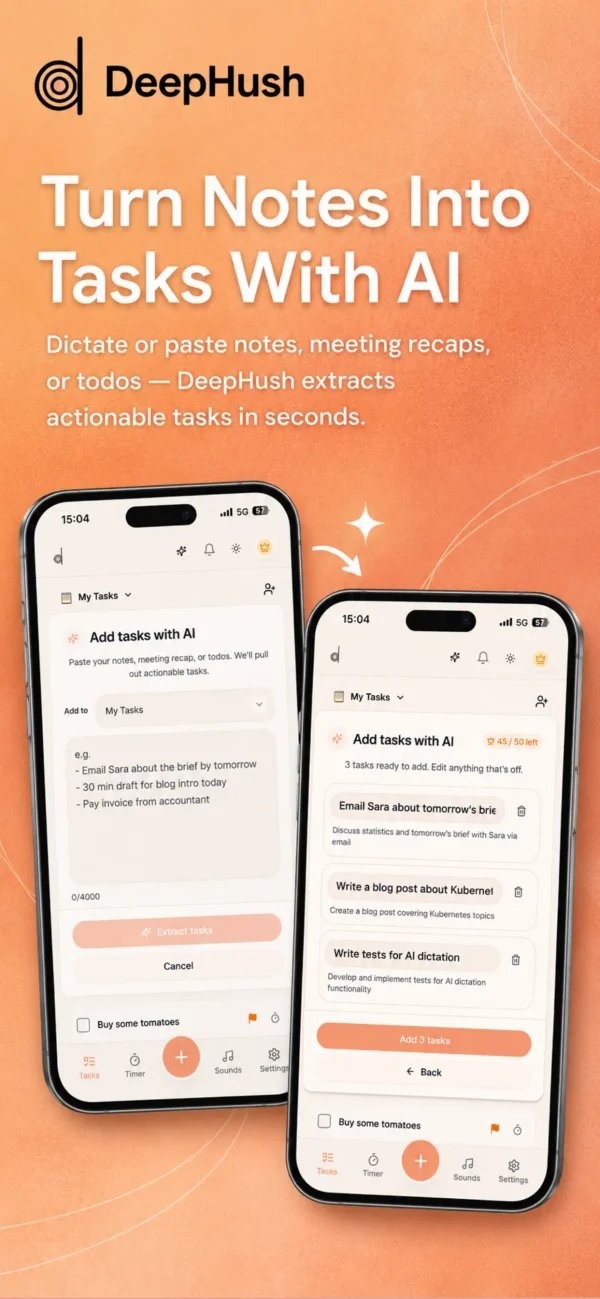
A new guided setup gets you focusing in about a minute. Make a list, add a task by typing it or letting
AI sort your notes, pick a sound, and go.
Tasks now support optional times, and they show up on your day and week calendar, neatly in order.
Your momentum updates live the moment you finish a task, with no refresh needed.
Clear your focus list and the session wraps up on its own with a tidy summary.
Shared lists for focusing together, the sound mixer, AI task import, and calendar planning are all easier
to find from day one.
We also added a warmer welcome screen, fixed due dates so they save the correct day in every time zone,
and made our nudges gentler and better timed.
Thanks for focusing with us. Got feedback? We read every message.
App privacy
What Cheveo GmbH declares on the App Store about how this app handles data.
-
Data linked to you
May be collected and linked to your identity.
- Purchases
- Contact info
- Identifiers
-
Data not linked to you
May be collected but is not linked to your identity.
- Identifiers
- Usage data
- Diagnostics
Privacy practices may vary, for example with the features you use or your age.
Information
- Seller
- Cheveo GmbH
- Category
- Productivity
- Version
- 1.44.0
- Updated
- Jun 18, 2026
- Released
- Feb 26, 2026
- Size
- 25.1 MB
- Requires
- iOS 15.6 or later
- Age rating
- 4+
- In-app purchases
- Yes
- Languages
- English
- Copyright
- © 2026 Cheveo GmbH
You might also like
-
 Brown Noise & Pomodoro, PomoliFocus Timer for ADHD & Study
-
 LowfiTimer: Pomodoro FocusWhite Noise & Study Sounds
-
 Decidd: Decision HelperPros & cons, weigh, decide
-
 Enerday – Energy & TasksTasks matched to your energy
-
 Plinth Priority MatrixEisenhower Task Organizer
-
 Unstuck: ADHD Planner FocusTo-do list, tasks & routines
-
 Focus Pro | Productivity HubHabits, To-Do, Pomodoro, Notes
-
 Hush: Focus & Pomodoro TimerADHD Study Timer & App Blocker
-
 Quillo: Voice to TasksVoice Notes to Tasks & Events
-
 Nudge - Focus TimerProductivity