
Deferin
Deferred Payment Checker
Designed for iPhone, iPad
Free · In-app purchases
- Age rating4+
- CategoryFinance
- DeveloperAzukid.com
- LanguagesEnglish+ 4 more
- Size19.2 MB
Links to the official App Store page
Download.org hosts no file of Deferin. The button opens its official App Store page, published by Azukid.com. Listing last checked on Nov 14, 2026.
Screenshots


About
Check your later debits
Deferin records and manages payments across every method — credit cards, debit cards, e-money and more. Version 2 was rebuilt from the ground up with the latest iOS technology for smooth performance and easy operation.
[Easy-on-the-eyes design]
Choose from four text sizes: Auto, Standard, Large, and Extra Large. The setting applies across the whole app — entry screens, selection sheets, even the help pages — for a display that's kind to your eyes.
[Debit management]
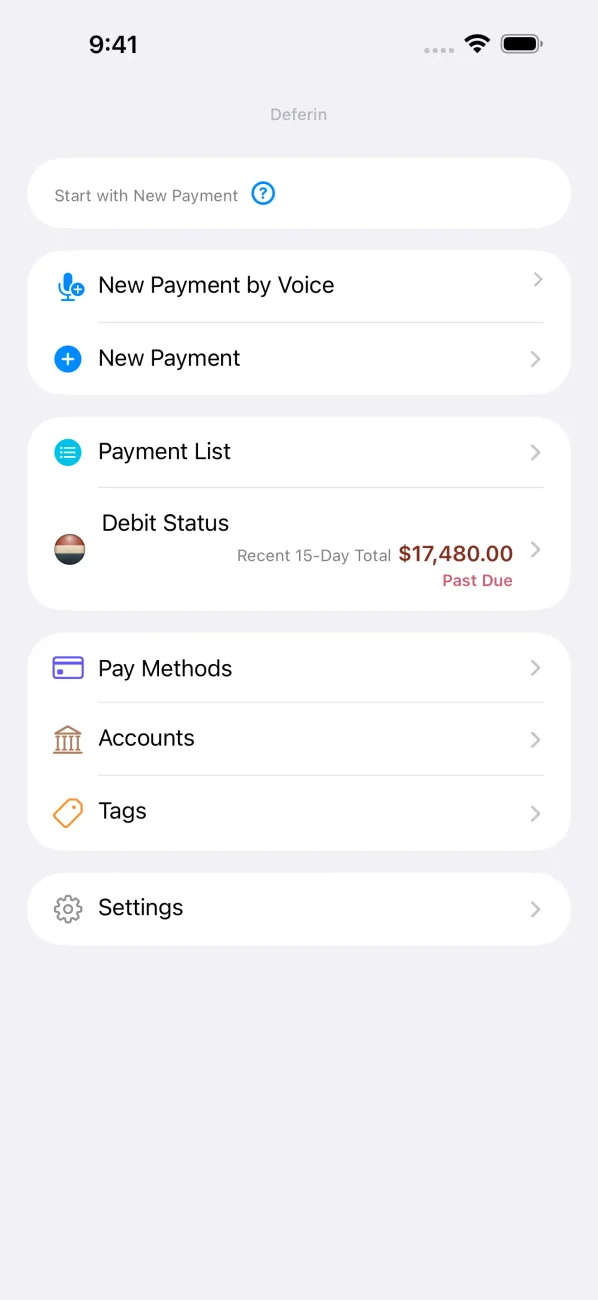
See "before debit" and "already debited" on one screen. Totals are shown across three periods: current, next, and future. Switch payment status with a single button. Reconcile mode lets you match your card company's statement against your records while watching the difference.
[Fast entry]
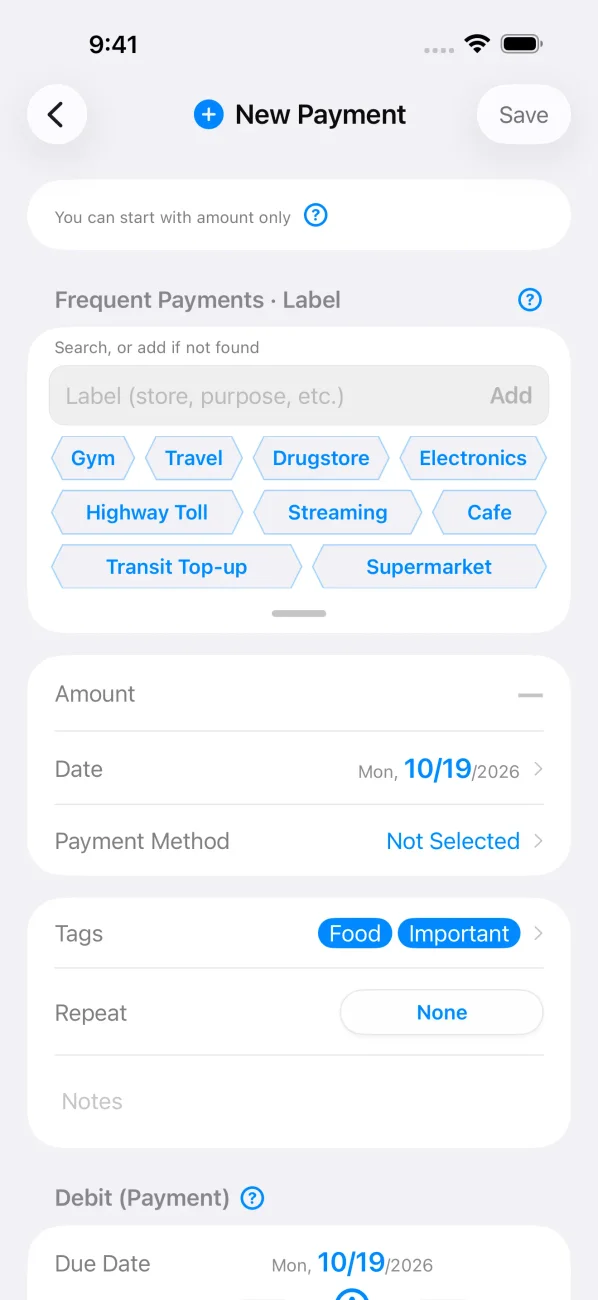
When you enter a new payment, "Quote from History" automatically suggests similar past records. Unfilled fields such as label, payment method, and tags are filled in together, cutting the number of entry steps dramatically.
[Recording payments]
Record amount, date used, payment method, label, tags, and notes all at once. For recurring payments, you can also use repeat settings.
[Organize with tags]
Set multiple tags freely to categorize. Combine them with filters by card, by date, or "has blanks."
[Data management]
Supports export and import in JSON format. Use it to migrate data when you change devices or to keep an external backup.
Great for people who:
- Juggle several cards and find managing debit dates a hassle
- Want simple, hands-on management without automatic linking
- Are looking for an app with large, easy-to-read text
What’s new
Version 2.9.1 · Nov 3, 2026
2.9.1 Updates
- New Payment: If a payment with the same date and amount already exists, you're asked to confirm before saving
- Amount keypad: Added a confirm button at the bottom right. As before, simply closing the keypad also applies your input
- Pay Methods: A method that has payments is now kept as "Closed" instead of being deleted, so you can still see its history. Deleting a closed method also deletes all of its payments
- Debit Statement: Unpaid and paid items are now shown together. Marking an item as paid no longer removes it from the list
- Tags: You can now choose how to pick tags: "Select & Done" or "One Tap"
- Payment List: When a payment has no label, the first line of its notes is shown instead
- Debit Status: Fixed paid items sometimes appearing as unpaid, and payments from another method being mixed in when filtering by tag
- Backup: An incomplete file is no longer shared if exporting fails. The temporary file is deleted after sharing
App privacy
What Azukid.com declares on the App Store about how this app handles data.
-
Data not collected
The developer does not collect any data from this app.
Privacy practices may vary, for example with the features you use or your age.
Information
- Seller
- Masakazu Matsuyama
- Category
- Finance
- Version
- 2.9.1
- Updated
- Nov 3, 2026
- Released
- May 27, 2011
- Size
- 19.2 MB
- Requires
- iOS 18.0 or later
- Age rating
- 4+
- Price
- Free
- In-app purchases
- Yes
- Languages
- English, German, Japanese, Korean, Traditional Chinese
- Copyright
- © 2010 sumpo@azukid
You might also like
-
 Pay Note ApppayNote
-
 PayNote - Smart Money ManagingManaging borrowed, lent money
-
 GameTime WalletFinance
-
 Aven Advisor: Credit Check AppFinancial Advisor
-
 Melio Business PaymentsA simpler way to pay vendors
-
 Kudos: Put Your Wallet to WorkYour Wallet on Autopilot
-
 STRIKE: Buy & Hold BitcoinBuy. Sell. Receive. Send. Pay.
-
 Arro: Build & Grow CreditCash Back Credit Builder Card
-
 Flare AccountFinance
-
 Ingo Money - Cash ChecksCashing checks since 2001