DelayCam
Training mit Videoanalyse
Designed for iPhone, iPad
Free · In-app purchases
- Age rating4+
- CategorySports
- DeveloperEric Hochstrate
- LanguagesEnglish+ 1 more
- Size5.9 MB
Links to the official App Store page
Download.org hosts no file of DelayCam. The button opens its official App Store page, published by Eric Hochstrate. Listing last checked on Nov 16, 2026.
Screenshots
About
Perform an exercise, look at the screen, and watch your own movements again: Delay Cam turns your iPhone or iPad into a handy tool for training and video analysis.
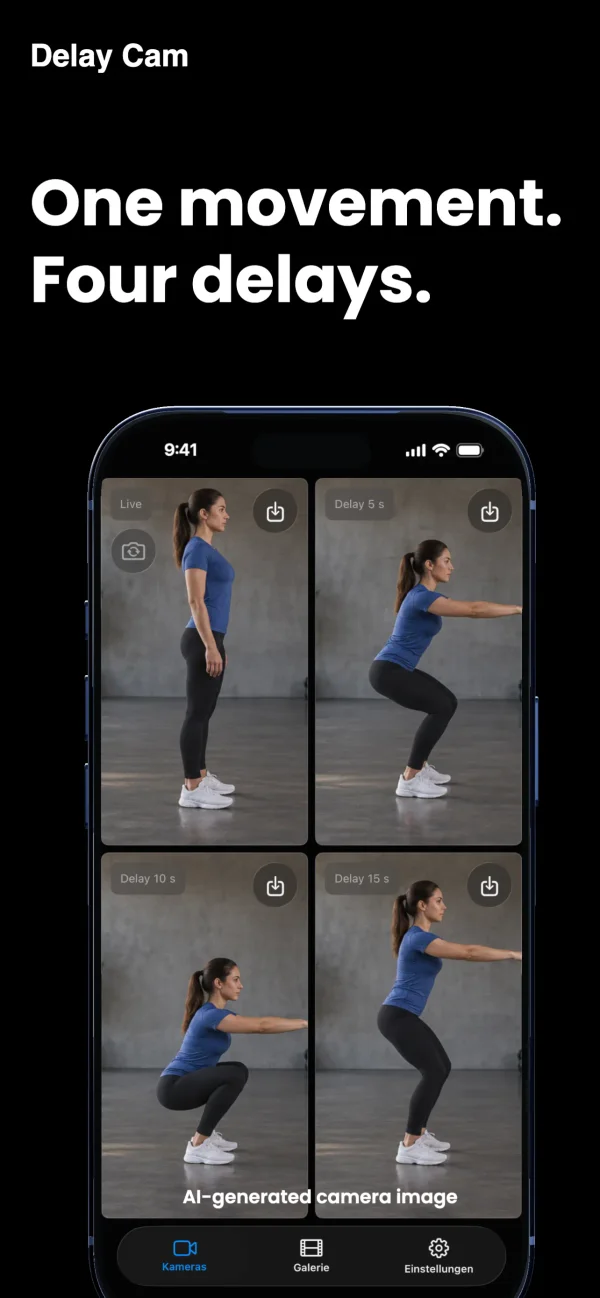
Whether you’re into track and field, handball, strength training, golf, tennis, dancing, or gymnastics: Set a suitable delay and observe your technique immediately after performing the move. Save interesting moments as replays and analyze them later in slow motion or frame by frame.
YOUR TRAINING AT A GLANCE
• Live and time-lapse: Choose a delay between 0 and 120 seconds for each view. Compare the live feed with earlier footage from the same camera.
• Multiple views: Use two views simultaneously for free; with Pro, up to four. Delays and annotations can be adjusted individually.
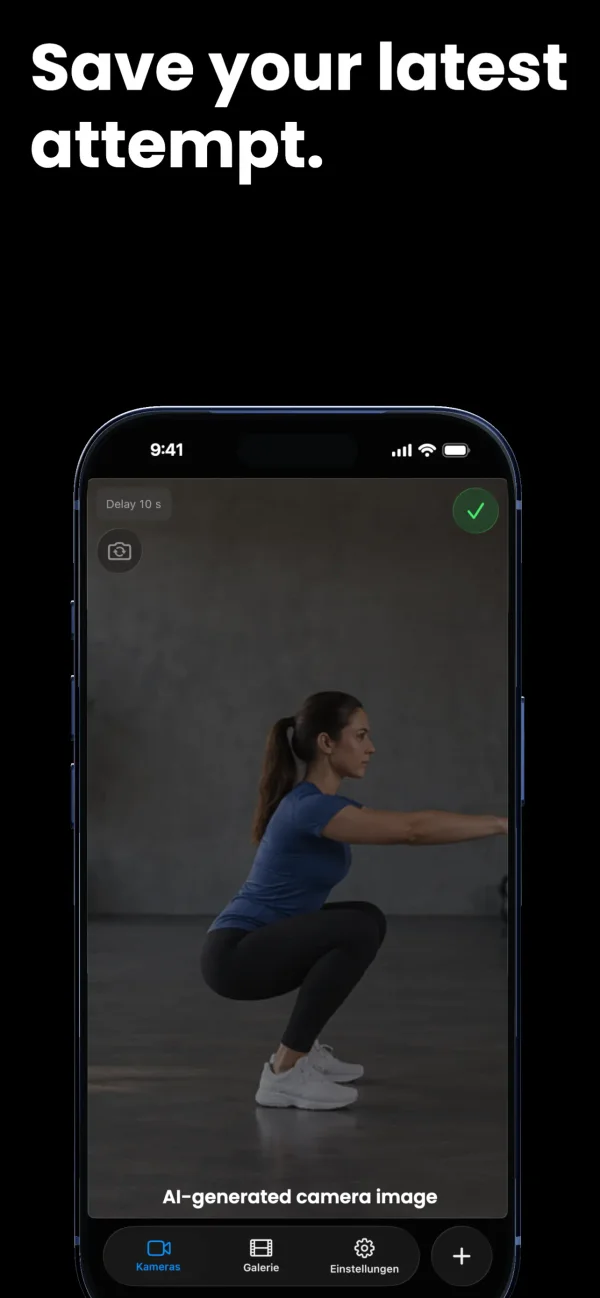
• Save replays later: Save the last 10 to 120 seconds of the selected view—provided they’re already in the buffer.
• Frame rate on demand: Choose the recording frame rate that suits your training. Up to 240 frames per second are available on supported devices.
UNDERSTAND MOVEMENTS MORE PRECISELY
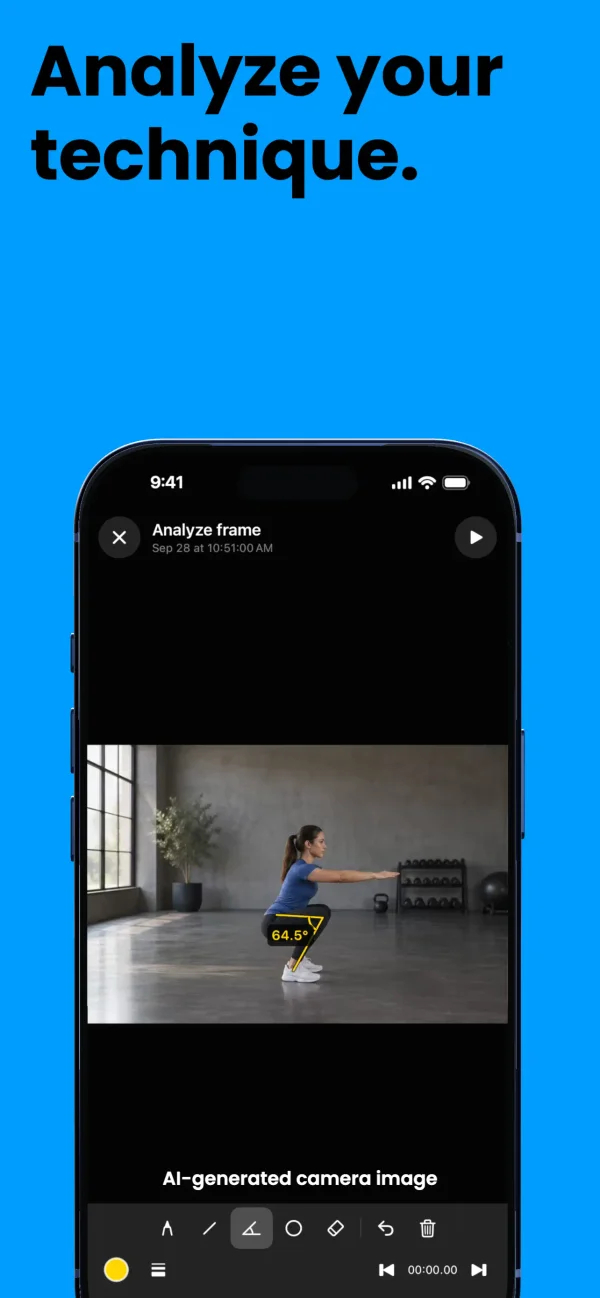
Play back saved replays in slow motion or go through the recording frame by frame in analysis mode. Use freehand drawings, lines, angles, triangles, and circles to mark positions and movement sequences directly on the still image.
The markings are temporary and do not alter your saved video.
MANAGE AND SHARE RECORDINGS
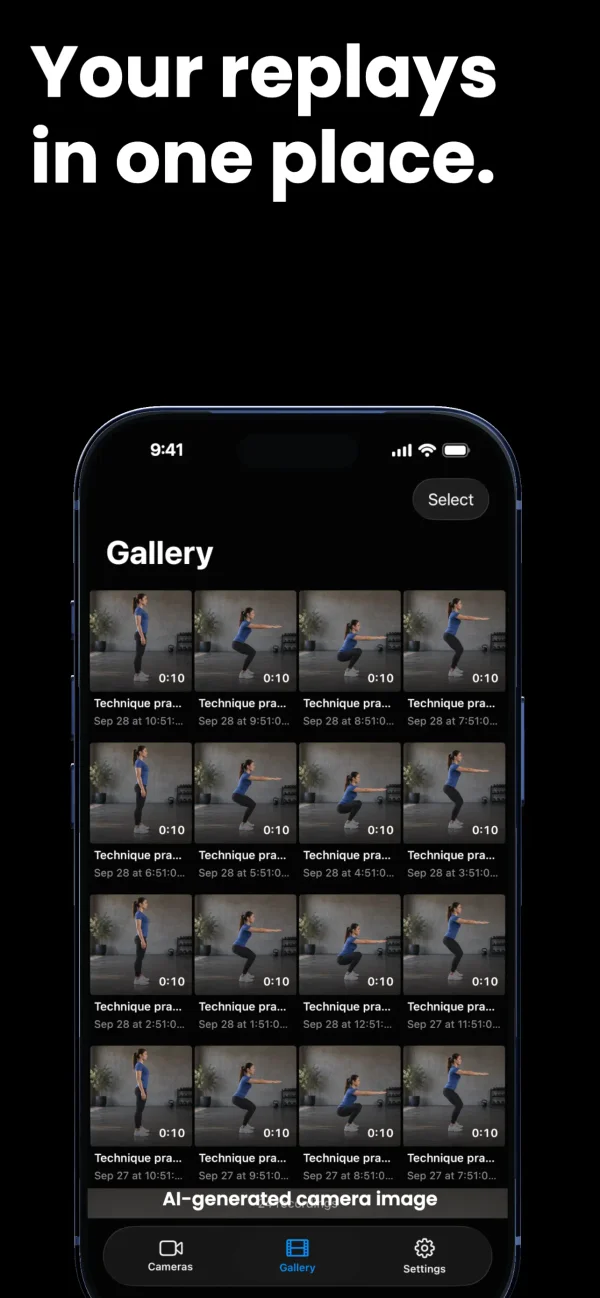
Your replays are saved in the local gallery. Share videos with others or have them automatically saved to Photos as well. If you grant microphone access, replays will also include audio.
The interface supports German and English, as well as portrait and landscape orientations on iPhone and iPad.
MANY FEATURES FOR FREE, PRO AT A LOW PRICE
The free version offers two camera views, replay storage, and video analysis. In the gallery, you can open the ten most recent recordings. Older recordings remain stored; you’ll need Pro to access them. The free version contains ads.
Delay Cam Pro adds:
• Up to four camera views simultaneously
• Access to all saved gallery recordings
• Practical analysis tools: freehand drawings, lines, circles, ovals, triangles, and angle measurement
• Ad-free use
Choose between a one-time payment of €4.99 for permanent Pro access and €0.99 per month. Both options offer the same Pro features. There are no introductory offers or free trial periods. The price displayed at the time of purchase is final.
The monthly subscription renews automatically unless you cancel it. You can manage and cancel it in your App Store subscriptions. There are no recurring charges with the one-time purchase.
Privacy Policy: https://delaycam.app/privacy/
Terms of Use: https://delaycam.app/terms/
What’s new
Version 1.1 · Oct 19, 2026
New App Icon
App privacy
What Eric Hochstrate declares on the App Store about how this app handles data.
-
Data used to track you
May be used to track you across apps and websites owned by other companies.
- Location
- Identifiers
- Usage data
-
Data linked to you
May be collected and linked to your identity.
- Location
- Identifiers
- Usage data
-
Data not linked to you
May be collected but is not linked to your identity.
- Diagnostics
Privacy practices may vary, for example with the features you use or your age.
Information
- Seller
- Eric Hochstrate
- Category
- Sports
- Version
- 1.1
- Updated
- Oct 19, 2026
- Released
- Oct 11, 2026
- Size
- 5.9 MB
- Requires
- iOS 17.6 or later
- Age rating
- 4+
- Price
- Free
- In-app purchases
- Yes
- Languages
- English, German
- Copyright
- © 2026 Eric Hochstrate
You might also like
-
 Carom Tracker: Billiards3-cushion & balkline scores
-
 GymPlayer - Instant ReplayVideo delay cam over Wi-Fi
-
 ViDelay: Video Delay & ReplayHD Video Delay & Replay Camera
-
 Rotation WizardSports
-
 SportsFlow – Handball-AnalyseHandball tracken & analysieren
-
 iArcheryStatsShoot, analyze and share
-
 TenRing: Archery Score & PlotGrouping, Coach & 3D Rounds
-
 Archery MarkerRecord score, Improve skill
-
 Bayerischer Dart-Verband e.V.Sports
-
 Camera Check - Video CheckSports