Delivery Driver Parcel Proof
Timestamp camera & barcode
Designed for iPhone, iPad
$3.99
- Age rating4+
- CategoryBusiness
- DeveloperCharles Imilkowski
- LanguagesEnglish
- Size5.9 MB
Links to the official App Store page
Download.org hosts no file of Delivery Driver Parcel Proof. The button opens its official App Store page, published by Charles Imilkowski. Listing last checked on Nov 23, 2026.
Screenshots

About
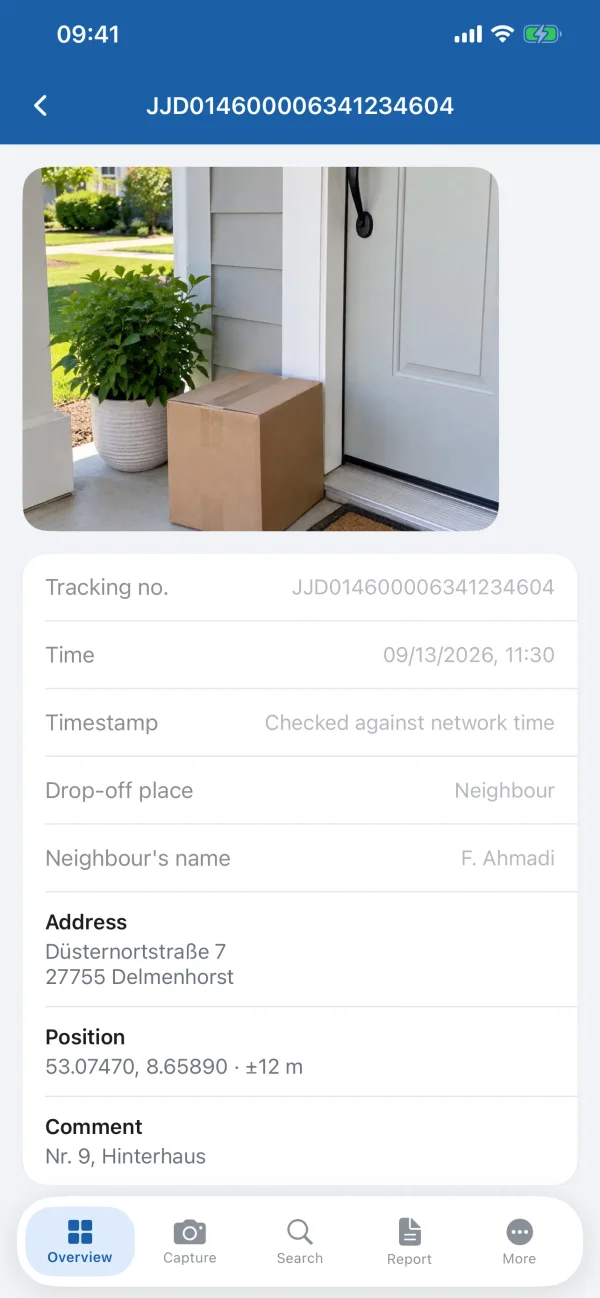
Proof of every delivery you make — photo, time, place, signature. For parcel, courier and food delivery drivers who want a record of their work. Your photos can carry your logo, the timestamp and the address burned into the picture — the address comes from the GPS coordinates, with no typing.
One purchase, then it is yours. No subscription, no monthly fee, no upgrade nagging. No advertising of any kind.
Every stop carries a timestamp the app checks against internet time. So the record shows whether the device clock was right — not just what it happened to say.
Proof for every delivery — in seconds, and without an account.
You hand over parcels all day. When one goes missing, the question comes weeks later: where did you leave it? This app answers that question. Photograph the drop-off, scan the barcode, have the recipient sign, done. Everything stays on your phone.
Built for one driver, not for a fleet. No dispatcher, no sign-up, no server. Open it and start.
DOCUMENT A STOP
• Photo with the details burned into the image: date, time, GPS coordinates, address, your own logo and free text lines
• Scan the barcode with the camera, or type the number
• Choose the drop-off: doorstep, garage, garden, neighbour (with name), handed over in person, or nobody home
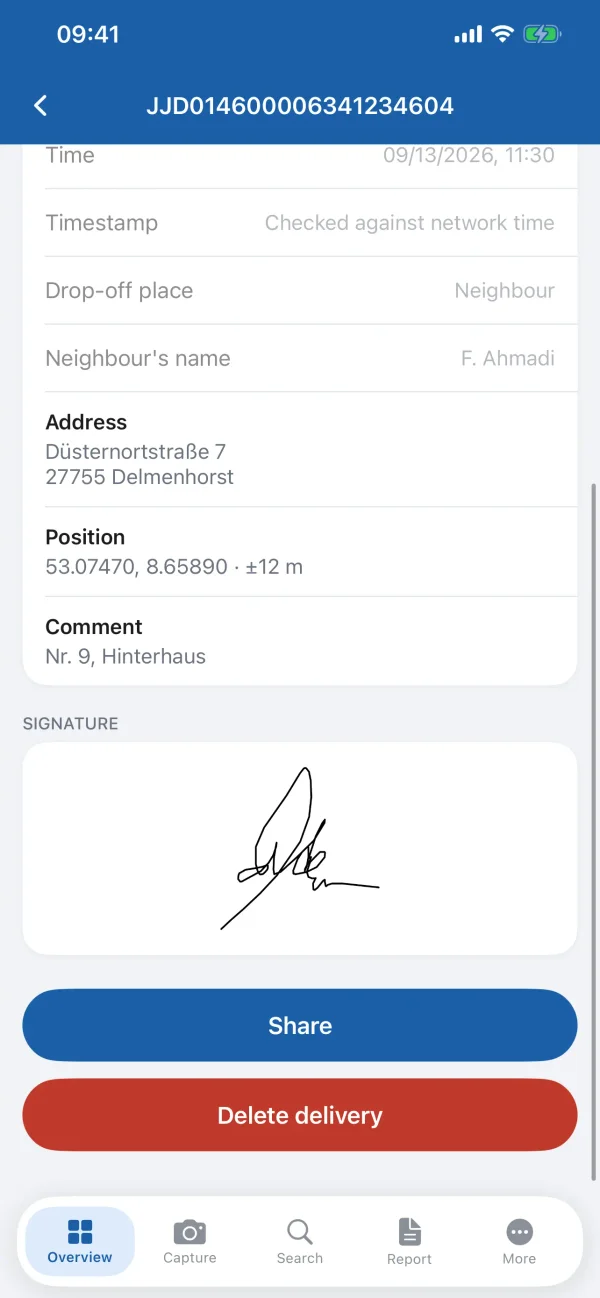
• Signature on screen, with a finger
• Add a comment when something needs explaining
• No photo possible? Record the stop anyway, with time and place
• Several photos per stop — the parcel, the drop-off, the label. Tap a thumbnail to remove it
• Mark a shipment as damaged, and find all damaged ones again later
• Name of the person who took it, when you hand over in person
Right after saving, the camera is ready for the next stop. No detours.
REPORTS AND FIGURES
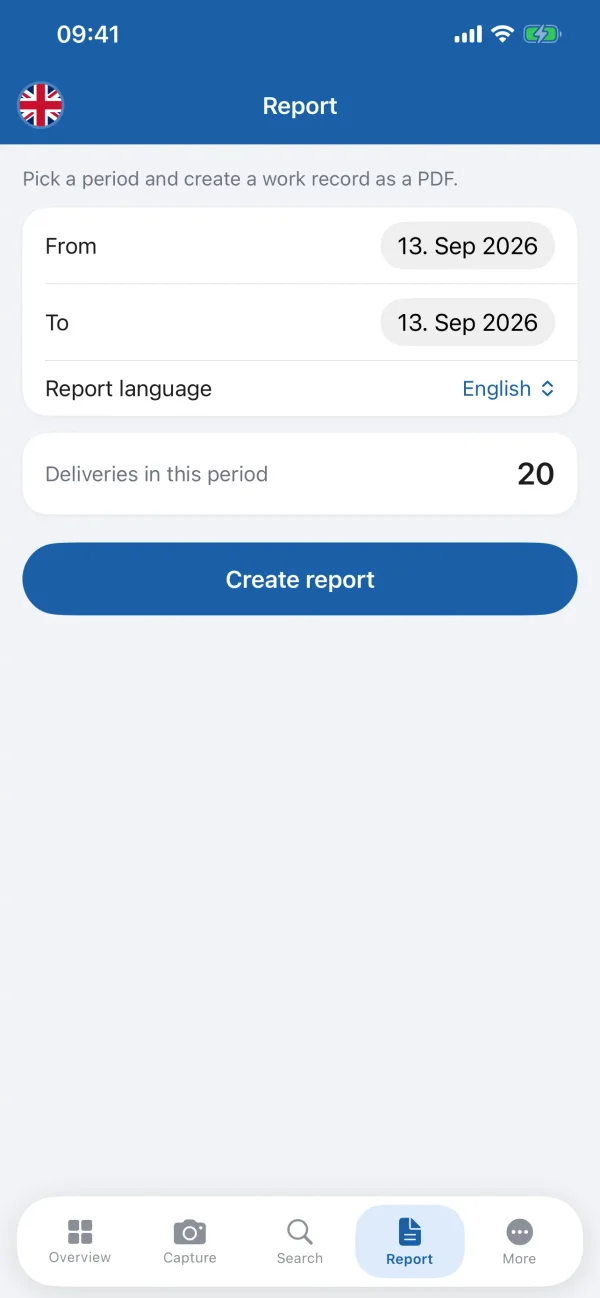
• Daily report as a PDF: every stop of the day with time, place, drop-off and signature
• Send it by email or messenger, share it, or print it
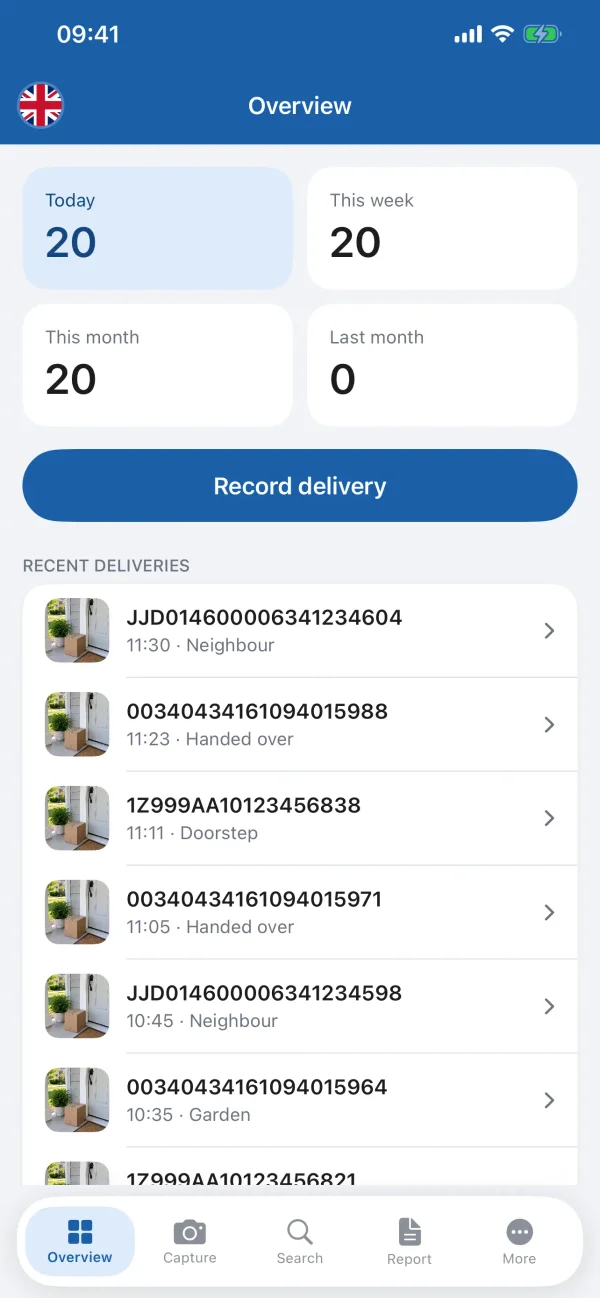
• Counters for today, this week, this month and last month
• See at a glance how your day, week and month went
Handy when a customer asks, when your contractor wants records, or when you simply want your day on paper.
FIND IT AGAIN
• Search by tracking number, place or note
• Filter by today, 7 days, 30 days or everything
• Share a single stop: photo, data and signature, each on or off
YOUR PHOTO, YOUR STAMP
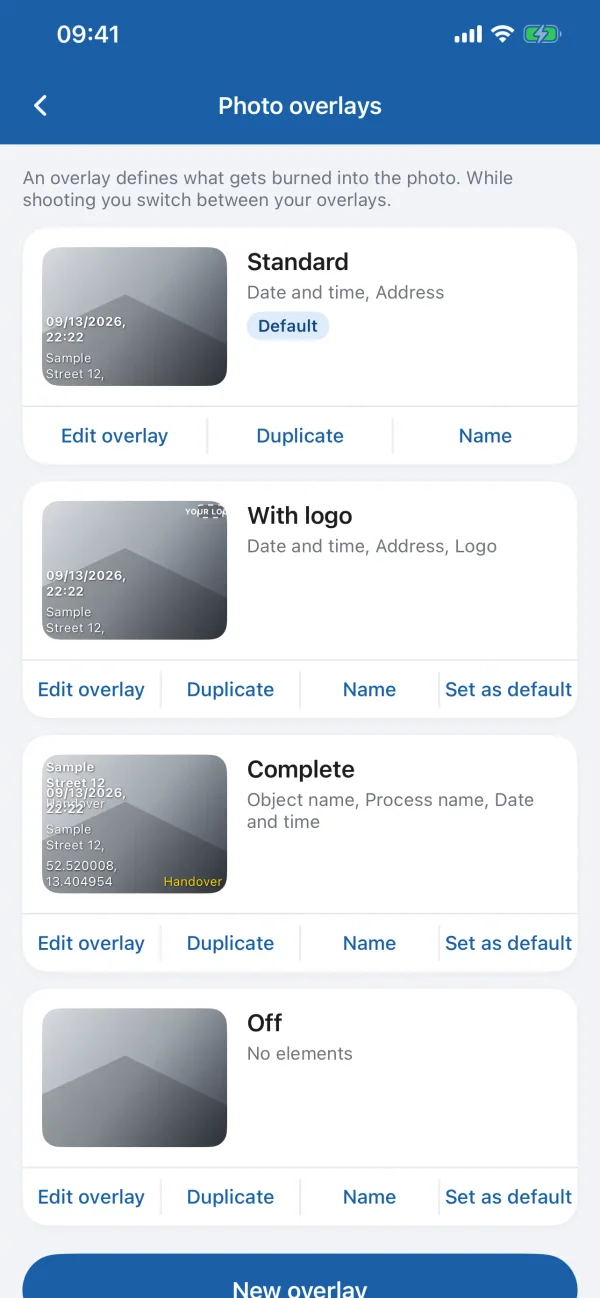
Set up what gets printed into the picture, and switch between layouts while you work:
• Date and time, with or without weekday and seconds
• GPS coordinates in decimal or degrees/minutes/seconds
• Address from the coordinates
• Your company logo
• Fixed text and lines you fill in after the shot
The stamp is part of the image, not an overlay on top of it. Whoever receives the photo sees it.
EVERYTHING STAYS ON YOUR PHONE
• No account, no login, no sign-up
• No cloud, no server, no upload
• Works without a connection — a basement stairwell is no problem
• You decide when photos are deleted: after 30, 60, 90, 180 or 365 days, or never
• Nothing goes into your photo library, everything lives inside the app
• Every stop records whether your device clock matched network time — a timestamp nobody moved afterwards
• Maintenance in the settings: delete records older than a chosen number of days, after seeing how many and how much space
• No advertising networks: the only thing we show is a list of our own apps, and only when you open it
The app asks for the camera to take pictures and read barcodes, and for your location to record where a stop happened. Nothing else.
17 LANGUAGES
English, German, French, Italian, Spanish, Portuguese, Dutch, Danish, Norwegian, Swedish, Finnish, Polish, Czech, Hungarian, Croatian, Russian, Turkish. The app follows the language of your phone and you can switch it any time.
WHO IT IS FOR
Parcel, courier and food delivery drivers. Subcontractors. Anyone who hands something over and wants a record of it — furniture, keys, tools, documents.
What’s new
Version 1.1 · Nov 20, 2026
New: App lock with Face ID, Touch ID or passcode. Save any single delivery as a PDF. Signature in the PDF report, can be turned off. Plus minor improvements.
App privacy
What Charles Imilkowski declares on the App Store about how this app handles data.
-
Data linked to you
May be collected and linked to your identity.
- User content
- Identifiers
- Diagnostics
Privacy practices may vary, for example with the features you use or your age.
Information
- Seller
- Charles Imilkowski
- Category
- Business
- Version
- 1.1
- Updated
- Nov 20, 2026
- Released
- Sep 18, 2026
- Size
- 5.9 MB
- Requires
- iOS 17.0 or later
- Age rating
- 4+
- Price
- $3.99
- Languages
- English
- Copyright
- © 2026 PepperTools
You might also like
-
 Proofly: Receipt TrackerTrack Returns & Warranties
-
 POD Receipt: Delivery ProofProof of delivery receipts
-
 Courier ManagerBusiness
-
 Cadrio3D3D CAD, Sheet Metal & Drafting
-
 FlexMesh Driver: Parcel RoutesScan labels. Route your day.
-
 Medialog POS order 2Business
-
 UltraPADBusiness
-
 3POS Point of Sale (POS)Efficiency for Food & Retail.
-
 Mimas POS - Cash RegisterCheckout, Receipts & Reports
-
 Parkingwhere: Find My CarParking Spot Tracker & Photo