
Dental CBCT Studio
Slices, panoramas & 3D review
Designed for iPhone, iPad, Mac
Free
- Age rating17+
- CategoryMedical
- DeveloperChris Gupta
- LanguagesEnglish
- Size134.7 MB
Links to the official App Store page
Download.org hosts no file of Dental CBCT Studio. The button opens its official App Store page, published by Chris Gupta. Listing last checked on Nov 23, 2026.
Screenshots
About
Review dental CBCT studies with synchronized slices, 3D views, panoramas, measurements, reports, and exports on iPhone, iPad, and Apple-silicon Mac.
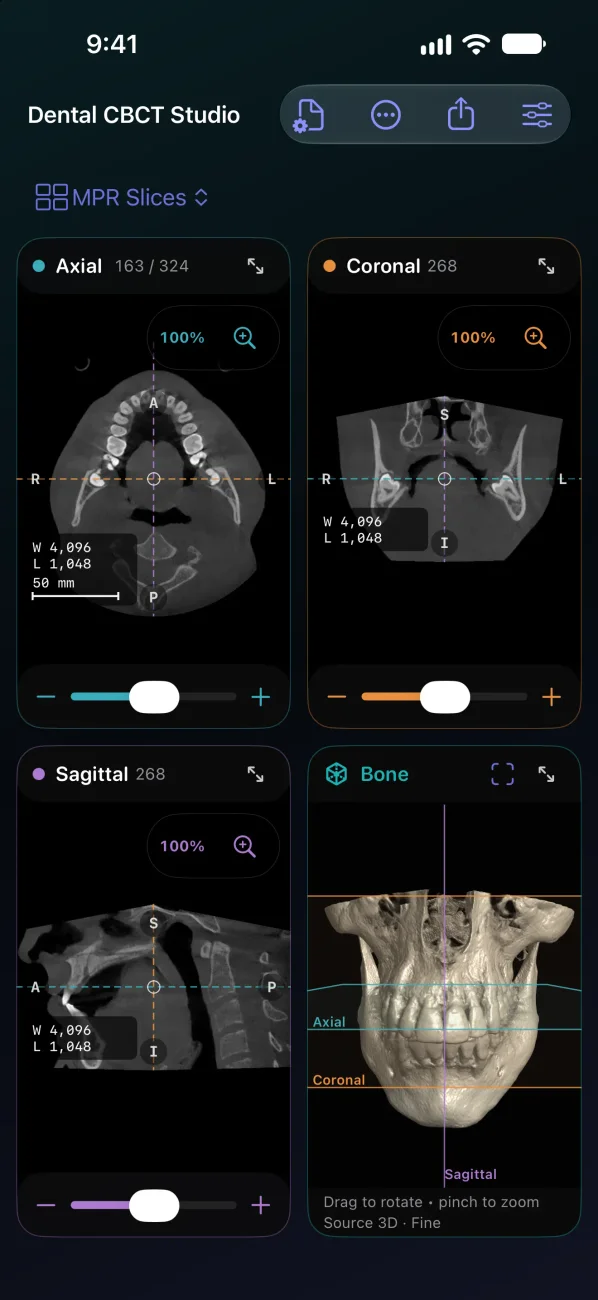
• Move through your scan. Review axial, coronal, and sagittal slices alongside the 3D volume. Choose the CT region to import, adjust Window/Level, and clip or reorient the volume.
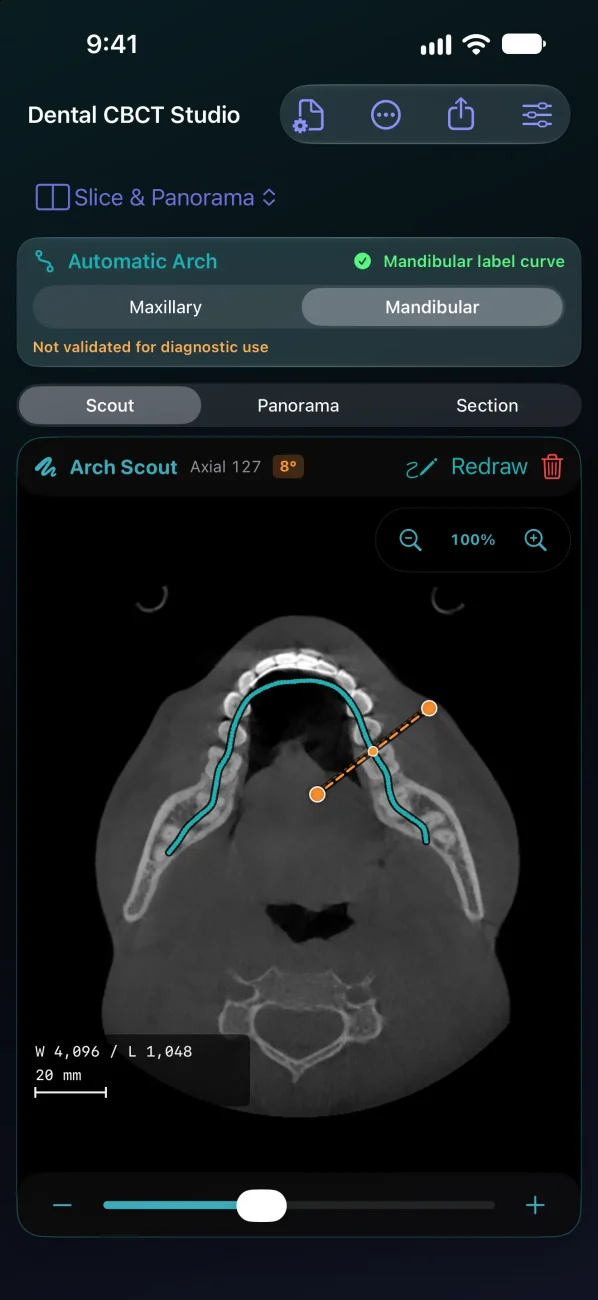
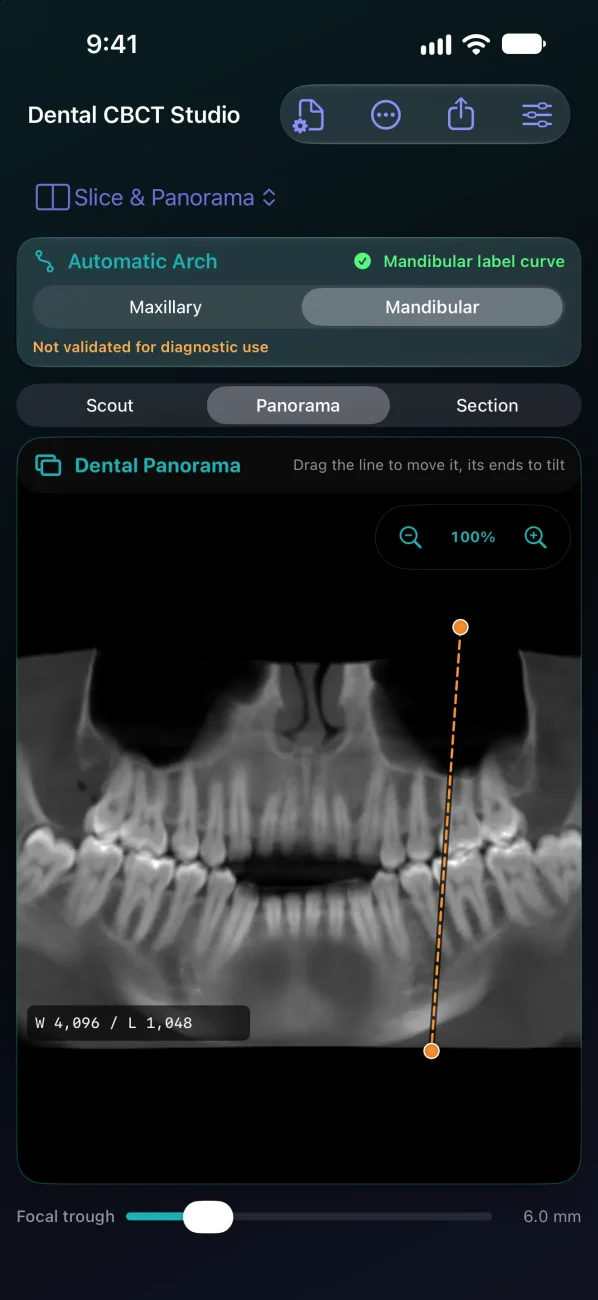
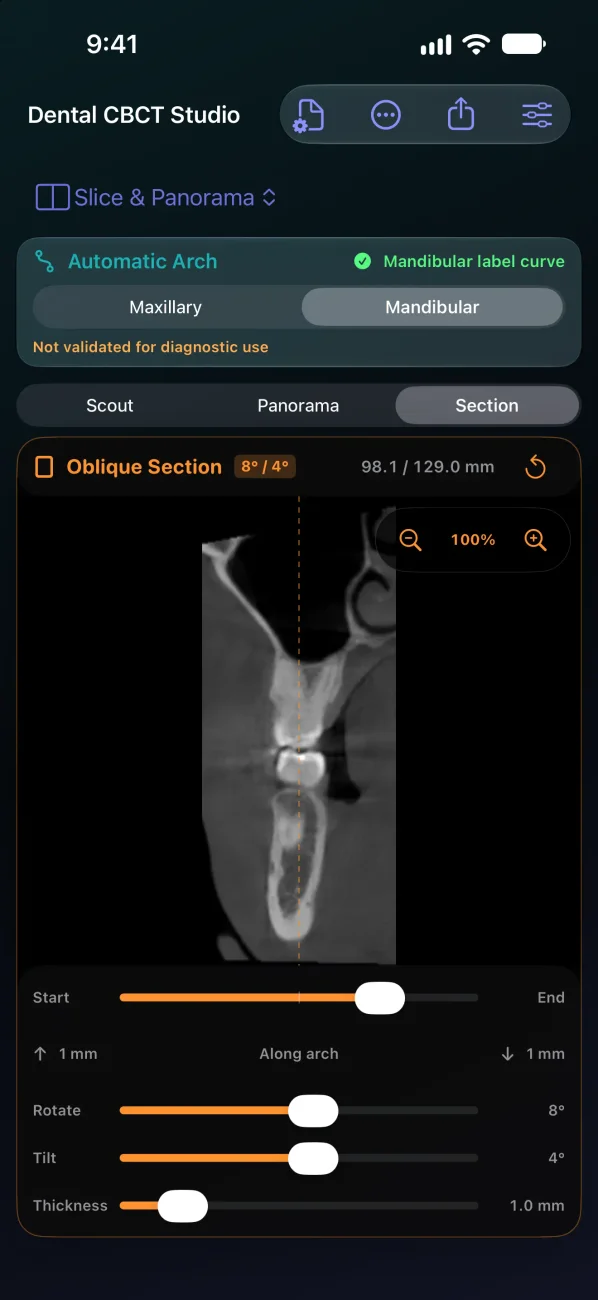
• Follow the dental arch. Review and adjust automatic upper and lower arch proposals, or draw your own point by point. Inspect curved panoramas and move through perpendicular cross-sections.
• Measure and document. Place distances, angles, regions of interest, arrows, and text using the study's physical geometry. Save named views, compose PDF reports, and export measurements as CSV. Explicitly save a study state to reopen with the matching original study.
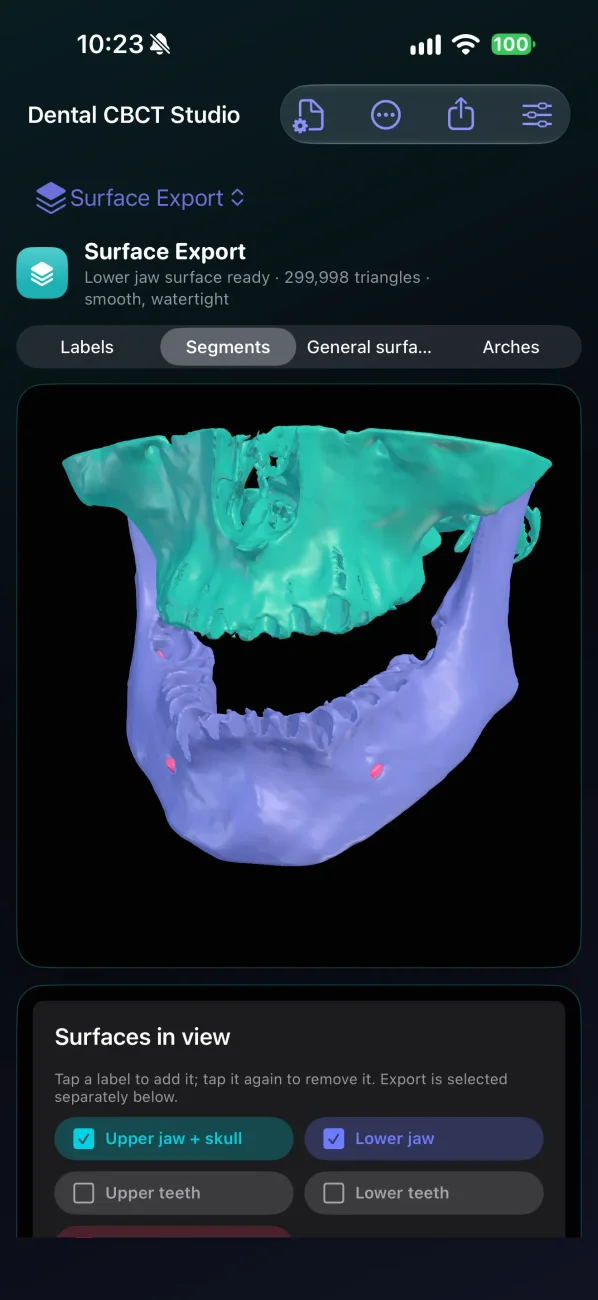
• Inspect and refine surfaces. Review jaw, grouped tooth, and mandibular canal (IAN) segmentation proposals against the source slices. Paint or erase corrections and export STL or color USDZ surfaces after reviewing them. Choose Smooth or Exact voxels.
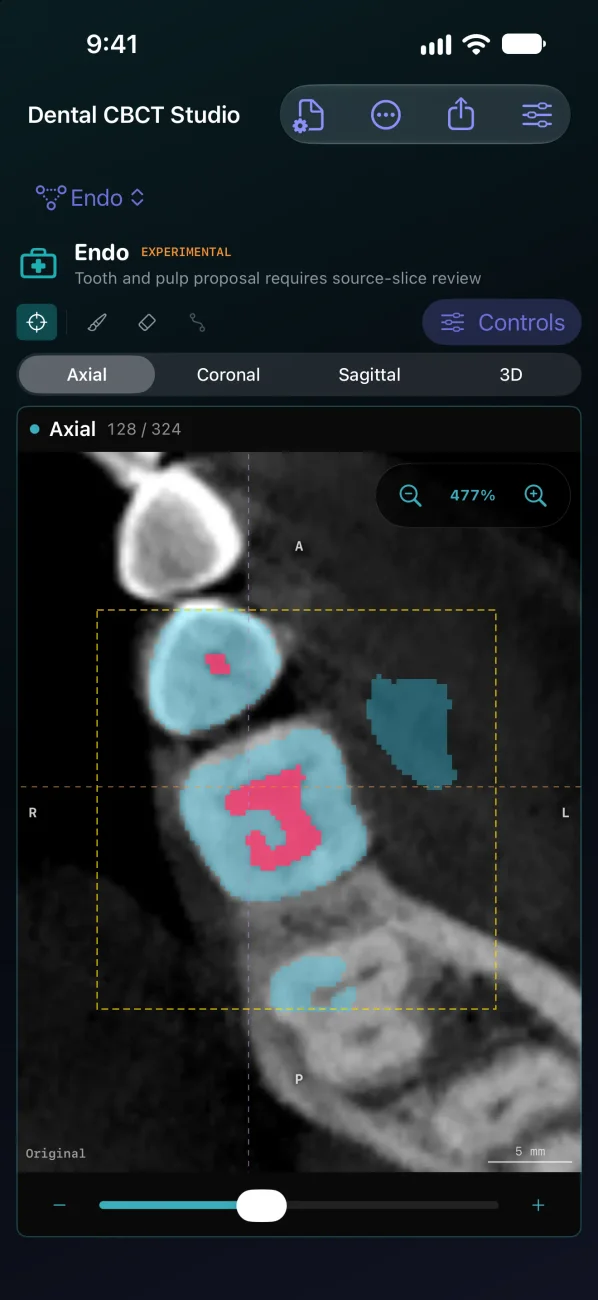
• Review a selected tooth. The experimental Endo workspace runs its bundled STSR26 model locally to propose tooth and pulp at your target. Compare masks with the acquired slices, use continuous paint or erase strokes, record manual canal traces and notes, and export separate reviewed surfaces. Manual trace length is not established clinical working length.
• Visualize implant positions (experimental). After segmentation, place implants and optional crowns on arch-perpendicular sections and inspect them with the segmented jaws in 3D. Readouts are geometric measurements, never recommendations; no surgical guides are provided.
• Compare optional enhanced previews. Apply Super Resolution or Metal Artifact Reduction to current 2D views, then use Show Original for the same-cut comparison. Export Enhanced CT writes a separate processed DICOM copy; keep the original.
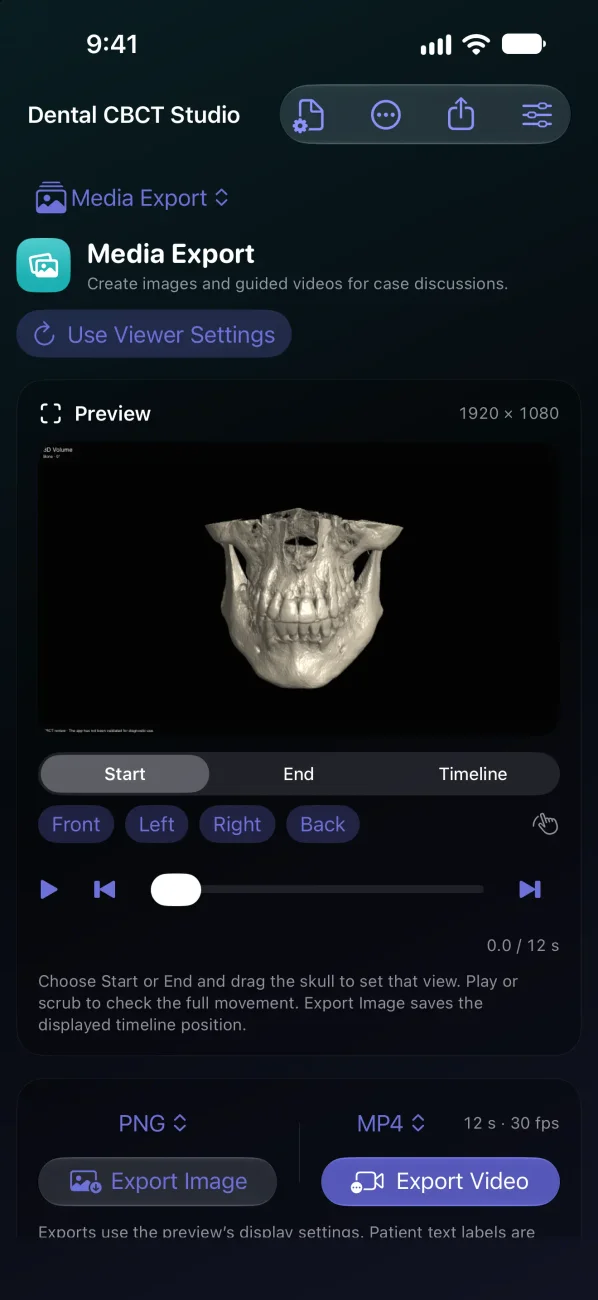
• Prepare clear exports. Create still images, silent videos, PDF reports, and DICOM secondary captures. Choose the views and overlays to include, preview your work, and save it through system controls.
Open a local DICOM file or folder and work on your device. No account is required. Help, privacy information, and licenses are available offline. Find public app instructions through the in-app guide, Siri, Shortcuts, and supported Spotlight search; private studies are excluded.
The feedback form prepares an email draft with your description and app/OS information for you to review and send; no study files or crash logs are attached.
The importer supports monochrome 8-bit or 16-bit integer DICOM series and Enhanced multi-frame files with valid geometry. Supported transfer syntaxes are Implicit VR Little Endian, Explicit VR Little Endian, Explicit VR Big Endian, Deflated Explicit VR Little Endian, RLE Lossless, and JPEG Lossless (Process 14).
Lossy JPEG, JPEG-LS, JPEG 2000, other compressed transfer syntaxes, color DICOM, and PACS networking are not supported. Scan size and device memory affect what can be opened.
Dental CBCT Studio has not been validated for diagnostic use. Verify measurements, arch proposals, and segmentation against the original study. Segmentation and enhancement can be incomplete or incorrect, including missed or altered fine canals and anatomy.
A denser image grid does not establish improved diagnostic resolution, and CBCT gray values are not standardized Hounsfield units.
Use qualified clinical judgment before making medical decisions.
Includes experimental STSR26, BoneEnhance, and RISE-MAR adaptations with source, license, and modification notices available offline in Privacy & Licenses.
Includes an adapted DentalSegmentator model by Gauthier Dot and contributors, licensed CC BY 4.0. Original model: https://zenodo.org/records/10829675. License: https://creativecommons.org/licenses/by/4.0/. Full credits, modifications, and separate Apache-2.0 code notices are available in Privacy & Licenses.
What’s new
Version 2.1 · Nov 18, 2026
This update adds view controls to Media Export and fixes problems found in four review passes.
• Media Export: move and zoom the 3D views and turn them around a point you choose. Use Rotate or Move, Set Center of Rotation, double-click or double-tap a point, pinch to zoom, and Reset View. Frame Crop Box fits the 3D crop box in the picture, and Ease in and out softens the start and end of a Between two views video.
• Slice & Panorama: step the arch scout one slice and the cross-section 1 mm from the View menu or a hardware keyboard.
• Measurements and reports: Copy Value copies a measurement, the report composer shows how many rows the CSV will contain, and Copy Readouts copies the Implants readouts with the experimental-use notice.
• Endo and Surface Export: the brush shows its size as an outline, the arrow keys step the active Endo slice view, Option+arrow moves a selected canal point one voxel, and a notice appears when the Endo target is not on a segmented tooth. A cancelled segmentation stays cancelled until you run it again.
• Mac: closing the window with unsaved work asks whether to Save State, Discard or Cancel.
• Import: studies whose slice positions are written to two decimals are no longer refused as irregular, double-click opens a series in the series picker, and De-identified DICOM export writes the Acquisition Number element.
• Segmentation: on some scan sizes the outermost voxel plane was read as air, so labels and surfaces could stop one voxel short at the edge of the scan. Surfaces, label overlays and region import are faster.
• iPhone and iPad: switches in export sheets are no longer clipped, and the canal tools and Labels pages scroll in portrait and landscape.
Not validated for diagnostic use. Segmentation, enhancement, implant readouts, surfaces and measurements require independent review against the original study.
App privacy
What Chris Gupta declares on the App Store about how this app handles data.
-
Data not collected
The developer does not collect any data from this app.
Privacy practices may vary, for example with the features you use or your age.
Information
- Seller
- Chris Gupta
- Category
- Medical
- Version
- 2.1
- Updated
- Nov 18, 2026
- Released
- Sep 18, 2026
- Size
- 134.7 MB
- Requires
- iOS 18.0 or later
- Age rating
- 17+
- Price
- Free
- Languages
- English
- Copyright
- © 2026 Sansar Gupta
You might also like
-
 LumaDICOM: CT & MRI ViewerCT, MRI & X-ray scans in 3D
-
 DICOM Viewer: CT, MRI & X-RayRadiology, PACS & Dental CBCT
-
 Dental CT ViewMedical
-
 OrthoKit: Orthodontic AppFollow-up, Ceph, STL & DICOM
-
 Dental FolioThe Photo App for Dentists
-
 Falcon Mx - DICOM ViewerFormerly known as Horos Mobile
-
 IDV - IMAIOS DICOM ViewerMedical
-
 Dental MirrorMaster 3.16 Weeks to Mirror Mastery
-
 BoneBox™ - Dental LiteMedical
-
 Complete Anatomy for iPadAdvanced 3D learning platform