
- Age rating4+
- CategoryProductivity
- DeveloperSanko System Co.,Ltd.
- LanguagesJapanese+ 1 more
- Size10.0 MB
Links to the official App Store page
Download.org hosts no file of DeskCalendar. The button opens its official App Store page, published by Sanko System Co.,Ltd. Listing last checked on Nov 12, 2026.
Screenshots

About
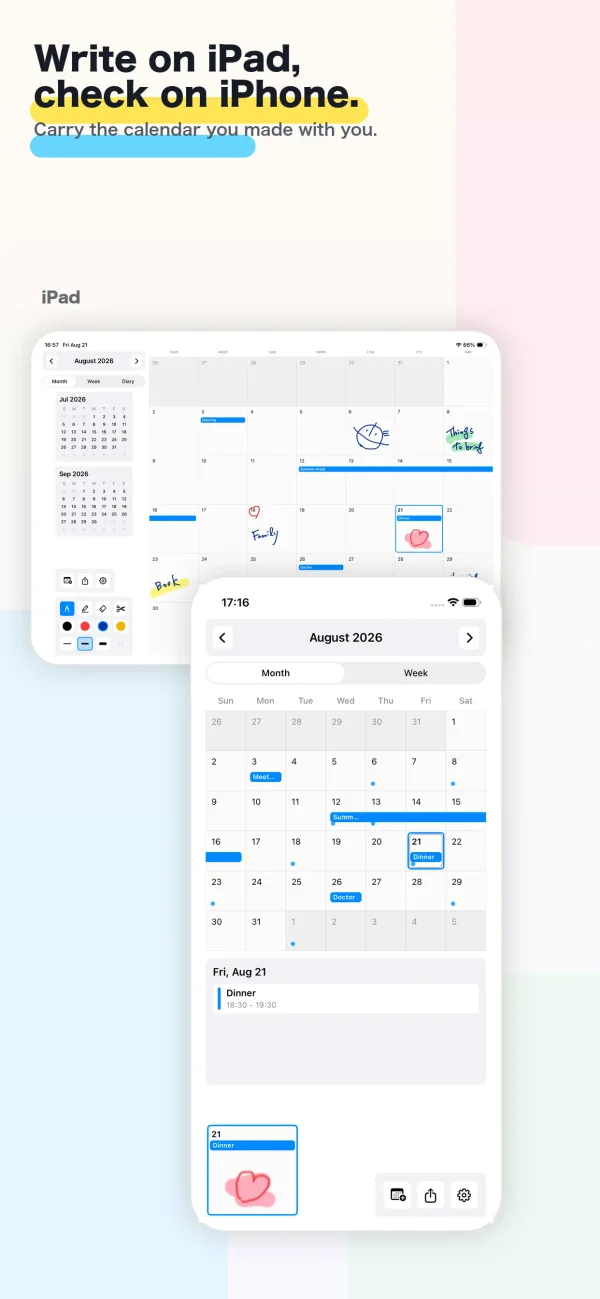
DeskCalendar is a simple handwritten desk calendar for iPad.
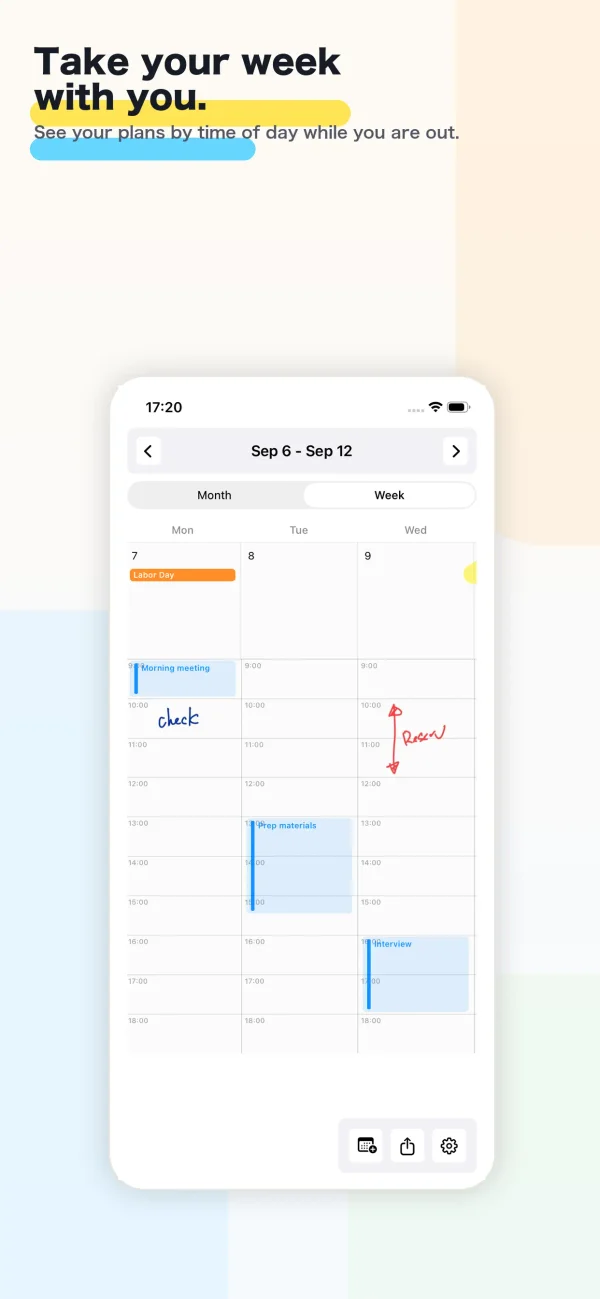
Use it like a paper calendar: write notes and plans by hand, switch between month, week, and diary views, and keep your schedule in a way that feels natural to you.
The app is built around a large, readable calendar screen, so you can open it and quickly check today, this week, or the current month. With Apple Pencil support, you can write small notes, reminders, plans, and daily records directly onto the calendar.
DeskCalendar can also display events from the iOS Calendar and Reminders apps, letting you view your existing schedule while adding your own handwritten notes on top.
Main features:
- Month, week, and diary views
- Handwritten notes with Apple Pencil
- Pen, highlighter, and eraser tools
- iOS Calendar event display
- Reminder display
- Multiple Books
- Week start day setting
- Timeline display hour settings
- Calendar image sharing
- iCloud sync display on iPhone
- Backup and restore with Google Drive
- Widget support
The free version lets you try the calendar for last month, this month, and next month. With the Pro upgrade, you can use a wider date range and keep DeskCalendar as a long-term handwritten calendar.
DeskCalendar is made for people who want a calendar that stays simple, readable, and flexible, with the freedom of handwriting.
What’s new
Version 1.0.6 · Oct 9, 2026
- Added copy, cut, and paste for handwriting within DeskCalendar. With the selection tool active, long-press a selected area to copy or cut, or long-press an empty area to paste. You can also paste into a different day or Book.
- Improved stability when the app moves to the background.
App privacy
What Sanko System Co.,Ltd. declares on the App Store about how this app handles data.
-
Data not collected
The developer does not collect any data from this app.
Privacy practices may vary, for example with the features you use or your age.
Information
- Seller
- Sanko System Co., Ltd.
- Category
- Productivity
- Version
- 1.0.6
- Updated
- Oct 9, 2026
- Released
- Aug 27, 2026
- Size
- 10.0 MB
- Requires
- iOS 26.5 or later
- Age rating
- 4+
- In-app purchases
- Yes
- Languages
- Japanese, English
- Copyright
- © Sanko System Co., Ltd.
You might also like
-
 Spread PlannerWeekly & monthly paper planner
-
 Tegaki: Handwritten PlannerA planner you write by hand
-
 CalenCanvsReal-Time Calendar Sharing
-
 HW JournalProductivity
-
 70! CalendarProductivity
-
 Koyomi Planner|手帳とカレンダーProductivity
-
 KanKan: AI Weekly PlannerWrite your week, get it sorted
-
 Chartula: Handwriting CalendarWrite, don't type
-
 Tekika - Handwritten PlannerHandwriting Calendar & Planner
-
 カレンダー - 縦型カレンダーProductivity