- Age rating4+
- CategoryUtilities
- DeveloperTOMOYA IWASAKI
- LanguagesJapanese
- Size3.3 MB
Links to the official App Store page
Download.org hosts no file of DeskDial. The button opens its official App Store page, published by TOMOYA IWASAKI. Listing last checked on Nov 20, 2026.
Screenshots

About
DeskDial is an always-on countdown timer for presentations, meetings, study, and focused work on iPhone.
While timing, DeskDial disables Auto-Lock so the remaining time stays visible on your desk. If you lock the phone manually, supported devices show the timer on the Lock Screen and Dynamic Island through Live Activity.
Key features
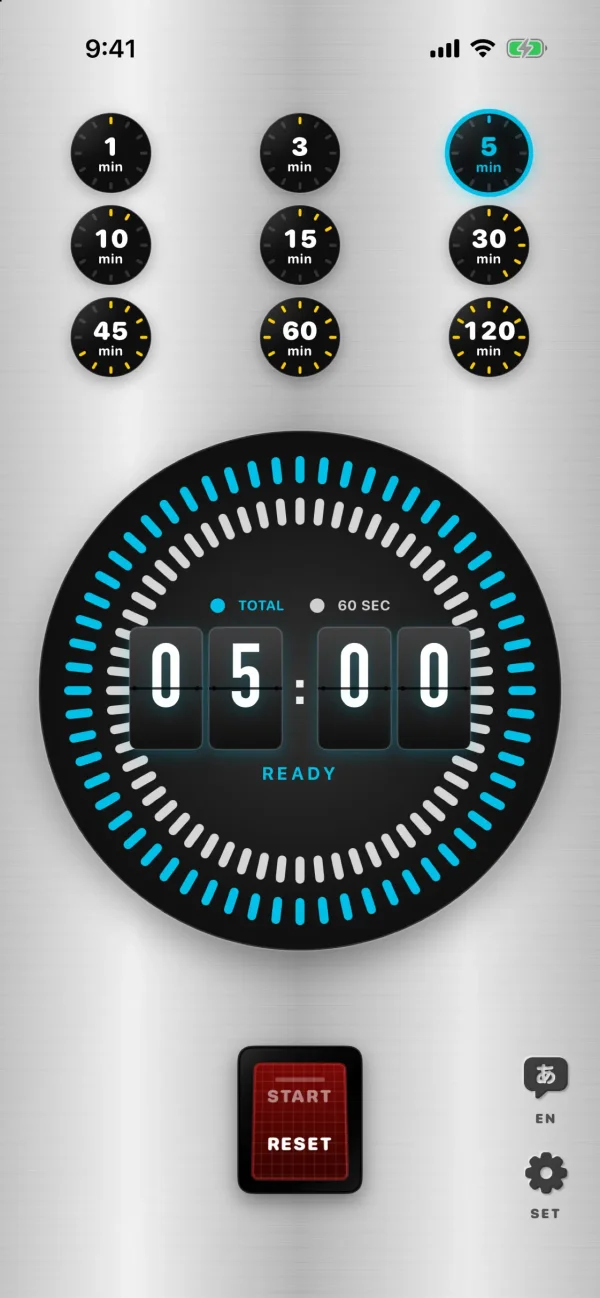
• Quick presets: 1, 3, 5, 10, 15, 30, 45, 60, and 120 minutes
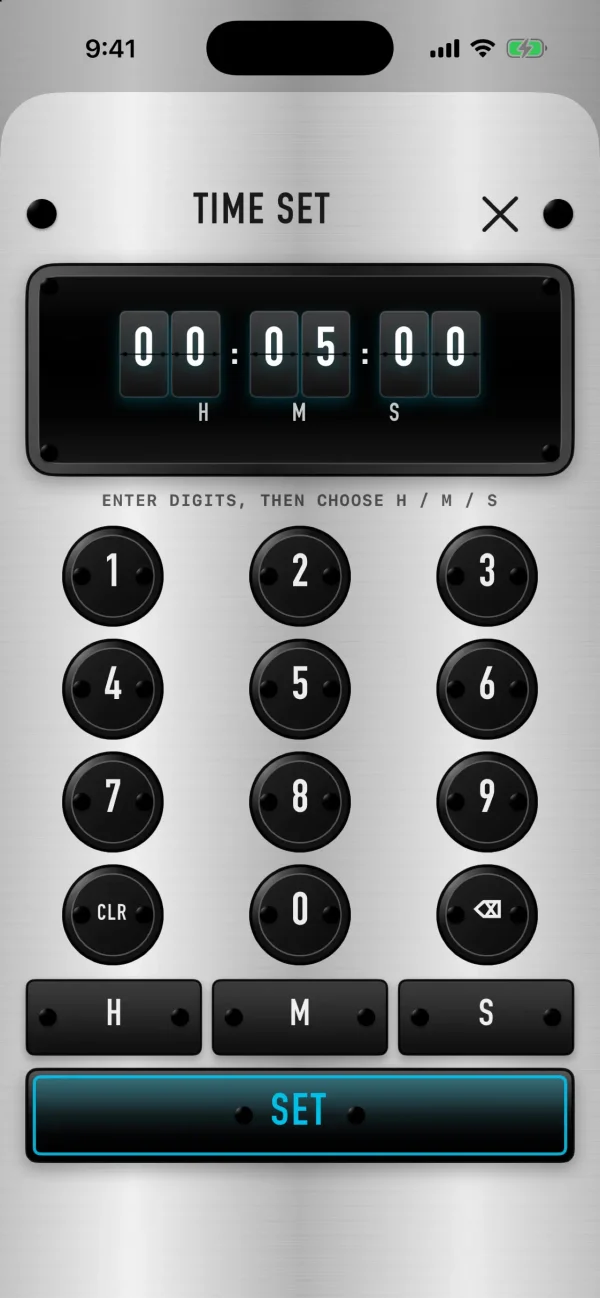
• Tap the central flip-clock display to open TIME SET; enter digits, choose H, M, or S, then tap SET
• Cyan outer ring for total remaining time and white inner ring for the current 60 seconds
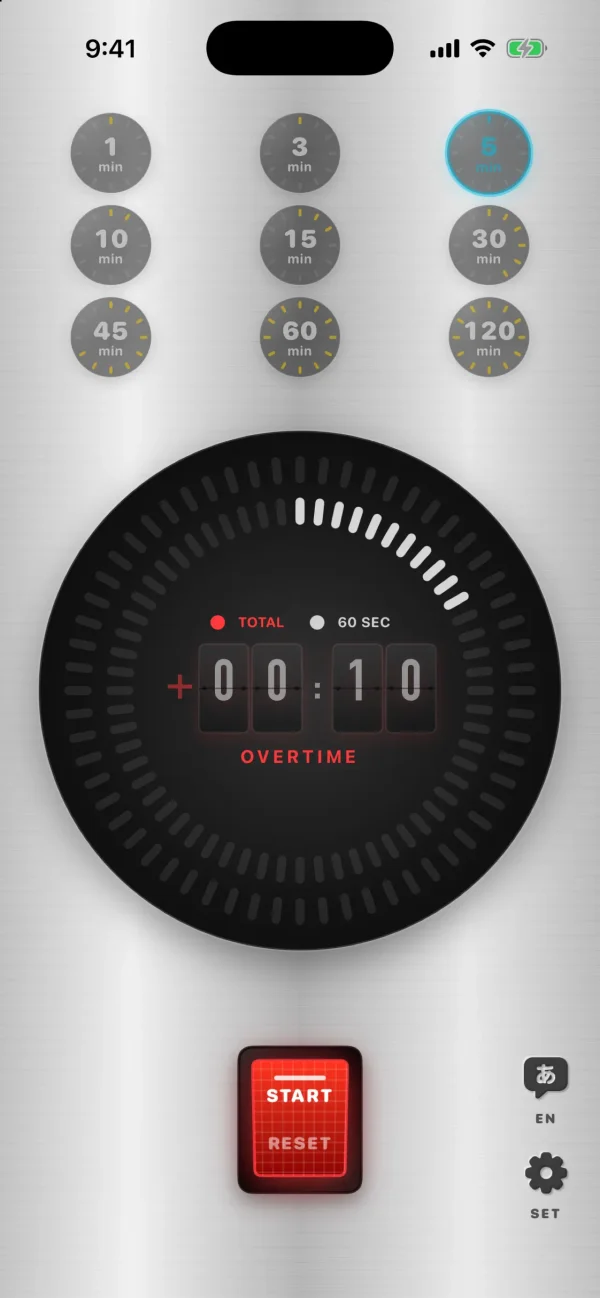
• Red START / RESET rocker switch to start and reset
• Red overtime display continues counting up after zero
• Persistent JA / EN switch for the app, Live Activity, and notifications
• Choose start haptics, digit font, end sound, and end alert style
• Settings and timer state are safely stored on your device
Stopping, resetting, or making the app inactive restores normal Auto-Lock behavior. The on-screen completion and overtime display continue even if notification permission is not granted.
Live Activity availability depends on iPhone system settings and hardware. On iPhones without an Always-On display, the display itself may turn off after locking.
DeskDial is completely free: no ads, in-app purchases, account, analytics, data collection, or external communication.
What’s new
Version 1.2 · Oct 2, 2026
• Redesigned TIME SET as an industrial metal control panel with calculator-style number keys and H / M / S assignment keys.
• Added a large flip display, screw-mounted round controls, and a cyan illuminated SET panel.
• Unified the visual language of the TIME SET panel and START / RESET rocker.
App privacy
What TOMOYA IWASAKI declares on the App Store about how this app handles data.
-
Data not collected
The developer does not collect any data from this app.
Privacy practices may vary, for example with the features you use or your age.
Information
- Seller
- TOMOYA IWASAKI
- Category
- Utilities
- Version
- 1.2
- Updated
- Oct 2, 2026
- Released
- Jul 20, 2026
- Size
- 3.3 MB
- Requires
- iOS 17.0 or later
- Age rating
- 4+
- Languages
- Japanese
- Copyright
- © 2026 Tomoya Iwasaki
You might also like
-
 Sensor Recorder ProMulti-Cam & Sensor Logger
-
 Long Lasting Clock: FullscreenDigital time & your message
-
 ZenFlip - Full Screen ClockMinimal digital flip clock
-
 Pointclouds Capturefor SHARE SLAM S10
-
 Date & Time Calculator CounterDate & Time Counter, Countdown
-
 SHARECaptureLiDAR Mobile Workstation
-
 Motor Pitch AnalyzerMotor RPM monitoring
-
 EZ Sign(TM) NFCImage creating for EZ Sign
-
 ComfortumUtilities
-
 ベアーズ - 家事代行サービス業界最大手Utilities