
Diabetic Sidekick: Log & Sync
Glucose & Insulin Tracker
Designed for iPhone, iPad
In-app purchases
- Age rating4+
- CategoryHealth & Fitness
- DeveloperAlan Ashton
- LanguagesEnglish
- Size40.7 MB
Links to the official App Store page
Download.org hosts no file of Diabetic Sidekick: Log & Sync. The button opens its official App Store page, published by Alan Ashton. Listing last checked on Nov 21, 2026.
Screenshots

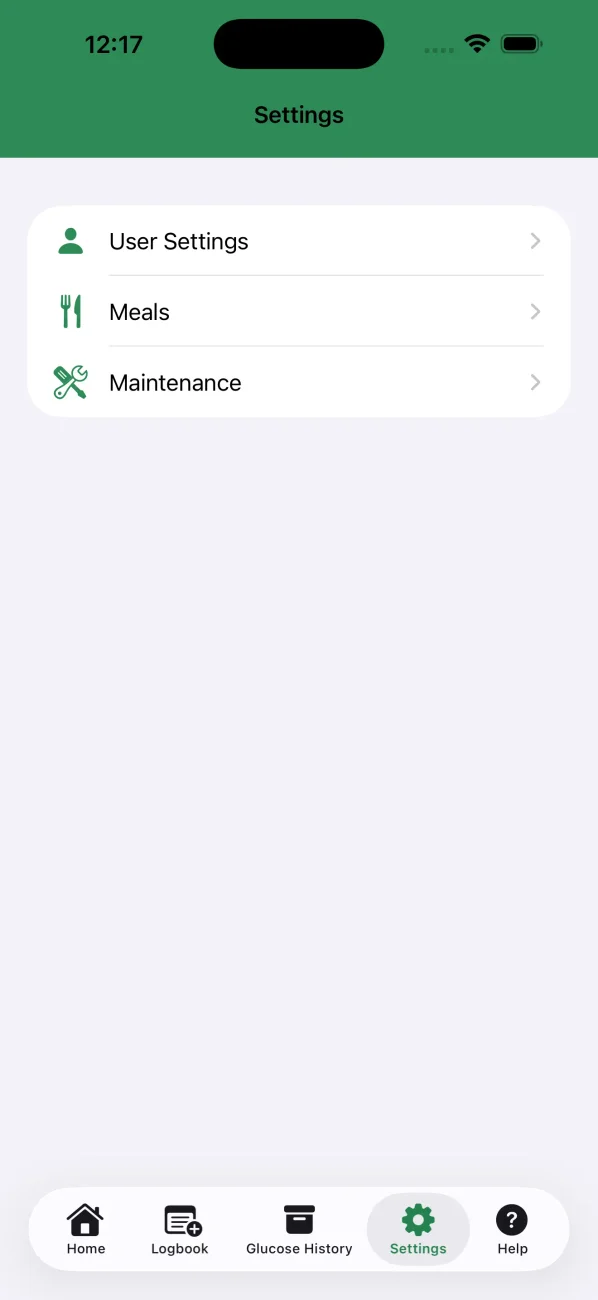
About
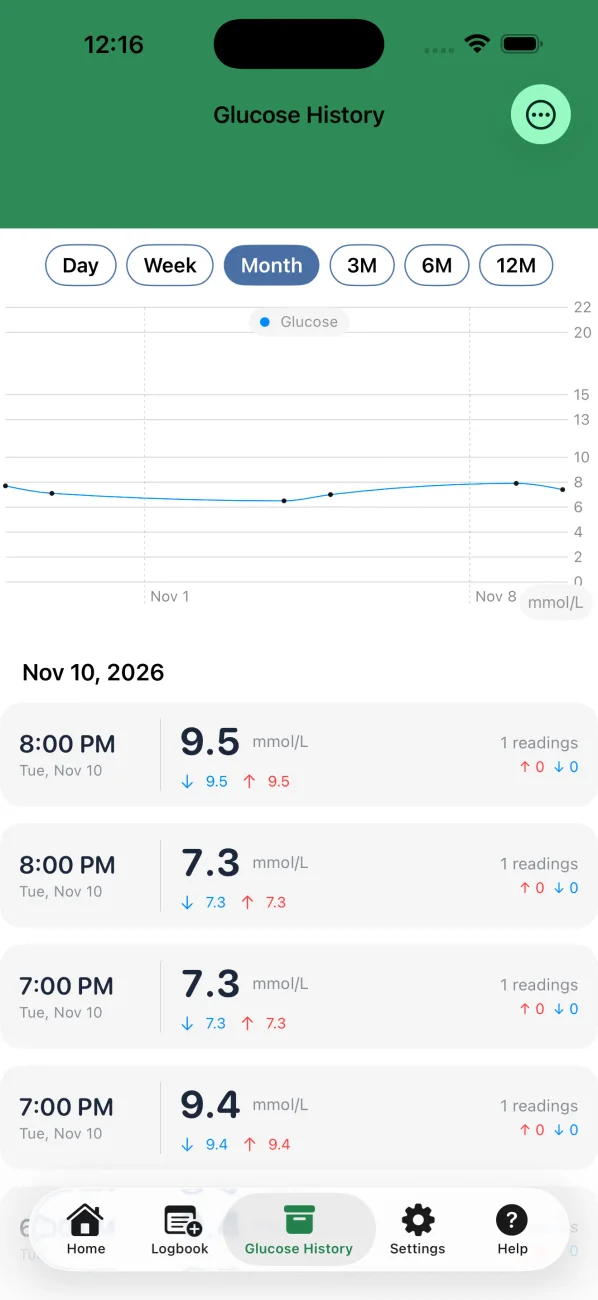
• CGM GLUCOSE HISTORY
Auto-sync glucose data from Apple Health — compatible with Dexcom, Libre, and any CGM.
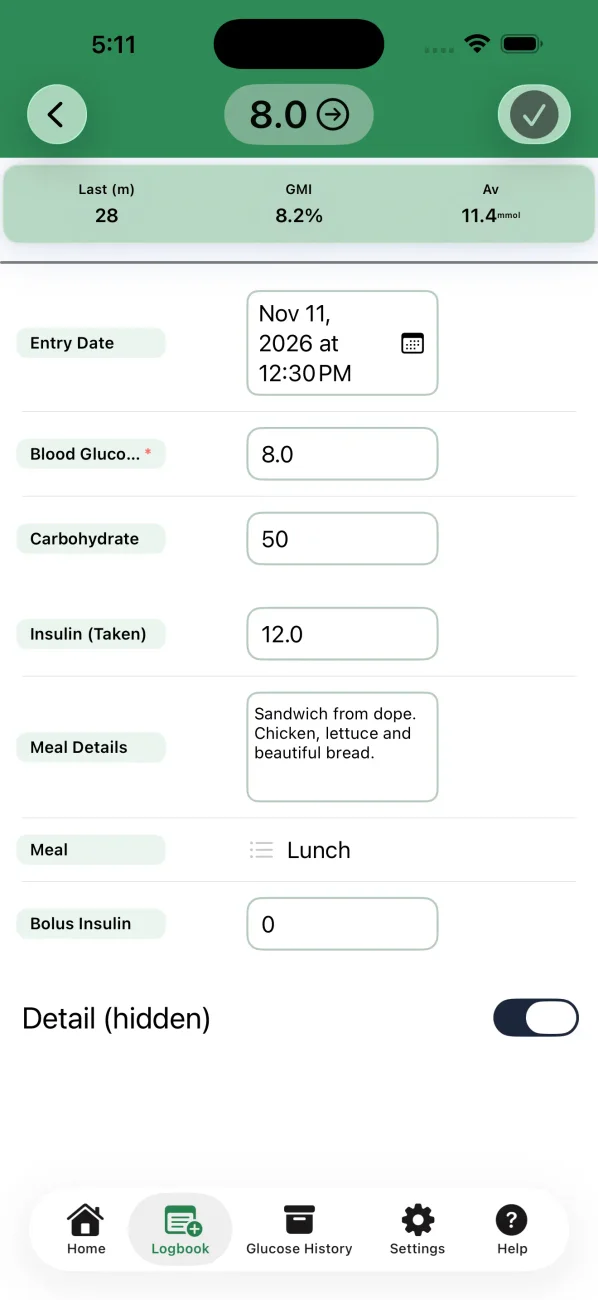
• MEAL & CARB LOGGING
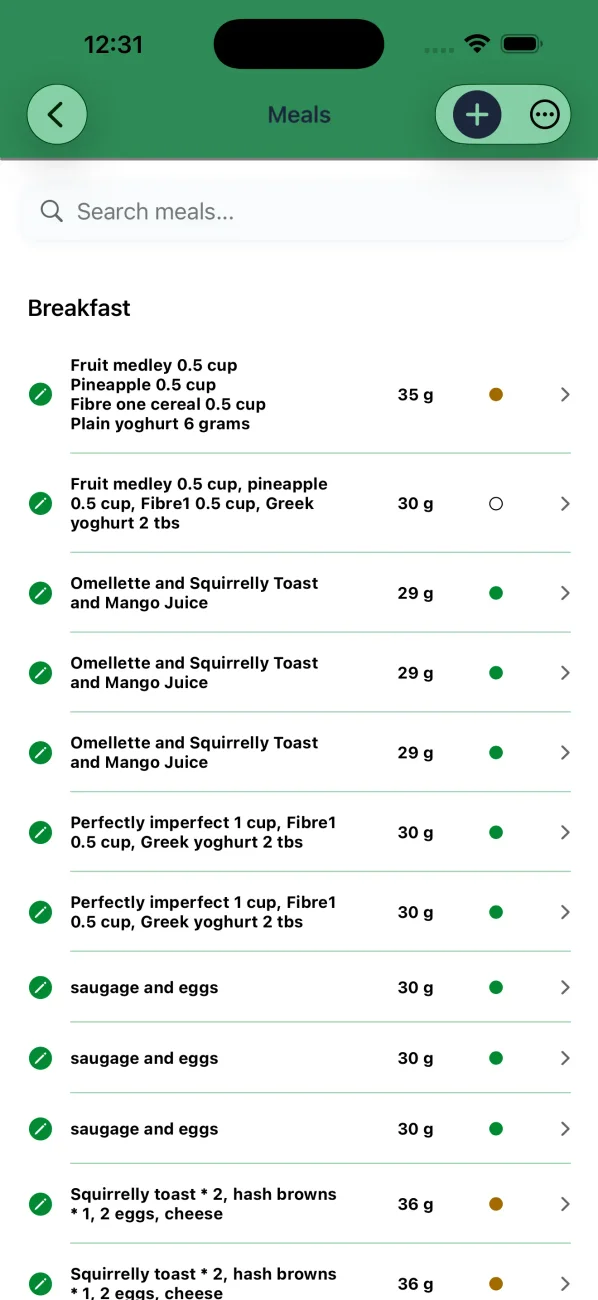
Log meals from your personal library and see how your favorite foods affect your glucose.
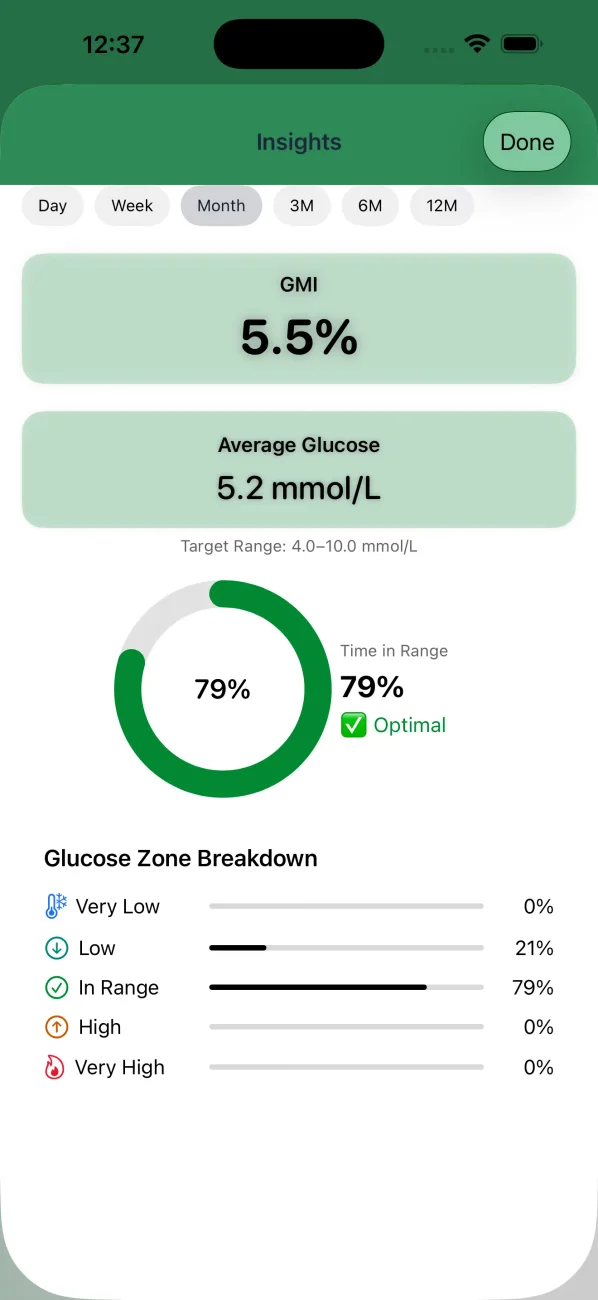
• GLUCOSE CHARTS & TRENDS
Visualize time in range, spot daily patterns, and track hourly averages effortlessly.
• 100% PRIVATE & SECURE
Your health data stays safely on your device with seamless Apple Health integration.
Diabetic Sidekick is your personal companion for diabetes management. Log meals, review your CGM glucose history, and understand your patterns — all in one place.
Managing diabetes takes constant mental effort. Diabetic Sidekick is here to carry some of that weight — giving you the right information, at the right time, in a clear and friendly interface built for real life.
KEY FEATURES:
• MEAL TRACKING
Log meals and carb counts from your personal library. Build a picture of how the foods you love affect your glucose, and make logging faster with saved meals.
• CGM GLUCOSE HISTORY (PRO)
See your CGM glucose history pulled automatically from Apple Health — compatible with Dexcom, Libre, and any CGM that syncs to Health. Data is presented in hourly summaries showing your average, high, and low for each hour of the day.
• GLUCOSE CHARTS & TRENDS (PRO)
Visualise your glucose patterns with clear, readable charts. Review time in range, spot daily trends, and build a fuller picture of your glucose over time.
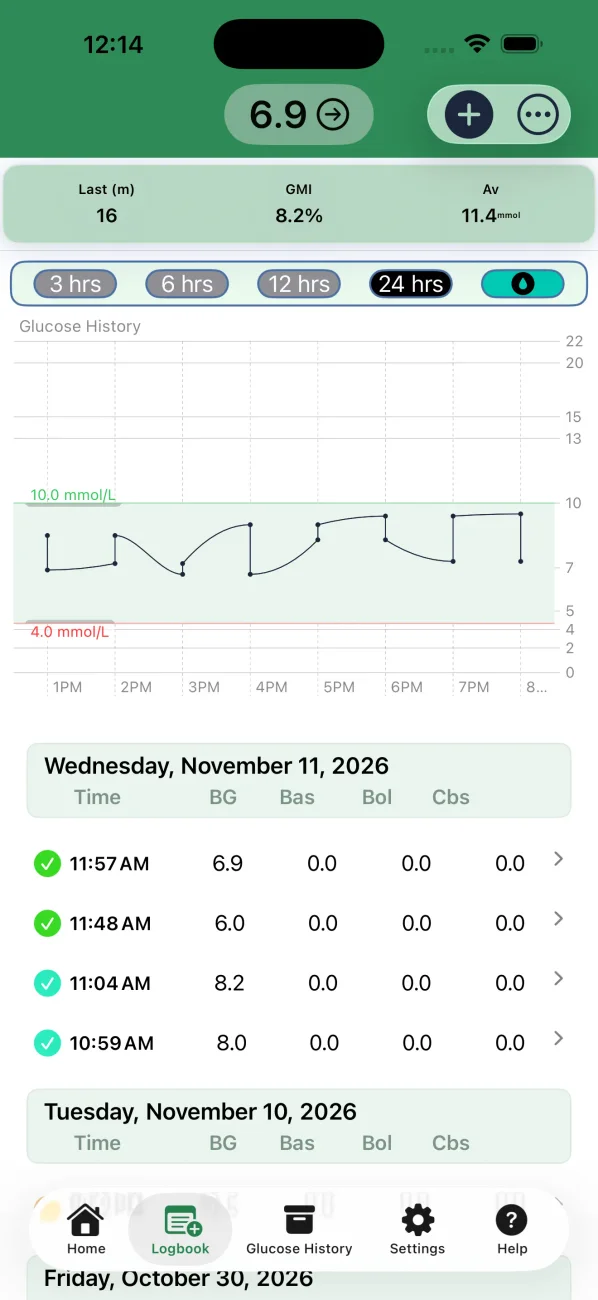
• LOGBOOK
Keep a detailed record of your diabetes management. Review past entries and share context with your doctor or diabetes educator.
• PROFILE SCHEDULING
Set different carb ratios and targets for different times of day. Diabetic Sidekick applies the right settings automatically, so you always have the right reference at hand.
• DATA EXPORT (PRO)
Export your glucose history and logbook for doctor appointments or your own records.
• APPLE HEALTH INTEGRATION
Reads glucose data directly from Apple Health. No extra steps, no separate hardware to set up — if your CGM syncs to Health, you're ready to go.
• BUILT FOR DAILY LIFE
Clean, friendly design that makes diabetes management feel approachable — not clinical. Because managing diabetes is hard enough without a complicated app.
—
DIABETIC SIDEKICK PRO
Unlock CGM glucose history, charts, trends, extended history, unlimited meal library, and data export with a Pro subscription.
—
IMPORTANT: Diabetic Sidekick is a personal tracking and logging tool. It does not provide medical advice, diagnoses, or treatment recommendations. Always consult your healthcare team before making any changes to your diabetes management.
—
SUBSCRIPTION TERMS
Diabetic Sidekick Pro is available as an auto-renewing subscription. Payment is charged to your Apple ID account at confirmation of purchase. Your subscription automatically renews unless cancelled at least 24 hours before the end of the current period. Manage or cancel your subscription at any time in your Apple ID account settings.
—
ABOUT DIABETIC SIDEKICK
Part of the Sidekick family of health-focused apps — built for people who want a health companion that works as hard as they do.
Terms of Use (EULA): https://github.com/aashton1968/Support/wiki/Terms-of-Use-(EULA)
Privacy Policy: https://github.com/aashton1968/Support/wiki/Privacy-Policy
What’s new
Version 6.2 · Nov 13, 2026
Resolved a bug where the text color on the Meal Picker view is Blue in dark mode.
App privacy
What Alan Ashton declares on the App Store about how this app handles data.
-
Data linked to you
May be collected and linked to your identity.
- Health and fitness
-
Data not linked to you
May be collected but is not linked to your identity.
- Identifiers
Privacy practices may vary, for example with the features you use or your age.
Information
- Seller
- Alan Ashton
- Category
- Health & Fitness
- Version
- 6.2
- Updated
- Nov 13, 2026
- Released
- Jan 22, 2026
- Size
- 40.7 MB
- Requires
- iOS 26.0 or later
- Age rating
- 4+
- In-app purchases
- Yes
- Languages
- English
- Copyright
- © Ashton IT Consulting
You might also like
-
 Brief: Medication TrackerPill Reminder & Blood Pressure
-
 Blood Sugar Tracker: SugarLogDiabetes & Glucose Tracker
-
 Blood Sugar Tracker & LogGlucose Diary for Diabetes
-
 Lotus: Breathing ExercisesSleep, anxiety, 4-7-8. No ads
-
 My Pill Reminder & TrackerMedication & Medicine Log
-
 DiabetLog AI: Blood Sugar LogGlucose Diary & Diabetes App
-
 Glucose and Blood Sugar TrackDiabetes Monitor & A1C Log
-
 Diabetes Diary PlusTrack Glucose, Insulin & Meals
-
 Blood Test Lab Result VitalDotMy Blood Work Monitor Analyzer
-
 Glumio: Blood Sugar TrackerGlucose Log, Meal Scan & A1C