
- Age rating4+
- CategoryUtilities
- DeveloperFlorian Schimanke
- LanguagesEnglish+ 1 more
- Size1.7 MB
Links to the official App Store page
Download.org hosts no file of DictaClip. The button opens its official App Store page, published by Florian Schimanke. Listing last checked on Nov 17, 2026.
Screenshots

About
Stop typing. Just say it.
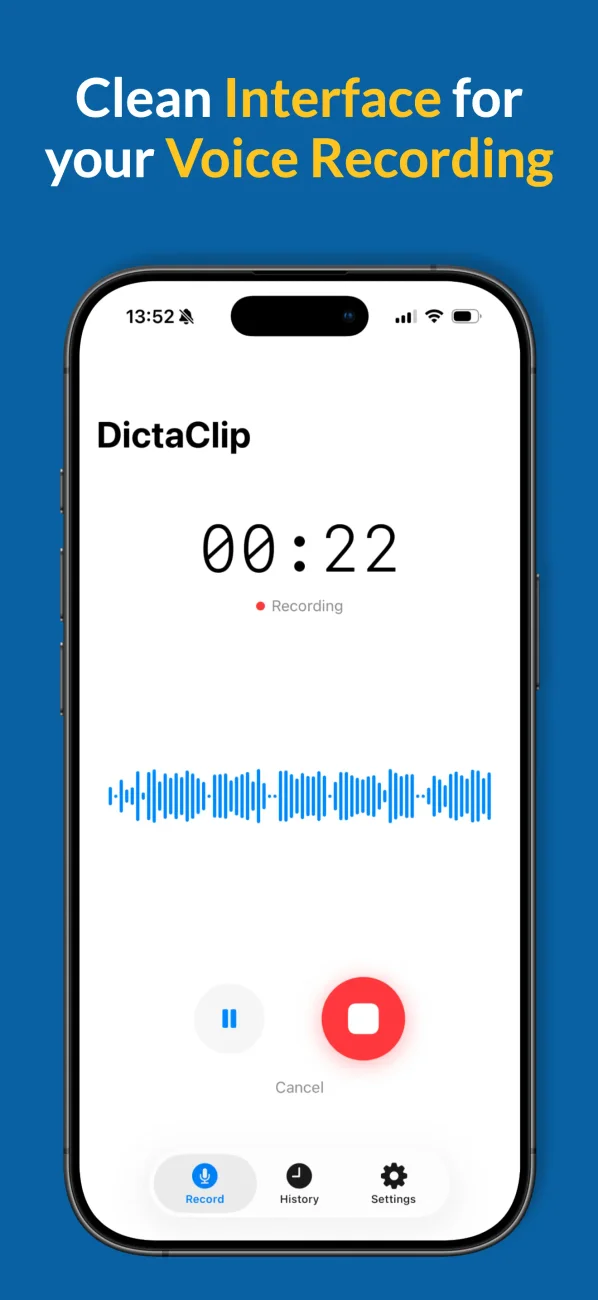
DictaClip captures everything you say and puts it — punctuated, formatted, ready to use — directly on your clipboard. The moment you tap Stop, your words are already waiting to be pasted. No extra steps, no copying, no fuss.
HOW IT WORKS
Tap the large button. Say what you need. Tap Stop. That's it. Your text is instantly available on the clipboard — ready to paste into Messages, WhatsApp, Mail, Notes, ChatGPT, or anywhere else.
THE SHORTEST PATH FROM THOUGHT TO TEXT
Most apps make you record, open the result, select all, then copy. DictaClip eliminates every one of those steps. The clipboard copy happens automatically the instant conversion is complete.
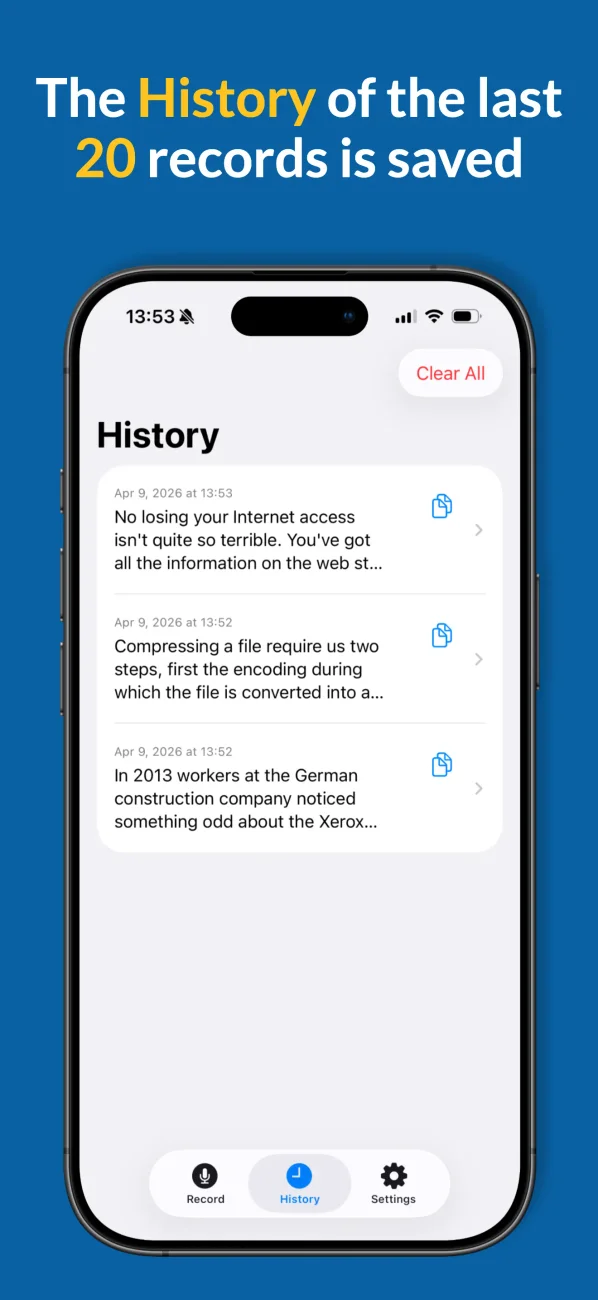
YOUR LAST 20 ENTRIES, ALWAYS WITHIN REACH
Every conversion is saved to a clean, scrollable history. Tap any entry to read the full text, or use the copy button to put it back on your clipboard in one tap. Accidentally closed the app? Your recent entries are always there.
OVER 40 LANGUAGES SUPPORTED
Set your preferred conversion language independently of your device language. Recording in English on a German iPhone? No problem. Just choose your language in Settings.
PUNCTUATION INCLUDED
Full stops, commas, question marks — added automatically. Your text is ready to send without editing.
PRIVACY YOU CAN COUNT ON
DictaClip uses Apple's built-in speech recognition. No account required, no third-party cloud, no data sold.
PERFECT FOR:
– Composing long messages completely hands-free
– Capturing ideas during walks or commutes
– Creating AI prompts quickly without typing
– Drafting emails without touching the keyboard
– Anyone who thinks faster than they type
App privacy
What Florian Schimanke declares on the App Store about how this app handles data.
-
Data not collected
The developer does not collect any data from this app.
Privacy practices may vary, for example with the features you use or your age.
Information
- Seller
- Florian Schimanke
- Category
- Utilities
- Version
- 1.0
- Updated
- Apr 9, 2026
- Released
- Apr 9, 2026
- Size
- 1.7 MB
- Requires
- iOS 17.6 or later
- Age rating
- 4+
- Price
- $0.99
- Languages
- English, German
- Copyright
- © Florian Schimanke
You might also like
-
 Lirenas gas & luceUtilities
-
 Specs: Device Info & WidgetsCPU RAM Storage Battery Stats
-
 Brain L - Smart Bicycle LockSmart anti-theft protection
-
 Private LLM - Local AI ChatLocal Offline Private AI Chat
-
 Self timer - Camera photo,autoDelay photo selfie photoshoot
-
 MyAcea AcquaUtilities
-
 OrdioScheduling & time tracking
-
 Security Camera for HomeSecure Connections, Everywhere
-
 tellows Caller ID & BlockerDetect & block unwanted calls
-
 Voice Recorder, Audio MemosVoice Recorder