DigiFrame: Digital Photo Frame
Slideshow, Clock & Weather
Designed for iPhone, iPad
Free · In-app purchases
- Age rating4+
- CategoryPhoto & Video
- DeveloperMarc Aupont
- LanguagesEnglish+ 11 more
- Size12.4 MB
Links to the official App Store page
Download.org hosts no file of DigiFrame: Digital Photo Frame. The button opens its official App Store page, published by Marc Aupont. Listing last checked on Nov 23, 2026.
Screenshots


About
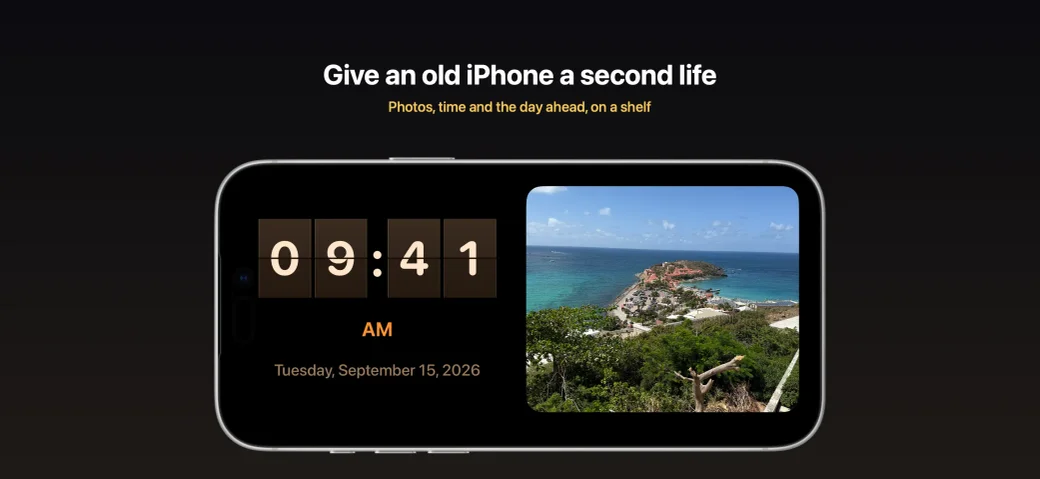
Give an old iPad a second life. DigiFrame turns the iPad or iPhone you stopped carrying into a digital photo frame that also shows the time, the weather and what is next on your calendar, arranged the way you want them.
Stand it on a shelf, plug it in, and let your photos play. The screen stays awake while the frame is showing.
WHY A FRAME APP INSTEAD OF A FRAME
• No hardware to buy. The device in the drawer is the frame.
• No account to create and nothing to upload. Your photos stay in your Photos library, on your device.
• Works on the iPhone too, standing on a nightstand or a desk.
BUILD THE SCREEN YOU WANT
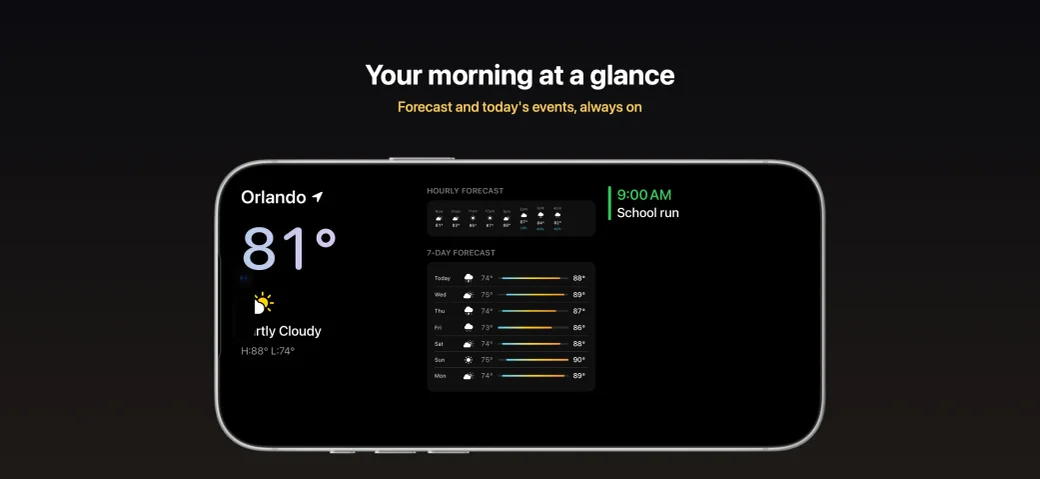
Standby mode lets you design what the frame shows. Choose a layout — Full Screen, Split, or Full Screen with Sidebar — then fill each pane with widgets. Build as many screens as you like and swipe between them. Swipe up and down inside a pane to move through the widgets stacked there.
Free widgets:
• Photo — your album, edge to edge
• Minimal Clock
• Date
• Greeting
With PRO:
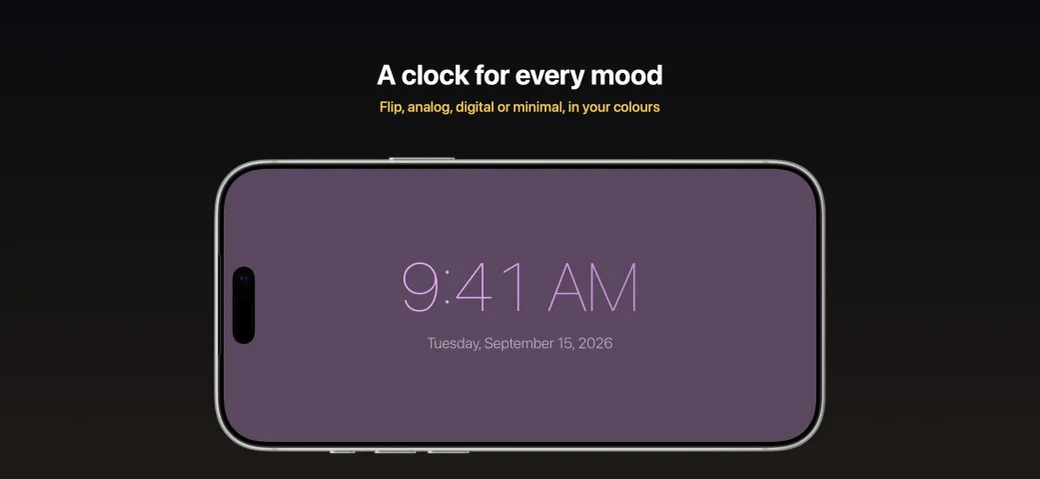
• Digital, Analog and Flip clocks, in four themes
• Weather — current conditions and the days ahead
• Calendar — what's next, from the calendars you choose
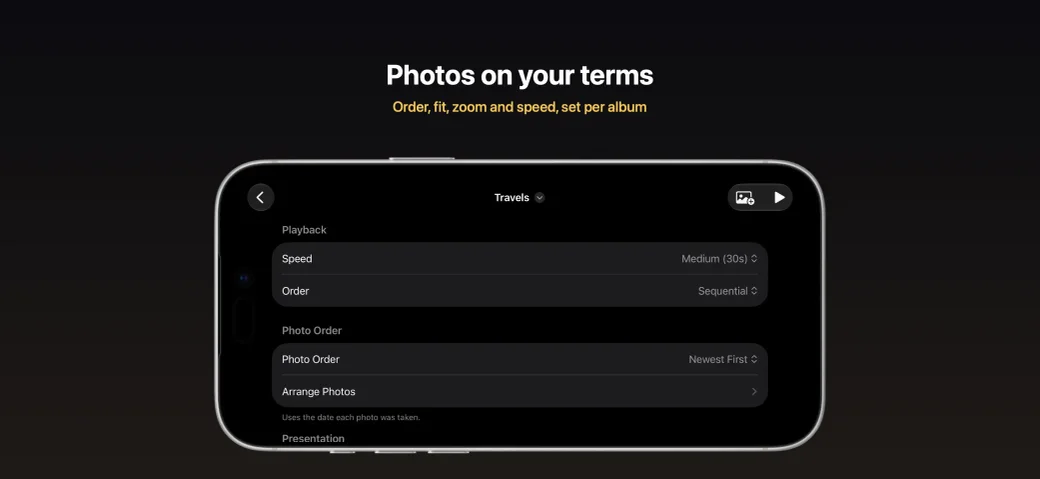
PHOTOS ON YOUR TERMS
Every album keeps its own playback settings:
• Order — drag photos into any order, sort by the date each was taken, or shuffle
• Fit — fill the screen, or show the whole photo without cropping
• Zoom — a slow drift across each photo: subtle, standard, or off
• Transition — crossfade, slide, or none
• Speed — how long each photo holds
When a photo is cropped to fill the screen, DigiFrame crops around the people in it rather than the centre, so faces near an edge stay in frame.
PHOTO OVERLAYS
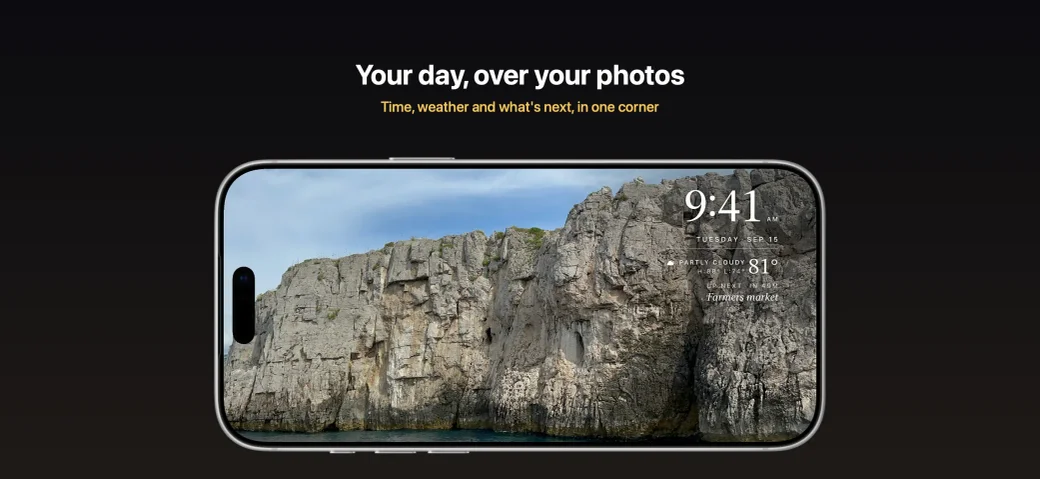
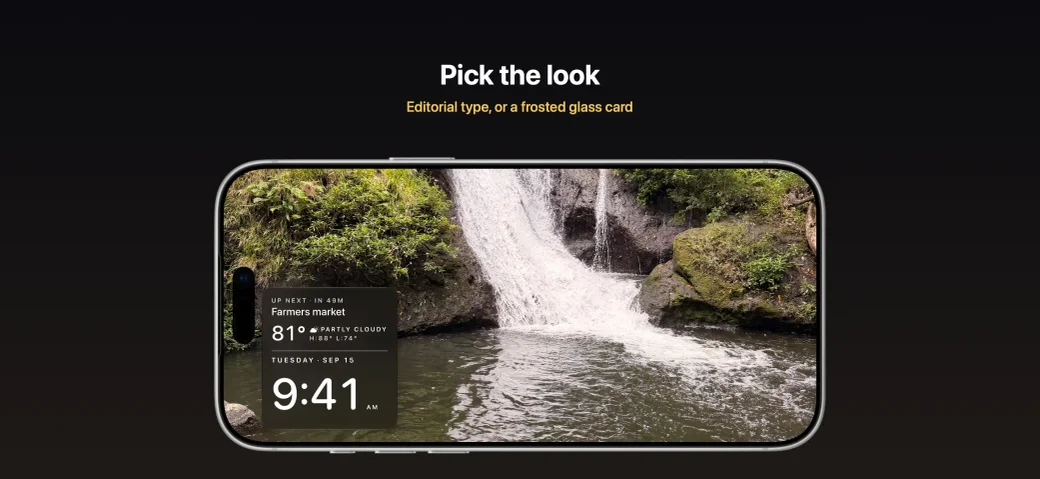
Put the time, the date, the weather and your next event over your photos, gathered in one corner so nothing paints over anything else. Choose a look: Editorial, with thin serif numerals and small tracked captions; Rounded; or Glass, a frosted card. The text always stays at full strength, and a Backdrop slider sets how much the corner darkens behind it.
LOCAL AND CLOUD ALBUMS
Keep albums on the device, or make them cloud albums and they sync across your devices through iCloud: set up the frame once, then add photos from the phone in your pocket. Cloud albums stay readable even when iCloud is briefly unreachable.
IN TWELVE LANGUAGES
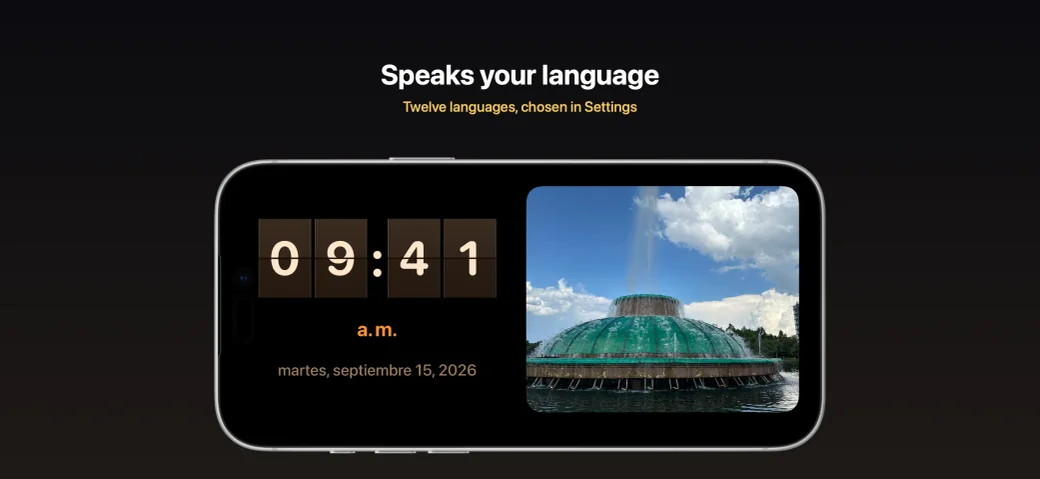
English, Arabic, French, German, Haitian Creole, Hindi, Italian, Japanese, Korean, Portuguese (Brazil), Simplified Chinese and Spanish. Choose one in Settings, whatever your device is set to.
DIGIFRAME PRO
PRO unlocks the Digital, Analog and Flip clocks, the Weather and Calendar widgets, the grid photo layout, and photo overlays that put the clock, date, weather and your next event over your pictures, in three looks.
DigiFrame PRO is an auto-renewing subscription, available monthly or annually. Payment is charged to your Apple Account at confirmation of purchase. It renews automatically unless cancelled at least 24 hours before the end of the current period, and you can manage or cancel it any time in your Apple Account settings.
Terms of Use: https://www.apple.com/legal/internet-services/itunes/dev/stdeula/
Privacy Policy: https://digiframe.netlify.app/privacy-policy
Weather data provided by Apple Weather.
What’s new
Version 2.3 · Nov 18, 2026
Photo overlays, rebuilt.
THREE LOOKS
Choose Editorial, with thin serif numerals and small tracked captions; Rounded; or Glass, a frosted card over the photo. The text always stays at full strength. A Backdrop slider darkens the corner, or tints the glass, behind it.
ONE CORNER, ARRANGED TOGETHER
The clock, date, weather and your next event no longer paint over each other. Everything that shares a corner is arranged as one group, in the same order every time. Turn on Place Items Separately to give each item its own corner.
WEATHER THAT SHOWS UP
Turning on Weather now asks for your location right there, and Overlay Settings tells you when location is off. Before, the weather only appeared if a StandBy screen had already asked.
SIZED FOR YOUR SCREEN
Overlay text is sized to the display, so it reads from across the room on iPad and still fits on iPhone.
Overlays are part of PRO, which starts with a free week.
App privacy
What Marc Aupont declares on the App Store about how this app handles data.
-
Data not linked to you
May be collected but is not linked to your identity.
- Purchases
- Usage data
- Diagnostics
Privacy practices may vary, for example with the features you use or your age.
Information
- Seller
- Marc Aupont
- Category
- Photo & Video
- Version
- 2.3
- Updated
- Nov 18, 2026
- Released
- Nov 1, 2024
- Size
- 12.4 MB
- Requires
- iOS 17.0 or later
- Age rating
- 4+
- Price
- Free
- In-app purchases
- Yes
- Languages
- English, Arabic, French, German, Haitian, Hindi, Italian, Japanese, Korean, Portuguese, Simplified Chinese, Spanish
- Copyright
- © Digimarktech LLC
You might also like
-
 Digital Frame LitePhoto & Video
-
 EZ Photo FrameDisplay shared albums easily
-
 PicDock: Digital Photo FrameSlideshow & Bedside Clock
-
 Storyframe - smart photo framePhoto & Video
-
 Pad FrameGive Your iPad a New Purpose
-
 LoopSlideSmart Digital Photo Frame
-
 Portrait | Photo FrameDigital Photo Frame
-
 Living Photo FrameSlideshow, clock and calendar
-
 PicBox - Smart Photo FrameBeautiful Photo Slideshows
-
 VistaDashPhoto frame for your desk