
Digital Evidence Vault
Chain of custody from capture
Designed for iPhone, iPad, Mac
Free · In-app purchases
- Age rating4+
- CategoryBusiness
- DeveloperProfWorkBench, LLC
- LanguagesEnglish+ 14 more
- Size44.8 MB
Links to the official App Store page
Download.org hosts no file of Digital Evidence Vault. The button opens its official App Store page, published by ProfWorkBench, LLC. Listing last checked on Nov 18, 2026.
Screenshots



About
Months after you took it, a photo or recording is challenged. Has the file changed? When was it really taken? Who has handled it since? Digital Evidence Vault is built for that moment.
DEV is a capture app for investigators, adjusters, inspectors and anyone whose evidence may be examined later. It records what you captured and when, keeps a custody log of what happens to it next, and lets you show that the file still produces the hash recorded at capture.
CAPTURE
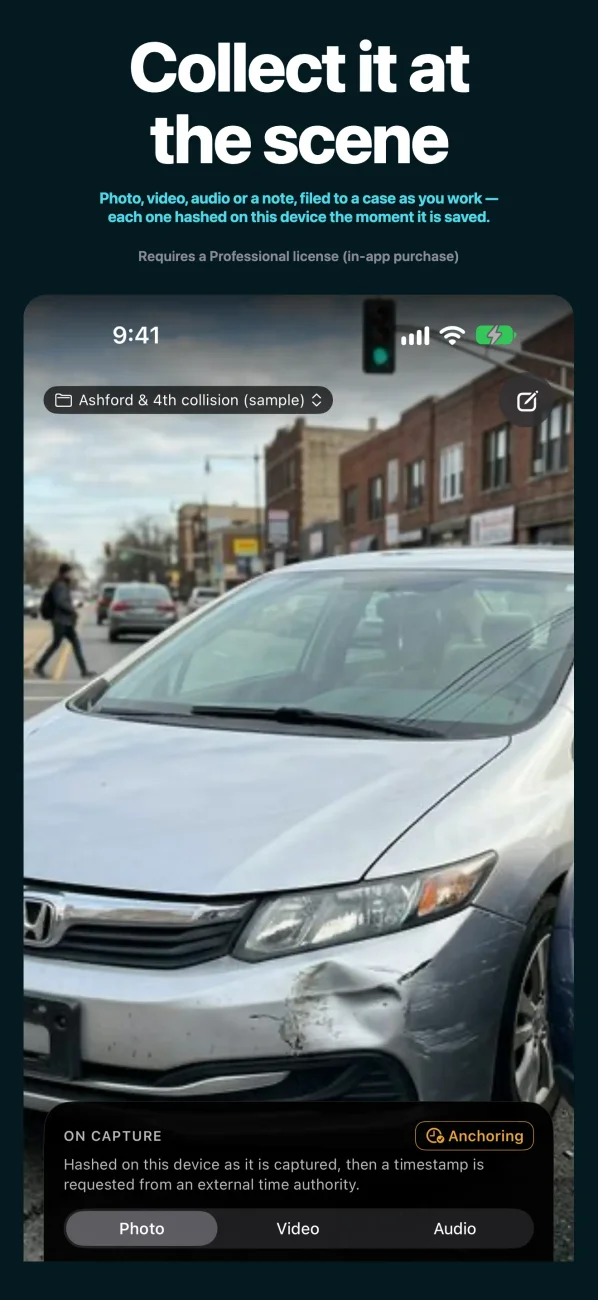
Take photos, video, audio and notes on iPhone or iPad, and keep a scene log as you go. Documents and files shared from Files or other apps land in an Inbox, ready to file into a case. Record audio on Apple Watch and it arrives in your iPhone's Inbox.
Optional GPS records where. The capture time is recorded, and DEV can also query a time server and record its answer.
HASHED THE MOMENT IT LANDS
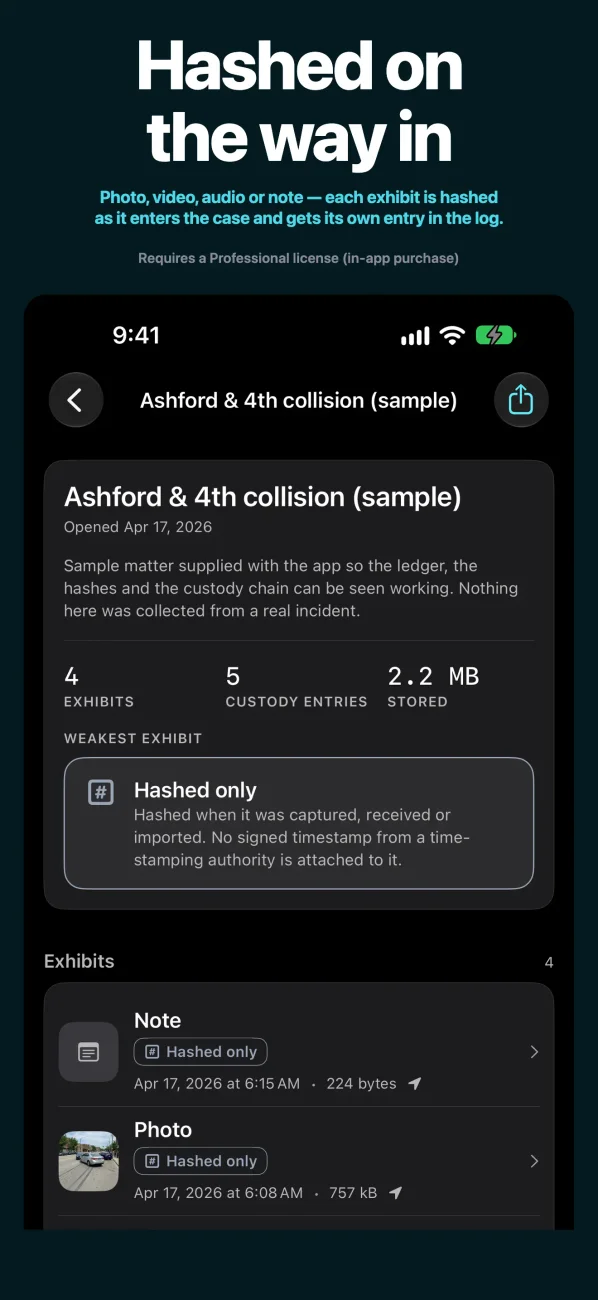
Every exhibit is hashed at capture, receipt or import with SHA-256, plus SHA-1 and MD5. Tap Recompute SHA-256 at any time: DEV re-reads the file and tells you whether it still produces the recorded hash. If it does not, the exhibit is marked Integrity failed.
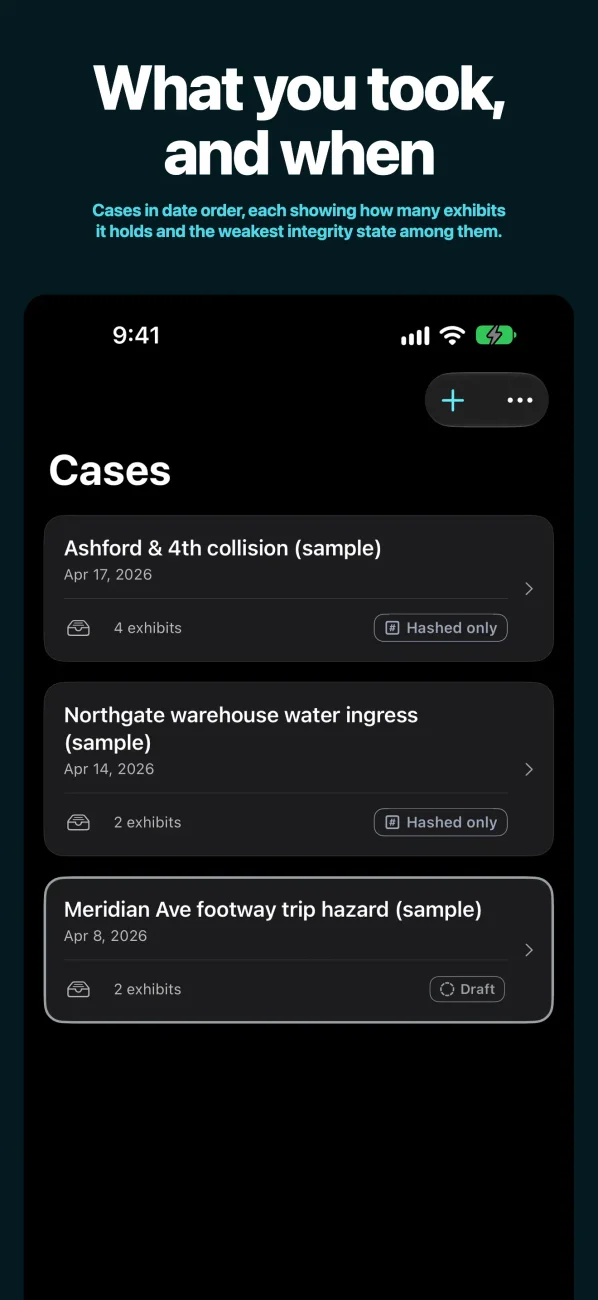
Each exhibit shows its status at a glance: Sealed, Anchoring, Hashed only, Unreachable, File absent, Integrity failed or Draft.
TRUSTED TIME
Trusted time is optional. When it is on, DEV requests an RFC 3161 signed timestamp from a public time-stamping authority and checks that the reply covers your exhibit's hash and answers DEV's own request. An exhibit with a signed timestamp stored is marked Sealed.
DEV also requests an OpenTimestamps calendar receipt, saved as a standard detached .ots proof. The receipt starts as pending; you can upgrade it later with standard OpenTimestamps tools. Timestamp requests send a hash, not the file.
CHAIN OF CUSTODY
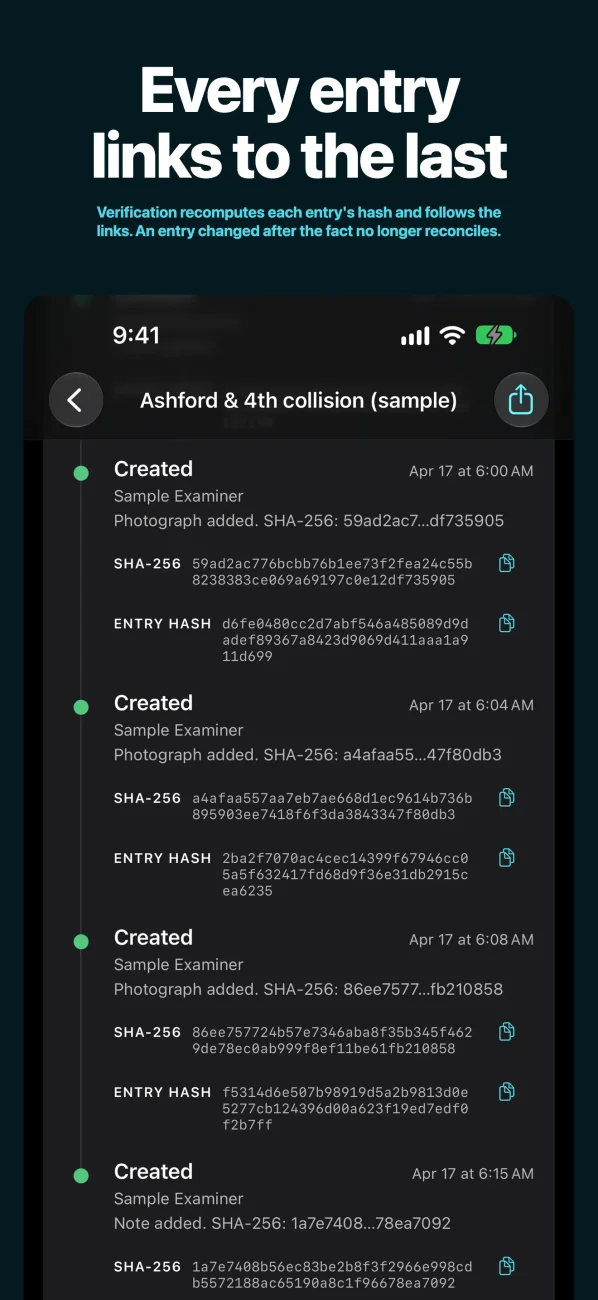
Every case keeps a hash-linked custody log of capture, viewing, export, deletion and checks. Verify chain checks that the entries in that log still link together; Recompute SHA-256 checks the files themselves.
EXPORT AND HAND OVER
Export an evidence package, a ZIP with the files, manifests, timestamp receipts, custody log, a master digest and case metadata, or a PDF certificate. Both state the moment their contents were taken ("Contents as of").
A recipient with DEV Professional can import the package into their own copy of DEV and check it. While a case is exporting, DEV blocks deleting exhibits from it.
WHEN THINGS GO WRONG
If the app ends mid-recording, DEV recovers the recording into the Inbox with an honest note about what happened. A capture that cannot be filed waits in the Inbox.
Store cases in iCloud Drive if you choose; it is off by default. If iCloud Drive cannot be reached, DEV tells you, saves new evidence on the device, marks exhibits it cannot reach as Unreachable and holds exports until it can read them.
PRIVATE BY DESIGN
No account, no analytics, no ads. Lock the vault with Face ID, Touch ID or your passcode.
Zero Telemetry stops the network requests DEV makes itself: timestamping, the time-server query and network transcription. It also turns off the Siri, Shortcuts and Control Center capture actions.
QUICK TO START
Jump to capture from Siri or Shortcuts with Capture Evidence or Audio Log, from the Control Center control, or from the Quick Capture widget on your Home Screen or Lock Screen.
IPHONE, IPAD, MAC AND WATCH
DEV runs on iPhone, iPad and Mac, with an Apple Watch companion. The redesigned instrument-style interface comes in dark and light modes, with VoiceOver labels and Dynamic Type. Available in 15 languages.
PLANS
DEV is offered as a Professional subscription, monthly or yearly, or a one-time lifetime license. Subscriptions renew automatically unless canceled in your App Store account settings.
Terms of Use: https://profworkbench.com/#terms
Privacy Policy: https://profworkbench.com/#privacy
What’s new
Version 27.0 · Oct 21, 2026
• Rebuilt integrity core, with standard OpenTimestamps .ots proofs and Verify chain for the custody log.
• Evidence packages and certificates state their "Contents as of" moment, and DEV Professional can import and check a package.
• Interrupted recordings are recovered into the Inbox.
• Optional iCloud Drive storage, with clear Unreachable states.
• Zero Telemetry: one switch stops the network requests DEV makes.
• Redesigned instrument-style interface in dark and light modes, improved VoiceOver and larger text, and Mac keyboard support for the video player and vault unlock.
App privacy
What ProfWorkBench, LLC declares on the App Store about how this app handles data.
-
Data not collected
The developer does not collect any data from this app.
Privacy practices may vary, for example with the features you use or your age.
Information
- Seller
- ProfWorkBench, LLC
- Category
- Business
- Version
- 27.0
- Updated
- Oct 21, 2026
- Released
- May 26, 2026
- Size
- 44.8 MB
- Requires
- iOS 26.0 or later
- Age rating
- 4+
- Price
- Free
- In-app purchases
- Yes
- Languages
- English, Arabic, French, German, Hebrew, Hindi, Italian, Japanese, Korean, Portuguese, Russian, Simplified Chinese + 3 more
- Copyright
- © 2026 ProfWorkBench, LLC
You might also like
-
 FieldRecordGPS Camera, timestamp, Reports
-
 Final Exhibit Field Multi-ToolRoutes, Forms, Reports & More
-
 FiledgrProductivity
-
 EviPadVeriPic DEM companion app
-
 The Classified App: ResearchOffline video saver & notes
-
 LocardaDiscover. Determine. Done.
-
 Orderat - اوردراتOrders, payments and profit
-
 Kentucky League Of CitiesKLC on the go
-
 Notari AI NotetakerRecord, Transcribe & Summarize
-
 OptionsEdgeAI Options Analysis & Screener