
DIGIX AMR1
Beautiful and Realistic Camera
Designed for iPhone
Free · In-app purchases
- Age rating4+
- CategoryPhoto & Video
- DeveloperDigiguys, Inc
- LanguagesEnglish
- Size52.8 MB
Links to the official App Store page
Download.org hosts no file of DIGIX AMR1. The button opens its official App Store page, published by Digiguys, Inc. Listing last checked on Nov 16, 2026.
Screenshots


About
The DIGIX AMR1 camera delivers authentic retro vibes inspired by classic Japanese camera design and engineering. We drew on iconic 1980s 35mm film SLR cameras like the Canon AE-1 and Minolta SR-1, along with modern cameras like the Fujifilm X100VI, to create a camera app masterpiece worth owning.
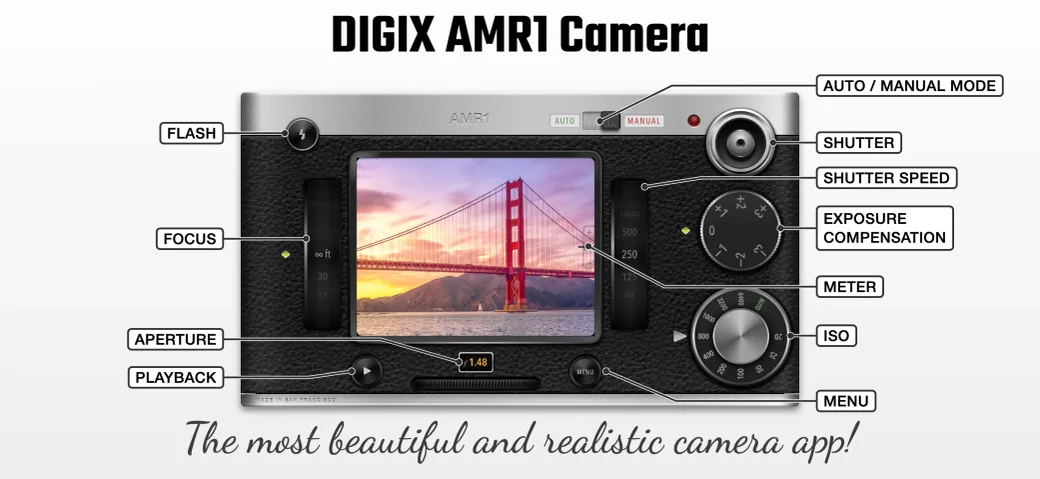
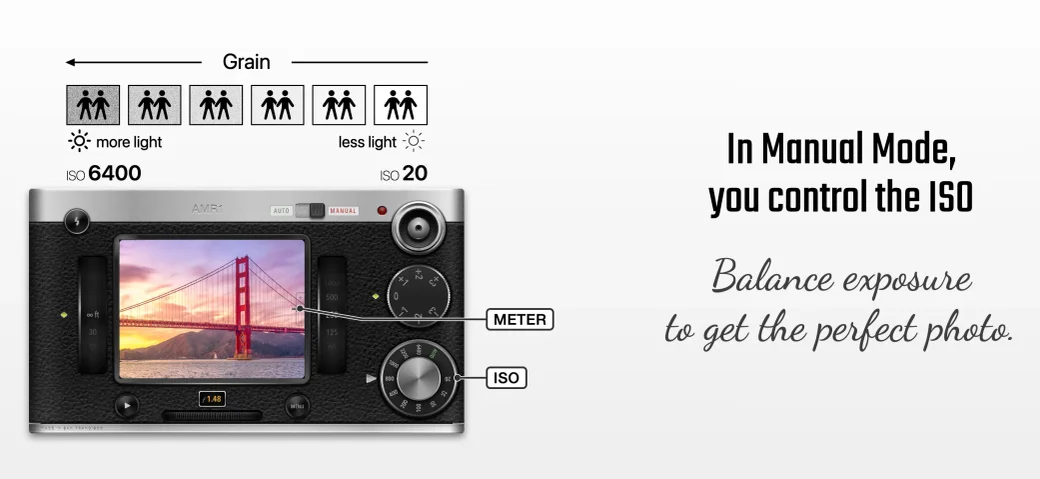
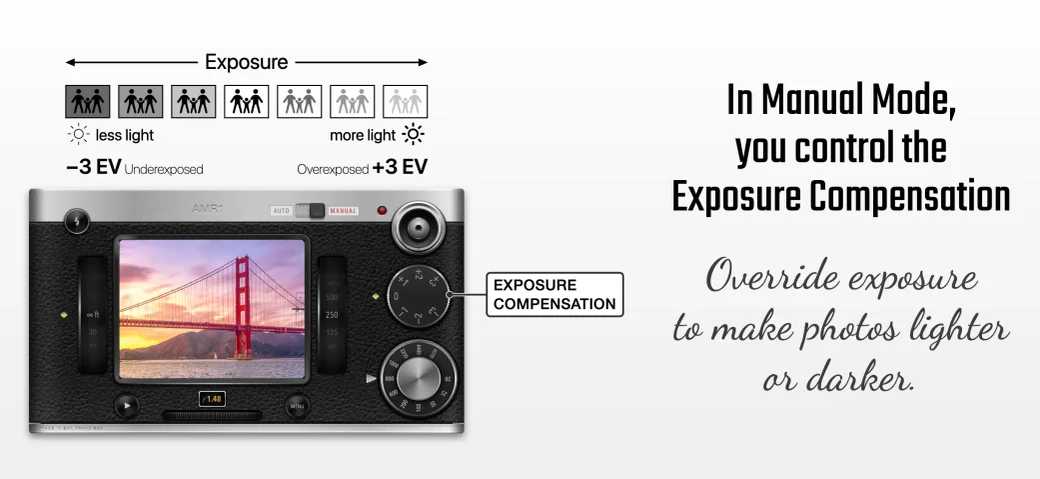
Use the AMR1 in Auto Mode for quick, easy shooting, or, just like a classic 1980s camera, switch to fully Manual Mode to control focus, shutter speed, ISO, exposure compensation, and switch between iPhone lenses with real focal length and aperture data. Create film-like images with intentional control — just like shooting with a real film camera.
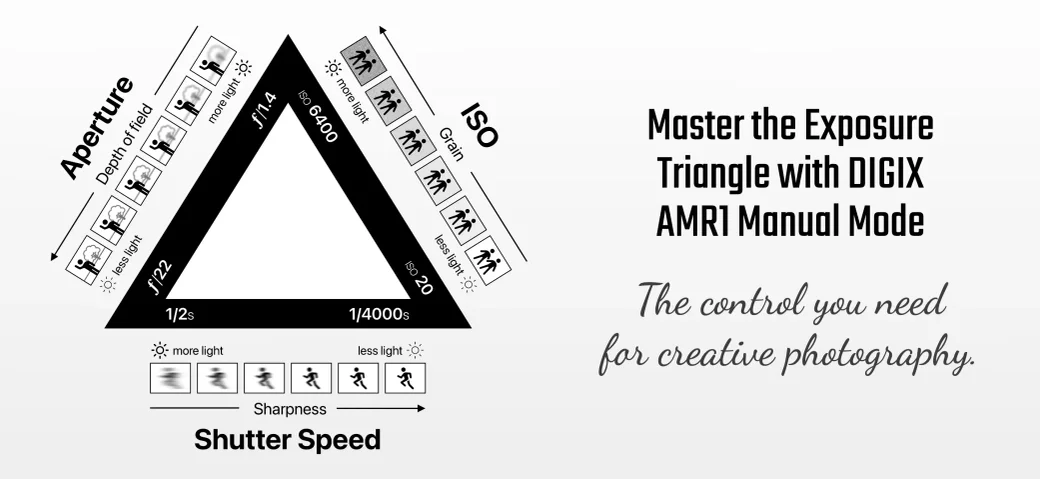
The DIGIX AMR1 is also a great learning tool for the Exposure Triangle: the relationship between shutter speed, ISO, and aperture.
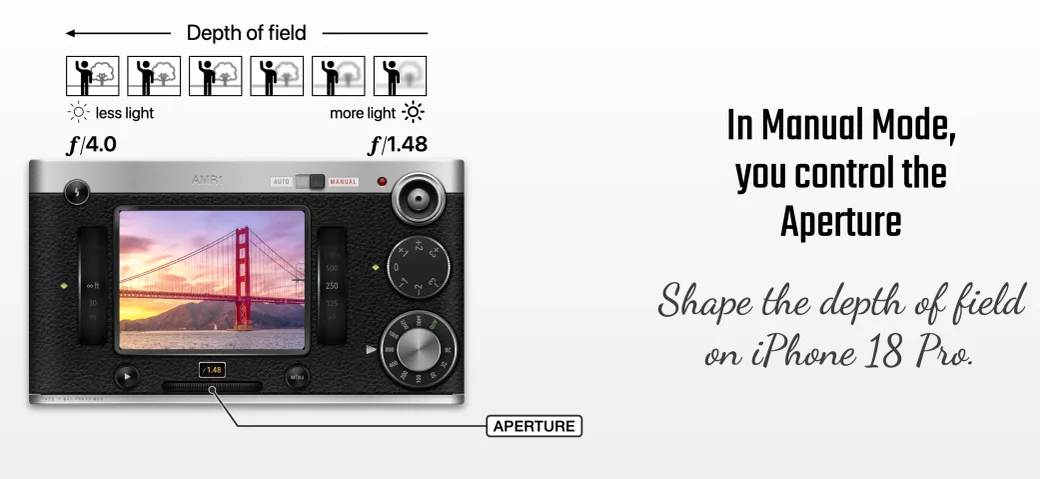
NEW in 3.0! A brand-new camera, drawn from scratch, with shine and shadows that move across the metal as you tilt your iPhone. On iPhone 18 Pro, roll the new aperture wheel to control the real lens iris, from ƒ/1.48 to ƒ/4.0.
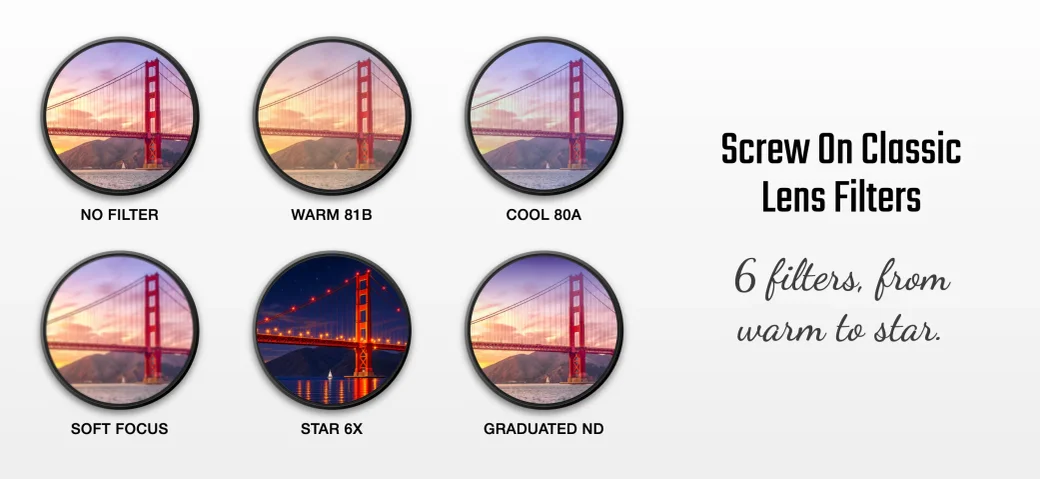
DIGIX AMR1 includes 8 film simulations, inspired by the film stocks we used in the 1980s, plus 5 SLR camera lens filters.
Auto Mode - Free for Everyone:
• All users get Auto Mode for free.
• The camera automatically sets focus, shutter speed, and ISO.
Full Access - Manual Mode:
• Get Full Access to unlock Manual Mode.
• Control focus, shutter speed, ISO, and exposure compensation.
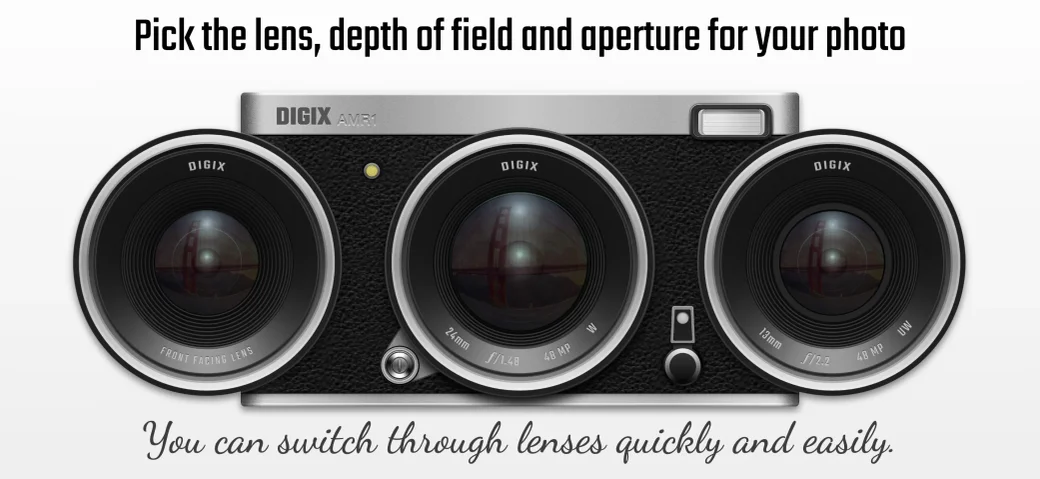
• Switch between all your iPhone lenses.
• Control the real aperture on iPhone 18 Pro and iPhone 18 Pro Max.
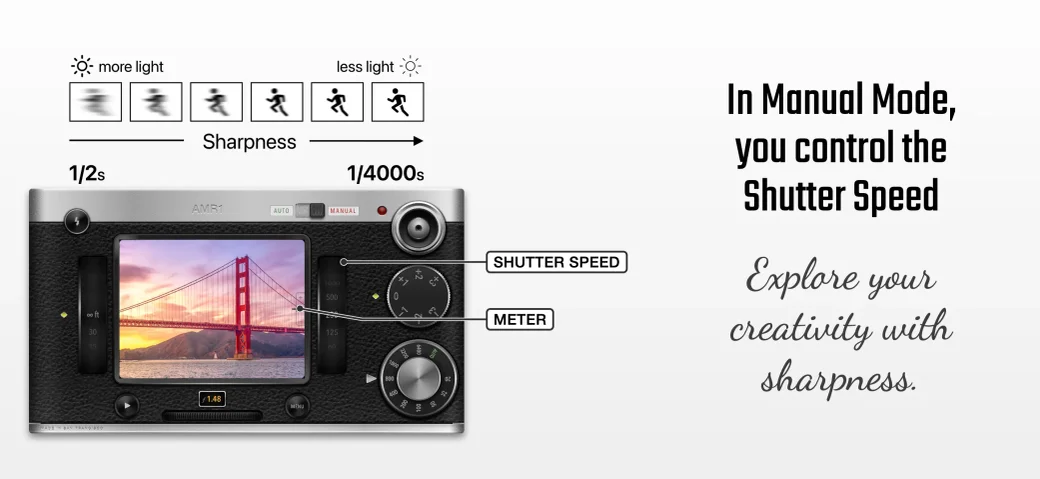
• Shutter priority: set the shutter speed and let ISO adjust automatically.
• Load 8 film simulations and 5 lens filters.
• Full Access is a one-time purchase. No subscription.
SUPPORT:
For support, go to https://www.digiguys.com
FAQ:
Q: Why would I want Full Access with Manual Mode?
A: Managing focal length, shutter speed, ISO, and aperture together is how professional photographers get amazing photos. Manual Mode gives you complete creative control.
Q: Can I set individual dials to automatic or manual?
A: Yes, in Manual Mode you can set each dial to automatic, like “Priority Settings” on professional cameras.
Q: Can I change lenses?
A: Yes, with Full Access, swipe to the front of the camera to change lenses. The camera detects every lens on your iPhone, just like a professional camera.
Q: Can I control the aperture?
A: Yes, on iPhone 18 Pro and iPhone 18 Pro Max: the aperture wheel sets ƒ/1.48, ƒ/1.8, ƒ/2.8 or ƒ/4.0. On other iPhones, each lens’s aperture is fixed, and the aperture window shows its true value.
Q: Does it include film simulation?
A: Yes, 8 film simulations inspired by 1980s film stock: Chrome, Fade, Instant, Mono, Noir, Process, Tonal, and Transfer.
Q: Does it include lens filters?
A: Yes, 5 lens filters: Warm 81B, Cool 80A, Soft Focus, Star 6X, and Graduated ND.
Q: Can I use flash and a self-timer?
A: Yes, both trigger on the next shutter button press.
Q: Does it save the photo details?
A: Yes. Every photo keeps its full EXIF: shutter speed, ISO, aperture and lens, plus the film simulation and lens filter you used.
FACEBOOK PAGE:
Share your success stories and photos at https://www.facebook.com/digiguys.com
What’s new
Version 3.1 · Nov 7, 2026
Thank you to all DIGIX AMR1 photographers! Version 3.0 is our biggest update yet:
• A brand-new camera, drawn from scratch. Shine and shadows move across the metal as you tilt your iPhone.
• Use the iPhone 18 Pro aperture. Roll the new wheel from ƒ/1.48 to ƒ/4.0 to control your depth of field.
• True lens specs for your iPhone: focal length, aperture, and megapixels on every lens.
• Shutter priority: set your shutter speed in Manual mode and let ISO adjust itself.
• Full EXIF in every photo: shutter, ISO, aperture, and lens, plus your film and filter.
• Ready for iPhone Duo, the iPhone 18 family, and iPhone 17e.
Pick your film, set your aperture, and shoot like it’s 1985.
App privacy
What Digiguys, Inc declares on the App Store about how this app handles data.
-
Data not collected
The developer does not collect any data from this app.
Privacy practices may vary, for example with the features you use or your age.
Information
- Seller
- Digiguys Inc.
- Category
- Photo & Video
- Version
- 3.1
- Updated
- Nov 7, 2026
- Released
- Dec 27, 2020
- Size
- 52.8 MB
- Requires
- iOS 17.0 or later
- Age rating
- 4+
- Price
- Free
- In-app purchases
- Yes
- Languages
- English
- Copyright
- © Digiguys Inc.
You might also like
-
 Infinite Photo Film EffectsCinematic LensFlare Filters
-
 Cleanup: Smart Photo CleanerDelete Duplicates,Free Storage
-
 VintCam: Your Vintage CameraTurn your modern photos
-
 ID Photo Maker: Passport IDMake Passport & ID Photos Fast
-
 Enhance Photo Quality by PixerAI Photo & Portrait Restore
-
 Audio Extractor - AudioPullVideo to Audio Converter
-
 TriEasy Photo EditorCutout • Long Stitch • Edit
-
 ReBeamRecord & stream via AirPlay
-
 Background RemoverEraser, Blur, Color & Pixelate
-
 Pro Camera Photo & Video - AIRManual controls, RAW, LUTs, 4K