
Dio Dash
Benchmark, Monitor & Speedtest
Designed for iPhone, iPad, Mac
Free · In-app purchases
- Age rating4+
- CategoryUtilities
- DeveloperPLAYSTONE INFORMATION TECHNOLOGY LIMITED
- LanguagesEnglish+ 13 more
- Size46.8 MB
Links to the official App Store page
Download.org hosts no file of Dio Dash. The button opens its official App Store page, published by PLAYSTONE INFORMATION TECHNOLOGY LIMITED. Listing last checked on Nov 15, 2026.
Screenshots

About
Dio Dash is the all-in-one device performance toolkit for iPhone, iPad, Mac, and Apple Vision Pro. Benchmark every component, monitor your system in real time, test your network, keep an eye on battery and power, and keep your disk clean — one native app, every Apple platform.
Know your device.
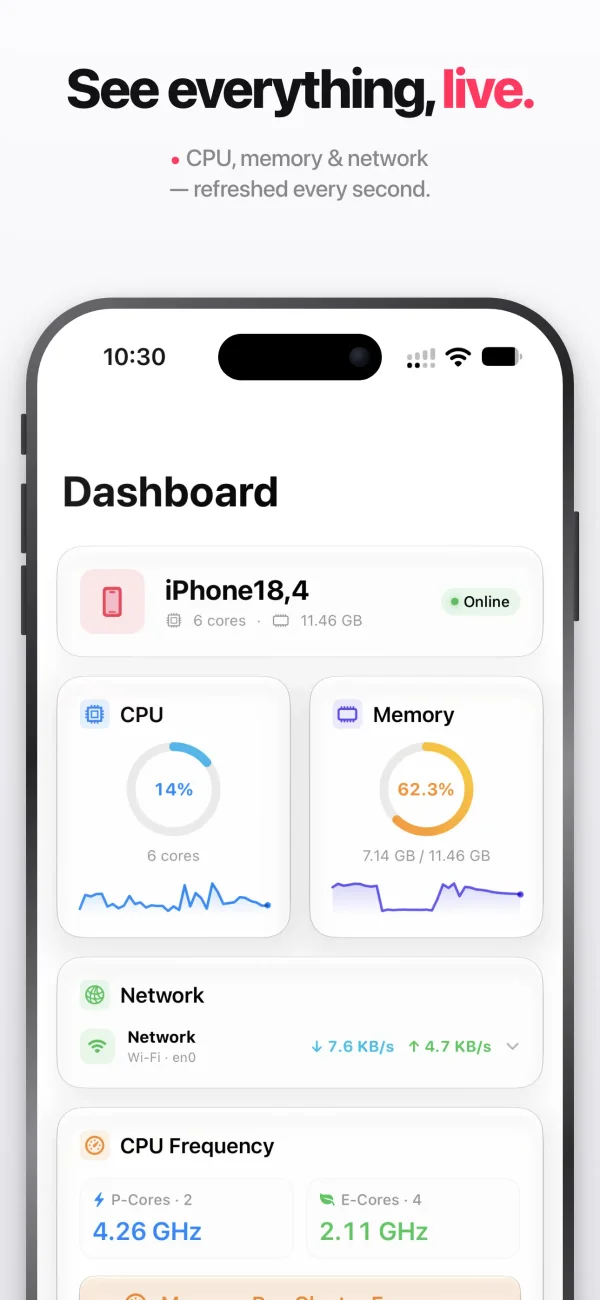
▶ DASHBOARD — Real-Time System Monitor
• Live CPU usage with per-core breakdown
• Memory pressure and usage monitoring
• Network throughput (upload/download) per interface
• Estimated CPU speed
• Chip, cores, and hardware info at a glance
▶ BENCHMARK — Know Your Device's True Power
• CPU Benchmark — integer, floating point, and real-world workloads
• GPU Benchmark — Metal compute (matrix multiply, N-body, image blur)
• Disk Benchmark — sequential and random read/write speeds
• AI Benchmark — CoreML inference performance
• Device Profile — 5-dimension radar chart (Gaming, Productivity, Media, AI, Endurance)
• Community Leaderboard — compare your scores with devices worldwide
• Keep-awake mode for uninterrupted runs
• Share your results and keep persistent history
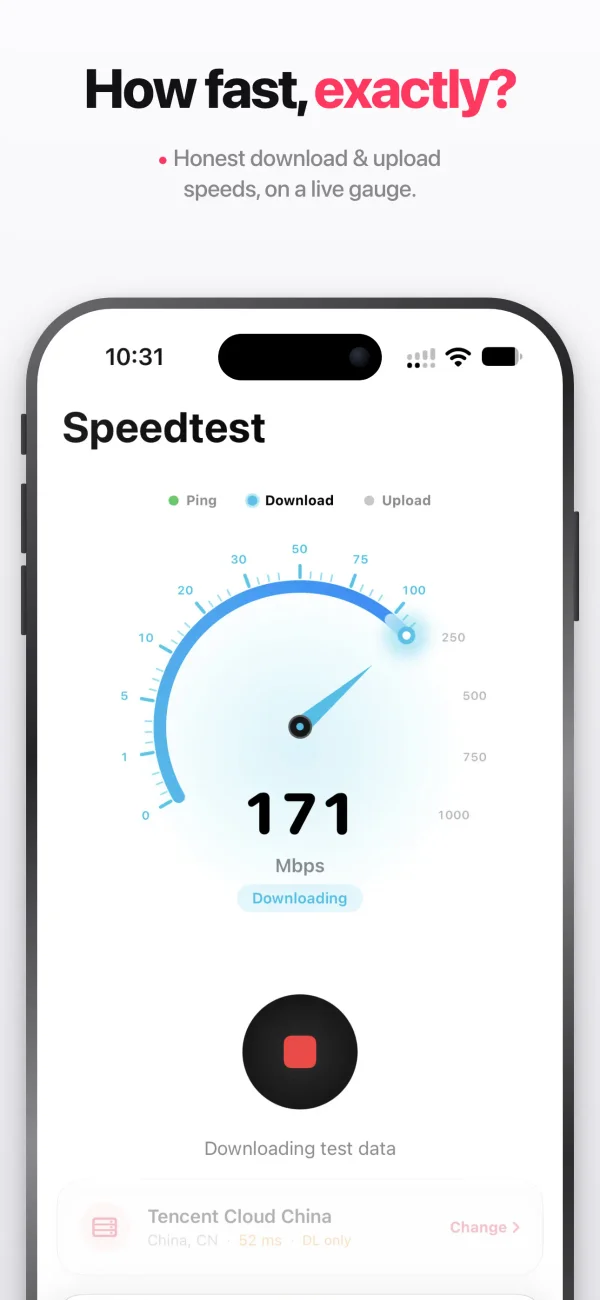
▶ SPEED TEST — Network Performance
• Download and upload speed measurement
• Latency (ping) testing
• Automatic server selection with manual override
• Persistent test history
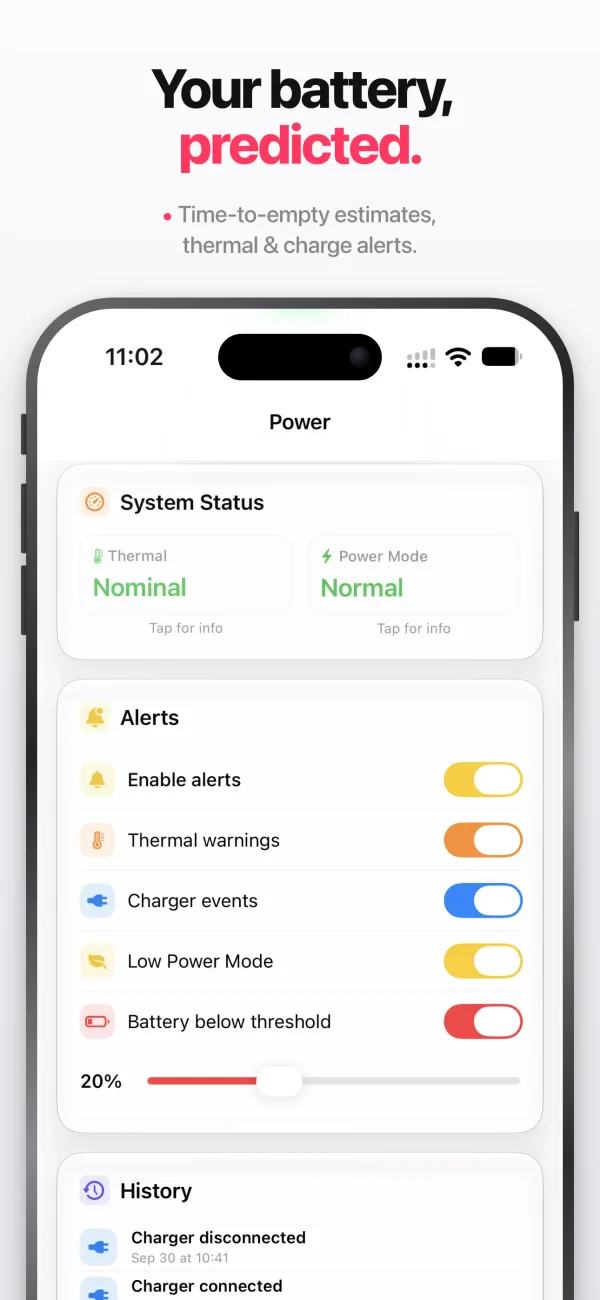
▶ POWER — Battery & Power Status (iOS)
• Real-time battery level, charging state, and thermal monitoring
• Time-to-empty and time-to-full estimates
• Configurable alerts for low battery, thermal state, and charger events
• Power event history and trends
▶ CLEANER — Disk Cleanup (macOS)
• Scan and remove system caches, logs, and junk files
• Browser cache cleanup
• Developer tool artifacts detection
• Disk space explorer — browse directories by size
• Safe cleanup with category-based selection
▶ WHY DIO DASH?
• Native app — built with SwiftUI for all Apple platforms
• Privacy-first — all monitoring happens on-device
• Clear readouts, animated gauges and charts
• Persistent history for every test and benchmark
• Universal purchase — one app for iPhone, iPad, Mac, and Vision Pro
All readings come from public Apple system APIs; estimated values are clearly labeled.
PREMIUM (optional subscription):
• Unlimited disk cleaning (Mac)
• Delete files from Space Explorer (Mac)
• Battery time estimates
• Smart battery alerts with custom thresholds
• Full power event history
• Universal purchase — unlocks Pro on iPhone, iPad, Mac, and Vision Pro
Visit playstone.org for more information.
What’s new
Version 2.1.0 · Nov 5, 2026
Faster and more polished
New Duplicate Sharing — zero-space dedup via APFS clones (Mac)
Various fixes and refinements
App privacy
What PLAYSTONE INFORMATION TECHNOLOGY LIMITED declares on the App Store about how this app handles data.
-
Data not collected
The developer does not collect any data from this app.
Privacy practices may vary, for example with the features you use or your age.
Information
- Seller
- PLAYSTONE INFORMATION TECHNOLOGY LIMITED
- Category
- Utilities
- Version
- 2.1.0
- Updated
- Nov 5, 2026
- Released
- Mar 9, 2018
- Size
- 46.8 MB
- Requires
- iOS 18.0 or later
- Age rating
- 4+
- Price
- Free
- In-app purchases
- Yes
- Languages
- English, Dutch, French, German, Indonesian, Japanese, Korean, Portuguese, Russian, Simplified Chinese, Spanish, Thai + 2 more
- Copyright
- © Playstone, Inc
You might also like
-
 State-管理电脑CPU、温度、风扇、内存、硬盘运行状态Utilities
-
 CPU IdentifierSee what your device is up to.
-
 CPU RunnerLive monitor & hardware tests
-
 AIBench - Test SpeedEvaluate Top LLMs AI chat
-
 手机硬件管家:网络数据流量监控桌面小组件Utilities
-
 BeeData Widget - Data Monitorcellular memory cpu status
-
 呆搜Geekbench查看器Utilities
-
 ADD Assistant: System MonitorHardware Info, CPU & Test Tool
-
 Device Monitor - RAM CPU GPUPhone Info & Battery Widget
-
 SYSMonitor - System Status Wgtsystem memory storage monitor