- Age rating4+
- CategoryUtilities
- DeveloperBazinga sarl
- LanguagesEnglish+ 2 more
- Size3.2 MB
Links to the official App Store page
Download.org hosts no file of DipSwitch. The button opens its official App Store page, published by Bazinga sarl. Listing last checked on Nov 12, 2026.
Screenshots



About
Set a DMX address on a dip-switch block without doing binary in your head, in the dark, up a ladder.
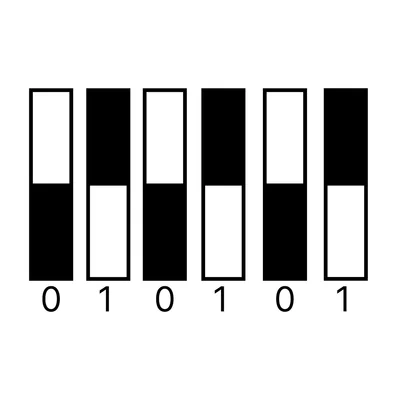
Type the address, read the switches. DipSwitch draws the block the way it looks on the back of the fixture, so you can hold your phone next to the real thing and compare it switch for switch.
It has been doing this job since 2008.
ON THE FIXTURE
• Enter an address and see the switch pattern immediately
• The block is drawn to match real hardware, with the ON marking and channel weights
• Set the number of switches to match your fixture, from 1 to 16
• Swap and mirror for blocks that are printed the other way round
PLANNING A RIG
• Set the offset to your fixture's channel footprint and step the whole rig one button at a time
• See how many fixtures fit a 512-channel universe, and the last address you can use
• Save fixtures you use often as profiles, so the channel count is one tap away
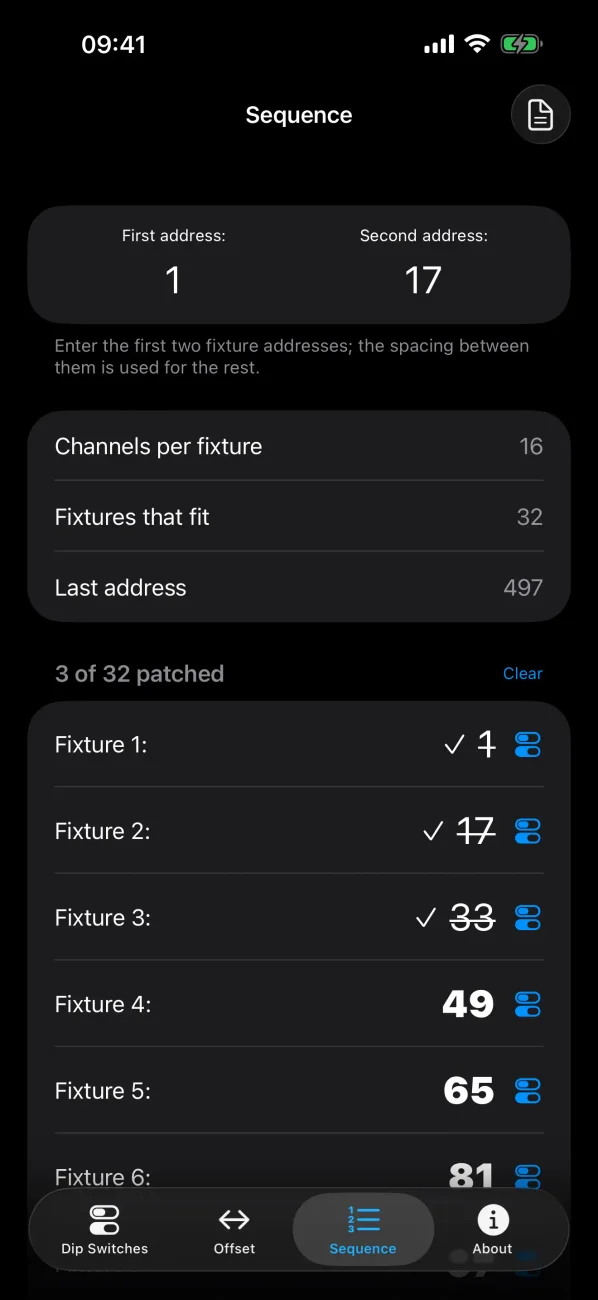
• Know two addresses and need the rest? Enter both and the spacing does the work
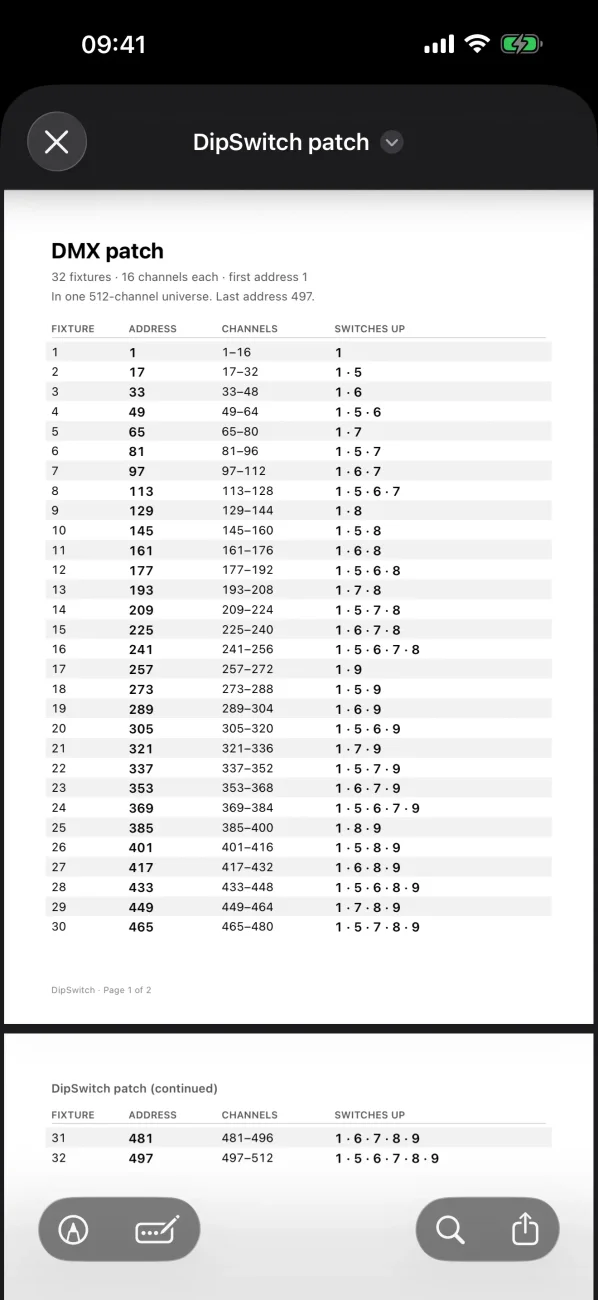
• Tick off fixtures as you patch them, and share the finished list as a PDF
ON APPLE WATCH
• The whole calculator on your wrist, for when one hand is holding the fixture
• Tap the switch block and the Digital Crown sets the address — one click per offset
• A complication puts the current address on your watch face
• Address, offset and fixture profiles stay in sync with your iPhone
PRIVACY
No account, no tracking, no advertising identifiers. The app collects anonymous counts only — which tabs get used, how many switches — never an address, never a fixture name, never a device identifier. You can switch it off in About.
English, German and French. Free, no in-app purchases.
Built in Luxembourg by a lighting technician who got tired of counting bits.
What’s new
Version 1.7 · Oct 24, 2026
Bigger screens
• On iPhone Duo unfolded and on iPad, Sequence becomes a patch console: your rig down the left, the switch block for the fixture you are standing at on the right. No more carrying an address between two tabs in your head
• Dip Switches and About split into two columns, so the block stays on screen while you flip the switches
Patch sheets
• The PDF export is a button you can actually find, and it opens in a preview before you share it
• The sheet can print which switches are up for every fixture — the column that was missing
On every iPhone
• The block and the +/- buttons stay put while only the switch list scrolls
• Tap the icon beside any address in the Sequence list to see that fixture's block
• Fixtures ticked off as patched now survive closing the app, and a Clear button starts the round again
• Change the offset and Sequence offers to re-space the list to match
App privacy
What Bazinga sarl declares on the App Store about how this app handles data.
-
Data not collected
The developer does not collect any data from this app.
Privacy practices may vary, for example with the features you use or your age.
Information
- Seller
- Bazinga sarl
- Category
- Utilities
- Version
- 1.7
- Updated
- Oct 24, 2026
- Released
- Feb 12, 2019
- Size
- 3.2 MB
- Requires
- iOS 17.5 or later
- Age rating
- 4+
- Price
- Free
- Languages
- English, French, German
- Copyright
- © 2008-2026 Tom Weber
You might also like
-
 FireAlarmGuyEssential tools for techs
-
 DMXcat®Utilities
-
 Lampy DMX ToolsInstant DIP switch guide
-
 Belimo Assistant 2Utilities
-
 Set LightNFC & RDM Configuration
-
 Resistance Color CalculatorUtilities
-
 iRFR - BTSUtilities
-
 Copeland Cold Chain ConnectConnection To CC200 Controller
-
 Blackout Next (Legacy)Professional DMX/Art-Net/sACN
-
 GreenMAX DRCUtilities