
- Age rating4+
- CategoryProductivity
- DeveloperAnthony Bellia
- LanguagesEnglish+ 1 more
- Size31.0 MB
Links to the official App Store page
Download.org hosts no file of Disjoncto. The button opens its official App Store page, published by Anthony Bellia. Listing last checked on Nov 23, 2026.
Screenshots
About
Disjoncto takes a residential electrical installation from the architect's plan to the Belgian RGIE/AREI file: position plan, single-line diagram, distribution board and lists, in one project.
ONE PROJECT, THREE VIEWS
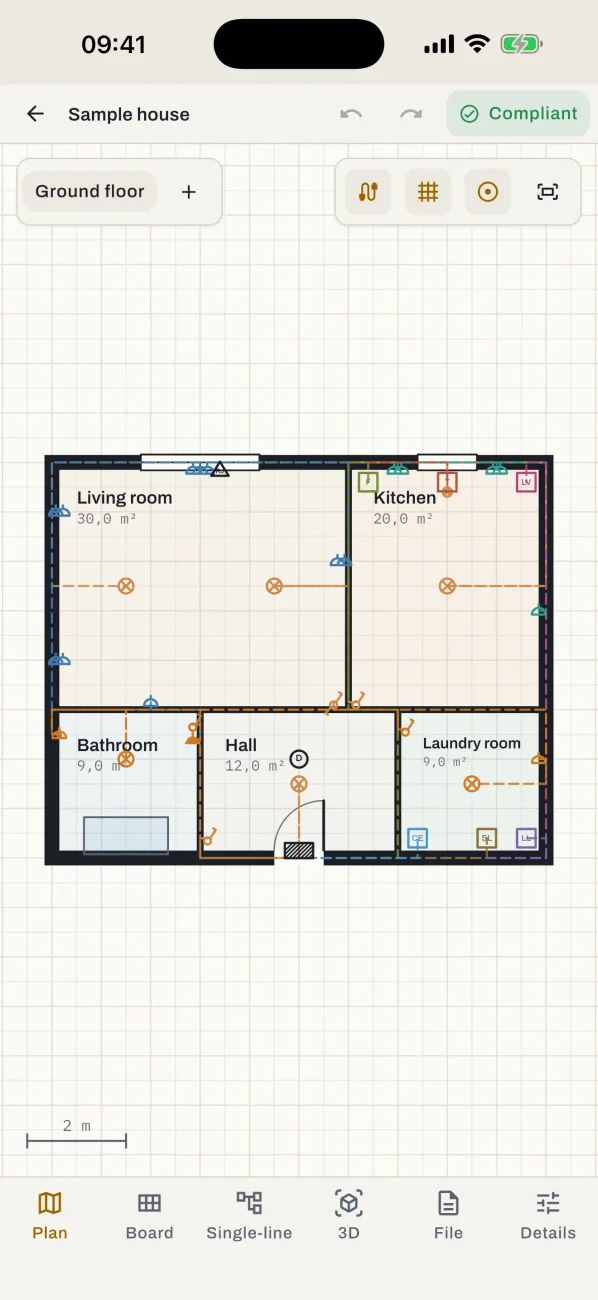
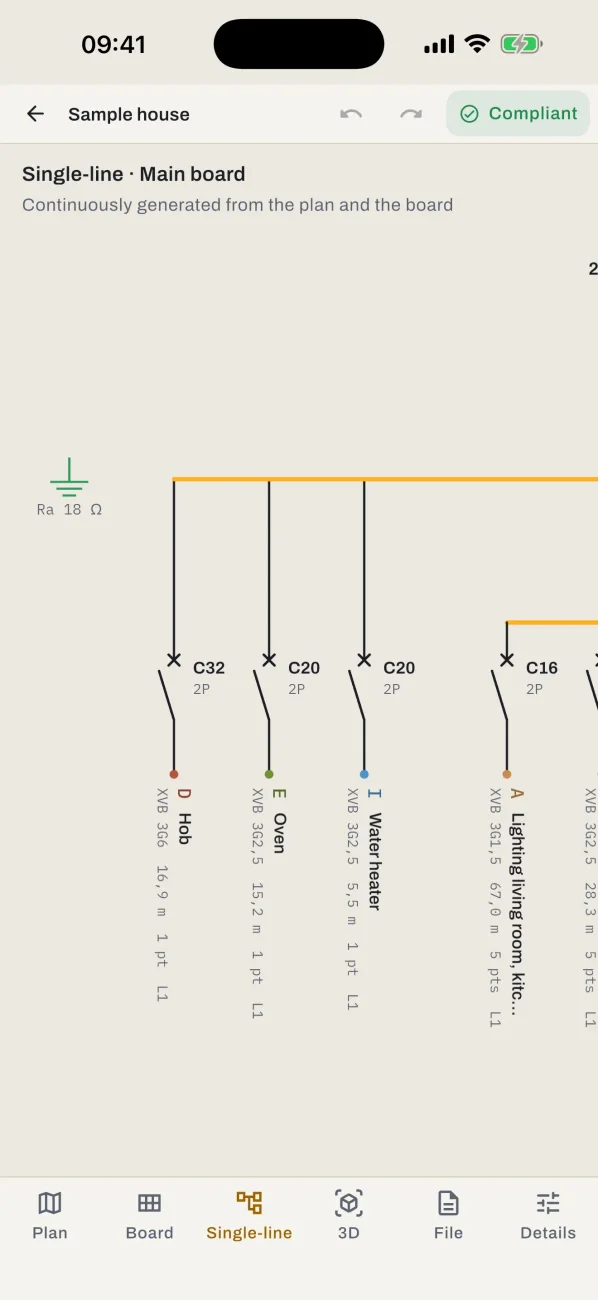
The plan, the board and the single-line diagram are three views of the same project. Move a socket: the circuit, the cable, the board and the diagram follow.
THE PLAN
• Draw walls, rooms, doors and windows to scale, with a finger, Apple Pencil, mouse or trackpad.
• Import the architect's plan (PDF, image or DXF) and set the scale.
• On iPhone Pro and iPad Pro with LiDAR, scan a room with RoomPlan and get its walls, doors and windows.
• Place sockets, switches, light points and appliances with standard symbols.
CIRCUITS AND BOARD
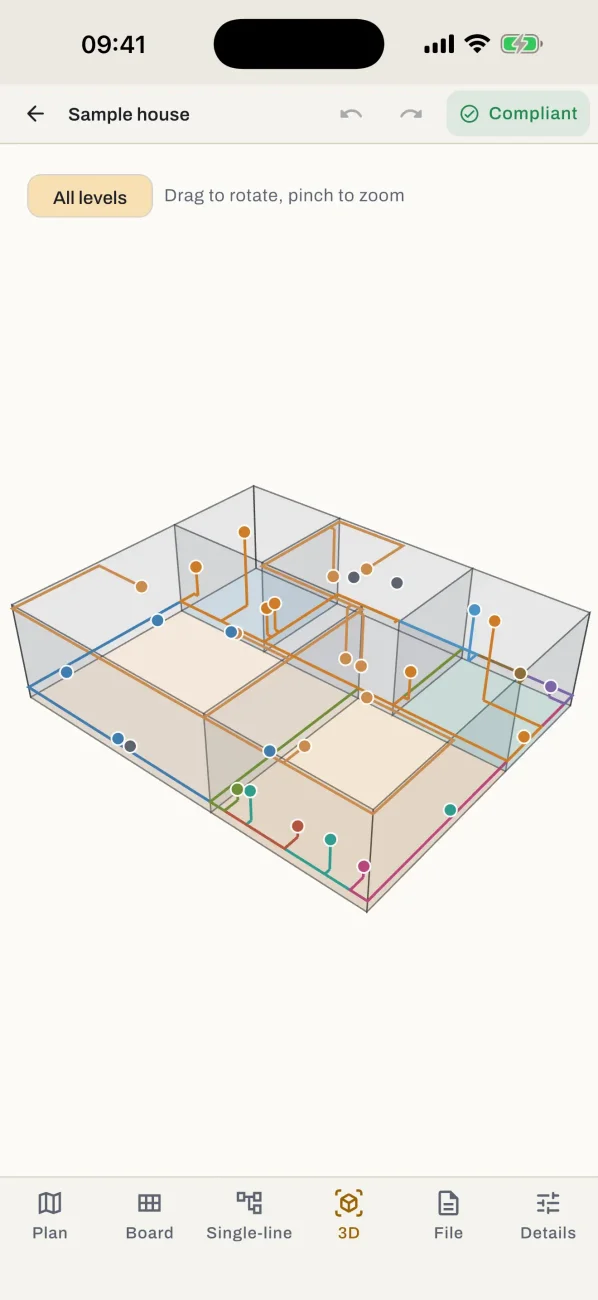
• Each point joins a circuit, manually or automatically; the cable follows the walls.
• RCDs, breakers and outgoing lines are built from the project; the single-line diagram draws itself.
THE RGIE IN PLAIN WORDS
Every change re-runs the check against the RGIE rules (version 07): cross-sections, ratings, points per circuit, dedicated circuits, 300 mA and 30 mA RCDs, bathroom zones, voltage drop, phase balance. Each finding cites the article and suggests a fix you can undo.
THE FILE
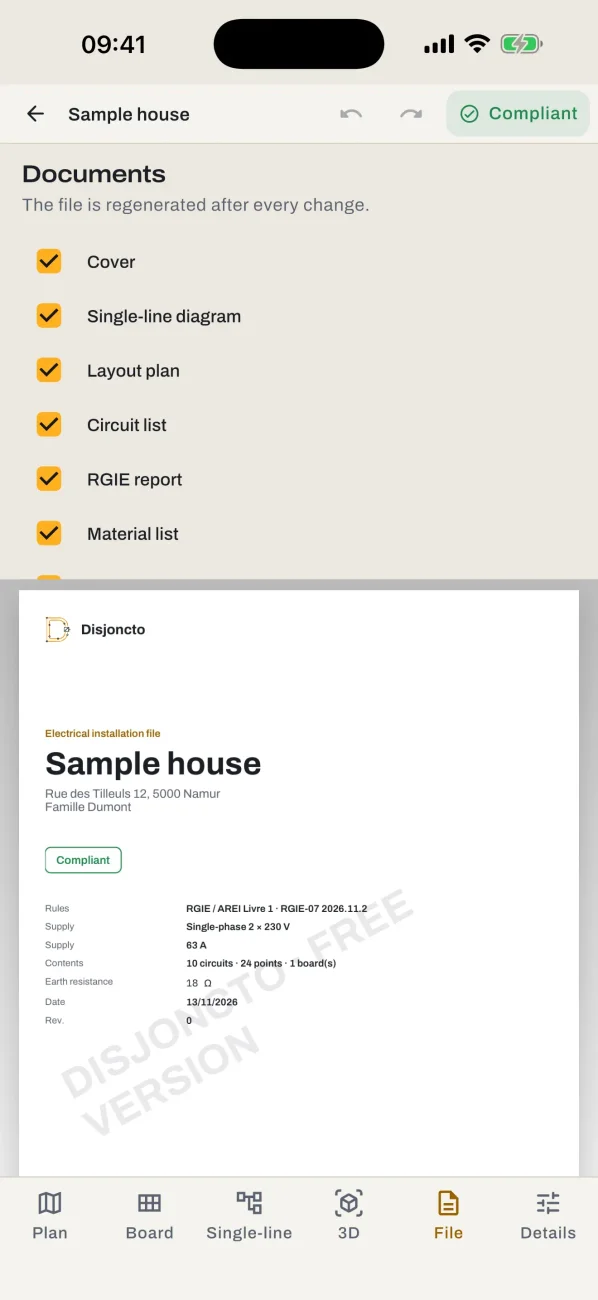
Position plan, single-line diagram, lists and labels as A4 PDFs, ready for the approved inspection body.
ON SITE AND AT THE OFFICE
• Works offline; your projects stay on the device.
• iPad gestures: double-tap and long press on an item, context menu, Apple Pencil double-tap to switch tools.
• English, French, Dutch and seven other languages.
FREE, WITH PLANS
The app is free (1 project, watermarked documents). The site pass, the Pro and Team subscriptions and the lifetime licence remove the watermark and the limits; they are offered as in-app purchases. Subscriptions renew automatically unless cancelled at least 24 hours before the end of the period, in your Apple account settings.
Disjoncto is a design aid: the official inspection of the installation is still carried out by an approved body.
Terms of use: https://disjoncto.com/en/terms-and-conditions/
Privacy: https://disjoncto.com/en/privacy/
What’s new
Version 1.1.5 · Nov 20, 2026
New in 1.1.5:
• Signing in to your account is now required; your licence follows your account across all your devices.
• Entitlements are refreshed at launch, when switching accounts and after a purchase.
• "Restore purchases" now also covers Stripe and other platforms.
• Stability and layout improvements.
• Simple usage statistics (never the content of your projects), can be switched off in Settings > About.
• The Disjoncto icon is now the same everywhere (iPhone, iPad, Mac, Android, browser).
App privacy
What Anthony Bellia declares on the App Store about how this app handles data.
-
Data linked to you
May be collected and linked to your identity.
- Purchases
- Contact info
- Identifiers
Privacy practices may vary, for example with the features you use or your age.
Information
- Seller
- Anthony Bellia
- Category
- Productivity
- Version
- 1.1.5
- Updated
- Nov 20, 2026
- Released
- Nov 13, 2026
- Size
- 31.0 MB
- Requires
- iOS 15.0 or later
- Age rating
- 4+
- Price
- Free
- Languages
- English, French
- Copyright
- © 2026 Novadesko SRL
You might also like
-
 Volter Electrical DiagramsFor the Belgian AREI code
-
 LumIA LocalProductivity
-
 HibiDo Pro: Todo Calendar NoteTask, Reminder & Event Planner
-
 Floor Plan MagicProfessional Floor Designer
-
 Ai Website Maker: WatermelonApp Builder - Web Site Creator
-
 Speech Jammer°Speech Jammer Tongue Twister
-
 The Spreadsheet App - SheetsExcel Editor, Tables & Scan
-
 iEditor – Text Code EditorBest source code editor
-
 Floor Plan Scanner: PanoRoomRoom Measure & Interior Design
-
 Letter: just write lettersPerfectly formatted letters