
Display Text - Large note
Banner screen big Text mega
Designed for iPhone, iPad, iPod touch
Free · In-app purchases
- Age rating4+
- CategoryUtilities
- DeveloperGianluca Posca
- LanguagesEnglish+ 8 more
- Size12.9 MB
Links to the official App Store page
Download.org hosts no file of Display Text - Large note. The button opens its official App Store page, published by Gianluca Posca. Listing last checked on Nov 22, 2026.
Screenshots


About
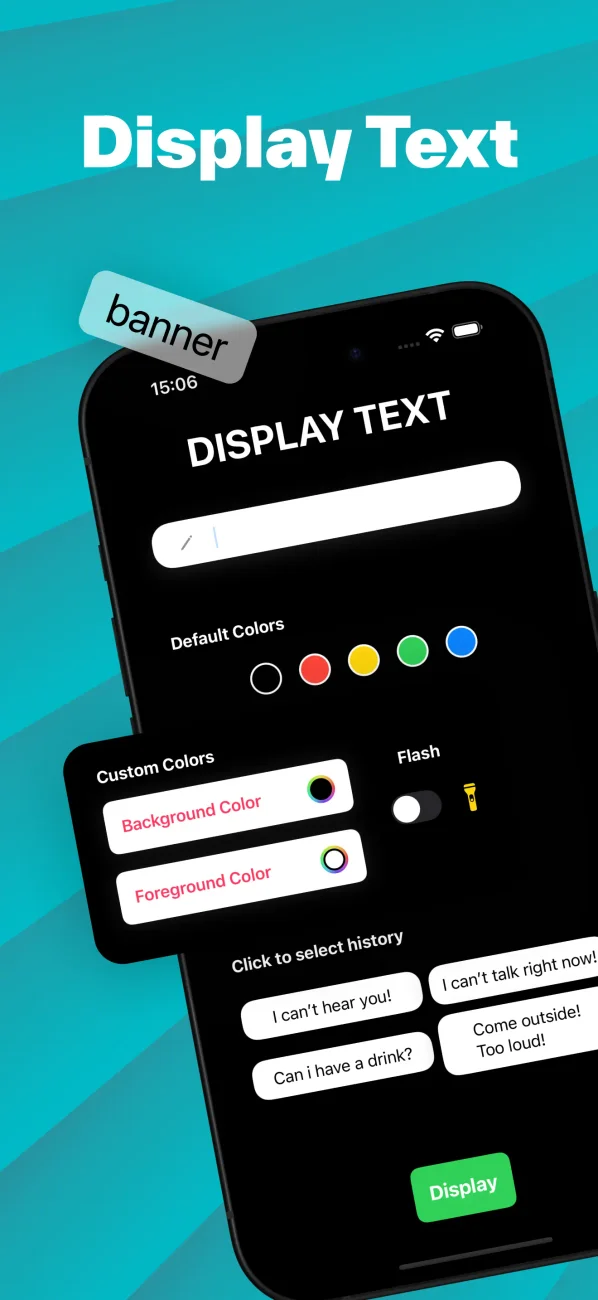
Display Text is the ultimate app that transforms your iPhone or iPad into a dynamic ticker display, allowing you to communicate in a fun and attention-grabbing way. Whether you're sending messages across a room, ordering drinks at a noisy bar, or communicating in situations where speech isn’t practical, Display Text ensures your message is seen. With no ads and a user-friendly interface, it’s perfect for discreet communication in loud environments or any place that calls for a visual message.
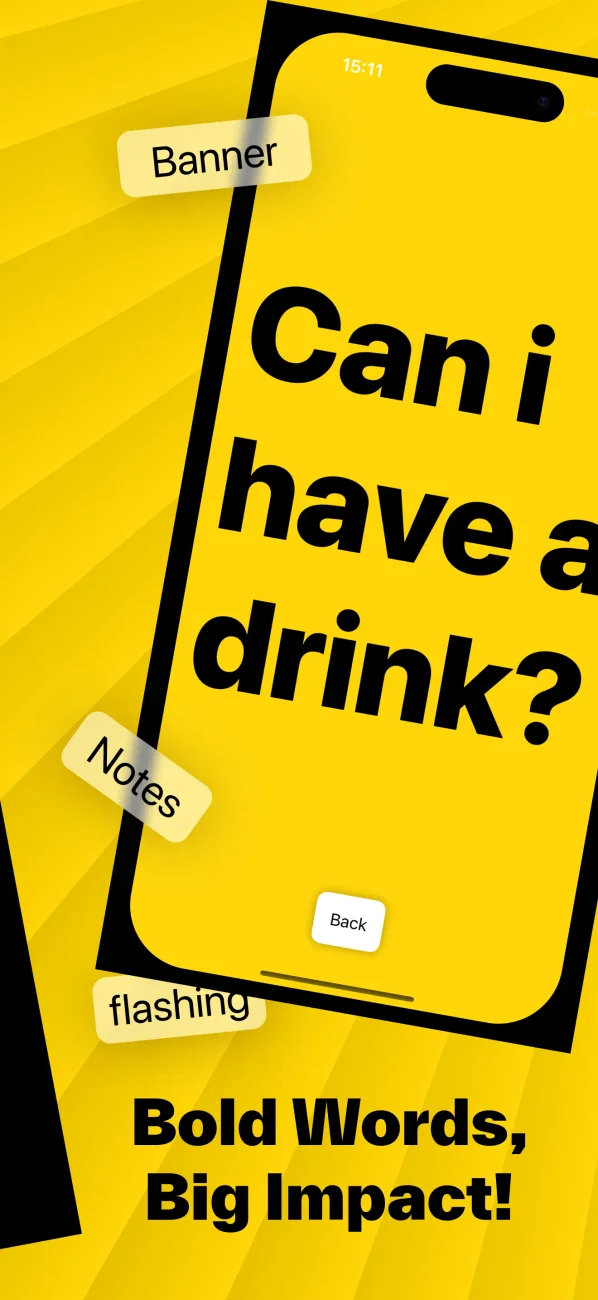
Display Text allows you to display text in two ways: scrolling or static. Just type your message, choose your mode, and rotate your device. Your text will be displayed in big, bold letters like a digital billboard, making it easy to read from a distance. It’s ideal for classrooms, meetings, social situations, or just for fun with friends. The possibilities are endless!
Highlighted Features:
- Create scrolling or static text banners
- Use in noisy environments like concerts, bars, and parties
- Perfect for discreet messaging when speech isn't an option
- Full-screen display ensures your message gets noticed
- Fast and easy text input with customizable options for fonts, colors, and text size
- Shake-to-flash feature for grabbing attention in crowded places
- Portrait and landscape modes with automatic text resizing
- Save and load messages for quick reuse
- Send animated banners as MP4s or GIFs
With Display Text PRO, unlock even more customization options, including emojis, more font choices, and the ability to save your message history. Plus,
Use cases include:
- Flirting in social settings like discos or cinemas
- Ordering drinks in loud bars or clubs
- Displaying funny or supportive messages at sports events
- Sending song requests to the DJ without shouting
- Communicating with the hearing impaired
- Holding up greeting signs at airports
- Subtly expressing yourself in meetings or classrooms
Display Text also includes unique features like widget support for iOS 16, so your last message can appear directly on your lock screen. Whether you're sending a quick note or crafting an elaborate message with customizable fonts and flashing effects, Display Text offers limitless ways to communicate creatively.
For those who want even more, subscribe to Display Text PRO to access premium features like HD mode, advanced flashing effects, and the ability to save and share your messages as animated files. Plus, you can send your LED banner creations via popular social media platforms like Facebook, Twitter, WhatsApp, and WeChat.
Join the thousands of users who have discovered the power of visual messaging with Display Text, the top-rated LED banner app available today. Don’t miss out—try Display Text now and see how easy communication can be!
Term of Service: https://github.com/GianlucaP17/PrivacyPolicy
Privacy Policy: https://github.com/GianlucaP17/PrivacyPolicy
What’s new
Version 1.9 · Mar 18, 2025
New icon
App privacy
What Gianluca Posca declares on the App Store about how this app handles data.
-
Data used to track you
May be used to track you across apps and websites owned by other companies.
- Usage data
- Diagnostics
-
Data not linked to you
May be collected but is not linked to your identity.
- Usage data
- Diagnostics
Privacy practices may vary, for example with the features you use or your age.
Information
- Seller
- Gianluca Posca
- Category
- Utilities
- Version
- 1.9
- Updated
- Mar 18, 2025
- Released
- Dec 8, 2022
- Size
- 12.9 MB
- Requires
- iOS 15.0 or later
- Age rating
- 4+
- Price
- Free
- In-app purchases
- Yes
- Languages
- English, French, German, Italian, Japanese, Korean, Portuguese, Spanish, Traditional Chinese
- Copyright
- © GIANLUCA POSCA
You might also like
-
 Text Display - Led MonitorShow Message On The Screen
-
 Large Text Display - LEDLED Banner
-
 led banner scrolling text ledbillboard, make it big
-
 Display SignUtilities
-
 LED Banner & Marquee: LitSignScrolling Text Sign & Display
-
 Easy Big TextScrolling text display tool
-
 SayItBig! Marquee TextScrolling LED Banner & Sign
-
 Big Note.Utilities
-
 Super Size TextLarge Font Messaging App
-
 LED Banner Maker: BannrsBig text display & signs