Distance Measurement
Measure distance by tracing
Designed for iPhone, iPad, Mac
Free · In-app purchases
- Age rating4+
- CategoryNavigation
- DeveloperKanata Tech G.K.
- LanguagesEnglish+ 13 more
- Size5.2 MB
Links to the official App Store page
Download.org hosts no file of Distance Measurement. The button opens its official App Store page, published by Kanata Tech G.K. Listing last checked on Nov 27, 2026.
Screenshots
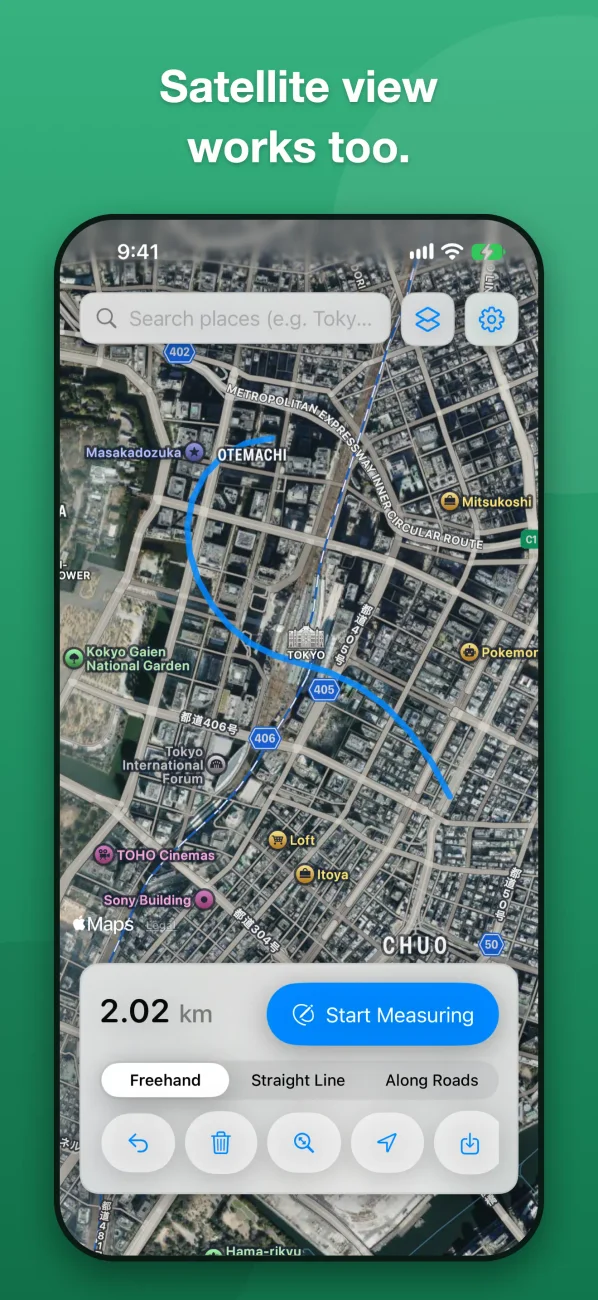

About
Distance Measurement lets you measure distance by simply tracing your finger across a map. Use it for walking and running routes, your commute, or a rough idea of how far apart two places are.
THREE WAYS TO MEASURE
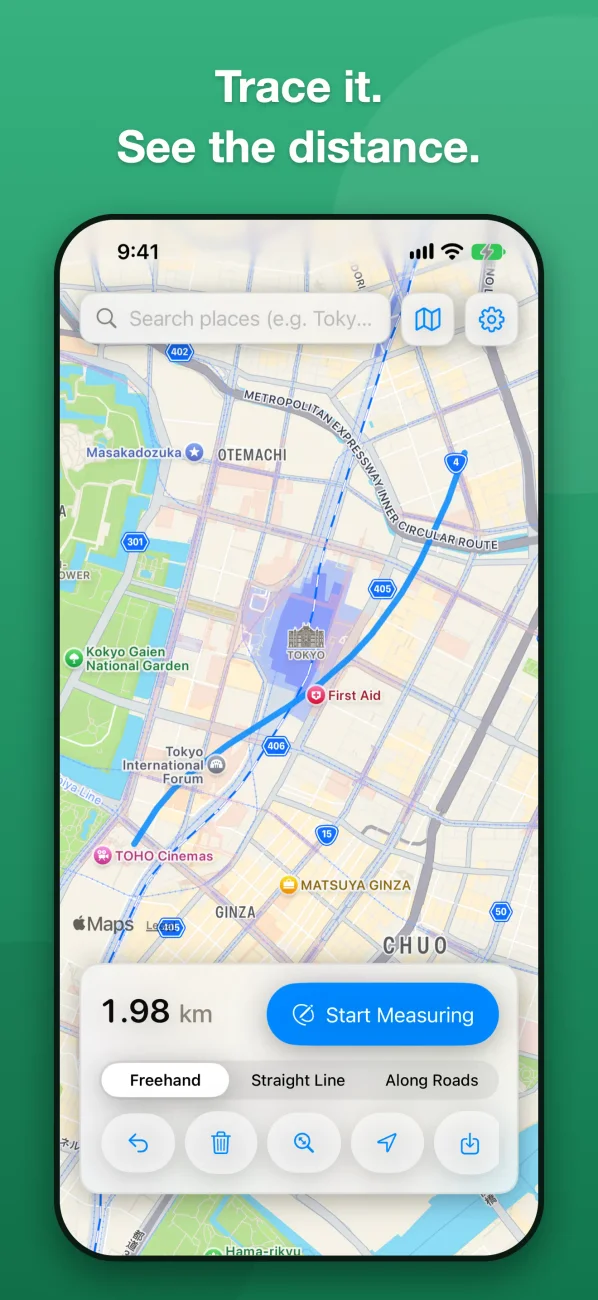
- Freehand: tap Start Measuring, then trace the map with your finger. The distance updates as you draw
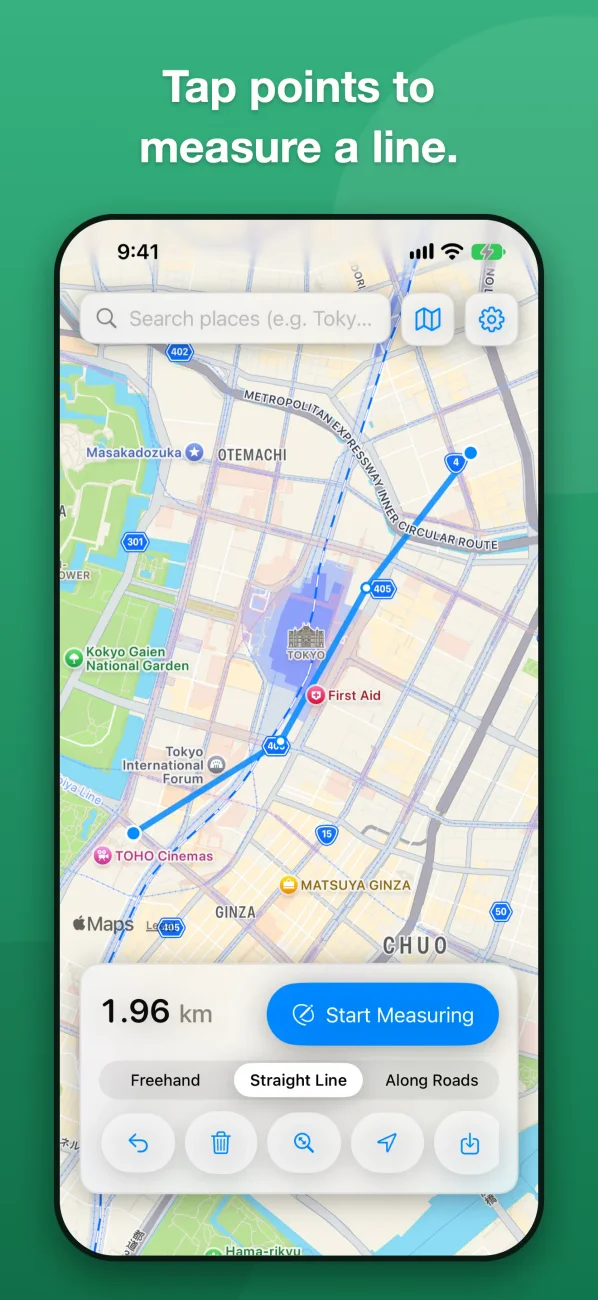
- Straight Line: tap the map to place points, and the lengths of the segments are added up. Undo removes just the last point
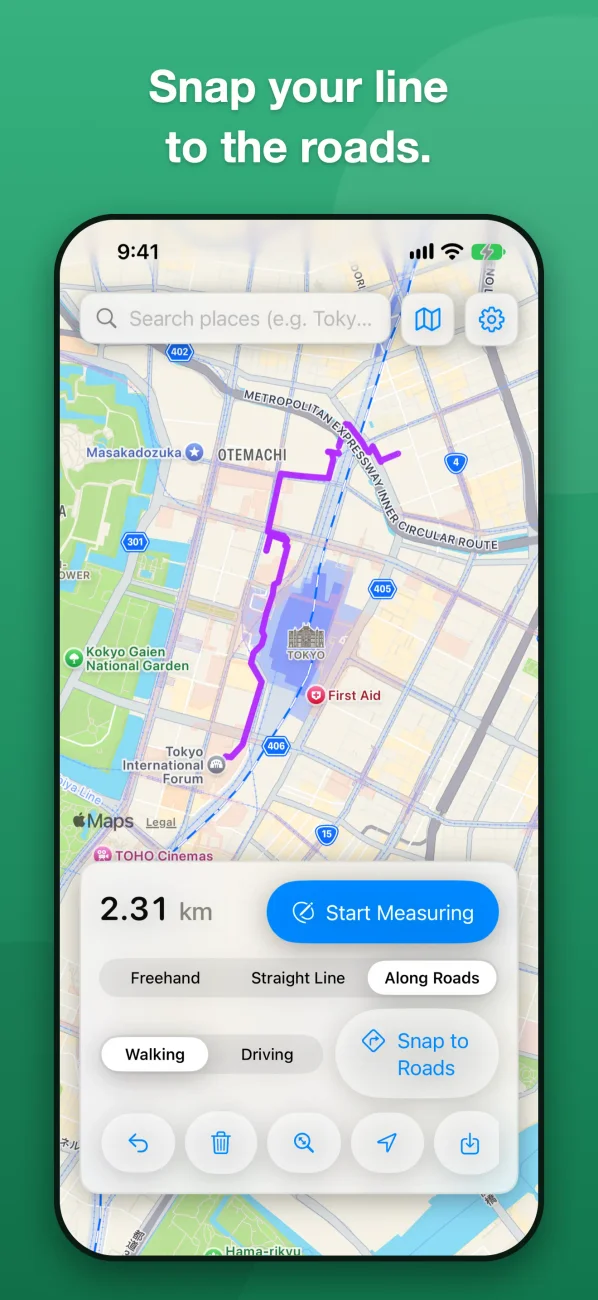
- Along Roads: turns the line you traced into a route that follows roads and paths, and gives you that distance. Choose walking or driving
Distances are calculated on the real surface of the Earth, not in screen pixels.
MAP FEATURES
- Search for a place or address and jump right to it
- Standard, Satellite and Hybrid maps
- A Current Location button
- Undo, Clear and Show All make it easy to start over
- Distances switch automatically between m and km. In Settings you can switch to feet and miles
HISTORY
- Save a measurement and bring it back on the map later (the line, distance, map position and zoom)
- Your saved history is kept on your device only
AND MORE
- Works on iPhone and iPad. Supports Dark Mode
- 14 languages: Japanese, English, Korean, Chinese (Simplified and Traditional), German, French, Spanish, Italian, Portuguese (Brazil), Dutch, Polish, Turkish and Russian
- No account or sign-in required
LOCATION
Your location is used only to show where you are on the map. Every measuring feature works even if you don't allow it.
ADS
The app is free. To keep it running, it shows a banner ad at the bottom of the screen, and may show a full-screen ad when you clear a measurement.
PLEASE NOTE
- Road-following distances come from Apple Maps route searches. The route may differ from the path you traced, and an internet connection is required
- Distances are reference values. Do not use them as a basis for surveying or for legal or commercial purposes
What’s new
Version 2.0.0 · Oct 12, 2026
Distance Measurement has been rebuilt from the ground up.
- Rebuilt from scratch
- New Along Roads mode: turns the line you traced into a route that follows roads and paths, and shows that distance (walking or driving)
- New Straight Line mode: tap the map to place points and measure a polyline
- Save measurements and bring them back on the map later
- Switch between Standard, Satellite and Hybrid maps
- Feet and miles are now supported
- Supports the larger iPad screen
- 14 languages
- Free to use (shows ads at the bottom of the screen)
App privacy
What Kanata Tech G.K. declares on the App Store about how this app handles data.
-
Data used to track you
May be used to track you across apps and websites owned by other companies.
- Location
- Identifiers
- Usage data
- Diagnostics
-
Data linked to you
May be collected and linked to your identity.
- Location
- Identifiers
- Usage data
- Diagnostics
-
Data not linked to you
May be collected but is not linked to your identity.
- Diagnostics
Privacy practices may vary, for example with the features you use or your age.
Information
- Seller
- Kanata Tech G.K.
- Category
- Navigation
- Version
- 2.0.0
- Updated
- Oct 12, 2026
- Released
- Apr 25, 2014
- Size
- 5.2 MB
- Requires
- iOS 17.0 or later
- Age rating
- 4+
- Price
- Free
- In-app purchases
- Yes
- Languages
- English, Dutch, French, German, Italian, Japanese, Korean, Polish, Portuguese, Russian, Simplified Chinese, Spanish + 2 more
- Copyright
- © 2026 KanataTech
You might also like
-
 DistanceCalculator - Map toolEasily measure distance on map
-
 Measure distance on map. LandLand & route measurement.
-
 Map Ruler - Distance MeasureRangefinder & Area Measure
-
 My GPS Tape MeasureMeasures outdoor distances.
-
 Distance - Find My DistanceDraw to find area & distance
-
 Planimeter 55. Measure on map.Land area, distance, perimeter
-
 Field MapS - Measure Land GPSProperty Area Survey Distance
-
 Land Distance Area CalculatorGPS Fields Area Measurements
-
 Location Maps - Measure MapDistance & Area Measure
-
 Area & Distance - Map MeasureMeasure Land, Path & Perimeter