
Divido: Split Bills & Budget
Expense tracker, voice & debts
Designed for iPhone
In-app purchases
- Age rating4+
- CategoryFinance
- DeveloperDanil Melkozerov
- LanguagesEnglish+ 4 more
- Size11.0 MB
Links to the official App Store page
Download.org hosts no file of Divido: Split Bills & Budget. The button opens its official App Store page, published by Danil Melkozerov. Listing last checked on Nov 11, 2026.
Screenshots



About
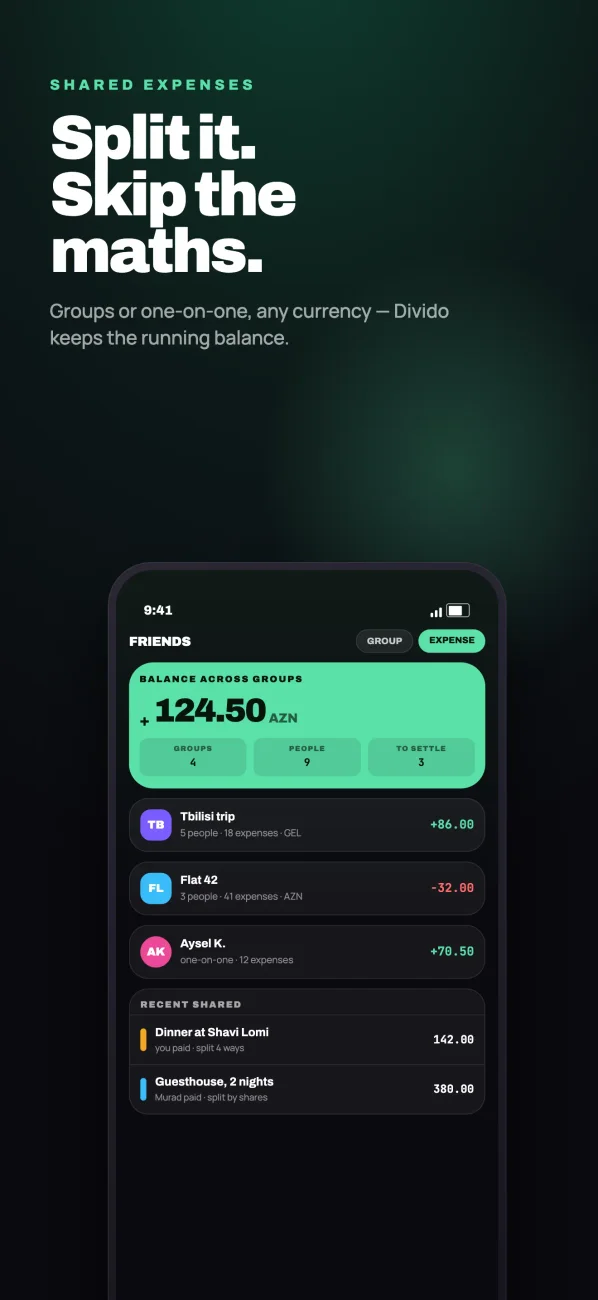
Divido brings your personal budget and shared expenses with friends together in one app. Log spending in seconds, and let Divido turn shared bills into clear, simple debts.
VOICE AND RECEIPTS
• Say "coffee five dollars yesterday, cash" — Divido fills in the amount, date, account and category.
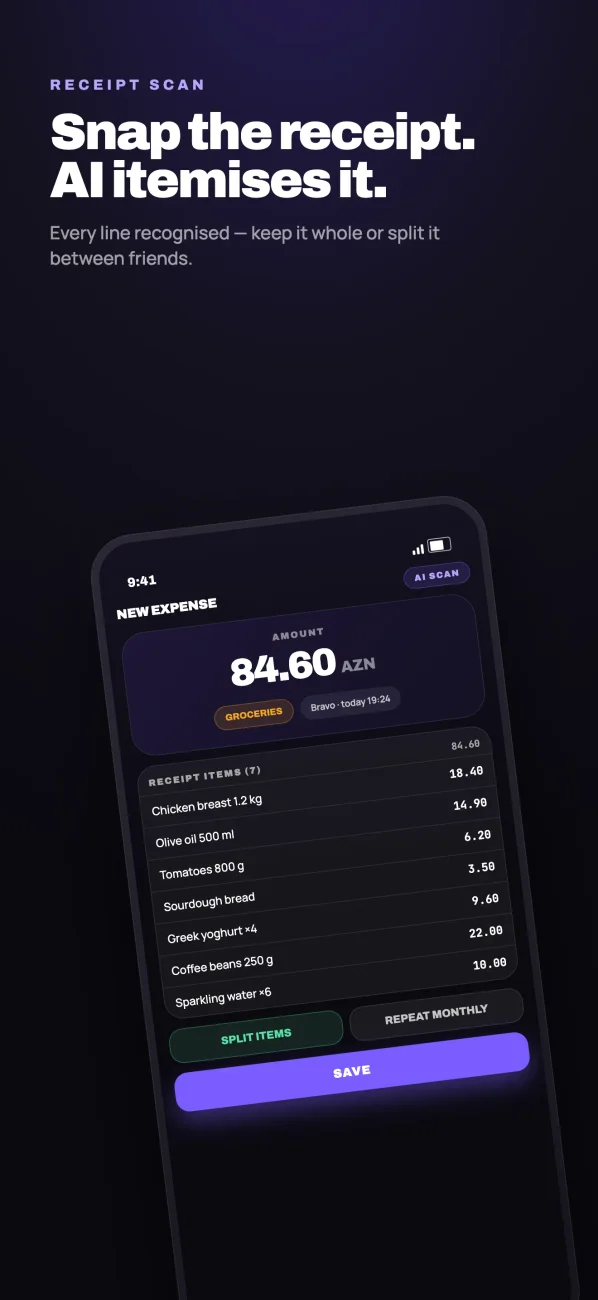
• Snap a receipt — the total and line items appear. Your phone reads the receipt itself; the photo never leaves it.
• With a Shortcuts automation, every card payment from Wallet offers to log the expense for you.
PERSONAL FINANCE
• Accounts: cards, cash, savings and debts, with a combined balance.
• 64 currencies with daily exchange rates.
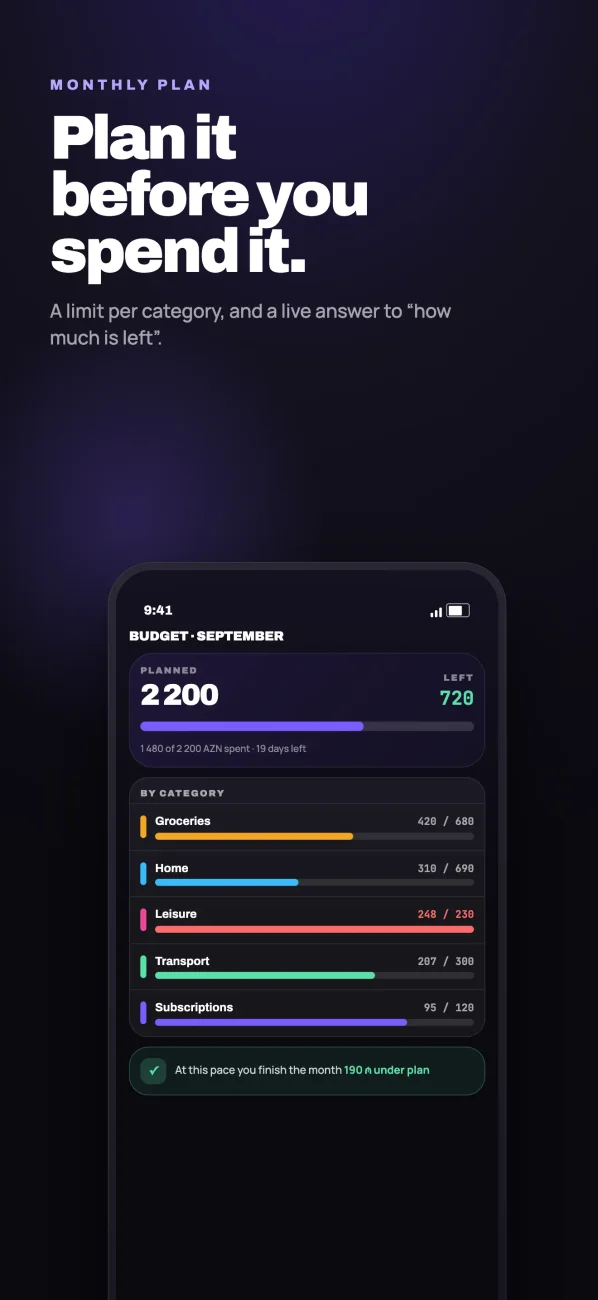
• A monthly budget plan: income, expenses, category groups and a month-end forecast.
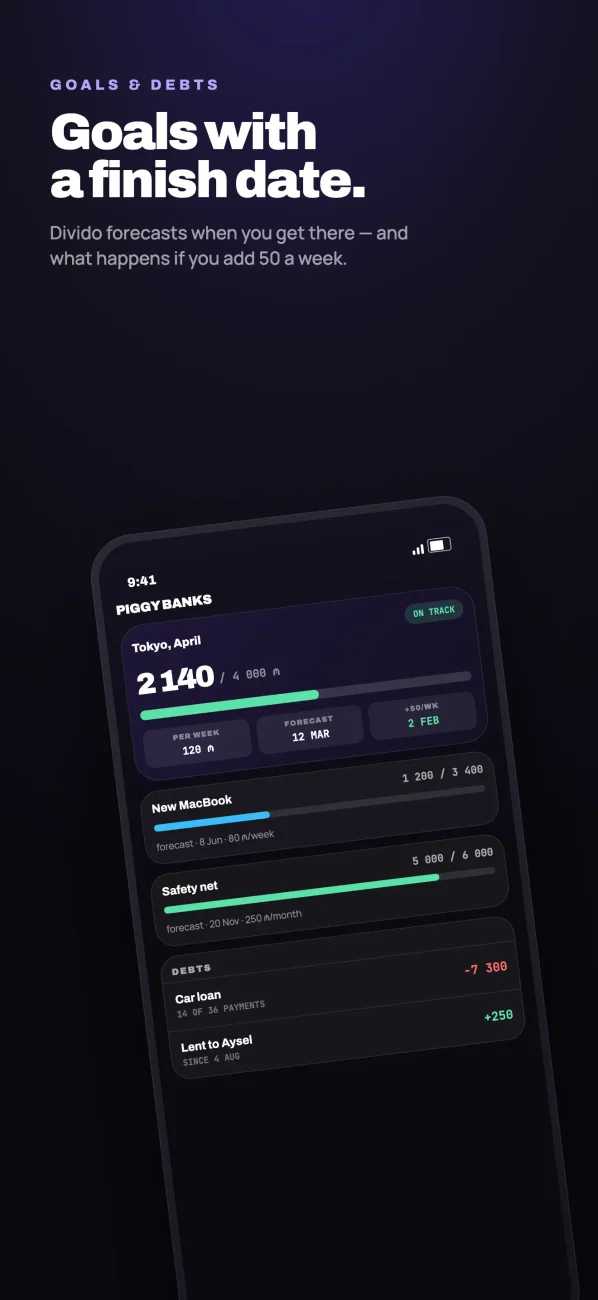
• Savings goals with a "what if I save more" preview.
• Recurring payments — subscriptions, rent, loans — are logged automatically.
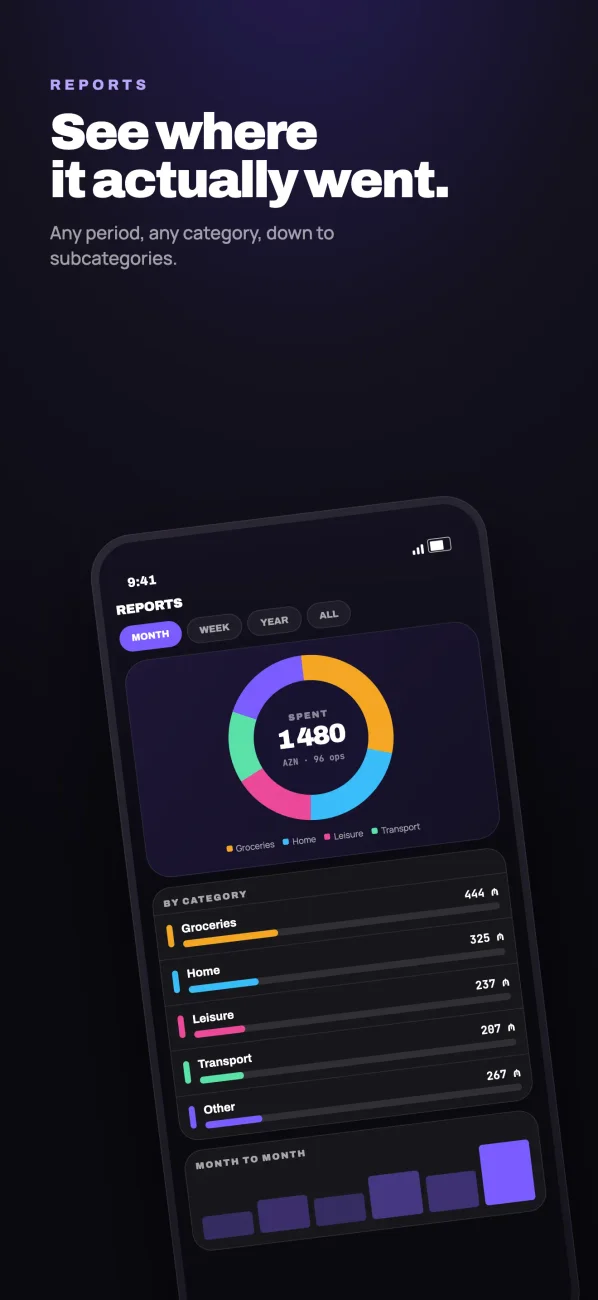
• Reports by category and month, CSV export.
• Home Screen widget.
SHARED EXPENSES
• Groups for a trip, a flat or friends — plus one-on-one expenses.
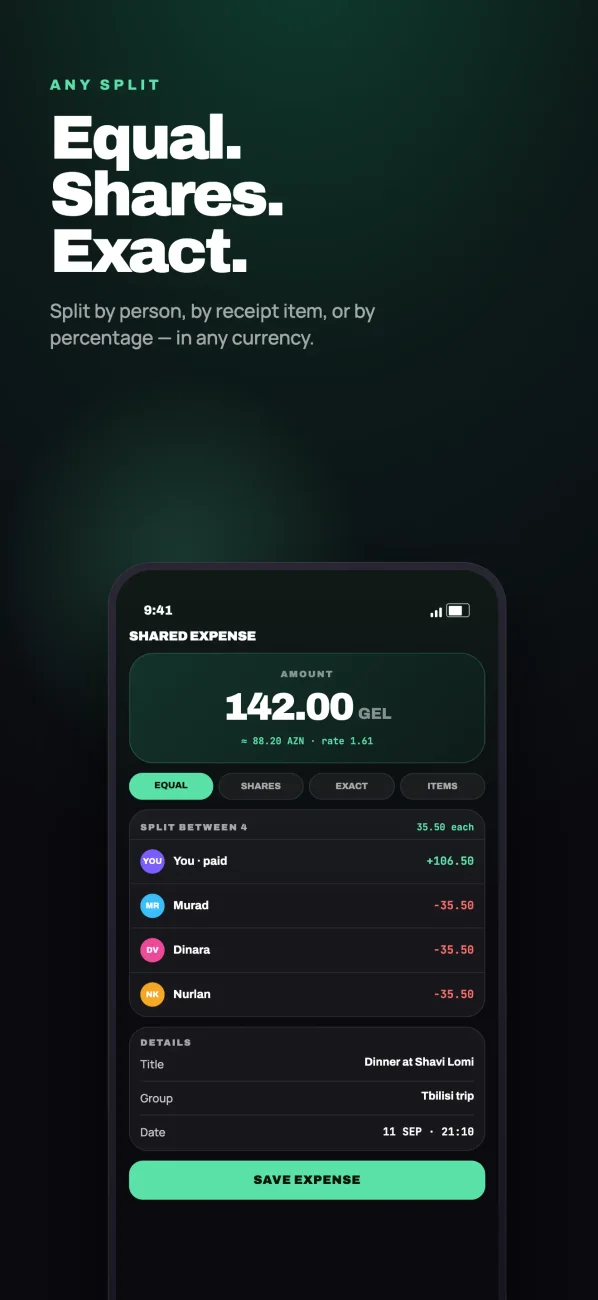
• Split equally, by shares, by exact amounts or by receipt items.
• Different currencies in one group.
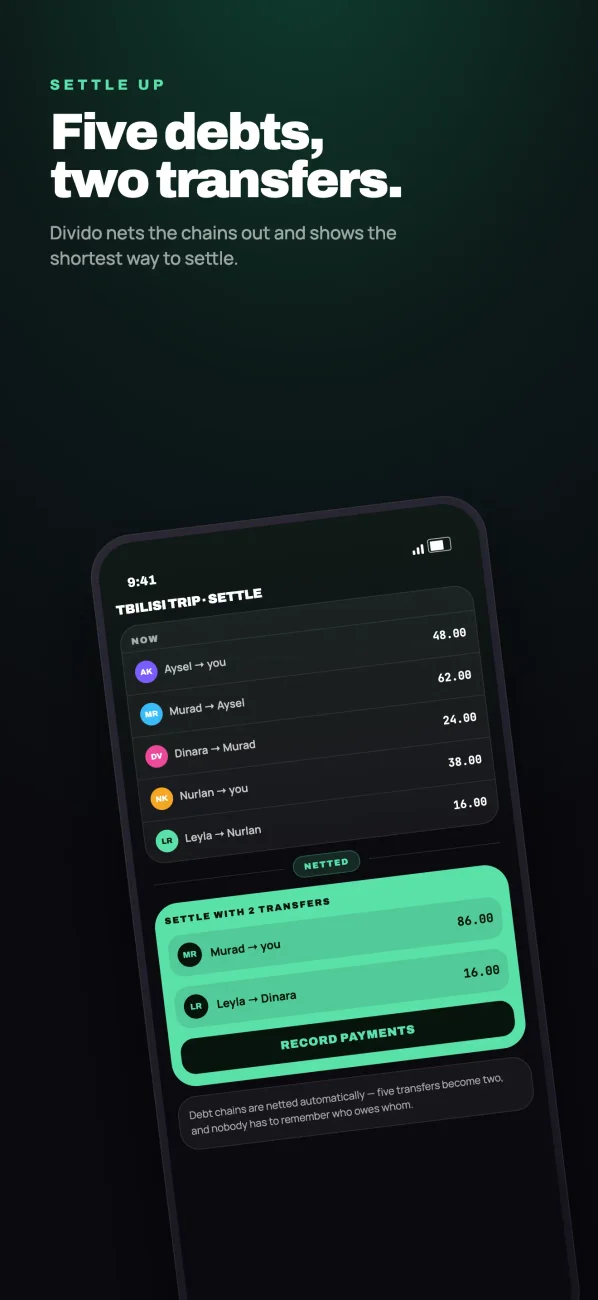
• "Simplify debts" — the fewest payments to settle everyone up.
• Invite with a link or QR code. Add people without the app as guests.
• Notifications about new expenses and settle-ups.
YOUR DATA STAYS YOURS
No ads, no third-party trackers. Sign in with Apple or email, sync across devices, and delete your account right in Settings.
DIVIDO PRO
Everything above is free. Without a subscription you get 5 voice entries and 3 receipt scans every month. Divido Pro removes the limit — monthly or yearly. The subscription renews automatically; cancel any time in your Apple ID settings at least 24 hours before the end of the period.
Terms of Use: https://www.apple.com/legal/internet-services/itunes/dev/stdeula/
Privacy Policy: https://divido.ru/legal/privacy/en/
What’s new
Version 1.0.4 · Oct 9, 2026
People in groups
• Groups now have an "Add member" row: by email, by link or with a QR code. Anyone already on Divido joins straight away.
• When you create a group, people added by email or from contacts become real members, not guests. A typo in an address shows up on the form right away.
• A guest you added by name can become a real person. A guest's card has a "Show QR code" button: your friend scans it with their phone and takes over that entry, and the name and all expenses stay.
• As a fallback, there's "Link to account": by email, or "This is …" if the person already joined the group under another name.
• A guest in your contacts can be linked to an account too, and your one-to-one balances become shared with them.
• The Friends screen has its own scanner for invite QR codes. Pull the screen down to refresh it.
Notifications
• Group notifications arrive right away.
• If you added someone by email, you'll know when they open the group.
• Tapping a notification opens the group, and the group list updates without restarting the app.
Transactions
• A transaction row now shows the expense description: "category · description".
• Swiping deletes a transaction right away, with no confirmation box.
• A group expense can't be swiped away by accident: the button asks again right above the row and names the group.
Card payments
• Tapping a payment notification opens a new expense with the amount and the shop already filled in.
• The "Log payment" action goes into an automation as a regular block, and the amount from Wallet fills in automatically.
• The guide under "Card payments" uses the iOS 26 names.
Fixed
• Editing a shared expense no longer creates a second one next to it, and the note is no longer erased when you edit.
• An expense opens for editing with the same shares it was saved with. An expense for one person is no longer split across the whole group.
• Invite links and QR codes are no longer lost if the app was closed: after you sign in, the group itself opens.
• A member who left a group can join it again by link or by email.
App privacy
What Danil Melkozerov declares on the App Store about how this app handles data.
-
Data linked to you
May be collected and linked to your identity.
- Purchases
- Financial info
- Contact info
- Contacts
- User content
- Identifiers
-
Data not linked to you
May be collected but is not linked to your identity.
- User content
Privacy practices may vary, for example with the features you use or your age.
Information
- Seller
- Danil Melkozerov
- Category
- Finance
- Version
- 1.0.4
- Updated
- Oct 9, 2026
- Released
- Sep 17, 2026
- Size
- 11.0 MB
- Requires
- iOS 17.6 or later
- Age rating
- 4+
- In-app purchases
- Yes
- Languages
- English, Azerbaijani, Russian, Spanish, Turkish
- Copyright
- © Danil Melkozerov
You might also like
-
 Свобода от ДолговУчет кредитов и долгов
-
 Общак: копим вместеFinance
-
 Pennykin: Family BudgetDaily budgets, shared spending
-
 Split — общие расходыFinance
-
 Payments reminder BillsOnLoans, Subscriptions & Budget
-
 DoberMoneyЛичный охранник финансов
-
 MoneyFlow: Budget TrackerExpense & Savings Planner
-
 SplitFair: Split ExpensesSplit expenses with friends
-
 Voyage FinancesFinance
-
 moneaiOffline Money Tracker