- Age rating4+
- CategoryUtilities
- DeveloperDiebold Nixdorf
- LanguagesEnglish+ 7 more
- Size30.1 MB
Links to the official App Store page
Download.org hosts no file of DN Authenticator. The button opens its official App Store page, published by Diebold Nixdorf. Listing last checked on Nov 14, 2026.
Screenshots



About
IMPORTANT: Note that this app will provide essential functionality only if it is used in combination with "CrypTA Mobile" or "Vynamic Security" software from Diebold Nixdorf.
Diebold Nixdorf's DN Authenticator app supports two operating modes: "CrypTA Mobile" and "Vynamic Security". Both modes serve to protect ATMs, point of sale terminals, and other systems, and provide authorized technicians with a secure way to access them for servicing purposes.
CrypTA Mobile
CrypTA is a product developed by Diebold Nixdorf that provides cryptographic access control for servicing ATMs and similar systems. This mode enables authorized technicians to authenticate themselves at a protected terminal using their smartphone.
The workflow of this process can be summed up in the following points:
1. Technicians participate in specific training programs to obtain the privileges necessary for servicing an ATM.
2. They install the DN Authenticator app on their smartphones and register their devices through the app.
3. To access a terminal, technicians use the app to authenticate.
For more information, please refer to the CrypTA Mobile manual.
Vynamic Security
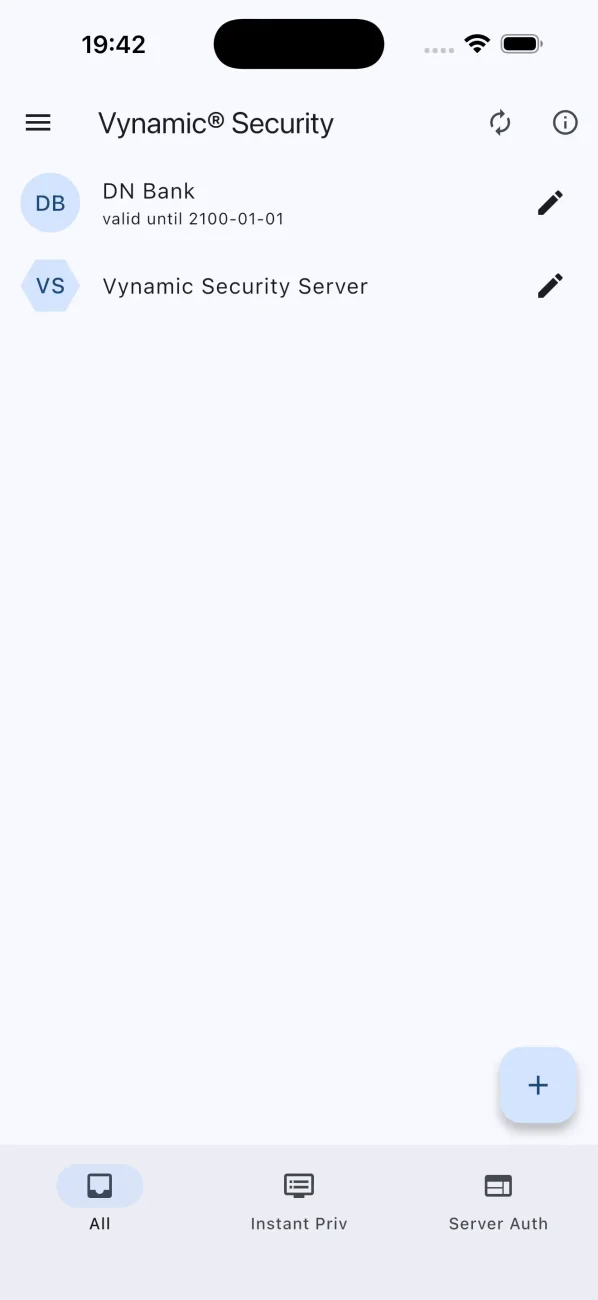
Vynamic Security is a collection of several software products developed by Diebold Nixdorf. It provides protection against multiple types of attacks. This app provides the means to temporarily disable the protection mechanisms from products in the Vynamic Security family for servicing reasons.
The workflow of this process can be summed up in the following points:
1. Technicians install the DN Authenticator app on their smartphones.
2. Helpdesk members create Instant Privilege files and distribute them to the technicians.
3. A technician imports the file(s) into the app.
4. As long as the privileges are within the validity range, the technician can use the app in combination with the Instant Privilege Tool on the given terminal to access the system with elevated privileges.
Video: https://youtu.be/fjojVFCxfS4
For more information, please refer to Vynamic Security Runtime manual.
What’s new
Version 1.8.1 · Jun 30, 2026
- Added CrypTA Mobile functionality.
- Vynamic Security: Updated Certificates of Trusted Timestamp Server.
- Added localizations and now supports the following languages: English, German, French, Spanish, Polish, Italian, Portuguese, Portuguese (Brazil), Turkish.
- Updated plugins and dependencies.
App privacy
What Diebold Nixdorf declares on the App Store about how this app handles data.
-
Data linked to you
May be collected and linked to your identity.
- Location
- Contact info
Privacy practices may vary, for example with the features you use or your age.
Information
- Seller
- Diebold Nixdorf Incorporated
- Category
- Utilities
- Version
- 1.8.1
- Updated
- Jun 30, 2026
- Released
- Dec 12, 2018
- Size
- 30.1 MB
- Requires
- iOS 15.5 or later
- Age rating
- 4+
- Price
- Free
- Languages
- English, French, German, Italian, Polish, Portuguese, Spanish, Turkish
- Copyright
- © 2026 Diebold Nixdorf