
Do It Now: ADHD Focus
Start tasks, lock distractions
Designed for iPhone, iPad
Free · In-app purchases
- Age rating4+
- CategoryProductivity
- DeveloperMileta Avramovic
- LanguagesEnglish
- Size8.3 MB
Links to the official App Store page
Download.org hosts no file of Do It Now: ADHD Focus. The button opens its official App Store page, published by Mileta Avramovic. Listing last checked on Nov 17, 2026.
Screenshots
About
Do it now helps you do one task, right now. It picks the task, hands you a tiny first step, shows the time passing, locks the apps that pull you away, checks on you, and keeps reminding you until the task is done or you choose to skip it. It's made for people with ADHD, and for anyone who plans well but struggles to start.
EMPTY YOUR HEAD FIRST
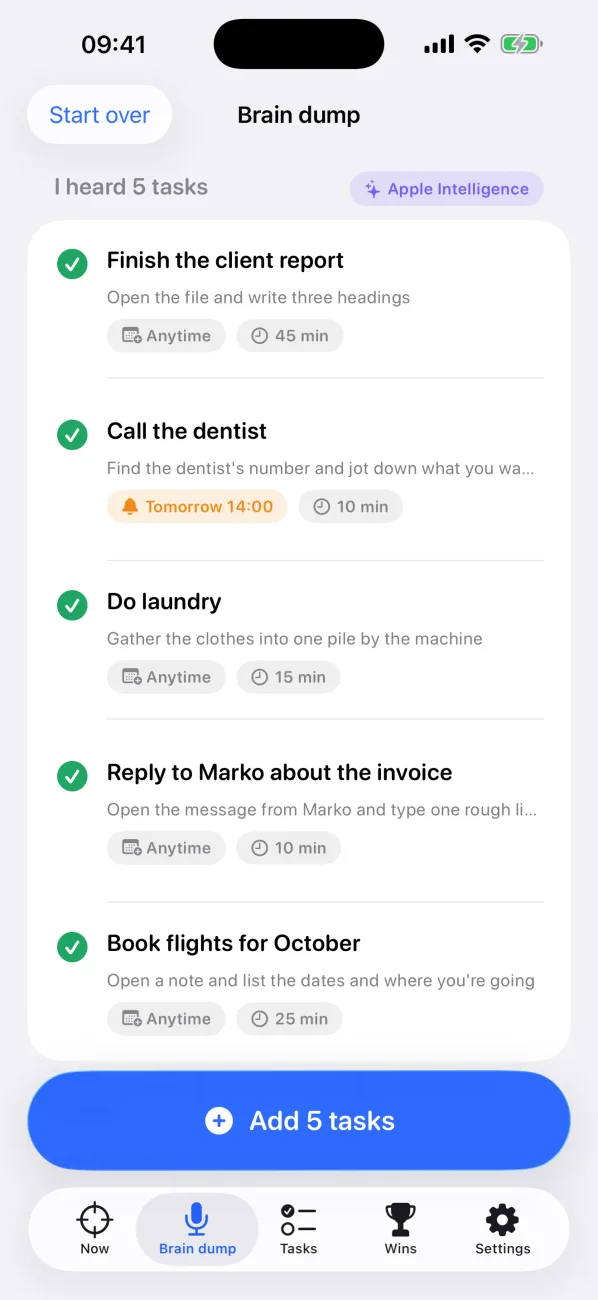
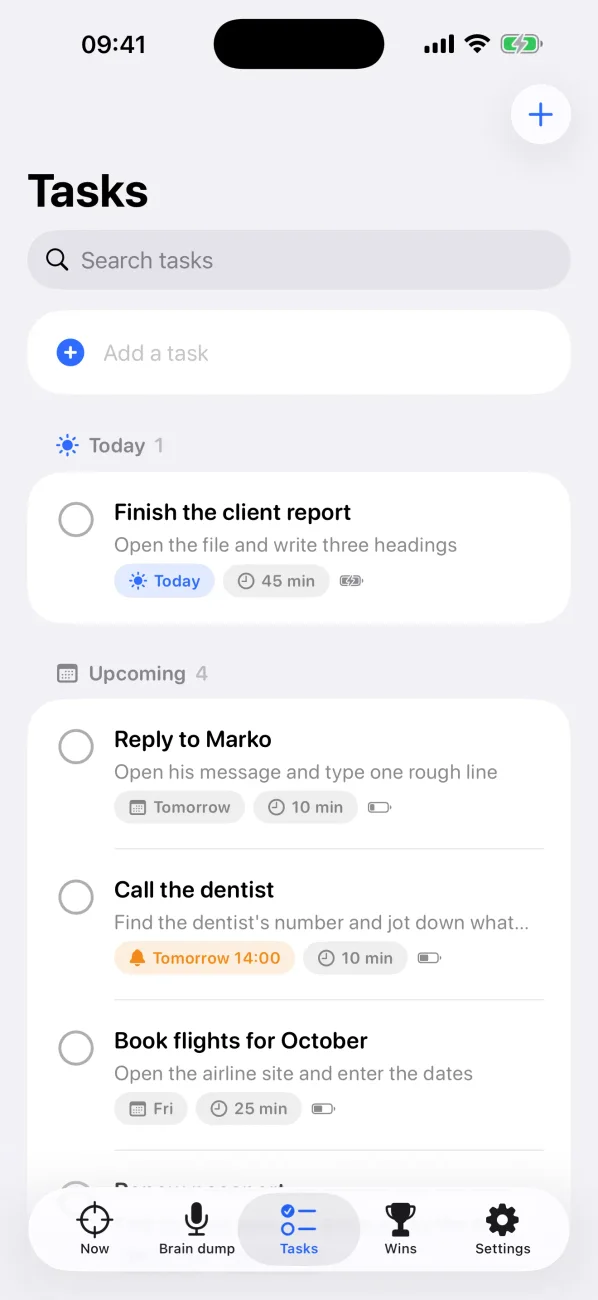
Tap the microphone and say it all at once: "client report, call the dentist at 2, laundry." Brain dump turns it into a clean task list, times included. Or just type. Nothing needs sorting.
PICK ONE FOR ME
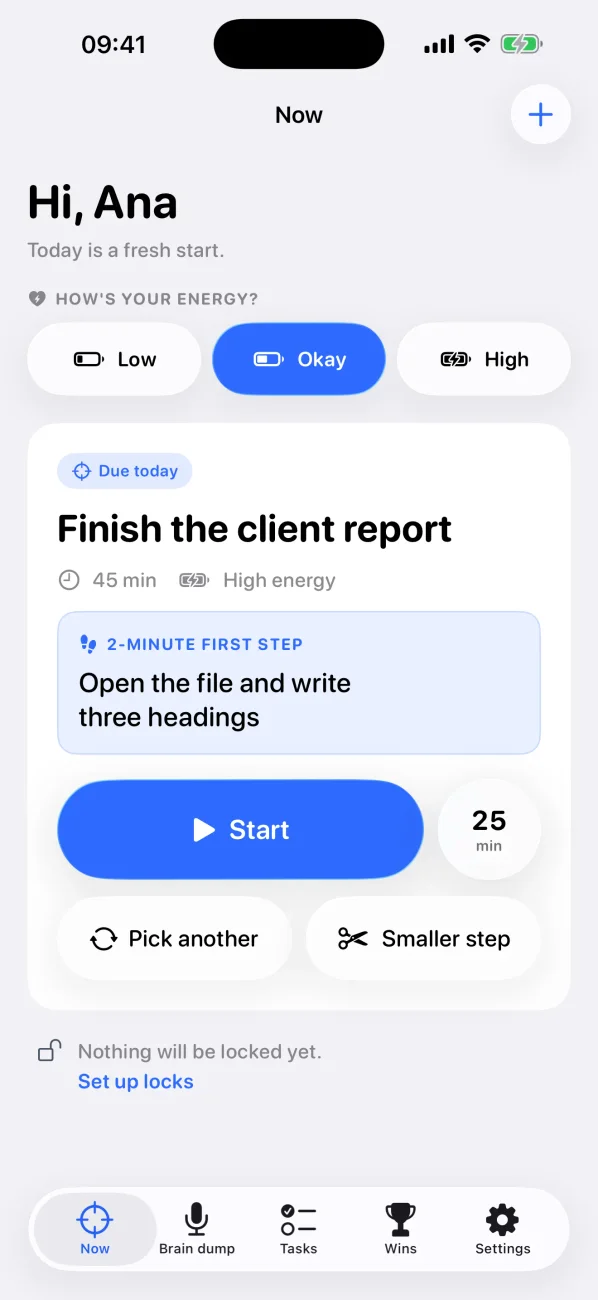
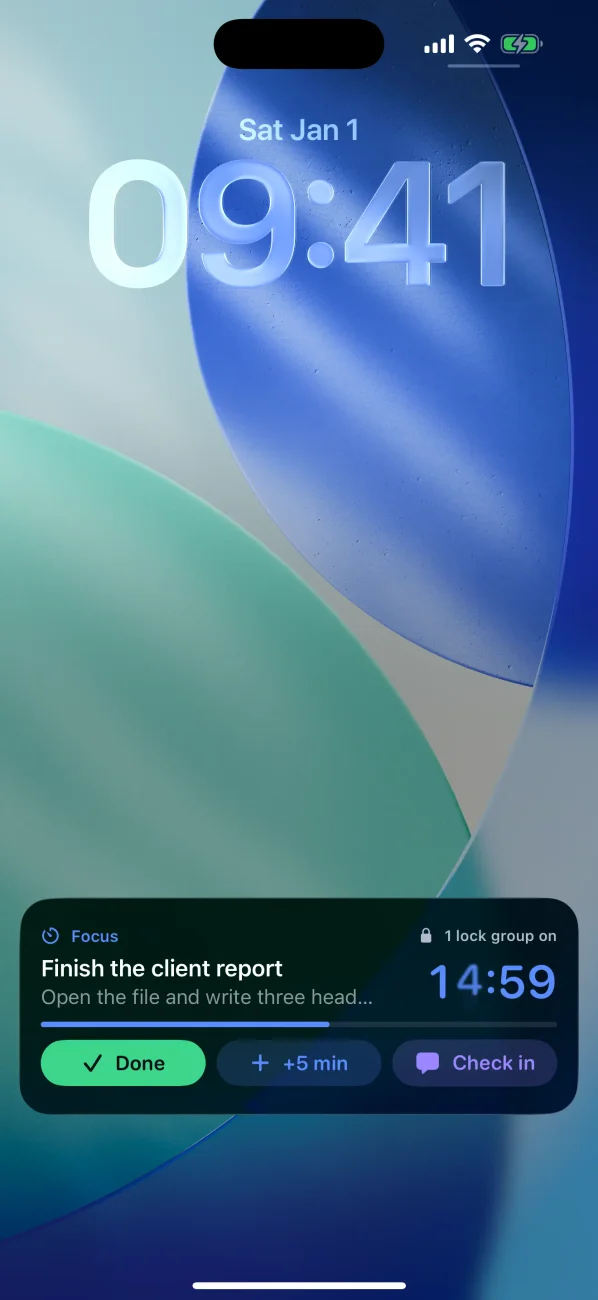
Tap "Pick one for me" to see a single task, why it was picked, and a first step of about 2 minutes, like "Open the file and write three headings." It takes your energy level into account. Not the right one? Tap "Pick another" or "Smaller step."
ONE TAP TO START
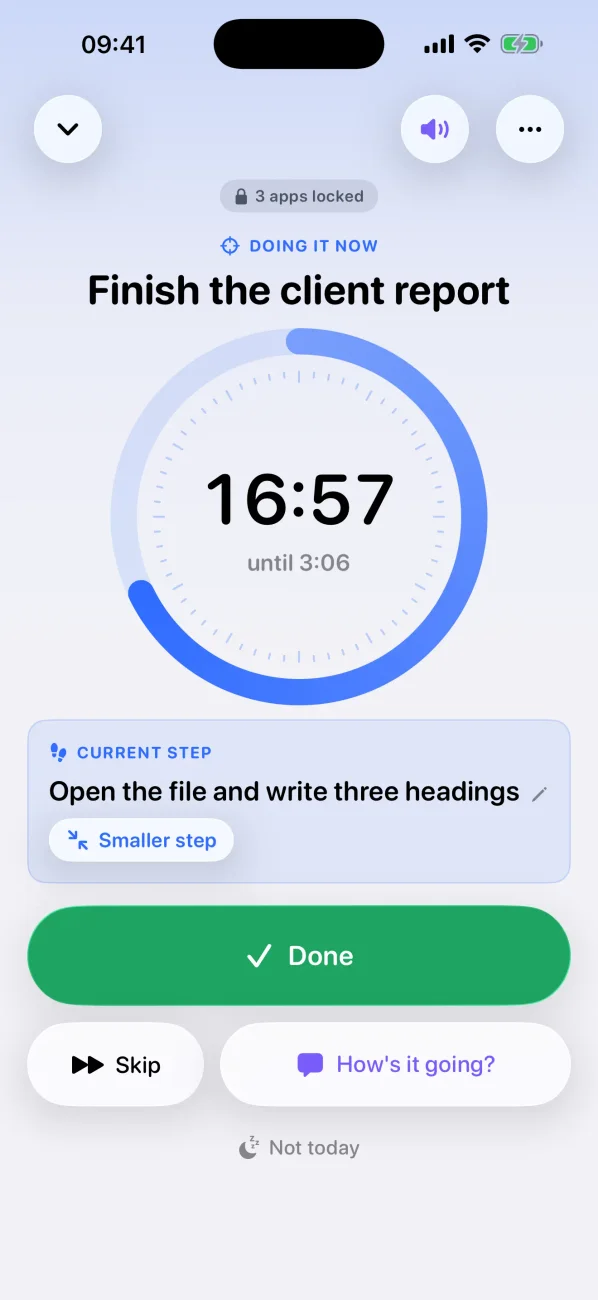
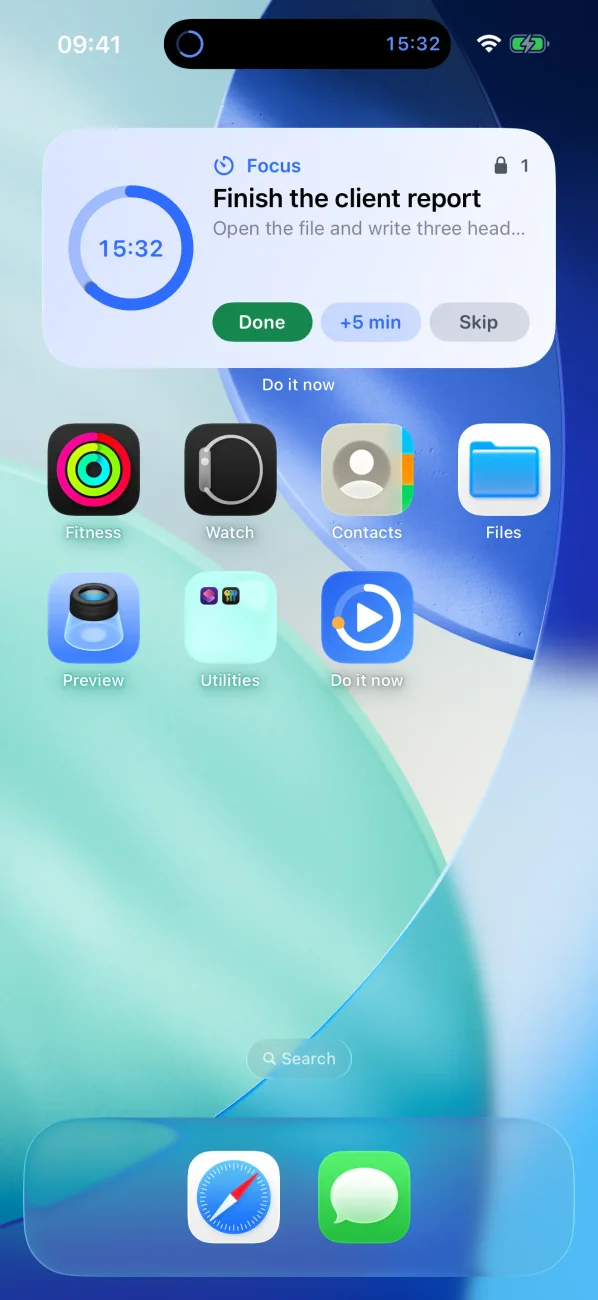
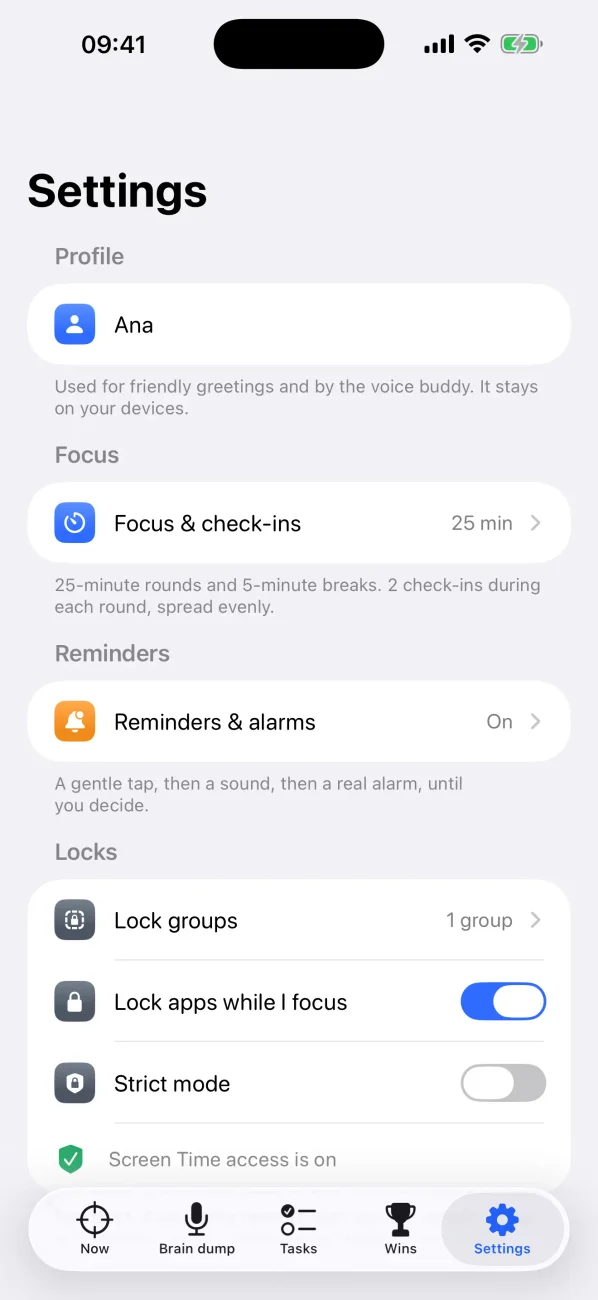
Start begins a focus round: 25 minutes, or whatever length suits you. The countdown stays on your Lock Screen, in the Dynamic Island and in the Smart Stack on Apple Watch, so you can see time passing.
A FOCUS LOCK THAT HOLDS
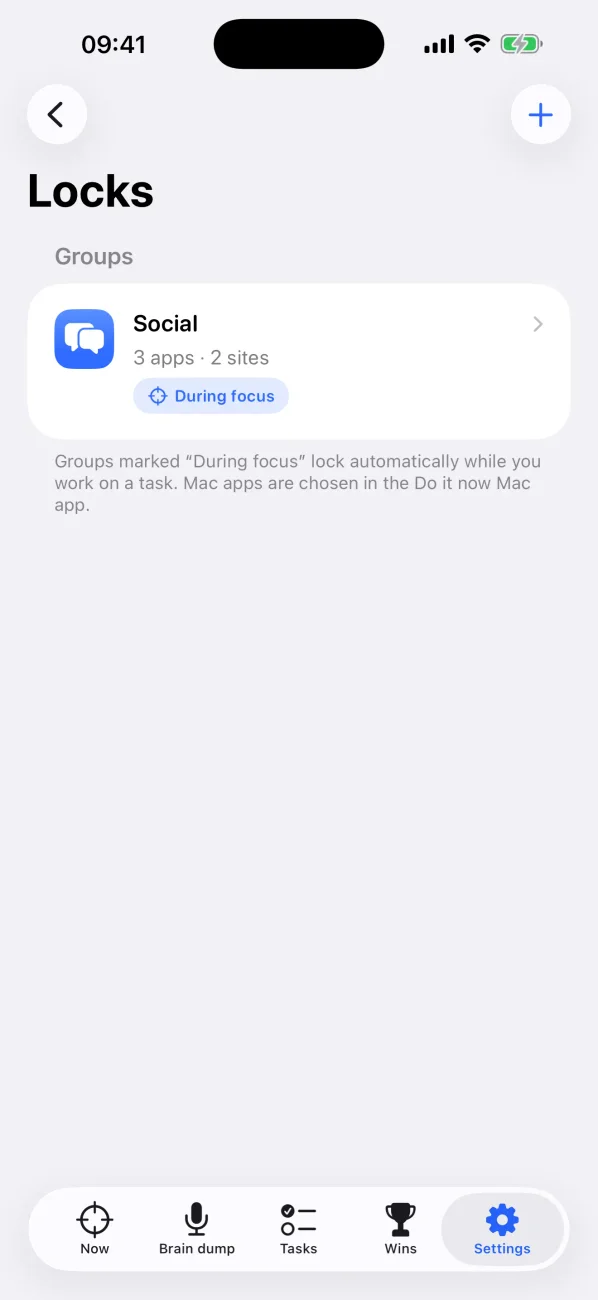
The apps, categories and websites you choose with Apple's Screen Time lock the moment you start. Reach for one out of habit and you see your task and the time left instead of the feed. Make as many lock groups as you like, put them on a schedule, and turn on strict mode for a lock that stays until the round ends.
CHECK-INS THAT HELP
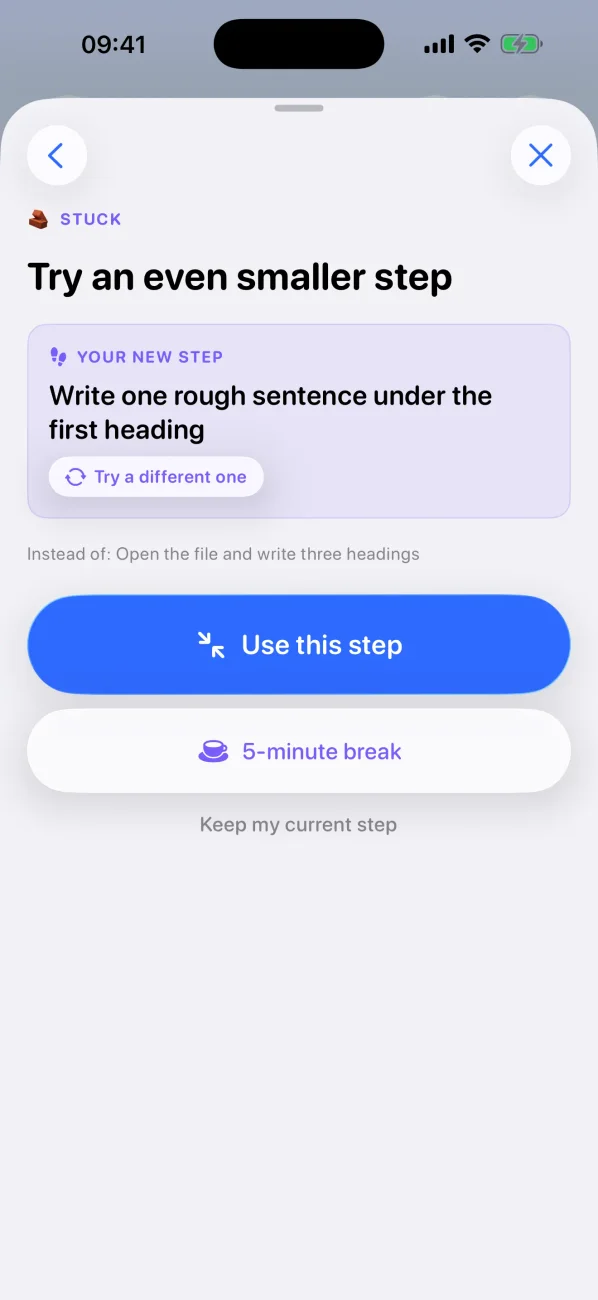
A couple of times per round the app asks how it's going. Stuck gets an even smaller step. Bored gets an easier part or a 5-minute sprint. Anxious gets one minute of box breathing or a short break.
A VOICE BUDDY, IF YOU WANT ONE
The optional voice buddy greets you at the start, checks in, and cheers when you finish, even inside notifications. It's gentle body doubling, with no camera and no video call.
REMINDERS THAT DON'T GIVE UP
When time runs out and you haven't decided, the reminder grows: a quiet banner, then a sound, then a real alarm that rings even in silent mode. Task reminders work the same way. Done, Skip and Not today are always one tap away, and the moment you choose, it all stops.
NO GUILT, EVER
Skip moves a task a few hours later. Not today moves it to tomorrow. No red marks, no "overdue", no broken streaks.
A KEY HOLDER FOR WEAK MOMENTS
Choose someone you trust to hold the key to your locks. They keep time-based codes in Apple's Passwords app: when you want more time, you message them and they text back a code. Backup codes, a PIN they type in person, an NFC sticker in another room or a printed QR key work too. Codes are checked on your iPhone, with no server.
WEEKLY WINS
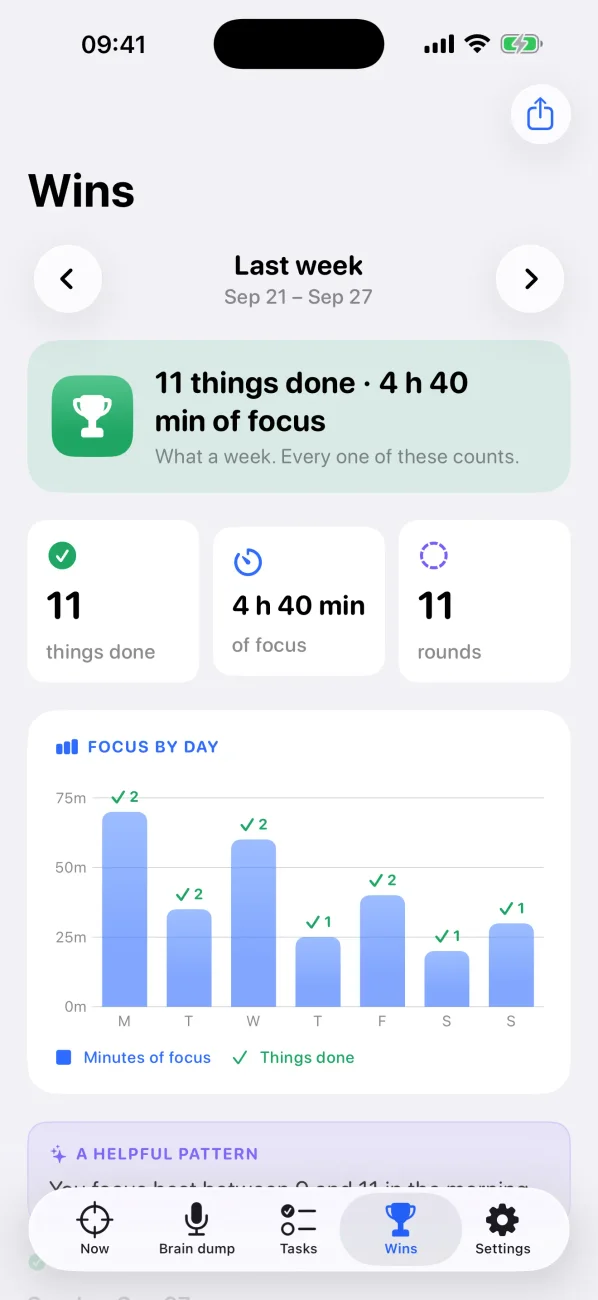
Each week, a short list of what you finished, how long you focused, and one helpful pattern, like when you focus best. Only wins, never failures.
SIRI, WIDGETS AND CONTROL CENTER
Say "Start my next task in Do it now," see your task on the Home Screen or Lock Screen, or start and finish a round from Control Center.
ON YOUR MAC
A free companion Mac app, available separately, puts the same timer in your menu bar and locks the Mac apps you choose, plus websites in Safari, Chrome and other supported browsers, so distraction doesn't just move to the laptop. It starts and stops with your iPhone through your own iCloud.
ON YOUR WRIST
The Apple Watch app shows your task and a countdown ring, with Start, Done, Skip, +5 minutes, check-ins and box breathing on your wrist.
PRIVATE BY DESIGN
No account, no ads, no analytics, no tracking, no third-party code. Speech becomes text on your device, and the AI is Apple Intelligence running on your device. Without it, built-in suggestions take over and everything still works. Your tasks stay on your devices, and in your own private iCloud when sync is on. Screen Time only gives the app anonymous tokens, never your usage.
EVERYTHING INCLUDED
You can leave an optional tip in Settings → About Do it now. Tips don’t unlock anything.
Do it now is a productivity app, not a medical device. It doesn't diagnose or treat ADHD or any other condition.
What’s new
Version 1.1.0 · Nov 7, 2026
You can now leave an optional tip in Settings → About Do it now to support the developer. Tips don’t unlock anything.
App privacy
What Mileta Avramovic declares on the App Store about how this app handles data.
-
Data not collected
The developer does not collect any data from this app.
Privacy practices may vary, for example with the features you use or your age.
Information
- Seller
- Mileta Avramovic
- Category
- Productivity
- Version
- 1.1.0
- Updated
- Nov 7, 2026
- Released
- Oct 1, 2026
- Size
- 8.3 MB
- Requires
- iOS 26.1 or later
- Age rating
- 4+
- Price
- Free
- In-app purchases
- Yes
- Languages
- English
- Copyright
- © @ Maxima Astra
You might also like
-
 Anchor: ADHD Daily RoutinesGuided morning & evening timer
-
 Until Done: ADHD To-Do ListBeat Procrastination, Gently
-
 Diadu - ADHD Friendly CalendarPlan your day, your way.
-
 Smallish — ADHD Task StarterFor when starting is hard
-
 TimeTurtle: ADHD Task TimerVisual day planner & routines
-
 Clarity AI: ADHD Brain DumpAI Task Breakdown & To-Do List
-
 Only ThisOne thing at a time.
-
 ADHD Hyperfocus CoachFocus timer, tasks & AI coach
-
 Attentionly: ADHD Time AuditTime blindness check-in nudges
-
 Second Brain: ADHD PlannerDaily Routine & Focus Timer